
BACKWIN B580S
BACKWIN B580S Wired Earbuds with Microphone
User Manual
Introduction
Thank you for choosing BACKWIN B580S Wired Earbuds. This manual provides essential information for setting up, operating, and maintaining your new earphones. Please read it carefully to ensure optimal performance and longevity of your product.

Image: The BACKWIN B580S Wired Earbuds, featuring a black design, 3.5mm audio jack, and integrated in-line controls.
What's in the Box
Please check the package contents to ensure all items are present:
- BACKWIN B580S Wired Earbuds (with integrated cable and microphone)
- Protective Case
- Ear Cushions (various sizes)
Product Overview
Familiarize yourself with the main components of your earbuds:

Image: Exploded view of the earbud's internal structure, emphasizing the 16.2mm driver for enhanced audio.
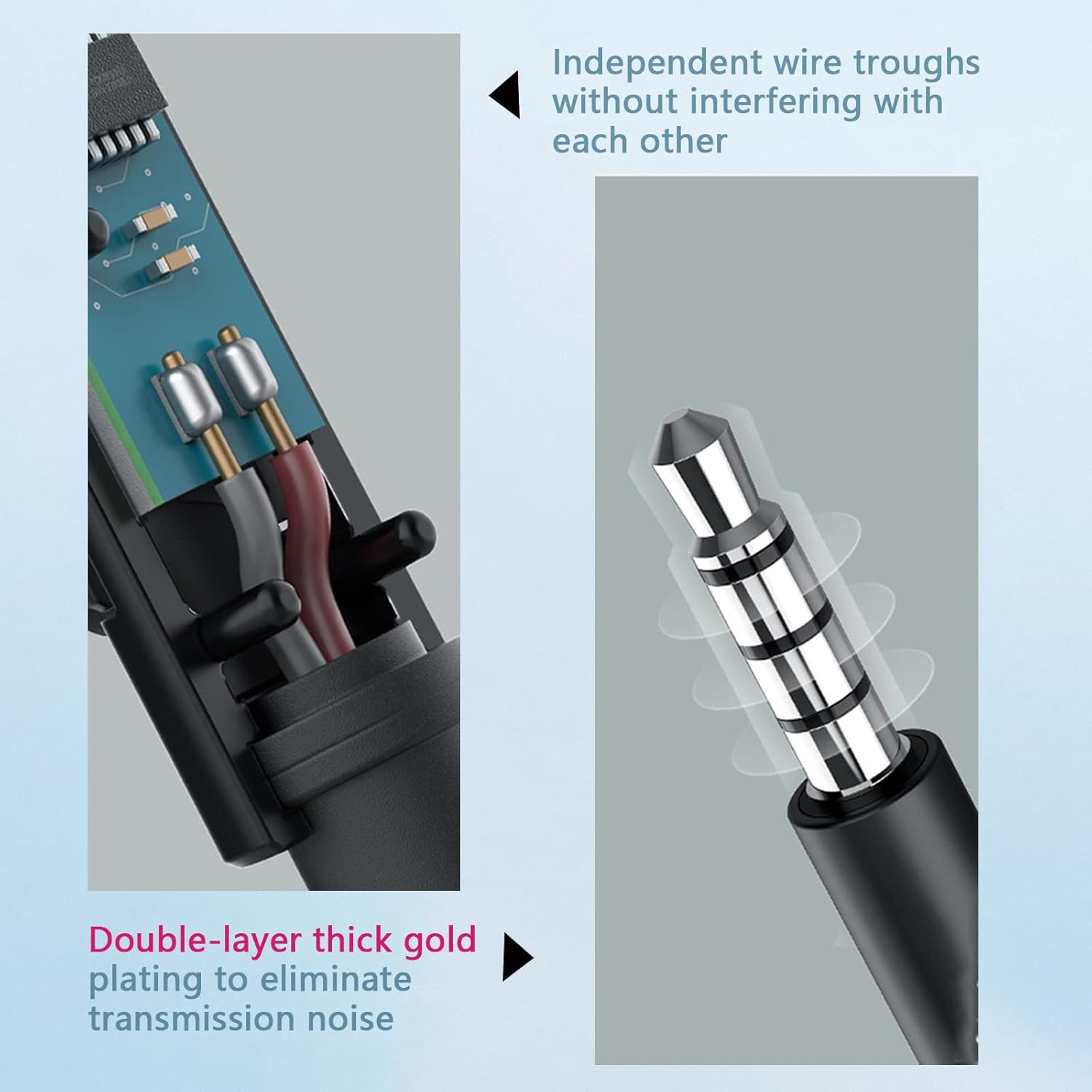
Image: Detailed view of the in-line remote control, illustrating its multi-function button for call and music management.
Setup
Connecting your BACKWIN B580S Wired Earbuds is straightforward:
- Identify the 3.5mm Audio Jack: Locate the 3.5mm audio port on your device (smartphone, tablet, laptop, etc.).
- Insert the Plug: Gently insert the 3.5mm plug of your earbuds into the audio port until it clicks into place.
- Adjust Earbuds: Place the earbuds comfortably into your ears. Ensure a snug fit for optimal sound isolation and audio quality.
Watch this video for a visual guide on connecting and using your earbuds:
Video: A demonstration of connecting the BACKWIN B580S earbuds to a device and wearing them for audio playback.
Operating Instructions
The in-line remote control allows for easy management of calls and music playback:
- Answer/End Call: Press the multi-function button once.
- Play/Pause Music: Press the multi-function button once.
- Next Song: Double-click the multi-function button.
- Previous Song: Triple-click the multi-function button.
- Volume Control: Use the dedicated volume slider or buttons on the in-line remote (if present, otherwise use device volume).
Image: The in-line remote control with clear icons indicating functions for call management and music track selection.
Key Features

Image: Visual representation of the mobile subwoofer technology, designed for superior clarity and acoustic performance with enhanced bass.

Image: A user wearing the earbuds, highlighting the closed cavity design that minimizes external noise interference for clearer sound.
High-Fidelity Audio
The earbuds feature high-fidelity enhancement of bass sound effects, designed to restore the natural quality of sound. Expert tuning ensures a rich audio experience, allowing users to enjoy a wonderful feast of sound.
Ergonomic Design
Designed for comfort, the earbuds fit the curve of the ear, providing a secure and comfortable experience even during extended wear. This ergonomic design helps prevent discomfort and ensures the earbuds stay in place during activities like jogging or travel.
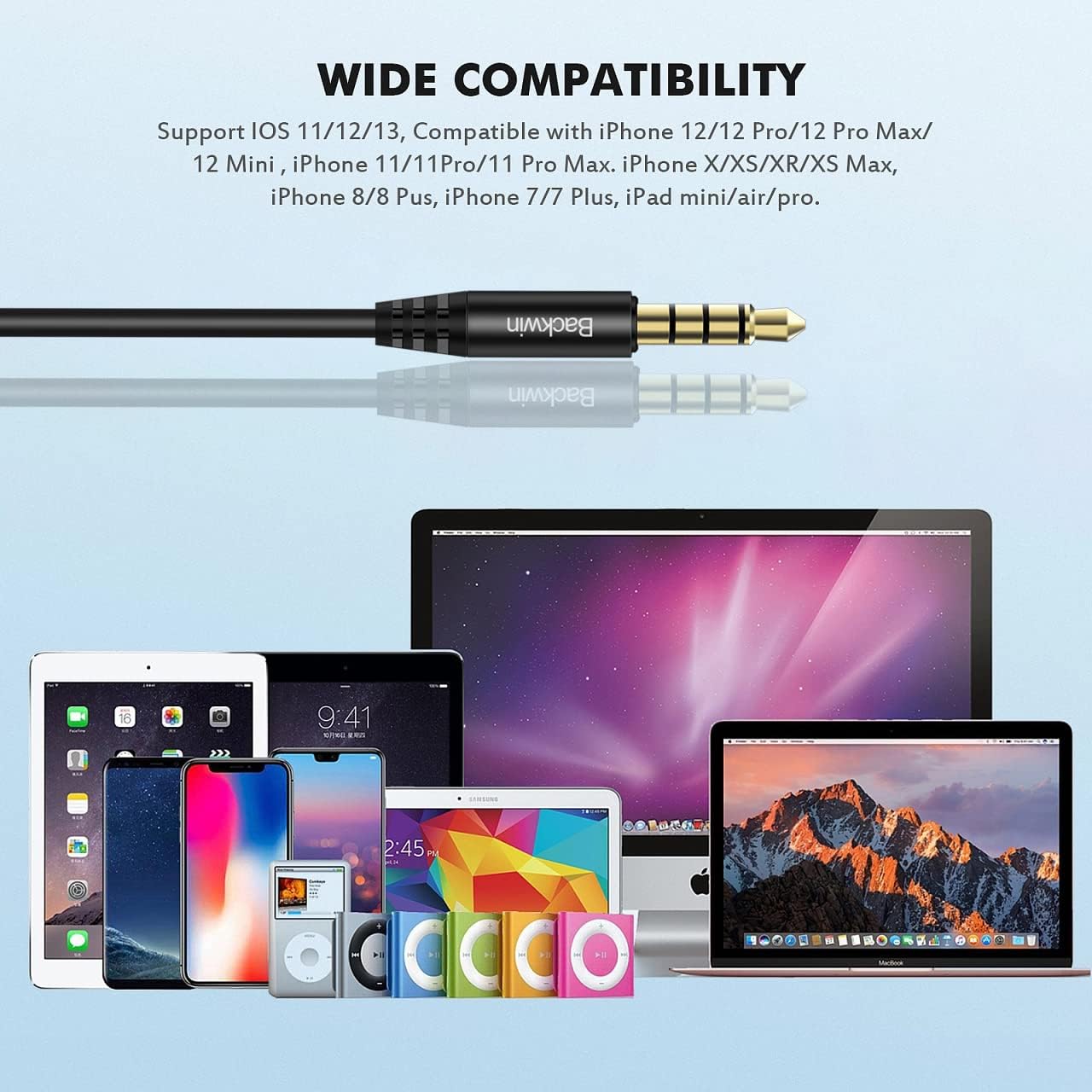
Image: A detailed illustration demonstrating the ergonomic fit of the earbud within the ear canal, designed for comfort and stability.
Durable and Tangle-Free Cable
The cable utilizes a hollow tube material technology, making it soft, comfortable to handle, and resistant to tangling. This design allows for easy portability without the hassle of knots, ensuring continuous and convenient use.

Image: Cross-section of the cable, illustrating independent wire troughs to prevent interference.

Image: The 3.5mm jack, featuring double-layer thick gold plating for improved signal transmission and reduced noise.

Image: Hands stretching the earbud cable, highlighting its flexible and durable construction.
Integrated Microphone
The built-in microphone is positioned to be close to your mouth for clear communication. Its multi-functionality simplifies call management (receive/end calls) and music control (play/pause/next/last song), making communication convenient.
Compatibility
The BACKWIN B580S Wired Earbuds are compatible with any audio device featuring a standard 3.5mm jack. This includes, but is not limited to:
- iPhone devices (models with 3.5mm jack or adapter)
- Android smartphones
- iPod and other MP3 players
- iPad and other tablets
- Mac and other laptops/computers

Image: The 3.5mm audio jack positioned above a collection of compatible devices, including various smartphones, tablets, and laptops.
Maintenance
To ensure the longevity and optimal performance of your earbuds, follow these maintenance guidelines:
- Cleaning: Gently wipe the earbuds and cable with a soft, dry cloth. Do not use harsh chemicals or abrasive materials.
- Ear Cushions: Remove ear cushions periodically and clean them with a damp cloth. Ensure they are completely dry before reattaching.
- Storage: When not in use, store the earbuds in the provided protective case to prevent tangling and damage.
- Avoid Moisture: While the earbuds have some water resistance, avoid prolonged exposure to water or high humidity. Do not submerge them.
Troubleshooting
If you encounter any issues with your BACKWIN B580S Wired Earbuds, please refer to the following common solutions:
| Problem | Possible Cause | Solution |
|---|---|---|
| No sound or low volume |
|
|
| Microphone not working |
|
|
| Sound distortion |
|
|
Specifications
| Feature | Detail |
|---|---|
| Model Name | B580S |
| Connectivity Technology | Wired |
| Headphones Jack | 3.5 mm Jack |
| Ear Placement | In Ear |
| Noise Control | Sound Isolation |
| Frequency Response | 20000 Hz |
| Impedance | 32 Ohms |
| Control Type | Volume Control, Multi-function Button |
| Cable Feature | Tangle Free |
| Special Features | Microphone Included, Sweatproof |
| Material | Plastic |
| Item Weight | 3.69 ounces (104.55 Grams) |
| Product Dimensions | 0.47 x 0.39 x 0.39 inches |
| Manufacturer | GUANGZHOU BACKWIN TECHNOLOGY CO.,LIMITED |
Warranty and Support
BACKWIN provides a 365-day quality assurance for this product. If you encounter any issues or require support, please contact our customer service. We are committed to ensuring your satisfaction and will assist with replacements or refunds as needed.

Image: A visual representation of BACKWIN's commitment to quality assurance and customer satisfaction.
Related documentsB580S

Ask a question about this manual
Ask about setup, troubleshooting, compatibility, parts, safety, or missing instructions. Manuals+ will review the question and use this page’s manual context to help answer it.