
Introduction
The Skullcandy Dime In-Ear Wireless Earbuds offer a compact and powerful audio experience. Designed for comfort and durability, these earbuds provide Skullcandy's Supreme Sound, ensuring rich audio quality for music and calls. They feature dual microphones for solo earbud use and are built to withstand sweat and water, making them suitable for various activities.
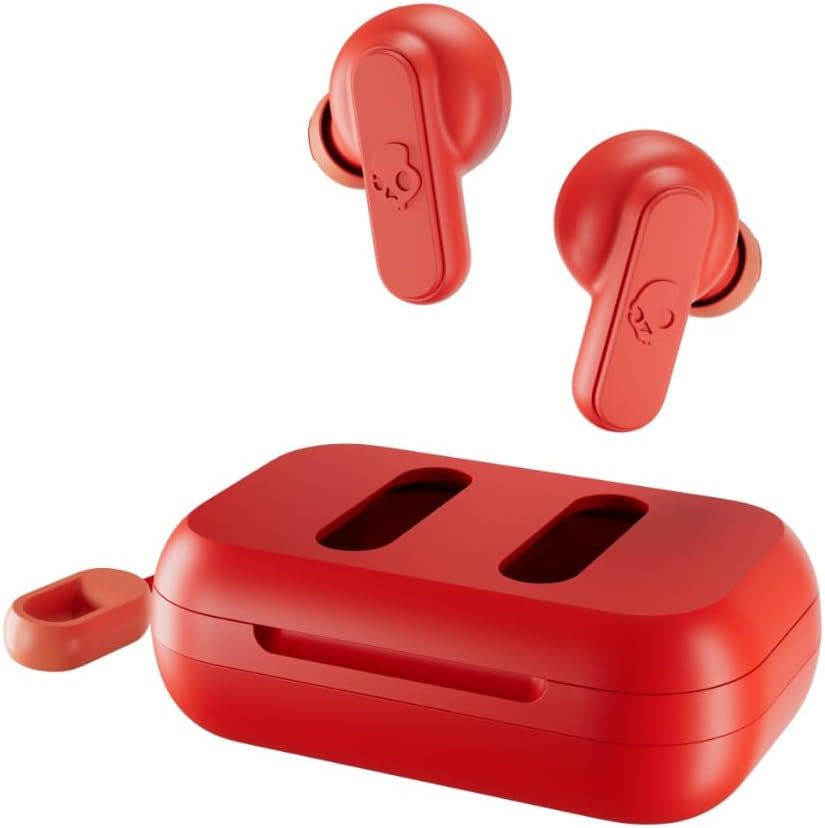
Image: Skullcandy Dime In-Ear Wireless Earbuds in their charging case, closed.
What's in the Box
Your Skullcandy Dime Earbuds package includes the following components:
- True Wireless Earbuds (Left and Right)
- Charging Case
- Ear Gels (Small, Medium, Large)
- Micro-USB Charging Cable
- User Manual
Setup
Charging the Earbuds and Case
Before first use, fully charge your Skullcandy Dime Earbuds and their charging case. Connect the Micro-USB charging cable to the charging port on the case and a compatible USB power source. The charging time for the case is approximately 3.5 hours. The earbuds will charge automatically when placed inside the case.
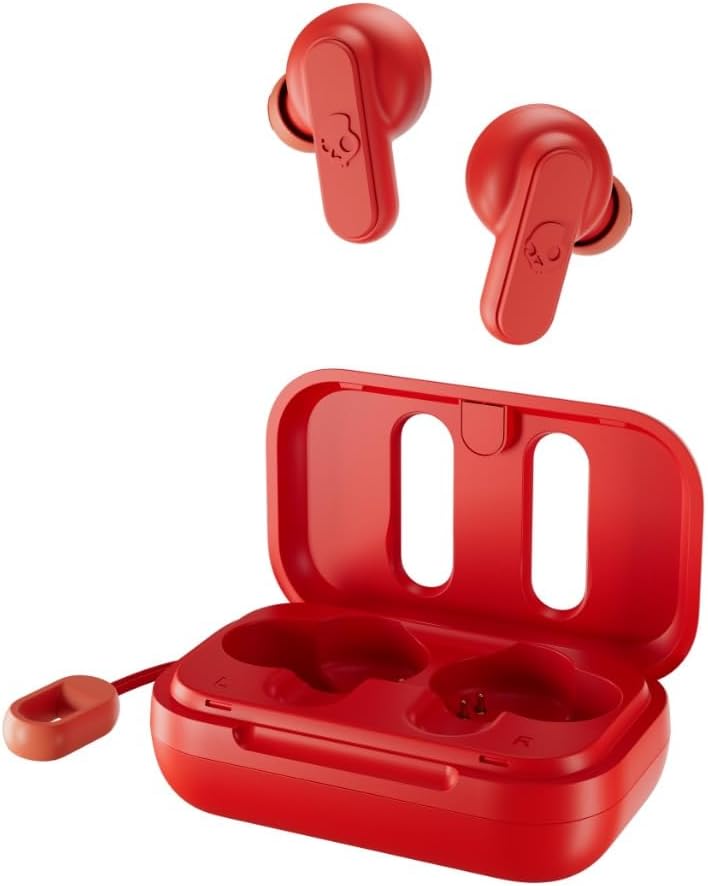
Image: Skullcandy Dime Earbuds resting in their open charging case.
Pairing with a Bluetooth Device
- Remove both earbuds from the charging case. They will automatically enter pairing mode.
- On your device (smartphone, tablet, etc.), enable Bluetooth.
- Search for available Bluetooth devices and select "Skullcandy Dime" from the list.
- Once connected, you will hear an audio prompt confirming successful pairing.
The earbuds support Bluetooth 5.0 for a stable connection.
Operating Instructions
Controls
The Skullcandy Dime Earbuds feature intuitive controls for managing your audio and calls:
- Play/Pause: Press the button on either earbud once.
- Next Track: Press the button on the right earbud twice.
- Previous Track: Press the button on the left earbud twice.
- Volume Up: Press and hold the button on the right earbud.
- Volume Down: Press and hold the button on the left earbud.
- Answer/End Call: Press the button on either earbud once during an incoming call.
- Activate Voice Assistant: Press the button on either earbud three times.
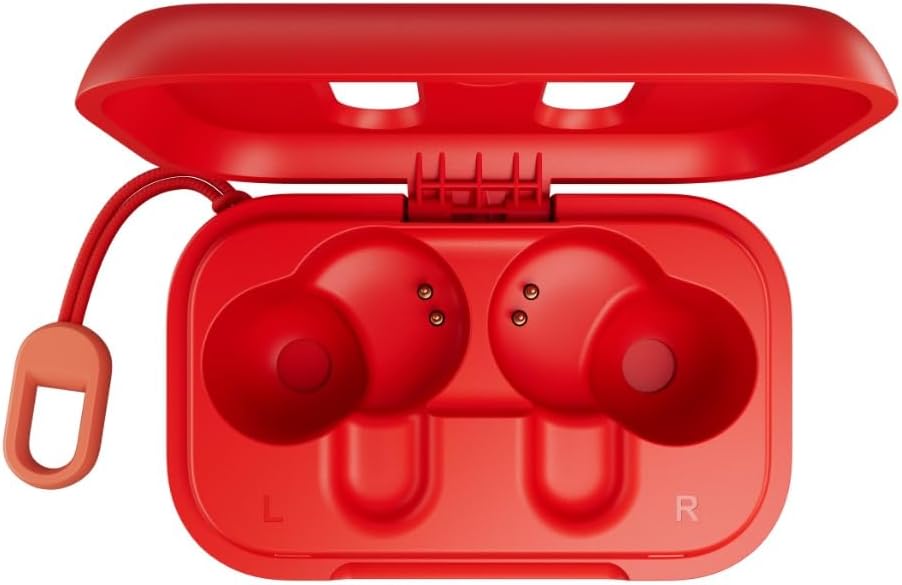
Image: A close-up view of the Skullcandy Dime Earbuds, showing their compact design.
Battery Life
The earbuds provide up to 3.5 hours of listening time per charge. The charging case holds approximately two full charges, extending the total battery life to up to 12 hours. This allows for extended use throughout the day without needing to be near a power outlet.
Maintenance
To ensure the longevity and optimal performance of your Skullcandy Dime Earbuds, follow these maintenance guidelines:
- Keep the earbuds and charging case clean and dry. Use a soft, dry cloth to wipe them down regularly.
- Avoid exposing the earbuds to extreme temperatures or direct sunlight for prolonged periods.
- The earbuds are sweat- and water-resistant. However, they are not waterproof. Do not submerge them in water. Dry them thoroughly if they get wet.
- Store the earbuds in their charging case when not in use to protect them and keep them charged.
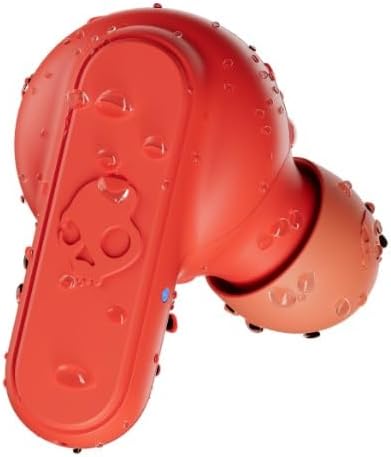
Image: A Skullcandy Dime Earbud with water droplets, illustrating its water resistance.
Troubleshooting
If you encounter issues with your Skullcandy Dime Earbuds, try the following solutions:
- No Power: Ensure the charging case and earbuds are fully charged.
- Earbuds Not Connecting: Place both earbuds back into the case, close the lid, wait a few seconds, then remove them to re-initiate pairing mode. Ensure Bluetooth is enabled on your device.
- Poor Sound Quality: Check if the earbud tips fit snugly in your ear canals. Try different sized ear gels (S, M, L) included in the package. Ensure the earbuds are clean and free of debris.
- Microphone Issues: Ensure the microphone is not obstructed. If using only one earbud, ensure it is the one with the active microphone.
- Lost Earbud: The Skullcandy Dime Earbuds feature Tile technology, allowing you to track them using the Tile app on your smartphone.
Specifications
| Feature | Detail |
|---|---|
| Model Name | TW_DIME |
| Model Number | S2DMW-P752 |
| Connectivity Technology | Bluetooth, True Wireless |
| Bluetooth Version | 5.0 |
| Battery Life (Earbuds) | Up to 3.5 Hours |
| Total Battery Life (with Case) | Up to 12 Hours |
| Charging Time (Case) | 3.5 Hours |
| Water Resistance Level | Water Resistant (Sweat and Water) |
| Item Weight | 32 Grams (approx. 1.13 ounces) |
| Control Type | Volume Control, Remote |
| Included Components | User Manual, Micro-USB Charging Cable, Charging Case, Ear Gels (S, M, L), True Wireless Earbuds |
Warranty and Support
The Skullcandy Dime Earbuds come with a 1-year manufacturer's warranty. For detailed warranty information and support, please refer to the official documentation.
You can access the User Guide and Warranty information in PDF format: