
XTRONS TQS113-MAP
XTRONS 10.1-inch Android 11 Car PC with DVD Player User Manual
Model: TQS113-MAP
Brand: XTRONS
1. Introduction
Thank you for purchasing the XTRONS 10.1-inch Android 11 Car PC with DVD Player (Model TQS113-MAP). This advanced in-car entertainment and navigation system is designed to provide a superior user experience with its powerful Android 11 operating system, large display, and comprehensive features including Apple CarPlay, Android Auto, HDMI output, and a built-in DVD player. This manual provides detailed instructions for installation, operation, maintenance, and troubleshooting to ensure optimal performance and longevity of your device.
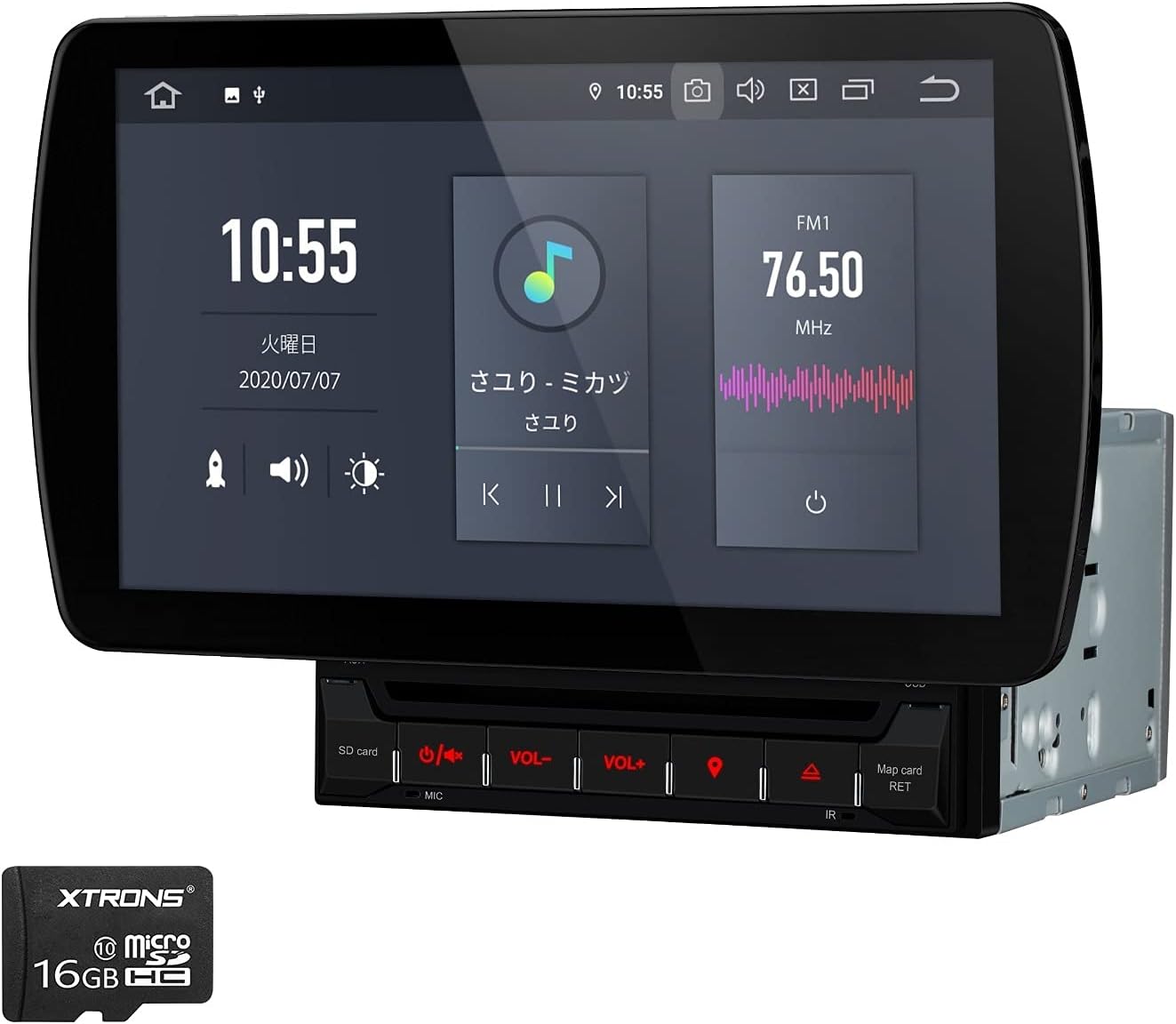
Figure 1.1: XTRONS 10.1-inch Android 11 Car PC with DVD Player (Model TQS113-MAP)
2. Safety Information
Please read all safety instructions carefully before installation and operation. Failure to follow these guidelines may result in injury, damage to the device, or damage to your vehicle.
- Ensure professional installation to avoid electrical issues or damage.
- Do not operate the device in a way that distracts you from driving. Always prioritize road safety.
- Avoid exposing the unit to extreme temperatures, direct sunlight for prolonged periods, or excessive moisture.
- Do not attempt to disassemble or modify the unit. This will void the warranty and may cause damage.
- Use only specified power sources (DC 12V, 10.8V-16V operable range).
- Keep the unit clean and free from dust.
3. Package Contents
Verify that all items listed below are included in your package:
- 1 x ISO Cable
- 2 x USB Cables
- 1 x GPS Antenna
- 2 x RCA Cables
- 2 x Monitor Mounting Plugs / 1 x WiFi Antenna
- 1 x Camera Cable
- 2 x Mounting Kits & 4 x Mounting Screws
- 1 x Instruction Manual (English)

Figure 3.1: Included Accessories
4. Setup and Installation
4.1 Dimensions
Before installation, ensure the unit fits your vehicle's dashboard. The dimensions are as follows:
- Panel Size: 270mm (W) x 153mm (H)
- Open Size: 179mm (W) x 150mm (D) x 100mm (H)
- Weight: 2.5kg

Figure 4.1: Product Dimensions and Adjustable Screen Mechanism
4.2 Wiring Diagram
Refer to the diagram below for proper wiring connections. It is highly recommended to have this unit installed by a qualified professional.

Figure 4.2: Wiring Connection Diagram
Wiring Legend:
| No. | Description | No. | Description |
|---|---|---|---|
| 1. | HDMI Output | 12. | Audio Input (Right) |
| 2. | TPMS Connection Terminal (Dedicated) | 13. | Video Output 1 |
| 3. | IR Control | 14. | Video Output 2 |
| 4. | USB Terminal 1 | 15. | CANBUS Connection Terminal (Inactive) |
| 5. | USB Terminal 2 | 16. | Subwoofer Output |
| 6. | USB Terminal (CarPlay/Android Auto) | 17. | External Microphone Input |
| 7. | Front Camera Video Input | 18. | Audio Output (Front Left) |
| 8. | Backup Camera Power (12V) | 19. | Audio Output (Rear Left) |
| 9. | Video Input | 20. | Audio Output (Center) |
| 10. | Backup Camera Video Input | 21. | Audio Output (Front Right) |
| 11. | Audio Input (Left) | 22. | Audio Output (Rear Right) |
| 23. | Backup Camera Power (12V) | ||
| 24. | Steering Control KEY2 | ||
| 25. | Steering Control KEY1 | ||
| 26. | Auto Antenna | ||
| 27. | Brake Signal Wiring | ||
| 28. | Earth | ||
| 29. | Reverse Signal Wiring | ||
| 30. | Power Cable | ||
| 31. | Radio Antenna Slot | ||
| 32. | GPS Antenna Slot | ||
| 33. | WiFi Antenna |
ISO Power Cable Connections:
- Yellow: Connect to Battery Power (+)
- Black: Connect to Battery Power (-)
- Red: Connect to ACC Accessory Power
- Orange: Illumination
- Purple: Rear Right Speaker (+)
- Purple/Black: Rear Right Speaker (-)
- White: Front Left Speaker (+)
- White/Black: Front Left Speaker (-)
- Green: Rear Left Speaker (+)
- Green/Black: Rear Left Speaker (-)
- Gray: Front Right Speaker (+)
- Gray/Black: Front Right Speaker (-)
5. Operating Instructions
5.1 System Overview
The TQS113-MAP runs on Android 11, powered by a 6-core processor with 4GB RAM and 64GB ROM, ensuring smooth performance for various applications.

Figure 5.1: Key Features of the Android 11 System
5.2 Apple CarPlay & Android Auto
Connect your iPhone or Android smartphone for seamless integration. Enjoy navigation, music, calls, and messages directly on the unit's display. Supports both wireless CarPlay and wired Android Auto via USB.

Figure 5.2: Wireless CarPlay and Wired Android Auto Connection
5.3 HDMI Output
The unit features an HDMI output function, allowing you to display all content from the main screen onto an external monitor, such as a rear-seat entertainment display. This is ideal for passengers to enjoy videos or other media.

Figure 5.3: HDMI Output to External Monitor
Note: Audio from AUX input, radio, or Bluetooth calls cannot be output via HDMI.
5.4 Navigation with Zenrin Map Card
The unit comes with a 16GB Zenrin offline map card, providing reliable navigation without requiring an internet connection. It includes the latest map data and is convenient for sightseeing guidance.

Figure 5.4: Zenrin Offline Map Features
5.5 Additional Features
- Screen Mirroring: Synchronize your smartphone's display to the unit's monitor.
- Bluetooth 5.0: Supports hands-free calling and Bluetooth audio streaming.
- Steering Wheel Control: Operate the unit easily using your vehicle's steering wheel buttons.
- GPS Navigation: Download and use your preferred navigation apps from the store.
- DVD Player: Built-in DVD player for disc media playback.
- USB/SD Support: Supports USB and SD cards up to 128GB.

Figure 5.5: Various Connectivity and Control Features
6. Maintenance
To ensure the longevity and optimal performance of your XTRONS Car PC, follow these maintenance guidelines:
- Cleaning: Use a soft, dry cloth to clean the screen and exterior. For stubborn smudges, lightly dampen the cloth with water or a screen-safe cleaner. Avoid abrasive materials or harsh chemicals.
- Dust Removal: Regularly wipe down the unit to prevent dust buildup, especially around vents and ports.
- Software Updates: Periodically check for and install system and application updates to ensure compatibility and security.
- Environmental Care: Avoid exposing the unit to extreme temperatures, direct sunlight for extended periods, or high humidity.
- Disc Care (for DVD player): Handle DVDs by the edges. Keep discs clean and free of scratches to prevent playback issues.
7. Troubleshooting
If you encounter issues with your XTRONS Car PC, refer to the following common troubleshooting steps. If the problem persists, please contact customer support.
| Problem | Possible Cause | Solution |
|---|---|---|
| Unit does not power on. | Loose power connection, blown fuse, vehicle battery issue. | Check all power cable connections (Yellow, Red, Black). Verify vehicle's fuse box. Ensure stable 12V power supply. Disconnect and reconnect battery power to reset the unit if necessary. |
| No sound. | Volume too low, incorrect audio source, speaker wiring issue. | Increase volume. Select correct audio source (Radio, Bluetooth, USB, etc.). Check speaker wiring connections. |
| Touch screen unresponsive. | System freeze, temporary software glitch. | Restart the unit by turning off the vehicle ignition and restarting. If available, perform a system reset (refer to advanced settings). |
| GPS signal lost or inaccurate. | GPS antenna obstruction, poor satellite reception. | Ensure GPS antenna is properly installed and has a clear view of the sky. Move vehicle to an open area. |
| Bluetooth connection issues. | Device not in pairing mode, interference, incorrect pairing process. | Ensure Bluetooth is enabled on both devices. Put the phone in pairing mode. Delete previous pairings and re-pair. Move closer to the unit. |
8. Specifications
| Feature | Specification |
|---|---|
| Screen Size | 10.1 inches |
| Display Type | LCD |
| Operating System | Android 11 |
| Processor | 6-core |
| RAM | 4 GB |
| Internal Storage (ROM) | 64 GB |
| Connectivity | Wi-Fi, Bluetooth 5.0, USB, SD |
| Features | Hands-free calling, Apple CarPlay, Android Auto, HDMI Output, Screen Mirroring, GPS Navigation, DVD Player |
| Compatible Vehicle Type | Passenger Car |
| Control Method | Touch Screen, Buttons |
| Operating Voltage | DC 12V (10.8V-16V operable) |
| Panel Dimensions | 270mm (W) x 153mm (H) |
| Open Size (Unit) | 179mm (W) x 150mm (D) x 100mm (H) |
| Weight | 2.5 kg |
9. Warranty and Support
XTRONS provides a 1-year warranty for this integrated car navigation unit. We are committed to high-quality products and excellent customer service.
If you encounter any issues or have questions regarding the product, please do not hesitate to contact us via email. We will be happy to assist you.
An electronic PDF version of the Japanese instruction manual is available for download upon request. Please contact us via email to receive the PDF manual.
For further support and product information, please visit the official XTRONS store on Amazon: XTRONS Amazon Store
Ask a question about this manual
Ask about setup, troubleshooting, compatibility, parts, safety, or missing instructions. Manuals+ will review the question and use this page’s manual context to help answer it.