
COMLIFE HF370
Contents
COMLIFE Bladeless Neck Fan HF370 User Manual
Model: HF370
Introduction
Thank you for choosing the COMLIFE Bladeless Neck Fan. This portable, rechargeable fan is designed to provide personal cooling with comfort and convenience. Please read this manual thoroughly before use to ensure proper operation and maintenance.
Important Safety Information
- Do not insert fingers or foreign objects into the fan vents.
- Keep away from water and excessive moisture.
- Do not disassemble, repair, or modify the device.
- Keep out of reach of children.
- Charge using the provided Type-C cable and a UL-certified power adapter.
- Avoid extreme temperatures and direct sunlight.
Package Contents
- COMLIFE Bladeless Neck Fan (HF370)
- USB Type-C Charging Cable
- User Manual
Product Overview
The COMLIFE Bladeless Neck Fan features an ergonomic design for comfortable wear and 360° airflow. It includes a power button, LED indicators for speed and battery, and flexible arms for adjustable fit.

Figure 1: Front view of the COMLIFE Bladeless Neck Fan, showing the sleek design and air outlets.

Figure 2: The flexible design of the neck fan, allowing it to be adjusted for various neck sizes and comfort.
Setup
Charging the Device
- Connect the provided USB Type-C charging cable to the charging port on the fan.
- Connect the other end of the cable to a UL-certified USB power adapter (not included) or a computer's USB port.
- The LED indicators will illuminate during charging. A full charge typically takes 2.5 to 3 hours.
- Once fully charged, all LED indicators will remain solid. Disconnect the charging cable.
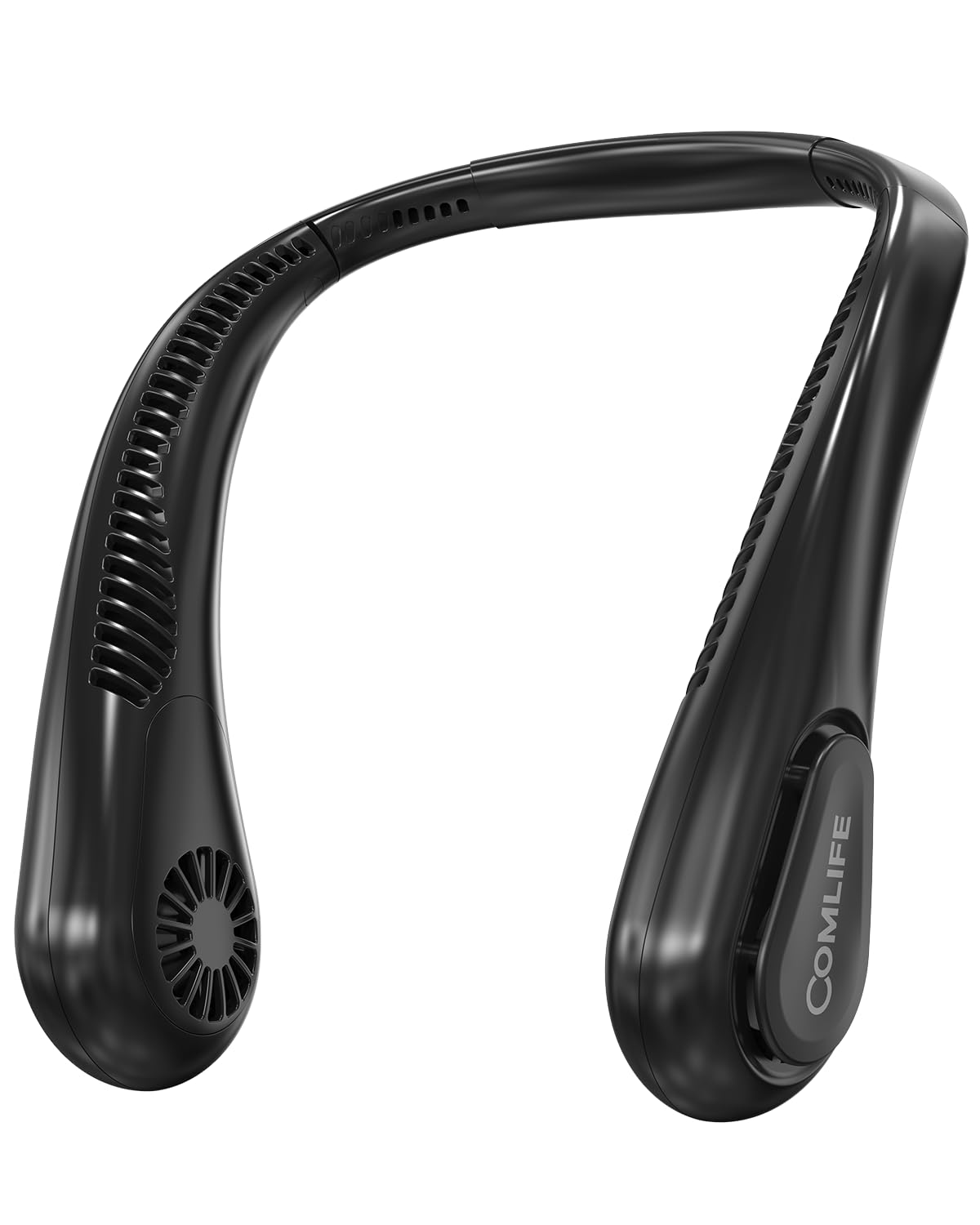
Figure 3: The neck fan connected to a Type-C charging cable, illustrating the charging process and battery indicator lights.
Operating Instructions
Power On/Off and Speed Adjustment
- To power on the fan, press and hold the power button located on the side of the device for 2 seconds. The fan will start at Speed 1.
- To cycle through speeds, press the power button briefly:
- 1st Press: Speed 1 (Gentle breeze)
- 2nd Press: Speed 2 (Medium airflow)
- 3rd Press: Speed 3 (Strong airflow)
- To power off the fan, press the power button a fourth time after Speed 3, or press and hold the power button for 2 seconds at any speed setting.
Wearing the Fan
Place the fan around your neck, ensuring the air outlets are positioned to direct airflow towards your face and neck. The flexible silicone arms allow you to adjust the fit for optimal comfort and airflow direction.

Figure 4: A person wearing the COMLIFE Bladeless Neck Fan during outdoor activity, demonstrating its hands-free use and 360° cooling capability.

Figure 5: A mother and child using the bladeless neck fan, highlighting its safety for long hair and child-friendly design.
Official Product Video: COMLIFE Bladeless Neck Fan Overview
Video 1: An official product video from COMLIFE USA demonstrating the features and benefits of the Bladeless Neck Fan, including its design, airflow, and portability.
Maintenance
Cleaning
- Ensure the fan is powered off before cleaning.
- Wipe the exterior of the fan with a soft, dry cloth.
- Do not use abrasive cleaners, solvents, or immerse the fan in water.
Storage
Store the fan in a cool, dry place away from direct sunlight when not in use. Ensure it is fully charged before long-term storage to preserve battery life.
Troubleshooting
| Problem | Possible Cause | Solution |
|---|---|---|
| Fan does not turn on. | Low battery. | Charge the fan fully using the provided Type-C cable. |
| Weak airflow. | Fan is on a low speed setting. | Press the power button to increase the speed setting. |
| Fan stops unexpectedly. | Battery is depleted. | Recharge the fan. |
Specifications
- Model: HF370
- Brand: COMLIFE
- Battery Capacity: 5000mAh
- Running Time: Up to 9 hours (depending on speed setting)
- Charging Time: 2.5 - 3 hours (Type-C fast charging)
- Speeds: 3 adjustable speeds
- Airflow: 360° with 64 precision vents
- Weight: 9.7 ounces (approx. 0.61 lb)
- Dimensions: 6.54"D x 9.29"W x 2.95"H
- Power Source: Battery Powered
- Control Method: Touch
- Certification: UL Certified
Warranty and Support
For warranty information or technical support, please refer to the contact details provided on the product packaging or visit the official COMLIFE website. Keep your purchase receipt as proof of purchase.
Ask a question about this manual
Ask about setup, troubleshooting, compatibility, parts, safety, or missing instructions. Manuals+ will review the question and use this page’s manual context to help answer it.