Important Safety Instructions
Always read and understand all safety warnings and instructions before operating this tool. Failure to follow the warnings and instructions may result in electric shock, fire, and/or serious injury.
- Keep work area clean and well lit. Cluttered or dark areas invite accidents.
- Do not operate power tools in explosive atmospheres, such as in the presence of flammable liquids, gases, or dust. Power tools create sparks which may ignite the dust or fumes.
- Keep children and bystanders away while operating a power tool. Distractions can cause you to lose control.
- Wear appropriate personal protective equipment, including eye protection, gloves, and sturdy footwear.
- Avoid unintentional starting. Ensure the switch is in the off-position before connecting to battery pack, picking up or carrying the tool.
- Do not force the power tool. Use the correct power tool for your application.
- Disconnect the battery pack from the power tool before making any adjustments, changing accessories, or storing power tools.
- Store idle power tools out of the reach of children and do not allow persons unfamiliar with the power tool or these instructions to operate the power tool.
- Maintain power tools and accessories. Check for misalignment or binding of moving parts, breakage of parts and any other condition that may affect the power tool’s operation.
- Use the power tool, accessories and tool bits etc. in accordance with these instructions, taking into account the working conditions and the work to be performed.
Product Overview
The Makita DUM111ZX is a versatile 18V LXT cordless tool designed for precision trimming tasks in your garden. It functions as both a grass shear and a hedge trimmer, offering tool-less blade changes for convenience. This unit is supplied without batteries or a charger, allowing you to utilize your existing Makita 18V LXT battery system.

Image: The Makita DUM111ZX cordless grass shears, shown with an 18V LXT battery attached. The tool features a teal and black body with a clear blade guard over the grass shear attachment.
Package Contents
Please check that all items are present upon unpacking:
- Makita DUM111ZX Main Unit
- Grass Shear Blade Attachment (110mm cutting width)
- Hedge Trimmer Blade Attachment
- Blade Cover
- Instruction Manual
Note: Batteries and charger are sold separately and are not included with this unit.
Setup
1. Battery Installation
The DUM111ZX is compatible with Makita 18V LXT slide-type batteries. Ensure the battery is fully charged before use.
- Align the battery pack with the battery housing on the tool.
- Slide the battery pack into the housing until it locks into place with a click.
- To remove, press the release button on the battery pack and slide it out.
Important: This tool is not compatible with G-Series batteries.

Image: The open battery compartment of the Makita DUM111ZX, showing the slot for an 18V LXT battery.
2. Blade Attachment and Removal (Tool-less)
The DUM111ZX features a convenient tool-less blade change system.
- Ensure the battery is removed from the tool for safety.
- To remove a blade, locate the blade release lever (usually near the blade attachment point) and depress it.
- Carefully slide the blade attachment off the tool.
- To attach a blade, align the new blade attachment with the tool's mounting mechanism.
- Slide the blade attachment onto the tool until it clicks securely into place. Gently pull on the blade to ensure it is locked.
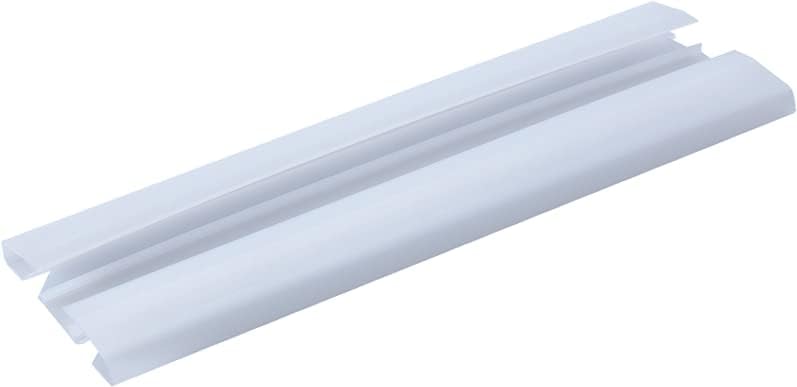
Image: A close-up view of the grass shear blade attachment for the Makita DUM111ZX, showing the individual cutting teeth.

Image: A close-up view of the hedge trimmer blade attachment for the Makita DUM111ZX, featuring a longer, serrated blade design.
3. Adjusting Cutting Height (Grass Shear)
The grass shear blade allows for cutting height adjustment in three stages: 15mm, 20mm, and 25mm.
- Ensure the tool is off and the battery is removed.
- Locate the height adjustment lever or dial on the grass shear attachment.
- Move the lever or rotate the dial to select the desired cutting height (15mm, 20mm, or 25mm).
- Ensure the adjustment is securely locked in place before operation.

Image: The Makita DUM111ZX grass shears, with a clear view of the height adjustment mechanism located near the blade, indicating different cutting levels.
Operation
1. Starting and Stopping the Tool
The tool is equipped with a lock-off button to prevent accidental startup.
- To start the tool, first press the lock-off button (operable from both left and right sides).
- While holding the lock-off button, pull the switch trigger.
- To stop the tool, release the switch trigger.
2. Using the Grass Shear
The grass shear attachment is ideal for trimming grass edges and small areas.
- Hold the tool firmly with both hands if possible, or one hand if comfortable and safe.
- Maintain a steady, even pace. Do not force the tool through thick grass.
- Move the tool in a sweeping motion, ensuring the blade makes clean cuts.
- The double blade action provides a quick cutting and shearing effect.

Image: A person using the Makita DUM111ZX grass shears to trim grass along a paved edge, demonstrating its precision for detailed work.
3. Using the Hedge Trimmer
The hedge trimmer attachment is suitable for shaping small hedges and shrubs.
- Ensure the hedge trimmer blade is securely attached.
- Hold the tool firmly and maintain good balance.
- Start trimming from the bottom of the hedge and work your way up.
- Use a smooth, sweeping motion, keeping the blade parallel to the desired cutting line.

Image: A person using the Makita DUM111ZX with the hedge trimmer attachment to shape a small, leafy shrub, highlighting its utility for detailed pruning.
Maintenance
Regular maintenance ensures optimal performance and extends the life of your tool.
- Cleaning: After each use, remove the battery and clean the blades and tool body. Use a soft brush to remove debris from the blades. Wipe the tool body with a damp cloth. Do not use harsh chemicals or abrasive cleaners.
- Blade Care: The grass shear blade features a manganese phosphate coating for durability. Keep blades sharp and free of rust. Apply a light coat of machine oil to the blades after cleaning to prevent corrosion.
- Storage: Store the tool in a dry, secure place out of reach of children. Always attach the blade cover when storing or transporting the tool. Remove the battery pack if storing for extended periods.

Image: A clear plastic blade cover designed to protect the cutting blades of the Makita DUM111ZX when not in use, emphasizing safety and storage.
Troubleshooting
If you encounter issues with your Makita DUM111ZX, refer to the following common problems and solutions:
| Problem | Possible Cause | Solution |
|---|---|---|
| Tool does not start | Battery not charged or improperly installed; Lock-off button not pressed; Tool malfunction. | Ensure battery is charged and correctly inserted. Press lock-off button before trigger. If problem persists, contact service. |
| Poor cutting performance | Dull or dirty blades; Incorrect cutting height; Overloading the tool. | Clean and sharpen blades. Adjust cutting height. Do not force the tool through thick material. |
| Tool stops during operation | Battery protection circuit activated (overheating, over-discharge, overload). | Allow tool and battery to cool down. Recharge battery if low. Reduce load on the tool. |
Specifications
| Feature | Specification |
|---|---|
| Model Number | DUM111ZX |
| Brand | Makita |
| Power Source | 18V Li-ion LXT Battery (not included) |
| Cutting Width (Grass Shear) | 110 mm |
| Cutting Height Adjustment | 3 stages (15mm, 20mm, 25mm) |
| Blade Material | Alloy Steel with Manganese Phosphate Coating |
| Item Weight | 1.8 kg (3.96 lbs) |
| Run Time (approx.) | Up to 220 minutes (with BL1850B battery) |
Warranty and Support
Warranty Information
Makita offers a 1-year manufacturer warranty on this product. An additional 2 years of warranty can be obtained by registering your product within 30 days of purchase. Please note that this guarantee does not apply if non-genuine or non-recommended parts or accessories are fitted to the tool. The use of non-genuine or incompatible batteries and chargers with Makita tools will invalidate the Makita guarantee.
Customer Support
For technical assistance, spare parts, or warranty claims, please contact your local Makita service center or authorized dealer. You can find contact information on the official Makita website.