
1. Introduction
The SunFounder Thales Kit for Raspberry Pi Pico is a comprehensive starter kit designed for individuals interested in learning electronics and programming. It provides a wide array of components and detailed online tutorials to guide users through various projects using MicroPython, C/C++, and Piper Make.
This manual provides essential information for setting up, operating, maintaining, and troubleshooting your kit.
2. Setup
2.1 Kit Contents Overview
The Thales Kit includes over 280 items, providing a rich selection of electronic components for diverse projects. Key components include a pre-soldered Raspberry Pi Pico board, an I2C LCD, WS2812 RGB LED Strip, Servo Motor, PIR Motion Sensor, breadboard, jumper wires, and various resistors, capacitors, and sensors.

Image 1: Overview of the SunFounder Thales Kit components.

Image 2: A visual representation of the 280+ items included in the kit, with labels for each component.
2.2 Raspberry Pi Pico Board
The kit features a pre-soldered Raspberry Pi Pico, a high-performance microcontroller board powered by the RP2040 chip. It includes a dual-core ARM Cortex-M0+ processor, 2MB of Flash memory, and flexible digital interfaces. The pre-soldered GPIO pins simplify connection to breadboards and other components.

Image 3: The pre-soldered Raspberry Pi Pico board, highlighting its compact design and accessible GPIO pins.
2.3 Initial Connection
To begin, connect your Raspberry Pi Pico to your computer using the provided Micro USB cable. Ensure your development environment is set up according to the online tutorials. The Pico can be programmed using MicroPython, C/C++, or Piper Make.
3. Operating the Kit
3.1 Programming Languages
The kit supports three popular programming languages:
- MicroPython: An officially recommended language with 18 dedicated projects.
- C/C++: Compatible with the Arduino IDE, offering 13 projects.
- Piper Make: A simplified, block-based visual programming language similar to Scratch, ideal for beginners, with 9 projects.

Image 4: Visual representation of the three programming languages supported by the kit.
3.2 Online Tutorials and Projects
The SunFounder Thales Kit provides access to comprehensive online tutorials at thales-kit.rtfd.io. These tutorials offer step-by-step guidance for 40 professional projects, each including circuit diagrams, explanations of operating principles, and example code.

Image 5: A view of the online tutorial platform, showcasing various project guides and code examples.

Image 6: An example of a completed project with the Raspberry Pi Pico and an RGB LED strip on a breadboard.
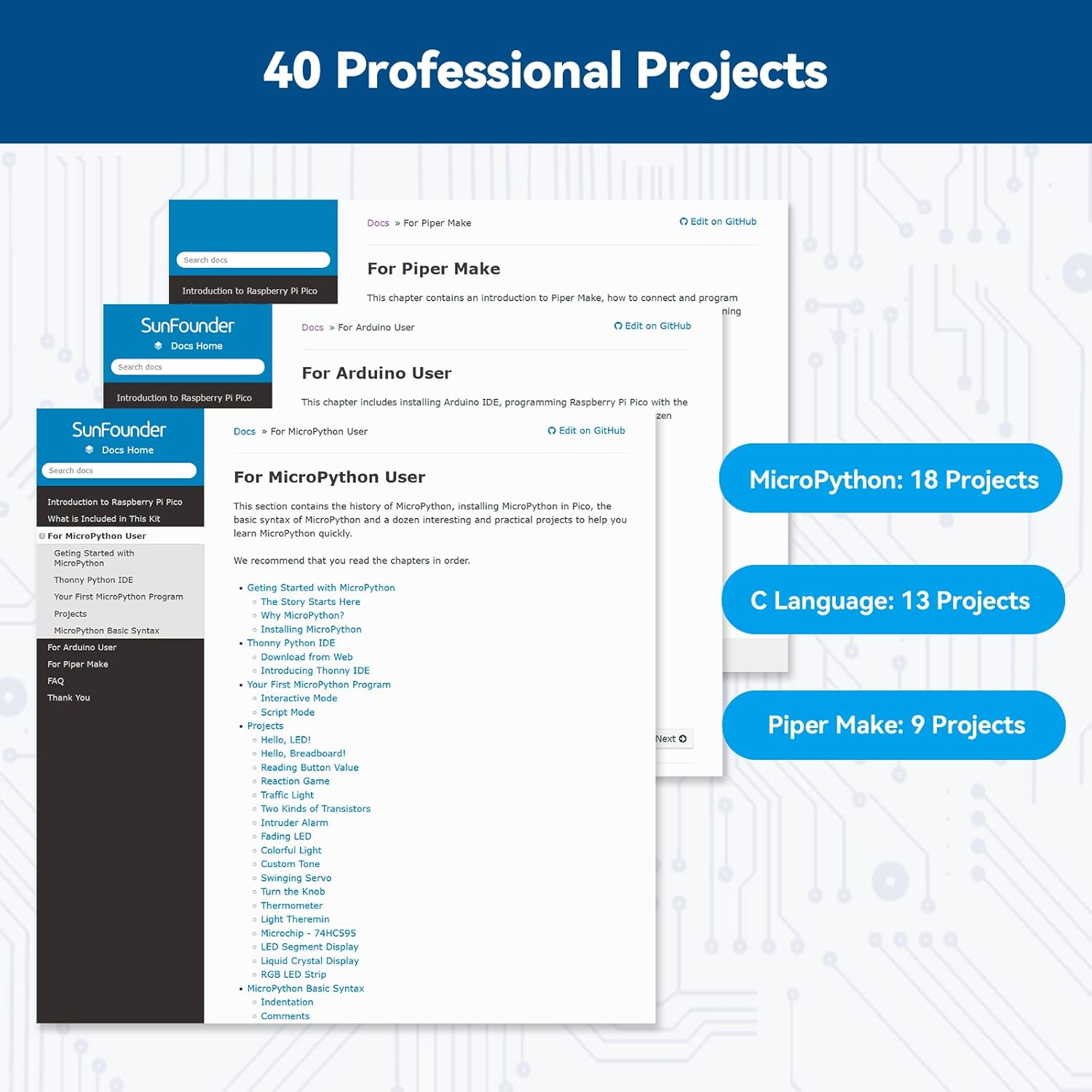
Image 7: The project list from the online tutorials, detailing the number of projects available for MicroPython, C Language, and Piper Make.
4. Maintenance
4.1 Component Storage
All components are provided in a durable plastic storage box with adjustable separators. It is recommended to keep components organized within this box to prevent loss and damage. Store the kit in a dry, cool environment away from direct sunlight and extreme temperatures.

Image 8: The kit's storage box, illustrating how components can be kept organized.
4.2 Handling Components
Handle all electronic components with care. Avoid excessive force when inserting components into the breadboard. Ensure proper polarity for LEDs and other polarized components to prevent damage. Keep the Raspberry Pi Pico board clean and free from dust.
5. Troubleshooting
5.1 Common Issues
- Component Not Working: Double-check all wiring connections against the circuit diagram in the tutorial. Ensure components are inserted with correct polarity. Verify the code is uploaded correctly and matches the project.
- Code Errors: Review your code for syntax errors or logical mistakes. Use the debugging features of your IDE (Thonny for MicroPython, Arduino IDE for C/C++) to identify issues. Refer to the online tutorials for correct example code.
- Power Issues: Ensure the Raspberry Pi Pico is properly connected to a stable power source via the Micro USB cable. Check for loose connections.
- Pico Not Detected: Try a different USB port or cable. Ensure the correct drivers are installed for your operating system.
5.2 Seeking Further Assistance
For detailed troubleshooting steps and community support, refer to the official online tutorials at thales-kit.rtfd.io. Many common issues are addressed within the project-specific guides.
6. Specifications
- Brand: SunFounder
- Model Name: Raspberry Pi Pico (Thales Kit)
- Processor: RP2040 (Dual-core ARM Cortex-M0+)
- Memory Storage Capacity: 16 MB
- Operating System Support: MicroPython, C/C++, Piper Make
- Connectivity Technology: GPIO, I2C
- Item Weight: 1.15 pounds
- Product Dimensions: 9.8 x 8.58 x 2.36 inches
- Included Components: Raspberry Pi Pico, I2C LCD, WS2812 RGB LED Strip, Servo Motor, PIR Motion Sensor, Breadboard, Jumper Wires, Resistors, Capacitors, Diodes, Button, Photoresistor, Potentiometer, Transistor, 7-segment Display, Temperature Sensor, Infrared Receiver, Infrared Emitter, PWM Motor Driver, Stepper Motor, Relay, HC-05 Bluetooth Module, PCF8591 ADC Module, DS1307 RTC Module, DHT11 Temperature and Humidity Sensor, Soil Moisture Sensor, Light Sensor, Sound Sensor, Ultrasonic Module, IR Remote Control, Motor, and Motor Driver Board.
7. Warranty and Support
7.1 Warranty Information
The SunFounder Thales Kit includes a 30-day money-back guarantee. For any warranty-related inquiries or issues, please contact SunFounder customer support.
7.2 Customer Support
For technical support, questions, or feedback, please visit the official online tutorials at thales-kit.rtfd.io. You may also find contact information for SunFounder customer service on their official website or through your purchase platform.


