
1. Introduction and Overview
The SHIMANO STEPS SW-EM800-L is a left-hand assist switch designed to enhance your eBike control experience. This unit integrates seamlessly with SHIMANO's advanced eBike drivetrain systems, offering riders improved comfort, precise control, and a streamlined cockpit setup.
Key features include an ergonomically designed concave button with a wider contact area for intuitive operation, durable construction to withstand various riding conditions, and compatibility with SHIMANO SL-MT800-IL shifters and the SD300 electric cable for versatile integration.
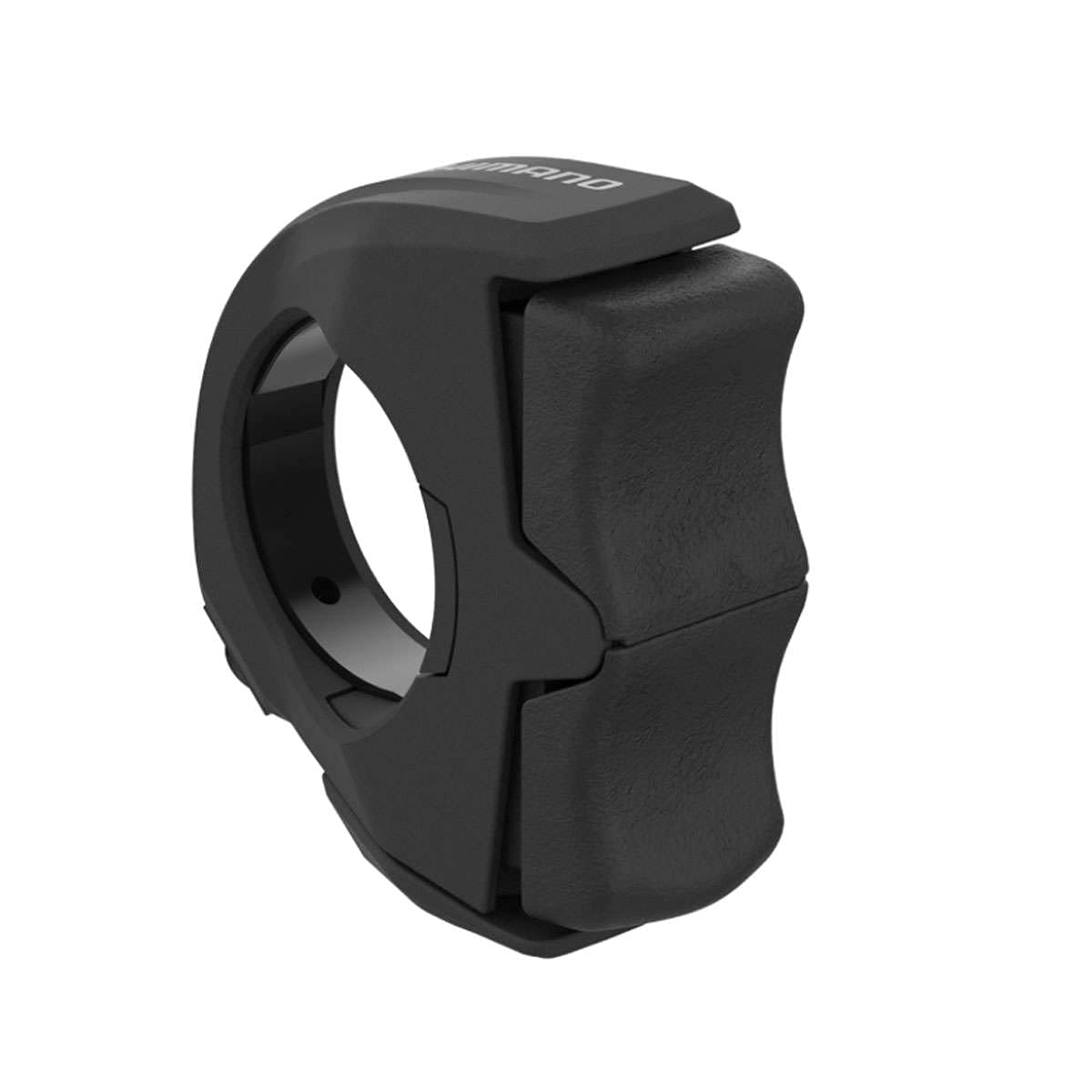
An image showing the SHIMANO STEPS SW-EM800-L Left Switch Unit, a black, ergonomically designed control unit for eBikes.
2. Safety Information
- Always read and understand all instructions before installing or operating this product.
- Ensure all components are securely fastened and correctly connected to prevent accidents.
- If you are unsure about any installation or operation steps, consult a qualified bicycle mechanic.
- Regularly inspect the switch unit and cables for any signs of wear or damage. Replace damaged parts immediately.
- Do not attempt to modify the product, as this may void the warranty and compromise safety.
3. What's in the Box
Upon opening the package, verify that all components are present and undamaged. The package for the SHIMANO STEPS SW-EM800-L Left Switch Unit typically includes:
- SHIMANO STEPS SW-EM800-L Left Switch Unit (referred to as 'eBike Head Unit' in some documentation)
4. Setup and Installation
The SW-EM800-L is designed for straightforward integration with compatible SHIMANO STEPS eBike systems. Professional installation by a certified mechanic is recommended to ensure correct setup and optimal performance.
Installation Steps:
- Prepare the Handlebar: Identify the desired mounting position on the left side of your eBike handlebar. Ensure there is sufficient space and that the switch will not interfere with other controls or your riding posture.
- Mount the Switch Unit: Securely attach the SW-EM800-L switch unit to the handlebar using the appropriate clamp mechanism. Tighten fasteners to the manufacturer's specified torque settings.
- Connect the SD300 Electric Cable: Connect the removable SD300 electric cable to the switch unit and route it cleanly along the handlebar and frame to the main eBike system unit. Ensure the cable is not pinched or stretched.
- Verify Compatibility: Confirm that the switch unit is correctly integrated with your SHIMANO SL-MT800-IL shifters for synchronized drivetrain control.
- Test Functionality: After installation, power on your eBike system and test the switch's functionality to ensure it controls assist levels and other functions as expected.
For detailed diagrams and specific torque values, please refer to the official SHIMANO STEPS dealer manual or consult a professional.
5. Operating Instructions
The SHIMANO STEPS SW-EM800-L Left Switch Unit provides intuitive control over your eBike's assist functions. Its ergonomic design with a concave button and wider contact area allows for comfortable and precise operation during your ride.
Basic Operation:
- Assist Level Adjustment: Use the buttons on the switch unit to cycle through the available assist modes (e.g., Eco, Trail, Boost) of your SHIMANO STEPS system.
- Drivetrain Management: If integrated with compatible shifters (e.g., SL-MT800-IL), the switch may also facilitate gear changes or other drivetrain-related functions.
Refer to your eBike's main display unit and the comprehensive SHIMANO STEPS system manual for detailed information on all available functions and their specific operation.
6. Maintenance
The SW-EM800-L is constructed from durable materials designed to withstand vibrations and exposure to the elements. Regular maintenance will help ensure its longevity and reliable performance.
- Cleaning: Wipe the switch unit with a soft, damp cloth to remove dirt and grime. Avoid using harsh chemicals or abrasive cleaners, which can damage the finish or internal components.
- Inspection: Periodically inspect the switch unit, its mounting, and the connected SD300 electric cable for any signs of wear, cracks, or damage. Ensure the cable connections are secure.
- Storage: When not in use for extended periods, store your eBike in a dry, temperate environment to protect electronic components.
7. Troubleshooting
If you encounter issues with your SHIMANO STEPS SW-EM800-L Left Switch Unit, consider the following basic troubleshooting steps:
- No Response: Check all cable connections, especially the SD300 electric cable, to ensure they are securely plugged in. Verify that your eBike's battery is charged and the system is powered on.
- Intermittent Function: Inspect the cable for any visible damage or kinks. Ensure the switch unit is firmly mounted and not loose.
- System Error: If your eBike display shows an error code related to the switch, consult your SHIMANO STEPS system manual for specific error code interpretations and solutions.
For persistent issues or complex problems, it is recommended to contact a SHIMANO authorized dealer or a qualified eBike technician for diagnosis and repair.
8. Specifications
| Feature | Specification |
|---|---|
| Brand | SHIMANO |
| Model Name | STEPS SW-EM800 Assist Switch Unit |
| Part Number | ISWEM800L |
| Item Dimensions (LxWxH) | 5.39 x 3.11 x 2.63 inches |
| Package Weight | 0.05 Kilograms |
| Color | Multicolor (typically black) |
| Suggested Users | Unisex-adult |
| UPC | 192790596785 |
| Compatibility | SHIMANO STEPS eBike systems, SL-MT800-IL shifters, SD300 electric cable |
9. Warranty and Support
This SHIMANO product is covered by a Limited Warranty. The terms and conditions of the warranty are provided with your purchase documentation. Please retain your proof of purchase for any warranty claims.
For warranty service, technical assistance, or further product information, please contact your authorized SHIMANO dealer or visit the official SHIMANO website for support resources.
SHIMANO Official Website: www.shimano.com