
Introduction
Thank you for purchasing the iHip Mini Bluetooth Animal Pet Wireless Speaker. This compact and portable speaker is designed to provide high-quality audio from your Bluetooth-enabled devices. Its unique animal design makes it a fun and convenient accessory for on-the-go listening. This manual provides essential information for setting up, operating, and maintaining your speaker.
What's in the Box
- 1 Wireless Pet Speaker (Otis The Dog)
- 1 Micro USB Charging Cable
- 1 Instruction Manual
- 1 Black Lanyard

Image: The iHip Mini Bluetooth Animal Pet Wireless Speaker, featuring the Otis The Dog design. This compact speaker is shown with its distinctive dog-like face and small, portable form factor.
Product Features
- Compact Size: Measures 1.68"D x 1.68"W x 1.89"H and weighs only 1.3 ounces, making it highly portable.
- High-Quality Sound: Features a 3W audio driver for robust bass and clear sound. Speaker output: 2W.
- Wireless Connectivity: Bluetooth Version 4.2+EDR for easy pairing with smartphones, tablets, and laptops.
- Wireless Range: Up to 33 feet (10 meters).
- Rechargeable Battery: Built-in 3.7V/250MAH battery.
- Playtime: Approximately 1 hour.
- Charge Time: 1-2 hours via Micro USB.
- 1-Click Pairing: Simple and quick connection.
- Included Lanyard: For convenient carrying.
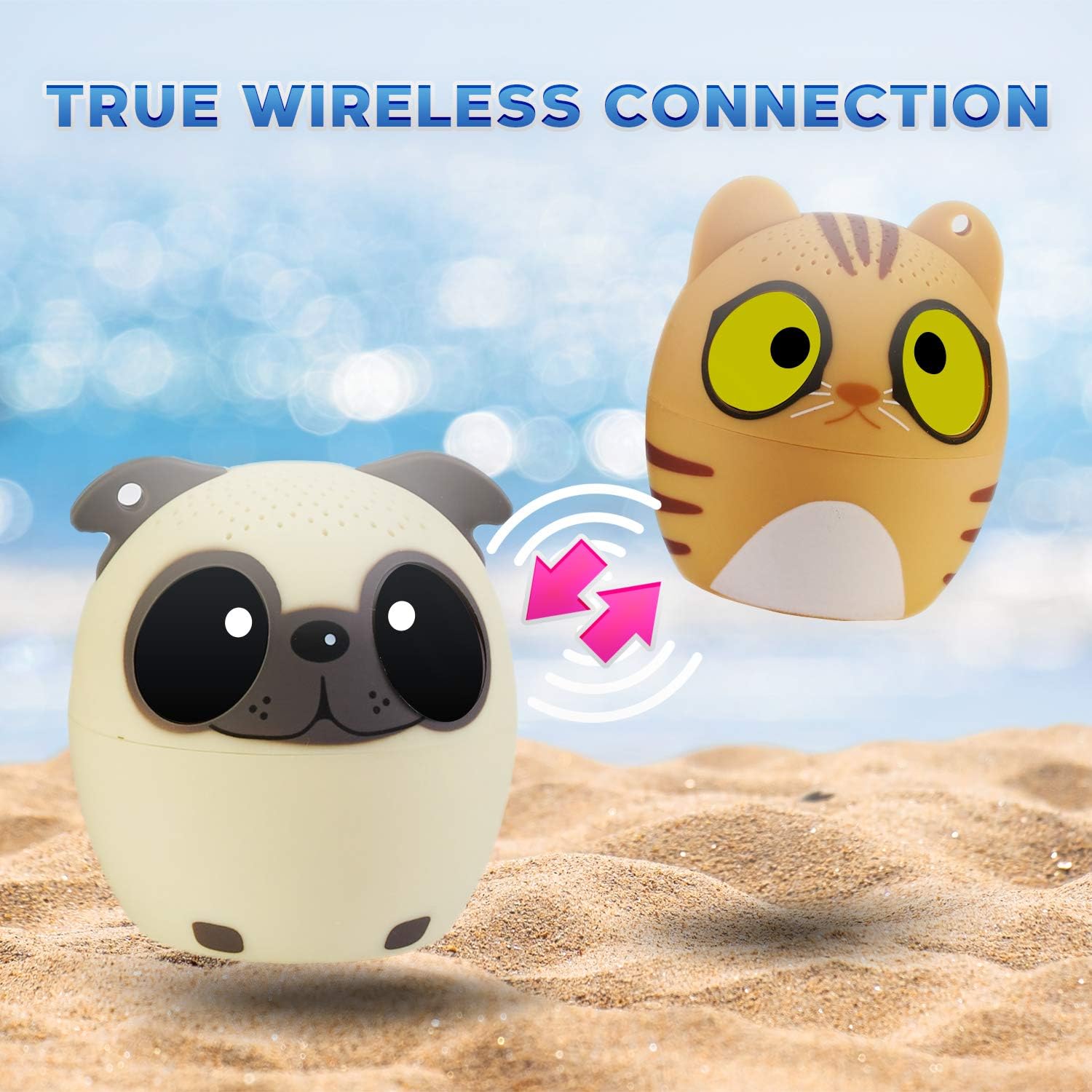
Image: The iHip Mini Bluetooth Animal Pet Wireless Speaker (Otis The Dog) shown alongside another iHip speaker (Coco The Cat), illustrating the "True Wireless Connection" capability with arrows indicating a connection between them. This highlights the speaker's ability to connect wirelessly to other devices.
Setup
- Charging the Speaker: Before first use, fully charge the speaker. Connect the included Micro USB charging cable to the speaker's charging port and the other end to a USB power source (e.g., computer USB port, USB wall adapter). The LED indicator will show charging status (usually red while charging, off when fully charged).
- Powering On: Press and hold the power button (usually located on the bottom or back of the speaker) for a few seconds until you hear a power-on sound or the LED indicator lights up.
- Pairing Mode: The speaker will automatically enter Bluetooth pairing mode after powering on. The LED indicator will typically flash blue rapidly, indicating it's ready to pair.
- Connecting to Your Device:
- On your smartphone, tablet, or laptop, go to the Bluetooth settings.
- Ensure Bluetooth is enabled.
- Scan for available devices. You should see "iHip Speaker" or a similar name in the list.
- Select the speaker name to connect. Once successfully paired, you will hear a confirmation sound, and the LED indicator will turn solid blue or flash slowly.
Operating Instructions
Basic Functions
- Power On/Off: Press and hold the power button for approximately 3 seconds.
- Play/Pause: Short press the power button to play or pause music.
- Volume Control: Volume is primarily controlled via your connected device.
- Next/Previous Track: This speaker model typically does not have dedicated track control buttons. Control tracks from your connected device.
- Answering Calls: If connected to a phone, a short press of the power button may answer an incoming call. Press again to end the call.
Using the Lanyard
Attach the included black lanyard to the designated loop on the speaker for easy carrying or hanging. This enhances portability and reduces the risk of misplacing the small speaker.
Video: An official product video demonstrating the iHip Mini Bluetooth Animal Pet Wireless Speaker. The video showcases its compact design, portability, and various animal styles (Dog, Panda, Cat), highlighting its ease of use and sound quality. It also shows the speaker being held and carried, emphasizing its small size.
Maintenance
- Cleaning: Use a soft, dry cloth to clean the speaker. Do not use liquid cleaners or aerosols.
- Storage: Store the speaker in a cool, dry place away from direct sunlight and extreme temperatures.
- Battery Care: To prolong battery life, avoid fully discharging the battery frequently. Charge it regularly, even if not in use for extended periods.
- Water Resistance: This speaker is NOT waterproof. Avoid exposure to water or excessive moisture.
Troubleshooting
| Problem | Possible Cause | Solution |
|---|---|---|
| Speaker does not turn on. | Battery is dead. | Charge the speaker using the Micro USB cable. |
| Cannot pair with device. | Bluetooth is off on device; speaker not in pairing mode; too far from device. | Ensure Bluetooth is enabled on your device. Make sure the speaker is in pairing mode (flashing blue LED). Move the speaker closer to your device (within 33 feet). Try forgetting the device on your phone and re-pairing. |
| No sound or low volume. | Volume too low on speaker or device; speaker not connected. | Increase volume on both the speaker and your connected device. Ensure the speaker is properly paired and connected. |
| Sound distortion. | Volume too high; device too far; interference. | Lower the volume on your device. Move the speaker closer to your device. Avoid obstacles or other wireless devices that may cause interference. |
Specifications
- Model Name: Wireless Pet Speaker
- Brand: iHip
- Material: Plastic
- Product Dimensions: 1.68"D x 1.68"W x 1.89"H
- Item Weight: 1.3 Ounces
- Speaker Output: 2W (3W audio driver)
- Bluetooth Version: 4.2+EDR
- Wireless Range: 27-33 feet (approx. 8-10 meters)
- Battery: Built-in Rechargeable 3.7V/250MAH
- Playtime: Approx. 1 hour
- Charge Time: 1-2 hours
- Connectivity: Bluetooth, Micro USB (for charging)
- Compatible Devices: Smartphones, Laptops, Tablets
- UPC: 810012230155
Warranty and Support
For warranty information and customer support, please refer to the packaging or contact iHip customer service directly. Keep your purchase receipt for warranty claims.
For further assistance, visit the official iHip website or contact their support team. Contact details are typically provided on the product packaging or their official website.
