
Introduction
Thank you for purchasing the Cuifati Retro Bluetooth Speaker. This manual provides essential information for the safe and efficient use of your device. Please read it thoroughly before operating the speaker and retain it for future reference.
Safety Information
- Do not expose the speaker to extreme temperatures, direct sunlight, or high humidity.
- Avoid dropping or subjecting the speaker to strong impacts.
- Do not disassemble, repair, or modify the device yourself. Contact qualified service personnel for any repairs.
- Keep the speaker away from water and other liquids.
- Use only the specified charging voltage (DC 5V) and cable.
- Dispose of the battery and device according to local regulations.
Product Overview
The Cuifati Retro Bluetooth Speaker is a compact, portable wireless speaker designed for high-fidelity audio playback and hands-free calling. Its retro design complements its modern functionality.
Package Contents
- Cuifati Retro Bluetooth Speaker
- USB Charging Cable
- User Manual (this document)
Speaker Components

Figure 1: Front view of the Cuifati Retro Bluetooth Speaker, showing the speaker grille and the included USB charging cable.

Figure 2: Side view of the speaker, highlighting the control panel with buttons and ports.
The speaker features a main audio driver on the front, enclosed in a wooden-look cabinet. On one side, you will find the control panel.
- Power Button (Ⓘ): Press and hold to power on/off.
- Volume Up / Next Track Button (+): Short press to increase volume, long press for next track.
- Play / Pause / Call Button (⏸): Short press to play/pause music, press to answer/end calls.
- Volume Down / Previous Track Button (-): Short press to decrease volume, long press for previous track.
- Micro USB Port (5V IN): For charging the speaker.
- Microphone Hole: For hands-free calling.
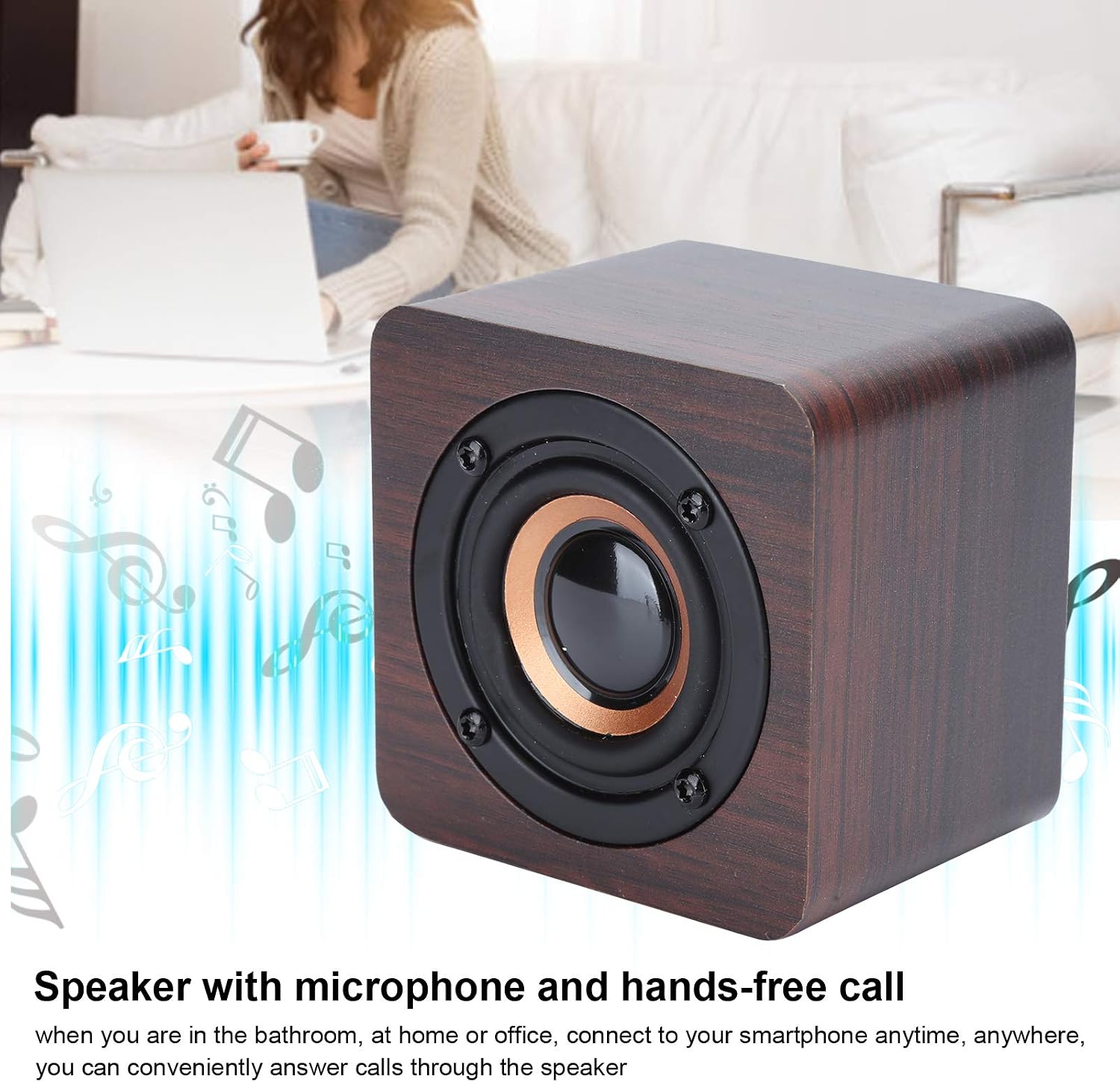
Figure 3: The speaker supports hands-free calling through its integrated microphone.
Setup
1. Charging the Speaker
- Connect the small end of the provided USB charging cable to the Micro USB port (5V IN) on the side of the speaker.
- Connect the larger end of the USB cable to a standard USB power adapter (DC 5V, not included) or a computer's USB port.
- The charging indicator light (if present, usually red) will illuminate during charging and turn off or change color when fully charged.
- A full charge takes approximately 2 hours and provides 6-8 hours of operating time.
2. Powering On/Off
- To Power On: Press and hold the Power button (Ⓘ) for a few seconds until you hear an audible prompt or see an indicator light.
- To Power Off: Press and hold the Power button (Ⓘ) again for a few seconds until you hear an audible prompt or the indicator light turns off.
3. Bluetooth Pairing
- Ensure the speaker is powered on and within 10 meters (33 feet) of your Bluetooth-enabled device (e.g., smartphone, tablet).
- The speaker will automatically enter pairing mode when powered on for the first time or if no device is connected. An indicator light (often blue) will flash, and you may hear an audible prompt.
- On your Bluetooth device, go to the Bluetooth settings and enable Bluetooth.
- Search for available devices. You should see "Cuifati Speaker" or a similar name appear in the list.
- Select the speaker from the list to initiate pairing.
- Once successfully paired, you will hear a confirmation sound, and the indicator light will typically stop flashing and remain solid.
- The speaker will automatically attempt to reconnect to the last paired device when powered on.
Operating Instructions
Playing Music
- After successful Bluetooth pairing, open your music player application on your connected device.
- Play/Pause: Short press the Play/Pause button (⏸) to play or pause the current track.
- Volume Adjustment:
- Short press the Volume Up button (+) to increase volume.
- Short press the Volume Down button (-) to decrease volume.
- Track Navigation:
- Long press the Volume Up button (+) for the next track.
- Long press the Volume Down button (-) for the previous track.
Hands-Free Calling
- When a call comes in, the music will pause, and you will hear a ringtone through the speaker.
- Answer Call: Short press the Play/Pause button (⏸) to answer the incoming call.
- End Call: Short press the Play/Pause button (⏸) again to end the current call.
- Reject Call: Press and hold the Play/Pause button (⏸) for a few seconds to reject an incoming call.
- Speak clearly towards the microphone hole on the speaker for optimal call quality.
Maintenance
- Cleaning: Use a soft, dry cloth to wipe the speaker's surface. Do not use abrasive cleaners, alcohol, or chemical solvents.
- Storage: When not in use for extended periods, store the speaker in a cool, dry place, away from direct sunlight and extreme temperatures. It is recommended to charge the speaker at least once every three months to maintain battery health.
- Battery Care: Avoid fully discharging the battery frequently. Charge the speaker when the low battery indicator appears.
Troubleshooting
| Problem | Possible Cause | Solution |
|---|---|---|
| Speaker does not power on. | Battery is depleted. | Charge the speaker using the provided USB cable and a DC 5V power source. |
| Cannot pair with Bluetooth device. | Bluetooth is off on your device; speaker is too far; speaker is already paired to another device. |
|
| No sound or low volume. | Volume is too low on speaker or connected device; speaker is not properly connected. |
|
| Poor call quality. | Microphone obstruction; distance from speaker. |
|
Specifications
| Brand | Cuifati |
| Model Number | Cuifatiptir80vy9u |
| ASIN | B08XH6CK96 |
| Material | ABS |
| Color | Walnut (Default) |
| Speaker Type | Portable Bluetooth Speaker |
| Special Features | Portable, Wireless, Hands-free Calling |
| Connectivity Technology | Bluetooth 4.2 |
| Wireless Range | Approx. 10 meters (33 feet) without obstacles |
| Output Power | 3W |
| Charging Voltage | DC 5V |
| Battery Type | Polymer Lithium Battery |
| Battery Capacity | 3.7V 1200mAh |
| Operating Time | Approx. 6-8 hours |
| Charging Time | Approx. 2 hours |
| Weight | Approx. 281g |
Warranty and Support
For warranty information or technical support, please refer to the documentation provided at the time of purchase or contact your retailer. You may also visit the official Cuifati website for further assistance.