
Logitech G G733
Contents
Logitech G733 Lightspeed Wireless Gaming Headset User Manual
Model: G733 | Brand: Logitech G
1. Introduction
This manual provides detailed instructions for the setup, operation, maintenance, and troubleshooting of your Logitech G733 Lightspeed Wireless Gaming Headset. Designed for comfort and high-fidelity audio, the G733 features LIGHTSPEED wireless technology, LIGHTSYNC RGB lighting, Blue VO!CE microphone technology, and PRO-G audio drivers. This headset is compatible with PlayStation 5, PlayStation 4, Nintendo Switch, and PC.
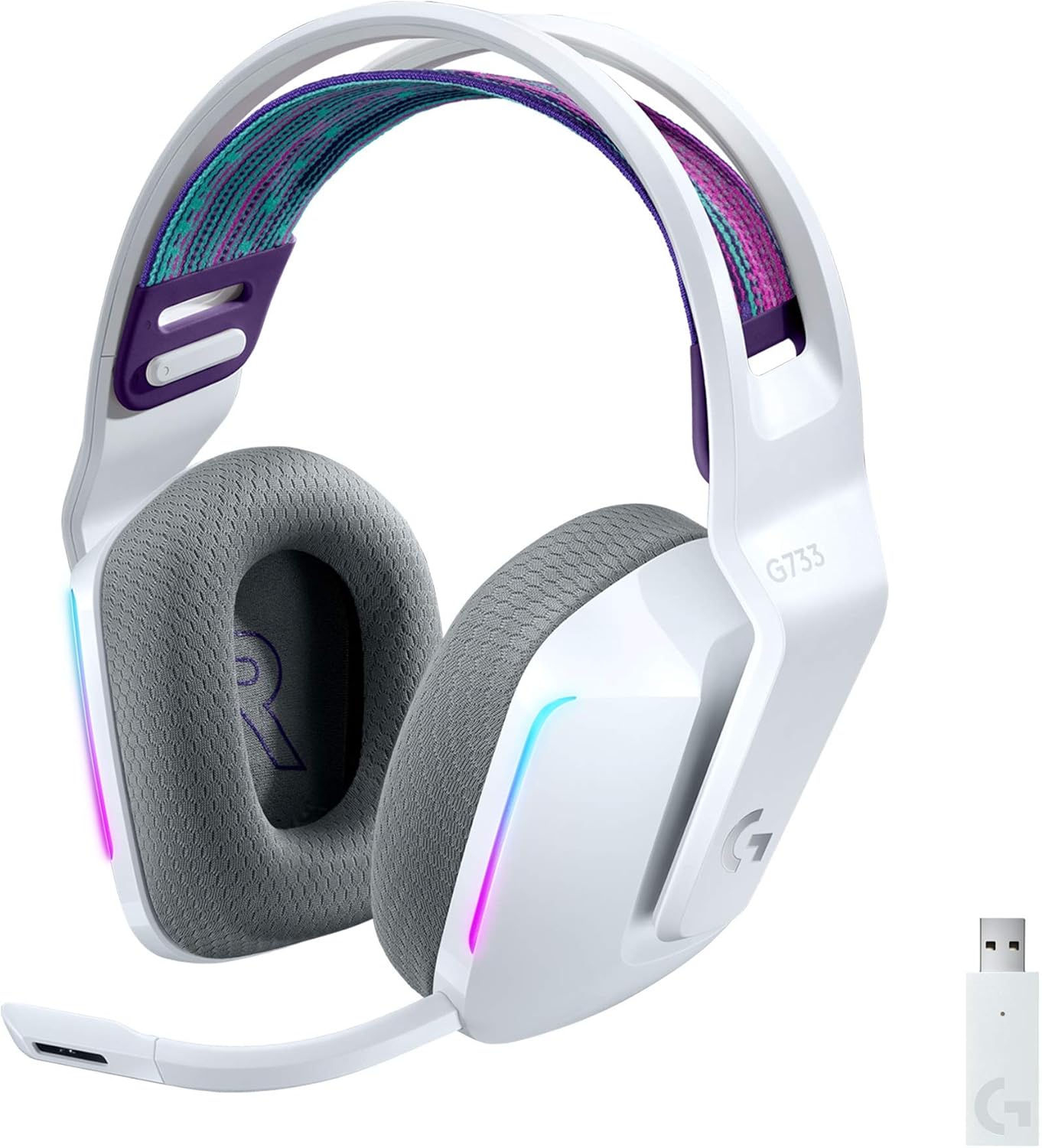
Image: The Logitech G733 Lightspeed Wireless Gaming Headset in white, showcasing its design, RGB lighting zones, and the included USB Lightspeed wireless dongle.
2. Getting Started: Setup
2.1. What's in the Box
- Logitech G733 Lightspeed Wireless Gaming Headset
- Lightspeed USB Wireless Dongle
- USB Charging Cable
- Detachable Microphone

Image: An illustration of the items included in the product packaging: the G733 headset, its USB Lightspeed wireless receiver, and a USB charging cable.
2.2. Initial Charging
Before first use, fully charge your G733 headset. Connect the included USB charging cable to the headset's charging port and to a powered USB port on your computer or a USB wall adapter. The LED indicator on the headset will show charging status.
2.3. Connecting to Your Device
- Insert the Lightspeed USB wireless dongle into an available USB port on your PC, PlayStation console (PS4/PS5), or Nintendo Switch dock.
- Power on your G733 headset by pressing and holding the power button until the LED indicator illuminates.
- The headset should automatically connect to the dongle. A solid LED light on the headset indicates a successful connection.
- For PC users, ensure the G733 is selected as the default audio input and output device in your operating system's sound settings.
2.4. G HUB Software Installation (PC Only)
For full customization of LIGHTSYNC RGB lighting, Blue VO!CE microphone settings, and audio profiles, download and install the Logitech G HUB software from the official Logitech website. This software is required to unlock the headset's advanced features.
3. Operation and Features
3.1. On-Ear Controls

Image: A close-up view of the left earcup of the G733 headset, highlighting the mute/unmute button, volume wheel, and power on/off button for easy access during use.
- Power Button: Press and hold to turn the headset on or off.
- Volume Wheel: Rotate up or down to adjust the audio volume.
- Mute/Unmute Button: Press to toggle the microphone mute status.
3.2. LIGHTSYNC RGB Lighting
The G733 features front-facing, dual-zone LIGHTSYNC RGB lighting. Personalize your headset's lighting across the full spectrum of approximately 16.8 million colors. Choose from preset animations or create your own custom lighting effects using the Logitech G HUB software.

Image: A detailed view of the G733 earcup, emphasizing the vibrant, customizable front-facing LIGHTSYNC RGB lighting that can display 16.8 million colors.
3.3. Blue VO!CE Microphone Technology
The detachable 6mm microphone utilizes Blue VO!CE technology, which provides advanced mic filters to make your voice sound richer, cleaner, and more professional. Customize these settings and find your optimal sound profile through the Logitech G HUB software. The headset is Discord certified for clear communication.

Image: A close-up of the G733 earcup and microphone, featuring the Blue VO!CE and Discord certified logos, highlighting its capability for studio-quality voice communications.
3.4. PRO-G Audio Drivers
Equipped with PRO-G drivers, the G733 is designed to significantly reduce distortion and reproduce precise, consistent, rich sound quality. This allows you to hear every audio cue with breathtaking clarity and immerse yourself fully in your game.
3.5. Comfort and Design
The G733 headset is engineered for long-lasting comfort, weighing only 278 grams. It features soft dual-layer memory foam ear pads that conform to your head and reduce stress points. The colorful, reversible suspension headband is designed to distribute weight evenly, ensuring comfort during extended gaming sessions.

Image: A visual representation emphasizing the lightweight nature of the G733 headset (278g) and the soft, adjustable suspension headband designed for comfort.
3.6. Battery Life and Range
The G733 offers up to 29 hours of battery life on a single charge, allowing for extended gaming sessions. Its Lightspeed wireless technology provides a reliable connection with a range of up to 20 meters (approximately 65 feet).

Image: A close-up of the G733 earcup, illustrating key features such as the 29-hour battery life and the 20-meter range provided by Lightspeed wireless technology.
4. Care and Maintenance
To ensure the longevity and optimal performance of your Logitech G733 headset, follow these care guidelines:
- Cleaning: Use a soft, dry cloth to wipe down the headset. For ear pads, a slightly damp cloth can be used, but ensure they are completely dry before use. Avoid harsh chemicals or abrasive materials.
- Storage: Store the headset in a cool, dry place away from direct sunlight and extreme temperatures.
- Charging: Do not leave the headset connected to a charger for extended periods after it is fully charged.
- Handling: Avoid dropping the headset or exposing it to excessive force, which could damage internal components. The headset is not water resistant.
5. Troubleshooting
If you encounter issues with your G733 headset, refer to the following common solutions:
- No Audio/Microphone Not Working:
- Ensure the USB Lightspeed dongle is securely plugged into your device.
- Verify the headset is powered on and connected (solid LED).
- Check your device's sound settings to ensure the G733 is selected as the default playback and recording device.
- Ensure the microphone is not muted via the on-ear button or software.
- For PC, open Logitech G HUB and check audio and microphone settings.
- Poor Audio Quality/Interference:
- Move closer to the USB dongle to ensure you are within the 20-meter wireless range.
- Avoid placing the dongle near other wireless devices or sources of electromagnetic interference.
- Ensure the headset is fully charged. Low battery can sometimes affect performance.
- Headset Not Charging:
- Try a different USB port or charging cable.
- Ensure the charging cable is securely connected to both the headset and the power source.
- Stereo Sound Only: Note that the G733 provides stereo sound only via the USB wireless dongle.
6. Technical Specifications
| Feature | Specification |
|---|---|
| Model Name | G733 |
| Connectivity Technology | Lightspeed Wireless (USB Dongle) |
| Wireless Communication Technology | Bluetooth (for control, not primary audio) |
| Headphones Jack | USB |
| Included Components | Headset, USB Dongle, Cable |
| Compatible Devices | Gaming Consoles (PlayStation 5, PlayStation 4, Nintendo Switch), PC |
| Control Type | Media Control (On-ear buttons, App) |
| Item Weight | 278 Grams (9.8 ounces) |
| Water Resistance Level | Not Water Resistant |
| Frequency Range | 20 Hz - 20,000 Hz |
| Battery Life | 29 Hours |
| Bluetooth Range | 10 Meters (for Bluetooth control) |
| Earpiece Shape | Over Ear |
| Material | Memory Foam (ear pads) |
| Product Dimensions | 5.43 x 3.7 x 7.68 inches |
| Special Feature | Lightweight, Microphone Included, LIGHTSYNC RGB |
| Noise Control | Active Noise Cancellation (Microphone) |
7. Warranty and Support
As a renewed product, this Logitech G733 headset is eligible for replacement or refund under the Amazon Renewed Guarantee. This guarantee typically covers the product for 90 days from the date of purchase.
For specific warranty details, support, or to inquire about optional protection plans, please refer to your purchase documentation or contact the seller directly. Additional support resources, including drivers and software, can be found on the official Logitech G website.
Ask a question about this manual
Ask about setup, troubleshooting, compatibility, parts, safety, or missing instructions. Manuals+ will review the question and use this page’s manual context to help answer it.