
1. Important Safety Information
Please read all instructions carefully before operating this appliance and retain for future reference. Failure to follow these instructions may result in electric shock, fire, or serious injury.
- Always connect the unit to a grounded power outlet.
- Do not operate the unit with a damaged cord or plug.
- Do not block air openings. Ensure proper ventilation around the unit.
- Do not use the appliance near water or in excessively humid environments.
- Unplug the unit before cleaning or performing any maintenance.
- This appliance is for indoor use only.
- Keep children and pets away from the unit during operation.
2. Product Overview
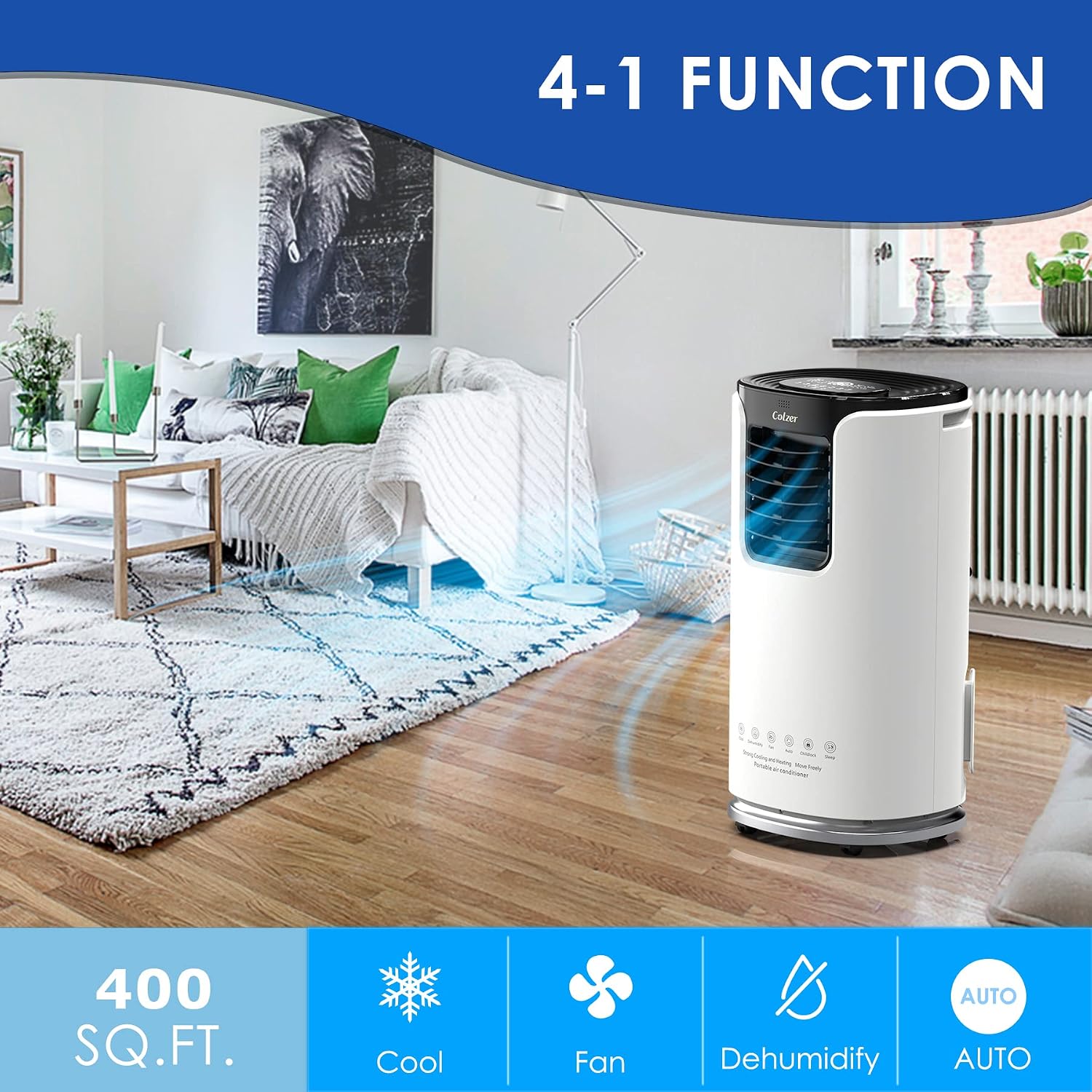
The COLZER Portable Air Conditioner (Model KY32-14000) is a versatile 4-in-1 unit designed to provide comfort in various settings. It offers powerful cooling, dehumidification, fan-only operation, and an auto mode to maintain your desired environment.
Key Features:
- Powerful Cooling: 14,000 BTUs of cooling power, capable of cooling spaces up to 500 sq. ft. from 86°F to 62°F in approximately 5 minutes.
- 4-in-1 Functionality: Air Conditioner, Dehumidifier, Fan, and Auto modes for comprehensive climate control.
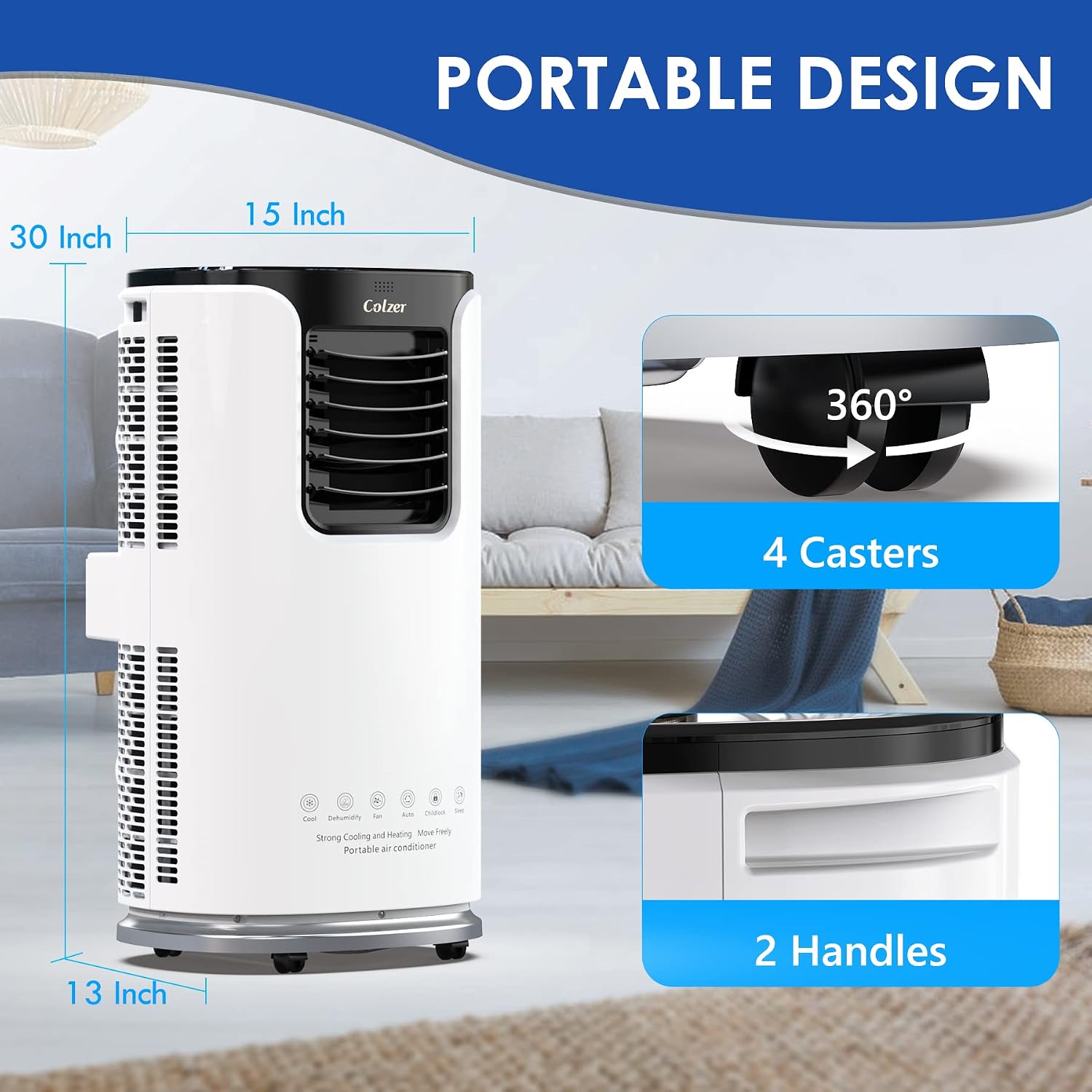
- Easy Mobility: Equipped with 4 universal casters and 2 convenient handles for effortless movement between rooms.
- User-Friendly Controls: Features a built-in LED display panel and a remote control for easy operation of modes, temperature, fan speeds, child lock, and 24-hour timer.
- Sleep Mode: Operates at a lower fan speed for quiet, energy-efficient overnight comfort.
Product Components:


3. Setup and Installation
The COLZER Portable AC unit is designed for easy installation, primarily for rooms with sliding windows. No professional installation is required.
Installation Steps:
- Unpack the Unit: Carefully remove the air conditioner and all accessories from the packaging.
- Attach Exhaust Hose: Connect the included exhaust hose to the unit's exhaust port.
- Install Window Kit: Assemble the window kit according to your window type (vertical or horizontal sliding window). The adjustable range is typically 30"-61".
- Connect Exhaust Hose to Window Kit: Securely attach the other end of the exhaust hose to the window kit, ensuring a tight seal to prevent air leakage.
- Plug In: Plug the unit into a standard grounded electrical outlet.


Installation Video:
Video 3.1: An overview of the COLZER 14,000 BTU Portable Air Conditioner, demonstrating its features and setup.
4. Operating Instructions
The unit can be operated using the control panel on top of the unit or the included remote control.
Control Panel and Remote:

- Power Button: Turns the unit On or Off.
- Mode Button: Cycles through Cooling, Dehumidifier, Fan, and Auto modes.
- Temperature Adjustment: Use the Up/Down arrows to set your desired temperature (62°F - 86°F).
- Fan Speed: Adjusts fan speed (Low, Medium, High) in Fan or Cooling modes.
- Swing Function: Activates automatic vertical and horizontal louver movement for wider air distribution.
- Sleep Mode: Reduces fan speed and noise for quiet operation during sleep.
- Timer: Program the unit to turn on or off automatically within a 24-hour period.
- Child Lock: Prevents accidental changes to settings.


5. Maintenance
Regular maintenance ensures optimal performance and extends the lifespan of your COLZER Portable Air Conditioner.
Cleaning the Air Filter:
- It is recommended to clean the air filter every 2 weeks, or more frequently depending on usage and air quality.
- Turn off and unplug the unit before cleaning.
- Remove the filter from the back of the unit.
- Wash the filter with warm, soapy water. Rinse thoroughly and allow it to air dry completely before reinserting.

Draining Water:
- In Dehumidifier mode, or in very humid conditions, the internal water tank may fill up. The unit will indicate when it needs to be drained.
- Connect the drain hose to the drain port at the back of the unit and place the other end into a suitable container or floor drain.
- Ensure the drain hose is positioned lower than the drain port for gravity drainage.
Video 5.1: A demonstration of the unit's powerful cooling capability and continuous drainage setup.
6. Troubleshooting
Before contacting customer support, please refer to the following common issues and solutions:
| Problem | Possible Cause | Solution |
|---|---|---|
| Unit does not turn on. | No power, power cord unplugged, circuit breaker tripped. | Check power connection, reset circuit breaker. |
| Unit is not cooling effectively. | Dirty air filter, blocked air intake/exhaust, room size too large, windows/doors open. | Clean air filter, ensure clear airflow, close windows/doors, verify room size is within specifications. |
| Water full indicator is on. | Internal water tank is full. | Drain the water from the unit using the drain hose. |
| Unit is noisy. | Unit not on a flat surface, fan obstruction. | Place unit on a flat, stable surface. Check for and remove any obstructions. |
7. Specifications
| Feature | Detail |
|---|---|
| Brand Name | COLZER |
| Model Info | KY32-14000 |
| Item Weight | 52 pounds |
| Product Dimensions | 15.8 x 18 x 34.8 inches |
| Cooling Power | 14000 British Thermal Units (BTU) |
| Floor Area Coverage | Up to 500 Square Feet |
| Installation Type | Portable |
| Special Features | Fan, Cooling, Dehumidifier |
| Color | White |
| Voltage | 120 Volts |
| Refrigerant | R 410A |
8. Warranty and Support
For customer support, please refer to the contact information provided with your purchase or visit the official COLZER website. Keep your purchase receipt as proof of purchase for any warranty claims.
COLZER is committed to simplifying your life with quality home appliances. For any inquiries or assistance, please reach out to our dedicated customer support team.