
Imetec Onda P1 (Model 8007403090289)
Imetec Onda P1 Steam Generator Iron
Model: 8007403090289
Introduction
This user manual provides comprehensive instructions for the safe and efficient operation, maintenance, and troubleshooting of your Imetec Onda P1 Steam Generator Iron. Please read this manual thoroughly before first use and keep it for future reference.
Safety Instructions
Always follow basic safety precautions when using electrical appliances to reduce the risk of fire, electric shock, and personal injury.
- Ensure the voltage indicated on the appliance corresponds to your local mains voltage before connecting.
- Do not immerse the iron or base unit in water or other liquids.
- Keep the iron and its cord out of reach of children when it is switched on or cooling down.
- Never leave the iron unattended while it is connected to the mains supply.
- Always unplug the iron from the mains socket before filling, emptying, or cleaning.
- Do not operate the iron if it has been dropped, if there are visible signs of damage, or if it is leaking.
- Use the iron only for its intended purpose as described in this manual.
Product Overview
The Imetec Onda P1 Steam Generator Iron is designed for efficient and effective ironing, featuring a patented wave soleplate and powerful steam capabilities.

The Imetec Onda P1 Steam Generator Iron, shown with its packaging, highlighting its sleek design and compact base unit.
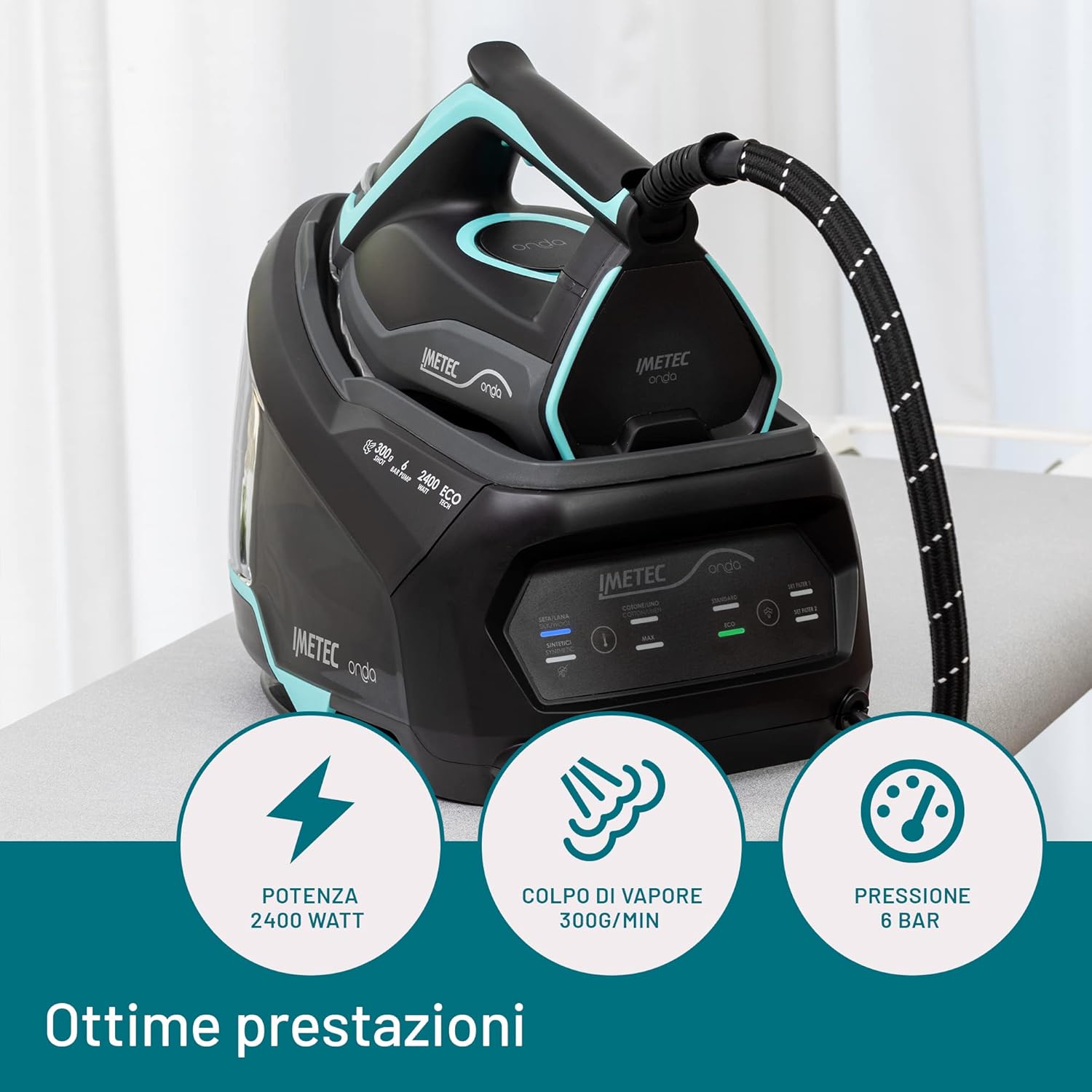
Key performance indicators of the Imetec Onda P1: 2400W power, 300g/min steam shot, and 6 bar pressure for effective ironing.
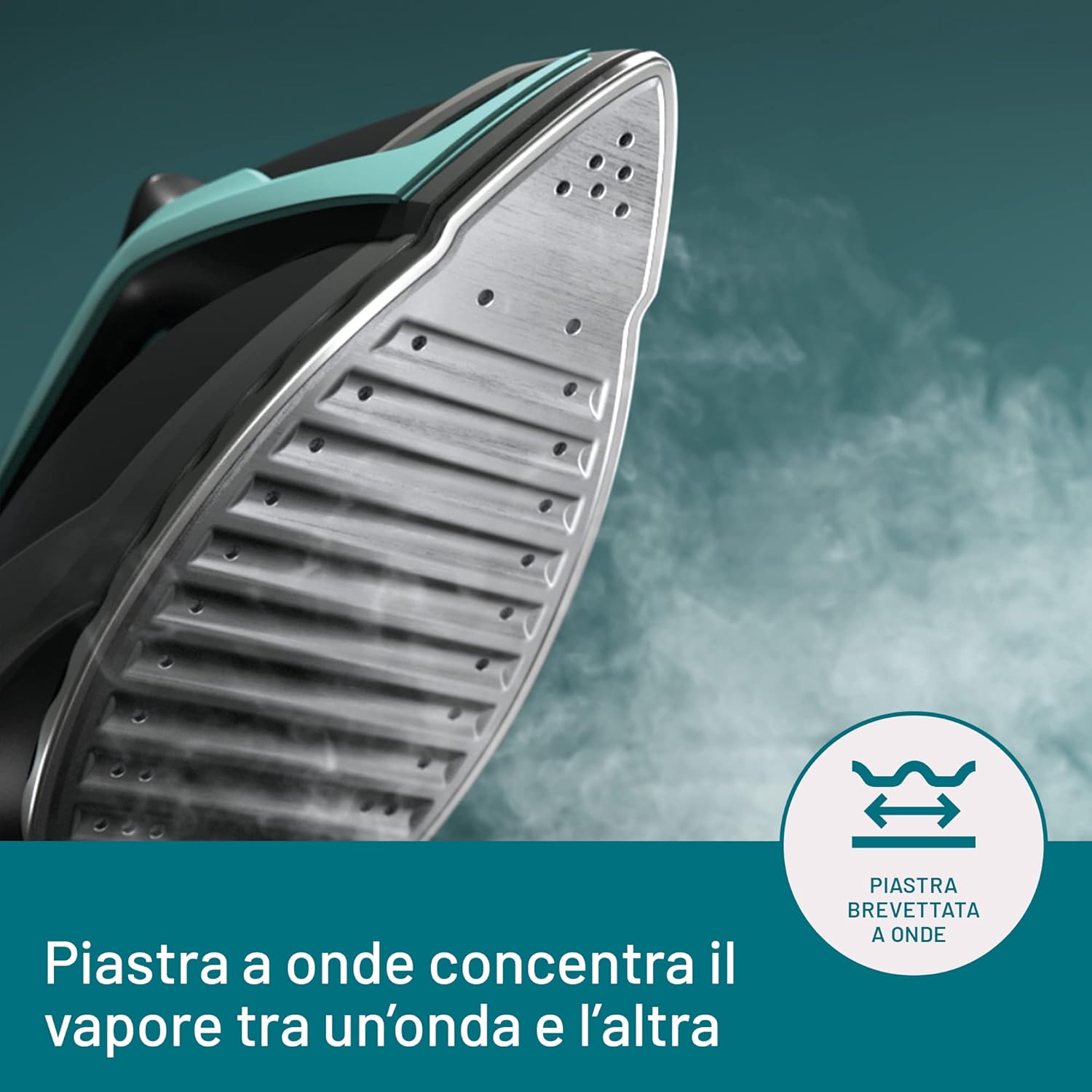
A close-up view of the patented wave soleplate, designed to concentrate steam between the waves for efficient wrinkle removal.

This image illustrates how concentrated steam from the wave soleplate deeply penetrates fabrics, smoothing out fibers effectively.
This video provides a dynamic overview of the Imetec Onda P1 Steam Generator Iron, showcasing its design and key features.
Setup
- Unpacking: Carefully remove all components from the packaging. Retain packaging for storage or future transport.
- Positioning: Place the steam generator on a stable, heat-resistant surface, preferably an ironing board designed for steam generators.
- Water Tank Filling:
- Ensure the appliance is unplugged.
- Remove the removable 2.5-liter water tank.
- Fill the tank with tap water up to the MAX level. For prolonged life and optimal performance, especially in hard water areas, consider using a mix of tap water and distilled water (50/50).
- Reinsert the water tank securely into the base unit.

The large 2.5-liter water tank allows for extended ironing sessions without frequent refills, thanks to the No Stop Vapor technology.
- Filter Installation:
- The Imetec Onda P1 comes with 3 silver ion filters designed to protect against limescale.
- Locate the filter compartment, usually near the water tank.
- Insert the filter as per the markings.

Proper installation of the silver ion filter helps protect the iron from limescale and impurities, ensuring long-lasting performance.
This video demonstrates the process of inserting the anti-calc filter into the Imetec Onda P1 steam generator iron.
- Power Connection: Plug the power cord into a grounded electrical outlet.
Operating Instructions
- Power On and Heating:
- Press the power button. The iron will begin to heat up.
- The steam generator is ready for use in approximately 1 minute.
- Temperature and Steam Selection:
The control panel allows you to select the appropriate temperature and steam settings for different fabric types.

The Imetec Onda P1 iron in use, demonstrating its ergonomic design and ease of handling during ironing.
- Temperature Settings: Use the temperature dial or buttons to select the heat level suitable for your fabric.
- Synthetics / Silk / Wool: Lower temperature.
- Cotton / Linen: Higher temperature (MAX).
- Steam Modes:
- Standard: For regular ironing.
- ECO: Reduces water and energy consumption for suitable fabrics.
- MAX: For stubborn creases and thicker fabrics.
- Steam Shot: Press the steam shot button for an extra burst of steam (300g/min) to tackle difficult wrinkles.
This video shows the Imetec Onda P1 in action, demonstrating its effectiveness on various garments and the smooth glide of the soleplate.
- Temperature Settings: Use the temperature dial or buttons to select the heat level suitable for your fabric.
- Ironing Technique:
- Move the iron smoothly over the fabric. The patented wave soleplate is designed to reduce friction and concentrate steam for optimal results, often removing creases in a single pass.
- For delicate fabrics, use lower temperature settings and less steam.
- For vertical steaming, hold the iron vertically and press the steam shot button.

The durable hard anodized coating on the soleplate ensures scratch resistance and smooth gliding over fabrics.
This video provides a comprehensive demonstration of the Imetec Onda P1's ironing capabilities, including its patented wave soleplate and powerful steam.
- Continuous Use (No Stop Vapor): The large 2.5L tank and No Stop Vapor technology allow you to refill the tank during use without turning off the appliance, ensuring uninterrupted ironing.
- Shutting Down: After use, turn off the iron, unplug it from the mains, and allow it to cool down completely before storing.
Maintenance
Regular maintenance ensures the longevity and optimal performance of your Imetec Onda P1 Steam Generator Iron.
- Cleaning the Soleplate:
- Ensure the iron is cool and unplugged.
- Wipe the soleplate with a damp cloth and a non-abrasive cleaner if necessary. Do not use abrasive pads or harsh chemicals.
- Water Tank Cleaning:
- Empty any remaining water from the tank after each use.
- Rinse the tank with clean water periodically to prevent mineral buildup.
- Filter Replacement:
- The 3 silver ion filters help prevent limescale. Replace them regularly according to usage or when the indicator light suggests.
- Refer to the filter replacement instructions provided with new filters.
- Storage:
- Store the iron and base unit in a dry, safe place once completely cooled.
- Wrap the power cord neatly around the designated storage area on the base unit.
Troubleshooting
| Problem | Possible Cause | Solution |
|---|---|---|
| No steam produced. | Water tank empty; iron not hot enough; steam button not pressed. | Fill water tank; wait for iron to reach selected temperature; press steam button. |
| Water leaking from soleplate. | Temperature too low for steam; overfilling water tank. | Increase temperature setting; do not overfill tank. |
| Brown stains on clothes. | Mineral buildup (limescale) in the iron; dirty soleplate. | Replace silver ion filters; clean soleplate; use distilled water or a mix. |
| Iron not heating up. | Not plugged in; power switch off; faulty outlet. | Check power connection; ensure power switch is on; try a different outlet. |
Specifications
- Brand: Imetec
- Model: Onda P1 (8007403090289)
- Power: 2400 Watts
- Voltage: 240 Volts
- Steam Shot: 300 g/min
- Pressure: 6 Bar
- Water Tank Capacity: 2.5 Liters
- Soleplate: Patented Wave Soleplate with Hard Anodized Coating
- Anti-Calc System: 3 Silver Ion Filters
- Cable Length: 1.9 meters
- Product Dimensions: 33 x 40 x 21 cm
- Item Weight: 3.26 Kilograms
Warranty and Support
Imetec products are designed and manufactured to the highest quality standards. For detailed warranty information, please refer to the warranty card included with your product or visit the official Imetec website.
For technical support, spare parts, or service, please contact Imetec customer service or an authorized service center. Keep your proof of purchase for warranty claims.
Official Imetec Store: Visit the Imetec Store on Amazon
Ask a question about this manual
Ask about setup, troubleshooting, compatibility, parts, safety, or missing instructions. Manuals+ will review the question and use this page’s manual context to help answer it.