
1. Safety Information
Please read this safety information carefully before using your AW T28 Bluetooth Wireless Earbuds to ensure proper operation and to prevent damage or injury.
- Hearing Protection: Avoid listening at high volume levels for extended periods to prevent hearing damage.
- Battery Safety: Do not disassemble, crush, or expose the battery to extreme temperatures or fire. Dispose of batteries according to local regulations.
- Water Resistance: The earbuds feature IPX4 water repellency, protecting against splashes and sweat. Do not submerge them in water or expose them to heavy rain.
- Cleaning: Use a soft, dry cloth for cleaning. Avoid using harsh chemicals or abrasive materials.
- Choking Hazard: Keep earbuds and small parts away from children and pets to prevent accidental ingestion.
2. Package Contents
Verify that all items are present in your package:
- AW T28 Bluetooth Wireless Earbuds (Left and Right)
- Charging Case
- USB Charging Cable
- Ear Tips (various sizes, if included)
- User Manual (this document)
3. Product Overview
Familiarize yourself with the components of your AW T28 earbuds and charging case.
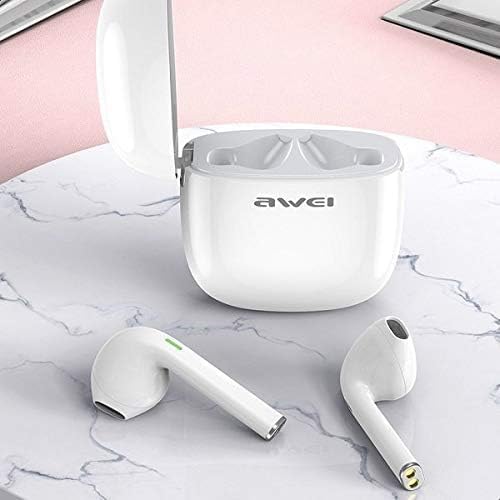
Image: The AW T28 earbuds resting inside their open white charging case, ready for use or charging.

Image: The AW T28 earbuds displayed outside their open charging case, highlighting their individual design.
Earbud Features:
- Touch Control: Manage music playback, calls, and voice assistant with simple taps.
- Microphone: Integrated for hands-free calls.
- Charging Contacts: Located at the bottom of the earbud stem.
- LED Indicator: Provides status updates (pairing, charging, battery).
Charging Case Features:
- Charging Port: For connecting the USB charging cable.
- LED Indicator: Shows charging status of the case and earbuds.
- Earbud Slots: Securely hold and charge the earbuds.
4. Setup
4.1 Initial Charging
Before first use, fully charge both the earbuds and the charging case.
- Place the earbuds into the charging case, ensuring they are correctly seated.
- Connect the USB charging cable to the charging port on the case and to a power source (e.g., USB wall adapter, computer USB port).
- The LED indicator on the case will show charging status. Once fully charged, the indicator may change color or turn off.
- Charging time is approximately 1 hour for the earbuds.
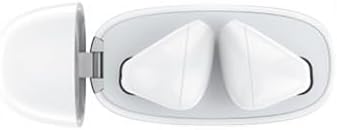
Image: A top-down view of the AW T28 earbuds securely placed within their charging case, illustrating proper seating for charging.
4.2 Pairing with a Bluetooth Device
The earbuds use Bluetooth 5.0 for a stable and efficient connection.

Image: A graphic illustrating the Bluetooth 5.0 core upgrade, emphasizing high speed and signal stability for improved communication.
- Power On: Open the charging case, or take the earbuds out of the case. They will automatically power on and enter pairing mode. The LED indicator on the earbuds will flash, indicating they are ready to pair.
- Activate Bluetooth: On your device (smartphone, tablet, computer), enable Bluetooth.
- Select Device: In your device's Bluetooth settings, search for available devices and select "AW T28" from the list.
- Confirm Pairing: Once connected, the earbud LED indicators will stop flashing or turn off, and you will hear an audible confirmation.
- Reconnect: After initial pairing, the earbuds will automatically connect to the last paired device when taken out of the case and within range.
Note: If pairing fails, ensure the earbuds are charged and within range of your device. Try turning Bluetooth off and on again on your device.
5. Operating Instructions
The AW T28 earbuds feature touch controls for easy operation.
5.1 Power On/Off
- Power On: Open the charging case, or take the earbuds out of the case. They will power on automatically.
- Power Off: Place the earbuds back into the charging case and close the lid. They will power off automatically and begin charging. Alternatively, if disconnected from a device for several minutes, they may power off automatically.
5.2 Music Playback
- Play/Pause: Tap either earbud once.
- Next Track: Double-tap the right earbud.
- Previous Track: Double-tap the left earbud.
- Volume Control: (Specific touch gestures for volume are not detailed in provided data, typically long press or triple tap. Refer to quick start guide if included for exact gestures.)
5.3 Call Management
- Answer/End Call: Tap either earbud once.
- Reject Call: Press and hold either earbud for 2 seconds.
5.4 Voice Assistant
- Activate Voice Assistant: Triple-tap either earbud (e.g., Siri, Google Assistant).
6. Maintenance
Proper maintenance ensures the longevity and optimal performance of your earbuds.
- Cleaning Earbuds: Gently wipe the earbuds with a soft, dry, lint-free cloth. Do not use liquids or sprays. Regularly clean the ear tips and charging contacts to prevent debris buildup.
- Cleaning Charging Case: Wipe the exterior of the charging case with a soft, dry cloth. Keep the charging port free of dust and debris.
- Storage: When not in use, store the earbuds in their charging case to protect them and keep them charged. Store in a cool, dry place away from direct sunlight and extreme temperatures.
- Water Exposure: While IPX4 rated for sweat and splash resistance, avoid prolonged exposure to water. If they get wet, dry them thoroughly before placing them back in the charging case.

Image: An illustration demonstrating the IPX4 water repellency of the AW T28 earbuds, showing them resistant to splashes and sweat.
7. Troubleshooting
If you encounter issues, refer to the following common problems and solutions:
| Problem | Solution |
|---|---|
| Earbuds not pairing with device. |
|
| Only one earbud is working. |
|
| Earbuds not charging. |
|
| Poor sound quality or intermittent connection. |
|
8. Specifications
| Model Name: | T28 |
| Brand: | AW |
| Bluetooth Version: | V5.0 |
| Communication Distance: | 10 meters (33 feet) |
| Earbud Battery Capacity: | 35 mAh (each earbud) |
| Charging Case Battery Capacity: | 500 mAh |
| Music Playback Time: | Approximately 3 hours |
| Talk Time: | Approximately 3.5 hours |
| Standby Time: | Approximately 300 hours |
| Charging Time (Earbuds): | Approximately 1 hour |
| Bluetooth Frequency: | 2.402 G - 2.480 G |
| Water Resistance: | IPX4 (Sweat and splash resistant) |
| Control Method: | Touch |
| Material: | Plastic |
9. Warranty and Support
Your AW T28 Bluetooth Wireless Earbuds come with a standard manufacturer's warranty. For detailed warranty information, please refer to the warranty card included in your package or contact the retailer where you purchased the product.
If you experience any issues not covered in the troubleshooting section or require further assistance, please contact AW customer support or your authorized dealer.