
artfone CF241
artfone CF241 Flip Phone User Manual
Model: CF241
1. Introduction
Thank you for choosing the artfone CF241 Flip Phone. This manual provides detailed instructions to help you set up, operate, and maintain your device. Please read this manual carefully before using the phone to ensure proper functionality and to maximize your user experience.
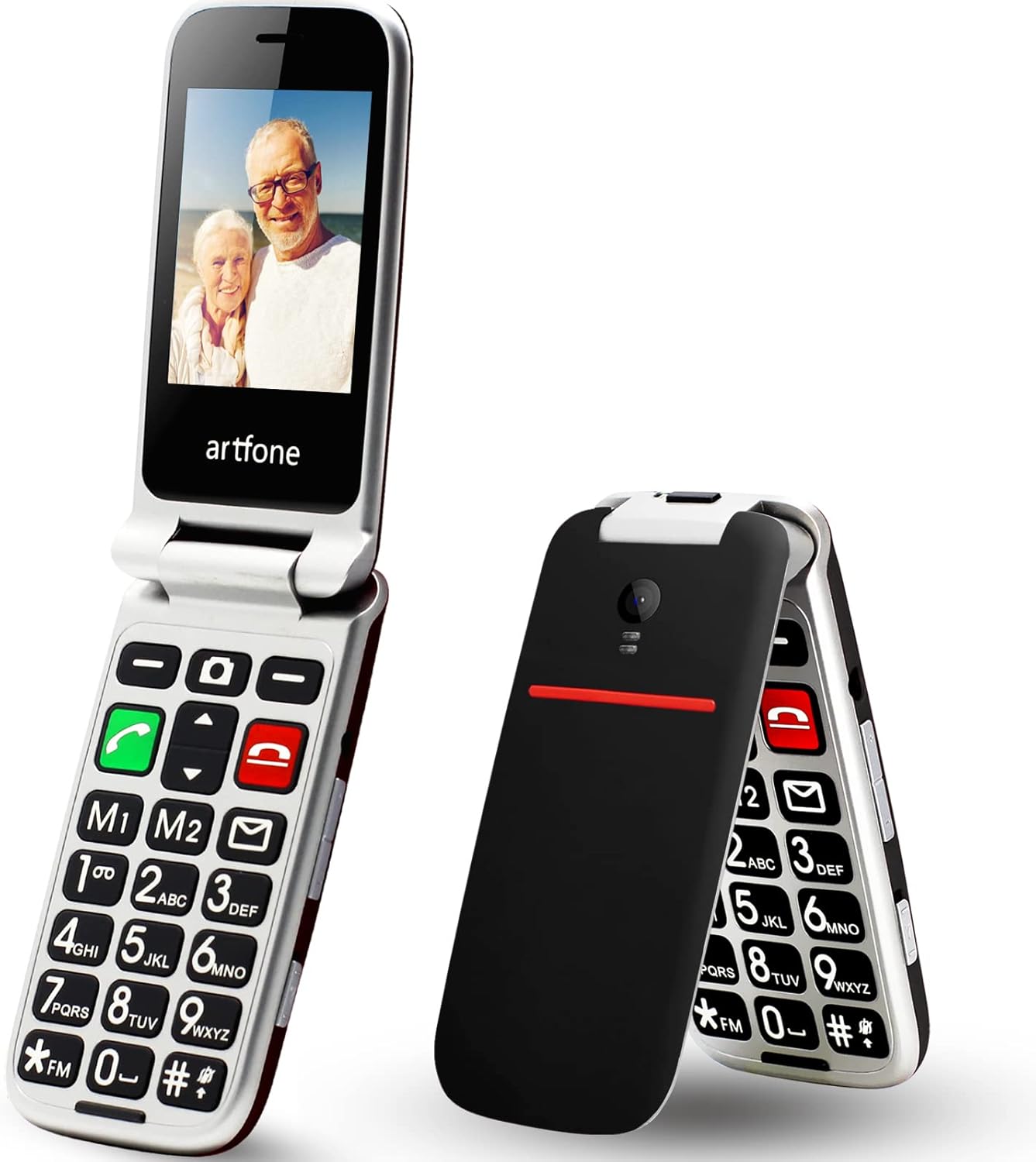
Image 1.1: The artfone CF241 flip phone shown in both open and closed positions, highlighting its compact design and large display when open.
2. Product Overview
2.1 Key Features
- Classic Flip Design: Compact and durable with a rubber paint process finish.
- Large Display and Keys: 2.4-inch QVGA LCD screen and large, backlit keypad for easy visibility.
- User-Friendly Interface: Stable MTK system with large fonts and clear menu icons.
- SOS Emergency Button: Located on the back, allows setting up to 5 emergency contacts for quick dialing and text messages.
- 2G Network Compatibility: Works with all GSM networks (850/900/1800/1900 MHz). Not compatible with 3G/4G/5G networks.
- Dual SIM Support: Accommodates two Micro SIM cards.
- Long Battery Life: 1000 mAh rechargeable battery.
- Additional Functions: Flashlight, calculator, MP3 player, FM radio, Bluetooth, alarm clock.
- Multilingual Support: English, German, French, Italian, Spanish.

Image 2.1: The artfone CF241 flip phone illustrating its robust hinge mechanism and the action of opening and closing the device to answer or end calls.
2.2 What's in the Box
Upon unboxing your artfone CF241, you should find the following items:
- 1 x artfone CF241 Mobile Phone
- 1 x Rechargeable Lithium-ion Battery (1000 mAh)
- 1 x Charger
- 1 x USB Cable (Type-C)
- 1 x User Manual
Note: Micro SIM cards and Micro SD cards are not included and must be purchased separately.
3. Setup
3.1 Battery Installation
- Remove the back cover of the phone by gently prying it open from the notch.
- Insert the battery into the compartment, ensuring the gold contacts align with the phone's terminals.
- Replace the back cover, pressing firmly until it clicks into place.
3.2 SIM Card and Micro SD Card Installation
The artfone CF241 supports dual Micro SIM cards and one Micro SD card for expandable storage.
- With the back cover and battery removed, locate the SIM card slots. There are two slots for Micro SIM cards (SIM1 and SIM2) and one slot for a Micro SD card.
- Carefully insert your Micro SIM card(s) into the designated slots with the gold contacts facing down, following the orientation indicated on the phone.
- If using, insert a Micro SD card into its slot.
- Reinstall the battery and back cover.

Image 3.1: A detailed view of the artfone CF241 highlighting the USB Type-C charging port, the dual Micro SIM card slots for network connectivity, and the integrated flashlight feature.
3.3 Charging the Battery
- Connect the USB cable to the charger.
- Plug the charger into a power outlet.
- Connect the USB Type-C end of the cable to the charging port on the phone.
- Allow the phone to charge completely before first use. The battery indicator on the screen will show charging status.
3.4 Powering On/Off
- To Power On: Press and hold the red 'End Call' button (power button) until the screen lights up.
- To Power Off: Press and hold the red 'End Call' button until the power-off options appear, then select 'Power off'.
4. Operating Instructions
4.1 Basic Call Functions
- Making a Call: Enter the phone number using the keypad and press the green 'Call' button.
- Answering a Call: When the phone rings, open the flip or press the green 'Call' button.
- Ending a Call: Close the flip or press the red 'End Call' button.
- Volume Adjustment: Use the side volume buttons during a call to adjust the earpiece volume.

Image 4.1: The artfone CF241 displaying its simplified user interface with large, easy-to-read icons and prominent physical buttons, designed for straightforward navigation.

Image 4.2: A close-up of the artfone CF241's illuminated keypad, highlighting the large, clear buttons, dedicated speed dial keys (M1, M2), and the voice dial function for enhanced usability.
4.2 SOS Emergency Function
The SOS button provides a quick way to contact emergency numbers in critical situations.
- Setting SOS Numbers: Navigate to the 'SOS Settings' menu. You can set up to 5 emergency contact numbers.
- Activating SOS: In an emergency, press and hold the SOS button on the back of the phone for 3 seconds.
- The phone will automatically dial the pre-set emergency numbers in sequence until one is answered. It will also send a customizable emergency text message to these contacts.

Image 4.3: This image demonstrates the artfone CF241's SOS One Touch Emergency Call feature, showing the dedicated SOS button on the back of the phone and illustrating how it can be used to quickly contact up to 5 family members in an emergency by holding it for 3 seconds.
4.3 Phonebook
To save and manage contacts:
- Go to 'Contacts' or 'Phonebook' from the main menu.
- Select 'Add New Contact'.
- Enter the name and phone number, then save.
- You can also assign speed dial numbers (M1, M2, 1-9) to frequently called contacts.
4.4 Messaging (SMS)
To send and receive text messages:
- Navigate to the 'Messages' menu.
- Select 'Write Message' to compose a new SMS.
- Enter the recipient's number or select from contacts, then type your message.
- Press 'Send'.
4.5 Other Functions
- Flashlight: Activate the flashlight via a dedicated side switch or through the menu.
- FM Radio: Access the FM radio function from the multimedia menu. Headphones may be required as an antenna.
- MP3 Player: Play audio files stored on your Micro SD card.
- Alarm Clock: Set multiple alarms with customizable tones.
- Bluetooth: Connect to compatible Bluetooth devices like headsets.
- Calculator: Perform basic arithmetic operations.
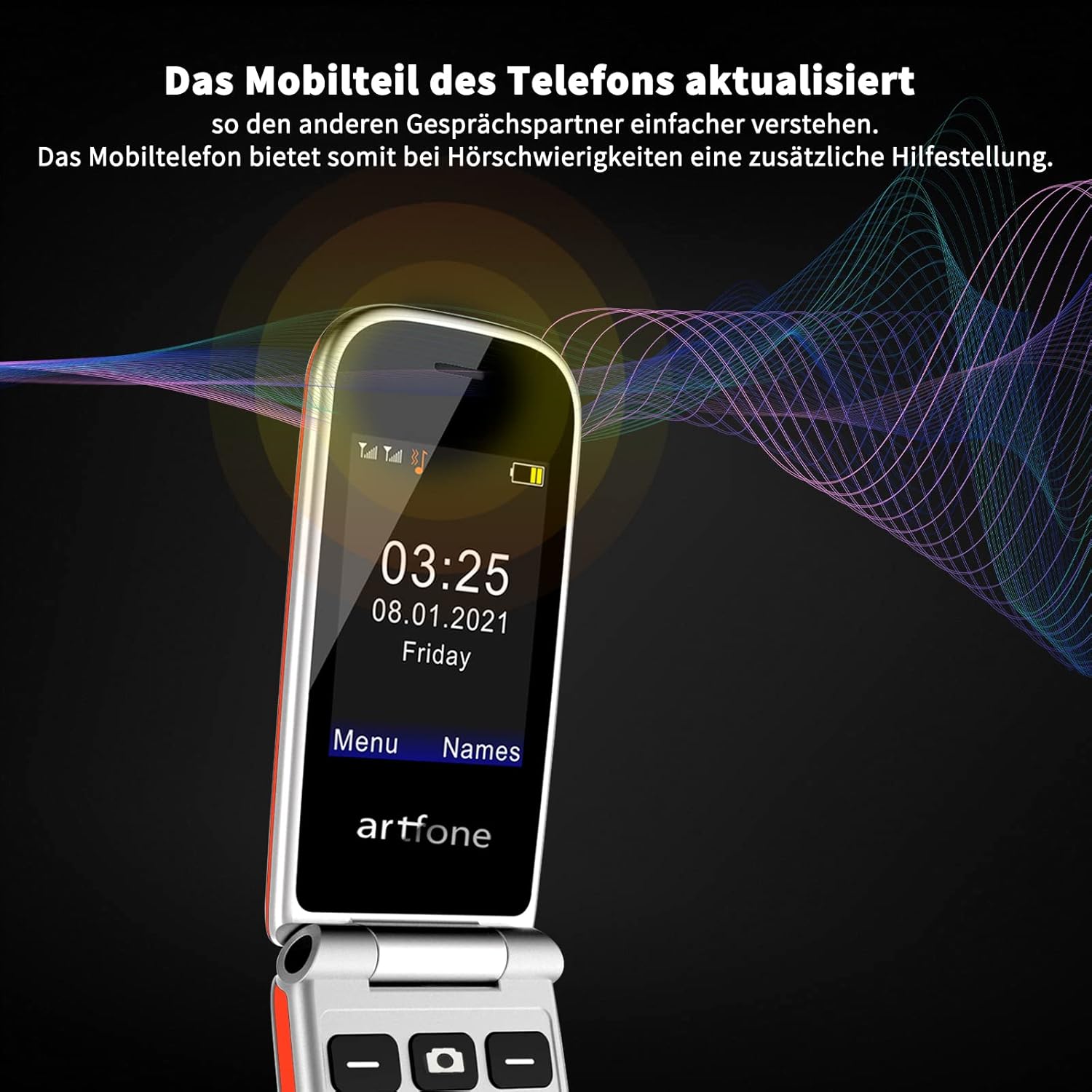
Image 4.4: The artfone CF241 showcasing its updated mobile part for clearer conversations, providing additional assistance for users with hearing difficulties by enhancing call audio quality.
5. Maintenance
5.1 Battery Care
- Avoid exposing the battery to extreme temperatures (hot or cold).
- Do not puncture, disassemble, or modify the battery.
- If the phone will not be used for an extended period, charge the battery to about 50% and store it in a cool, dry place.
- Use only the original charger and cable provided with the phone.
5.2 Cleaning Your Phone
- Use a soft, dry, lint-free cloth to clean the phone's screen and body.
- Avoid using harsh chemicals, cleaning solvents, or aerosol sprays.
- Do not allow moisture into any openings.
6. Troubleshooting
If you encounter issues with your artfone CF241, please refer to the following common solutions:
| Problem | Possible Cause | Solution |
|---|---|---|
| Phone does not power on | Low battery; Battery not installed correctly | Charge the battery; Reinstall the battery, ensuring proper contact. |
| Cannot make/receive calls | No SIM card; SIM card not inserted correctly; Out of network coverage; 2G network not available | Insert SIM card; Reinsert SIM card; Move to an area with better signal; Ensure your carrier supports 2G GSM. |
| Battery not charging | Charger/cable faulty; Charging port dirty; Loose connection | Try a different charger/cable; Clean the charging port carefully; Ensure cable is firmly connected. |
| Poor call quality | Weak signal; Obstruction of microphone/speaker | Move to an area with better signal; Ensure microphone/speaker are not covered. |
| SOS button not working | SOS numbers not set; Button not pressed long enough | Set emergency numbers in SOS settings; Press and hold the SOS button for 3 seconds. |
7. Specifications
| Feature | Detail |
|---|---|
| Model Number | CF241A |
| Display Size | 2.4 inches |
| Operating System | Nucleus OS |
| Battery Capacity | 1000 mAh Lithium-ion |
| Standby Time | Up to 200 hours |
| SIM Card Support | Dual Micro SIM |
| Network Bands | 2G GSM: 850/900/1800/1900 MHz |
| Expandable Storage | Micro SD card support (up to 32 GB) |
| Connectivity | Bluetooth, USB Type-C |
| Headphone Jack | 3.5 mm |
| Special Features | Large keys, SOS button, Flashlight, FM Radio, MP3, Alarm |
| Supported Languages | English, German, French, Italian, Spanish |
| Material | Plastic |
8. Warranty and Support
Your artfone CF241 Flip Phone is covered by a manufacturer's warranty. Please refer to the warranty card included in your product packaging for specific terms and conditions, including the warranty period and coverage details.
For technical support, service, or further inquiries, please contact artfone customer service through the contact information provided on the official artfone website or your purchase documentation. When contacting support, please have your product model number (CF241A) and purchase date ready.
Related documentsCF241


Ask a question about this manual
Ask about setup, troubleshooting, compatibility, parts, safety, or missing instructions. Manuals+ will review the question and use this page’s manual context to help answer it.