1. Introduction
This manual provides detailed instructions for the safe and efficient operation of your F40C4TMP 10 Quart (9L) Portable Mini Freezer. Please read this manual thoroughly before using the product and retain it for future reference. This portable compressor fridge is designed for versatile use, offering cooling and freezing capabilities for various environments including vehicles, camping, and home use.

Figure 1.1: F40C4TMP 10 Quart Portable Mini Freezer.
2. Product Overview
2.1 Key Features
- Capacity: 10 Quart (9 Liters), capable of holding up to 12 cans of 12 fl oz cola.
- Temperature Range: Adjustable from -4℉ (-20℃) to 68℉ (20℃).
- Power Input: Supports 12V/24V DC and 100-240V AC.
- Control: APP control and manual control via integrated panel.
- Energy Efficiency: MAX mode (45W) for fast cooling, ECO mode (36W) for energy saving (consumes approximately 1 kWh per day).
- Battery Protection: 3-level battery preservation monitor to prevent vehicle battery drain.
- Compact Design: Designed to fit in small spaces, such as passenger seats or between front seats in vans.
- Low Noise: Operates at approximately 45dB.

Figure 2.1: Compact dimensions of the portable freezer.

Figure 2.2: Internal capacity and dimensions.

Figure 2.3: User-friendly design features.
2.2 What's in the Box
- 1 x F40C4TMP 10 Quart Portable Refrigerator
- 1 x 100-240V AC Adapter (6.56 ft, for Wall Socket/Power Station etc.)
- 1 x 12V/24V DC Power Cord (10.82 ft)
- 1 x User Manual

Figure 2.4: Included components.
3. Safety Information
Please observe the following safety precautions to prevent injury and damage to the product:
- Do not place medications in this product if precise temperature control is critical, as the unit is not designed for medical storage.
- Ensure proper ventilation around the unit. Do not block air vents.
- Avoid exposing the unit to direct sunlight or heat sources.
- Do not immerse the unit in water or expose it to heavy rain.
- Use only the provided power cords and adapters.
- Keep out of reach of children.
- Disconnect power before cleaning or performing maintenance.
- If the power cord is damaged, it must be replaced by the manufacturer or a qualified service agent to avoid hazards.
4. Setup
4.1 Placement
Place the portable freezer on a stable, level surface. Ensure there is adequate space around the unit for proper ventilation, especially around the air vents. The compact design allows it to fit conveniently in various locations, such as the passenger seat or between front seats in a vehicle.
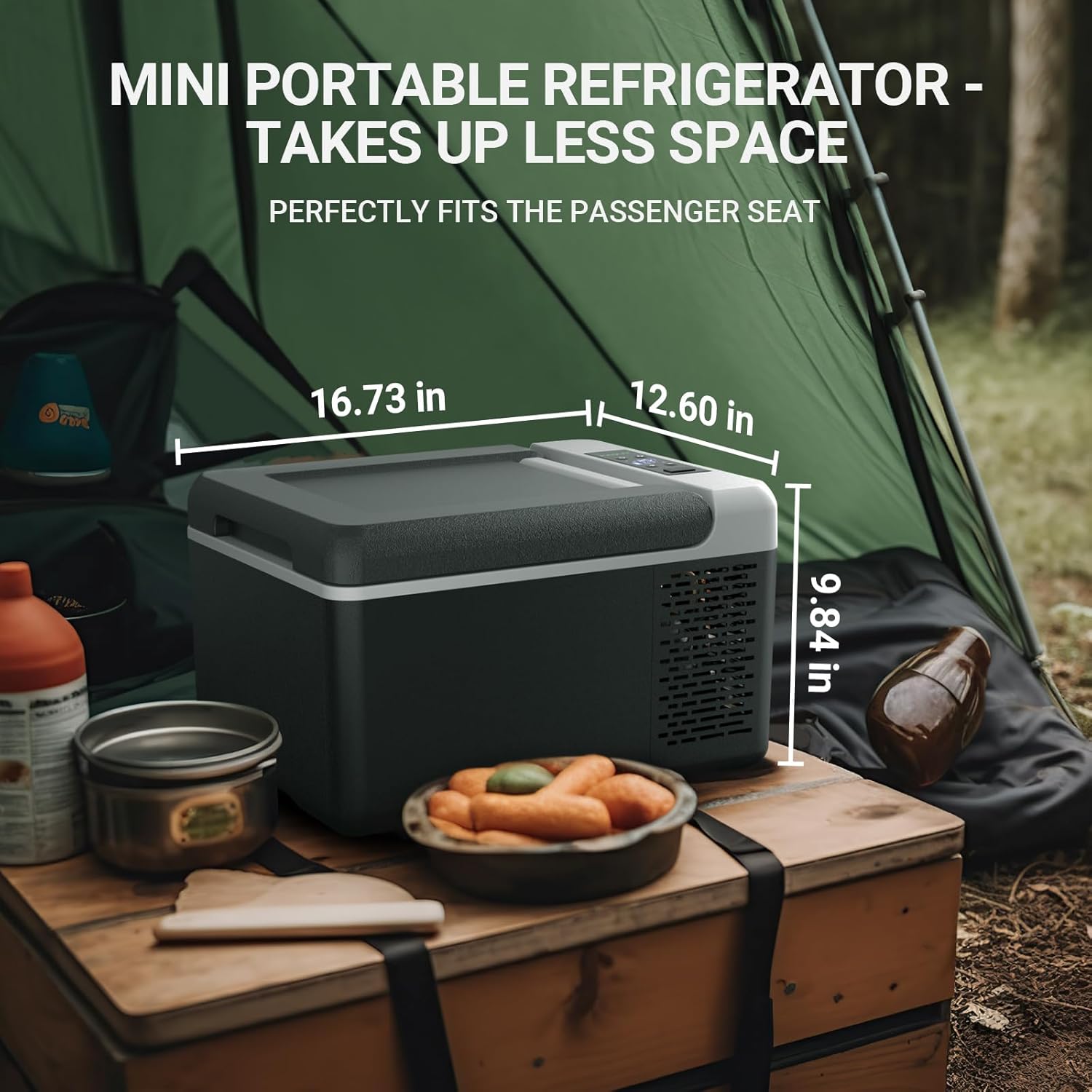
Figure 4.1: Ideal placement in a vehicle.
4.2 Power Connection
The unit can be powered by either DC (12V/24V) or AC (100-240V) power sources.
- DC Power (12V/24V): Connect the provided DC power cord to the unit's DC input port and then to your vehicle's cigarette lighter socket or a compatible 12V/24V power outlet.
- AC Power (100-240V): Connect the provided AC adapter to the unit's AC input port, and then plug the adapter into a standard wall socket or a portable power station.
Ensure the power source matches the voltage requirements of the unit.

Figure 4.2: Powering options for the portable freezer.
4.3 Battery Protection Setting
The unit features a 3-level battery protection system to prevent your vehicle's battery from draining. You can select the desired protection level (H1, H2, H3) via the control panel or the APP. Refer to the operating instructions for details on adjusting this setting.
5. Operating Instructions
5.1 Power On/Off
Press the power button on the control panel to turn the unit on or off. The display will illuminate when the unit is powered on.
5.2 Temperature Adjustment
Use the '+' and '-' buttons on the control panel to set the desired temperature. The temperature range is from -4℉ (-20℃) to 68℉ (20℃). The display will show the current internal temperature and the set temperature.
5.3 Cooling Modes (MAX/ECO)
The unit offers two cooling modes:
- MAX Mode (45W): Provides rapid cooling to reach the set temperature quickly. Ideal for initial cooling or when ambient temperatures are high.
- ECO Mode (36W): Operates with lower power consumption, ideal for maintaining temperature and saving energy once the desired temperature is reached.
Switch between MAX and ECO modes using the corresponding button on the control panel or via the APP.
6. APP Control
The F40C4TMP portable freezer supports APP control, allowing you to monitor and adjust settings remotely via your smartphone or tablet within a range of approximately 32 feet (10 meters).
6.1 Downloading the APP
Search for the official F40C4TMP APP in your device's app store (e.g., Apple App Store or Google Play Store) and install it.
6.2 Pairing the Device
- Ensure your portable freezer is powered on.
- Enable Bluetooth on your smartphone/tablet.
- Open the F40C4TMP APP. The app should automatically detect nearby devices.
- Select your freezer from the list of available devices to pair. Follow any on-screen prompts to complete the pairing process.
6.3 APP Functions
Once connected, the APP allows you to:
- Monitor the current internal temperature.
- Adjust the target temperature.
- Switch between MAX and ECO cooling modes.
- Adjust the battery protection level.
- Turn the unit on/off.

Figure 6.1: APP control interface.

Figure 6.2: Remote control via smartphone APP.
7. Maintenance
7.1 Cleaning
- Always disconnect the power before cleaning.
- Wipe the interior and exterior surfaces with a damp cloth and mild detergent.
- Do not use abrasive cleaners or sharp objects, as they may damage the surfaces.
- Ensure the unit is completely dry before reconnecting power.
7.2 Storage
If storing the unit for an extended period, ensure it is clean and dry. Store it in a cool, dry place away from direct sunlight and extreme temperatures. Leave the lid slightly ajar to prevent odors and mold growth.
8. Troubleshooting
| Problem | Possible Cause | Solution |
|---|---|---|
| Unit does not power on | No power supply; loose connection; blown fuse in vehicle. | Check power cord connection; try a different power outlet; check vehicle's fuse box. |
| Unit not cooling effectively | Vents blocked; ambient temperature too high; door not sealed properly; ECO mode selected. | Ensure vents are clear; move unit to a cooler area; check lid seal; switch to MAX mode. |
| Display shows error code | Specific internal issue. | Refer to the full user manual PDF for specific error code meanings, or contact customer support. |
| Excessive noise | Unit not level; fan obstruction. | Place unit on a level surface; check for debris near fan. |
| APP not connecting | Bluetooth off; unit not powered on; out of range. | Ensure Bluetooth is on; power on unit; move closer to unit. |
9. Specifications
| Specification | Value |
|---|---|
| Brand | F40C4TMP |
| Model Number | E0401-00903 |
| Capacity | 10 Quarts (9 Liters) |
| Product Dimensions | 16.73 x 12.6 x 9.84 inches |
| Item Weight | 2 pounds |
| Voltage | 12 Volts (DC) / 100-240 Volts (AC) |
| Annual Energy Consumption | 148 Kilowatt Hours |
| Installation Type | Freestanding |
| Special Feature | Compressor, APP Control |
| Color | Black and Grey |
| Number of Doors | 1 |
| Defrost System | Electric |
10. Warranty and Support
10.1 Warranty Information
The F40C4TMP 10 Quart Portable Mini Freezer comes with 2-Year Tech Support. Please retain your proof of purchase for warranty claims.
10.2 Customer Support
For any product questions, technical assistance, or warranty inquiries, please do not hesitate to contact F40C4TMP customer service. Refer to the contact information provided on the product packaging or the official F40C4TMP website.
You can also refer to the official User Manual (PDF) for additional details: Download User Manual PDF


