
Garmin 010-02472-00
Garmin Approach S12 GPS Golf Watch Instruction Manual
Model: 010-02472-00
Introduction
The Garmin Approach S12 is an easy-to-use GPS golf watch designed to enhance your golf game. It provides key yardages to the green, hazards, and doglegs on over 42,000 preloaded courses worldwide. This manual provides essential information for setting up, operating, and maintaining your Approach S12.
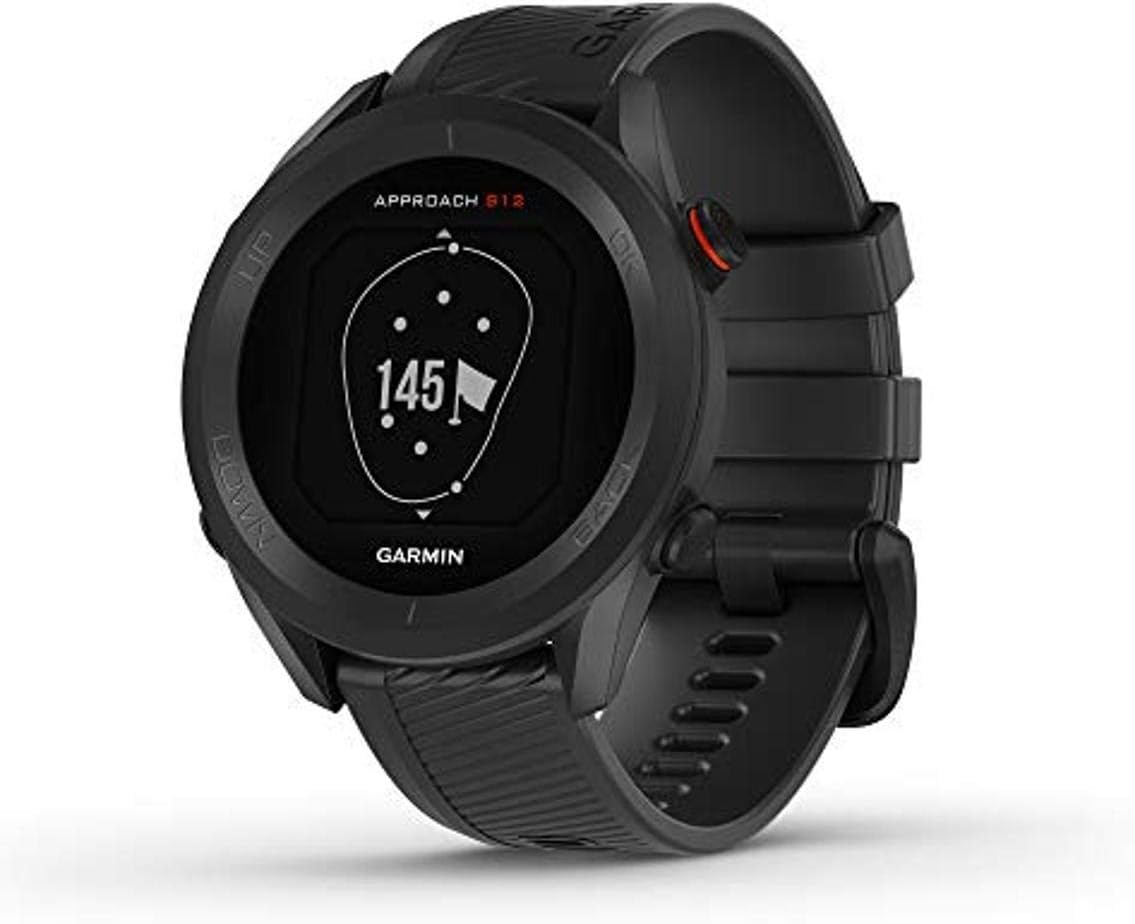
Figure 1: Garmin Approach S12 GPS Golf Watch (Black model).
Setup
Before using your Approach S12 for the first time, it is recommended to fully charge the device and perform initial setup steps.
Charging the Device
Connect the charging/data cable to the charging port on the back of the watch and plug the other end into a USB power source. A full charge provides up to 30 hours of battery life in GPS mode.

Figure 2: The Approach S12 watch displaying information about its battery life, indicating up to 30 hours in GPS mode.
Initial Power-On and Course Selection
- Press and hold the OK button to power on the watch.
- Follow the on-screen prompts to select your language and other initial settings.
- The watch will automatically detect nearby golf courses when you are on the course.
- Confirm the course selection to begin your round. The watch comes preloaded with over 42,000 courses worldwide.

Figure 3: The Approach S12 watch displaying a welcome message for a golf course, indicating its preloaded course information.
Garmin Golf App Pairing
For enhanced features like participating in weekly leaderboards and automatic game tracking (with optional CT10 sensors), pair your Approach S12 with the Garmin Golf app on your compatible smartphone. Refer to the app's instructions for pairing details.
Operating the Device
The Approach S12 is designed for intuitive use on the golf course. Use the buttons on the side of the watch to navigate through menus and access features.
Getting Yardages
During a round, the watch automatically displays yardages to the front, middle, and back of the green. It also provides distances to hazards and doglegs.

Figure 4: The Approach S12 watch showing yardages to the front, middle, and back of the green for a specific hole.
Measuring a Shot
To measure the distance of your last shot:
- After hitting your shot, press the OK button.
- Select Measure Shot.
- Walk to your ball, and the watch will display the distance of your shot.
- You can reset the measurement for the next shot.

Figure 5: The Approach S12 watch showing the "Last Shot" distance, demonstrating its shot tracking capability. An optional CT10 club tracking sensor is also shown.
Keeping Score
You can keep score directly on the watch. Press the OK button and select Start Scoring. Use the UP and DOWN buttons to adjust your score for the current hole.
Adjusting Flag Position
If the pin position on the green changes, you can adjust the flag position on your watch for more precise yardage to the hole. Press the OK button and select Move Flag.
Maintenance
Proper care ensures the longevity and performance of your Garmin Approach S12.
Cleaning the Device
Regularly clean the watch and band with a soft, damp cloth. Avoid harsh chemicals or abrasive materials that could damage the device.
Water Resistance
The Approach S12 is water-resistant to 164 feet (50 meters), making it suitable for use in rain or during water activities. However, it is not designed for prolonged submersion or high-pressure water activities.
Software Updates
Periodically check for software updates through the Garmin Golf app or Garmin Express on your computer. Updates often include performance improvements, bug fixes, and new course data.
Troubleshooting
If you encounter issues with your Approach S12, try the following solutions:
- No GPS Signal: Ensure you are in an open area with a clear view of the sky. Allow several minutes for the watch to acquire a signal. Make sure the GPS mode is active.
- Short Battery Life: Ensure the device is fully charged. Reduce screen brightness or disable unnecessary features to conserve battery.
- Course Not Found or Outdated: Connect your watch to Garmin Express on a computer to update course maps. Ensure your location services are enabled on the watch.
- Watch Not Responding: Try a soft reset by holding down the OK button for 15 seconds until the device powers off, then power it back on.
Specifications
| Feature | Detail |
|---|---|
| Product Dimensions | 1.72 x 1.72 x 0.45 inches |
| Item Weight | 1.12 ounces |
| Model Number | 010-02472-00 |
| Batteries | 1 Lithium Polymer battery required (included) |
| Wireless Communication | Bluetooth |
| GPS | True |
| Special Features | Over 43,000 Preloaded Course Maps, Water Resistant to 164', Green Contour Data, Long Battery Life, Sunlight-Viewable |
| Display Resolution | 175 x 175 pixels |
| Human Interface Input | Buttons |
| Color | Black |
| Included Components | Approach S12 golf watch; Charging/data cable; Documentation |
| Battery Life | Up to 30 hours in GPS mode |
| Mounting Type | Wrist Mount |
Warranty and Support
For detailed warranty information, please refer to the documentation included with your Garmin Approach S12. Garmin provides comprehensive support for its products.
- User Manual: A comprehensive user manual is available in PDF format for more in-depth information: Download User Manual (PDF)
- Online Support: Visit the official Garmin store on Amazon for product information, FAQs, and customer support options: Garmin Store
Related documents010-02472-00


Ask a question about this manual
Ask about setup, troubleshooting, compatibility, parts, safety, or missing instructions. Manuals+ will review the question and use this page’s manual context to help answer it.