
1. Introduction
Welcome to the user manual for your new DOOGEE S88 Plus Rugged Smartphone. This device is engineered for durability and high performance, featuring a robust design, a powerful 10000mAh battery, and an advanced camera system. This manual provides essential information to help you get started, operate, maintain, and troubleshoot your smartphone effectively.

Image 1.1: Overview of the DOOGEE S88 Plus highlighting its ruggedness, battery, camera, and Android 10 operating system.
2. Getting Started
2.1. Unboxing and Package Contents
Carefully unpack your DOOGEE S88 Plus. The standard package typically includes the following items:
- DOOGEE S88 Plus Smartphone
- USB OTG Adapter
- Phone Case
- Screen Protector
- Headset
- USB Cable
- Power Adapter
- User Manual (this document)

Image 2.1: Typical package contents for the DOOGEE S88 Plus.
2.2. SIM Card and MicroSD Card Installation
To install your SIM card(s) and/or MicroSD card:
- Locate the SIM card tray on the side of the device.
- Use the provided SIM ejector tool to open the tray.
- Place your Nano-SIM card(s) and/or MicroSD card into the designated slots, ensuring correct orientation.
- Carefully reinsert the tray into the phone until it is flush with the device body.
2.3. Initial Power On and Setup
To power on your device for the first time:
- Press and hold the Power button (usually on the right side) until the DOOGEE logo appears.
- Follow the on-screen prompts to complete the initial setup, including language selection, Wi-Fi connection, Google account login, and security settings.
2.4. Charging the Device
Connect the USB cable to the charging port on your phone and the other end to the power adapter. Plug the adapter into a wall outlet. The device supports fast charging and reverse wireless charging.
3. Key Features
3.1. Rugged Design and Durability
The DOOGEE S88 Plus is built to withstand harsh environments, meeting IP68/IP69K and MIL-STD-810G standards. This means it is:
- Waterproof: Can be submerged in water up to 1.5 meters for 30 minutes.
- Dustproof: Fully protected against dust ingress.
- Extreme Temperature Resistant: Operates in temperatures from -67°F to 158°F.

Image 3.1: The DOOGEE S88 Plus demonstrating its robust construction in challenging conditions.
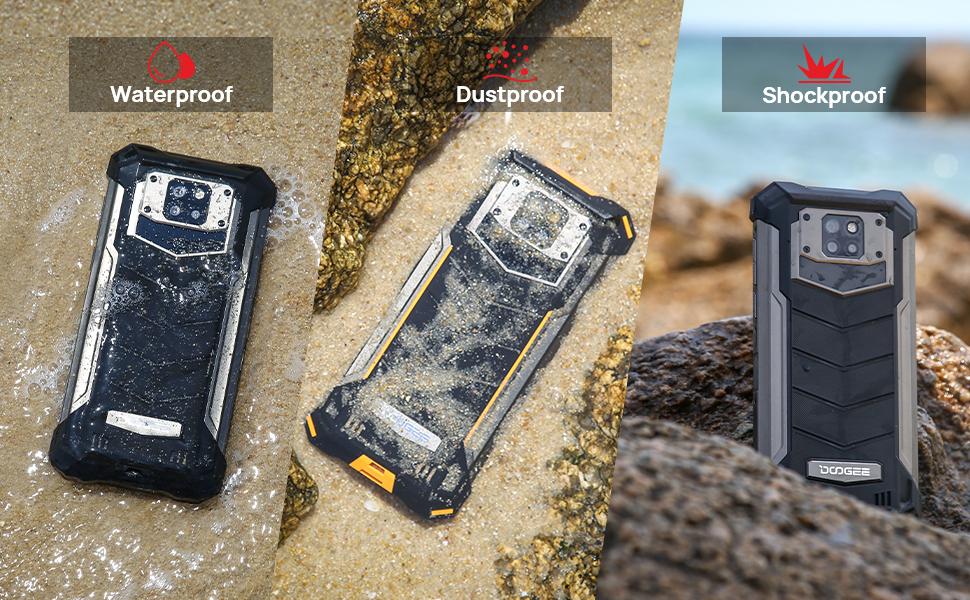
Image 3.2: Visual representation of the smartphone's waterproof, dustproof, and shockproof capabilities.
3.2. 10000mAh Super Battery
Equipped with a massive 10000mAh battery, the S88 Plus offers extended usage times:
- Up to 38 days of standby time.
- Up to 50 hours of talk time.
- Up to 20 hours of video playback.
- Up to 30 hours of gaming.
The device also supports 5W reverse wireless charging, allowing it to act as a power bank for other compatible devices.

Image 3.3: The 10000mAh battery provides extended usage for demanding applications like gaming.
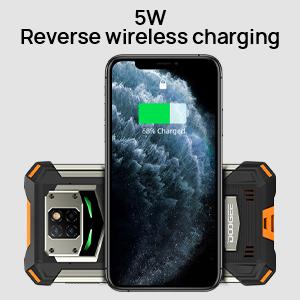
Image 3.4: The S88 Plus can wirelessly charge other devices.
3.3. 48MP AI Triple Camera System
Capture high-quality photos and videos with the versatile camera setup:
- Main Camera: 48MP sensor for detailed images.
- Wide-Angle Camera: 8MP with a 130° field of view for expansive shots.
- Portrait Camera: 8MP for enhanced depth effects.
- Front Camera: 16MP Samsung sensor with an 80° wide-angle lens for clear selfies.
The AI algorithm optimizes colors and pixels for various shooting conditions, including underwater photography.

Image 3.5: The 48MP AI Triple Camera system on the DOOGEE S88 Plus.
3.4. Mecha Breathing Lamp
The unique Mecha Breathing Lamp on the rear of the device provides visual notifications:
- Blue Light: Flashes for missed calls and unread messages.
- Red Light: Flashes when the device is charging.
- Green Light: Flashes when the device is fully charged.
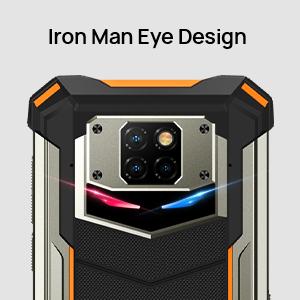
Image 3.6: The Mecha Breathing Lamp provides visual alerts.
3.5. Performance and Storage
The S88 Plus is powered by the Helio P70 processor, offering efficient performance. It comes with:
- 8GB RAM: Provides ample memory for multitasking and smooth operation.
- 128GB Internal Storage: Sufficient space for apps, photos, and videos.
- Expandable Storage: Supports MicroSD cards up to 256GB.

Image 3.7: The device's memory and storage capabilities.
3.6. Display
The device features a 6.3-inch FHD+ Waterdrop screen, protected by Corning Glass, offering a clear and immersive visual experience.
- Screen Size: 6.3 inches
- Resolution: 2160 x 1080 pixels
- Protection: Corning Glass for scratch resistance.
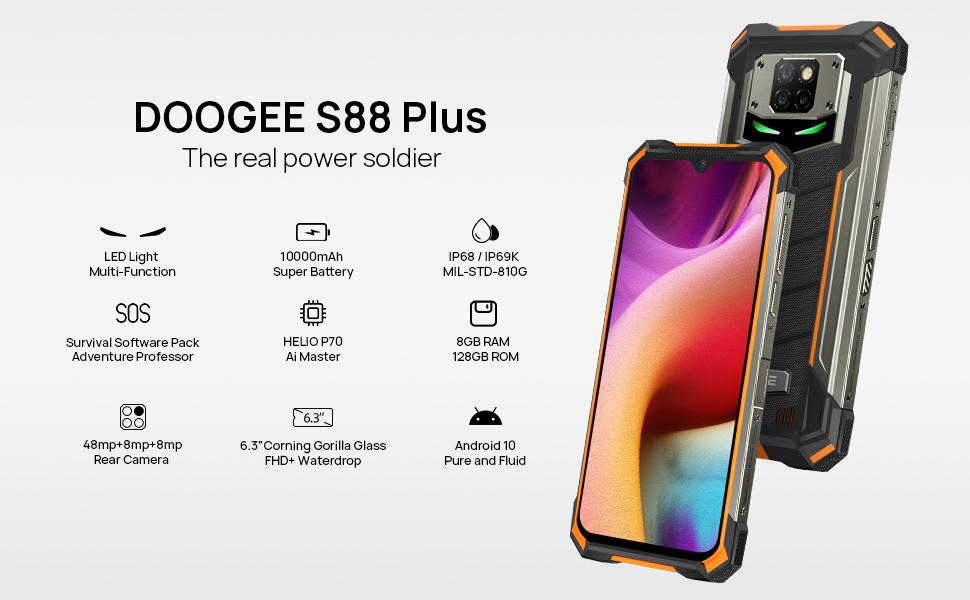
Image 3.8: Details of the 6.3-inch FHD+ Waterdrop screen.
3.7. NFC Functionality
The DOOGEE S88 Plus supports Near Field Communication (NFC), enabling convenient features such as contactless payments and quick data transfer with compatible devices.
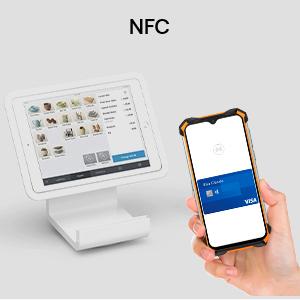
Image 3.9: The smartphone's NFC capability for various uses.
4. Operating Instructions
4.1. Basic Navigation (Android 10)
Your DOOGEE S88 Plus runs on Android 10, offering intuitive gesture navigation and enhanced security features. Swipe up from the bottom for the app drawer, swipe from the sides to go back, and swipe up and hold for recent apps.

Image 4.1: The Android 10 interface with various applications.
4.2. Camera Usage
Open the Camera app to access various modes including Photo, Video, Portrait, Wide-Angle, and Macro. Tap to focus, pinch to zoom, and use the on-screen shutter button to capture images or start/stop video recording.
4.3. Customizable Keys
The device may feature customizable physical keys that can be programmed for quick access to specific functions or applications. Refer to the device settings under 'Smart Key' or 'Custom Button' to configure these.
5. Maintenance
5.1. Cleaning Your Device
To clean your DOOGEE S88 Plus, use a soft, lint-free cloth. For stubborn dirt, especially after exposure to mud or saltwater, rinse the device with fresh water and ensure all ports are dry before charging or using accessories.
5.2. Water and Dust Resistance
While the device is IP68/IP69K rated, ensure all port covers are securely closed before exposing it to water or dust. Avoid intentional submersion in deep water or high-pressure water jets. Damage caused by improper use may void the warranty.
5.3. Battery Longevity
To maximize battery life, avoid extreme temperatures, use the original charger, and consider enabling battery saver modes when needed. Regular full discharge and recharge cycles are not necessary for modern lithium-ion batteries.
6. Troubleshooting
If you encounter issues with your DOOGEE S88 Plus, refer to the following common solutions:
- Device Not Powering On: Ensure the battery is charged. Connect to the charger for at least 15 minutes before attempting to power on again.
- Poor Network Reception: Verify your SIM card is correctly inserted. Check if your carrier supports the device's frequency bands. The DOOGEE S88 Plus is compatible with T-Mobile (some SIMs may require activation) but does not support Sprint, Verizon, AT&T, or Cricket Wireless CDMA networks.
- Charging Issues: Try a different USB cable and power adapter. Ensure the charging port is clean and free of debris. If using wireless charging, ensure proper alignment.
- Unresponsive Touchscreen: Restart the device. If the issue persists, perform a factory reset (note: this will erase all data).
- Apps Crashing/Slow Performance: Close background apps, clear app caches, or restart the device. Ensure sufficient storage space is available.
For further assistance, please contact DOOGEE customer support.
7. Specifications
Key technical specifications for the DOOGEE S88 Plus:
| Feature | Specification |
|---|---|
| Model Name | S88 Plus |
| Operating System | Android 10.0 |
| CPU Model | MediaTek Helio P70 |
| RAM | 8 GB |
| Internal Storage | 128 GB |
| Expandable Storage | Up to 256 GB (MicroSD) |
| Screen Size | 6.3 Inches |
| Resolution | 2160 x 1080 (FHD+) |
| Battery Capacity | 10000 Milliamp Hours |
| Rear Camera | 48MP Main + 8MP Wide-Angle + 8MP Portrait |
| Front Camera | 16MP |
| Water/Dust Resistance | IP68 / IP69K |
| Shock Resistance | MIL-STD-810G |
| Dimensions | 6.76 x 3.37 x 0.74 inches |
| Weight | 13.1 ounces (372 Grams) |
| Connectivity | 4G LTE, Wi-Fi, Bluetooth, NFC, GPS, OTG |

Image 7.1: Supported network bands for the DOOGEE S88 Plus.
8. Official Product Video
Video 8.1: An official product video showcasing the DOOGEE S88 Plus rugged smartphone's features and durability.
9. Warranty and Support
DOOGEE provides a 2-year warranty service for the S88 Plus. For warranty claims, technical support, or further inquiries, please refer to the official DOOGEE website or contact their customer service directly. Ensure you retain your proof of purchase for warranty validation.
You can visit the official DOOGEE store for more information: DOOGEE Store


