1. Introduction
Thank you for choosing the ARREGUI AWA 221740 Smart Safe. This smart safe offers advanced security features, including active alerts to your mobile phone in case of external attacks such as attempted theft, forced entry, fire, flood, or Wi-Fi connection loss. It combines robust physical protection with smart technology for enhanced peace of mind. Please read this manual carefully before installation and use to ensure proper operation and to maximize the safe's lifespan.
2. Product Overview
The ARREGUI AWA 221740 Smart Safe is designed for secure storage of valuables. Key features include:
- Active Security: Sends alerts to your mobile phone for various external threats.
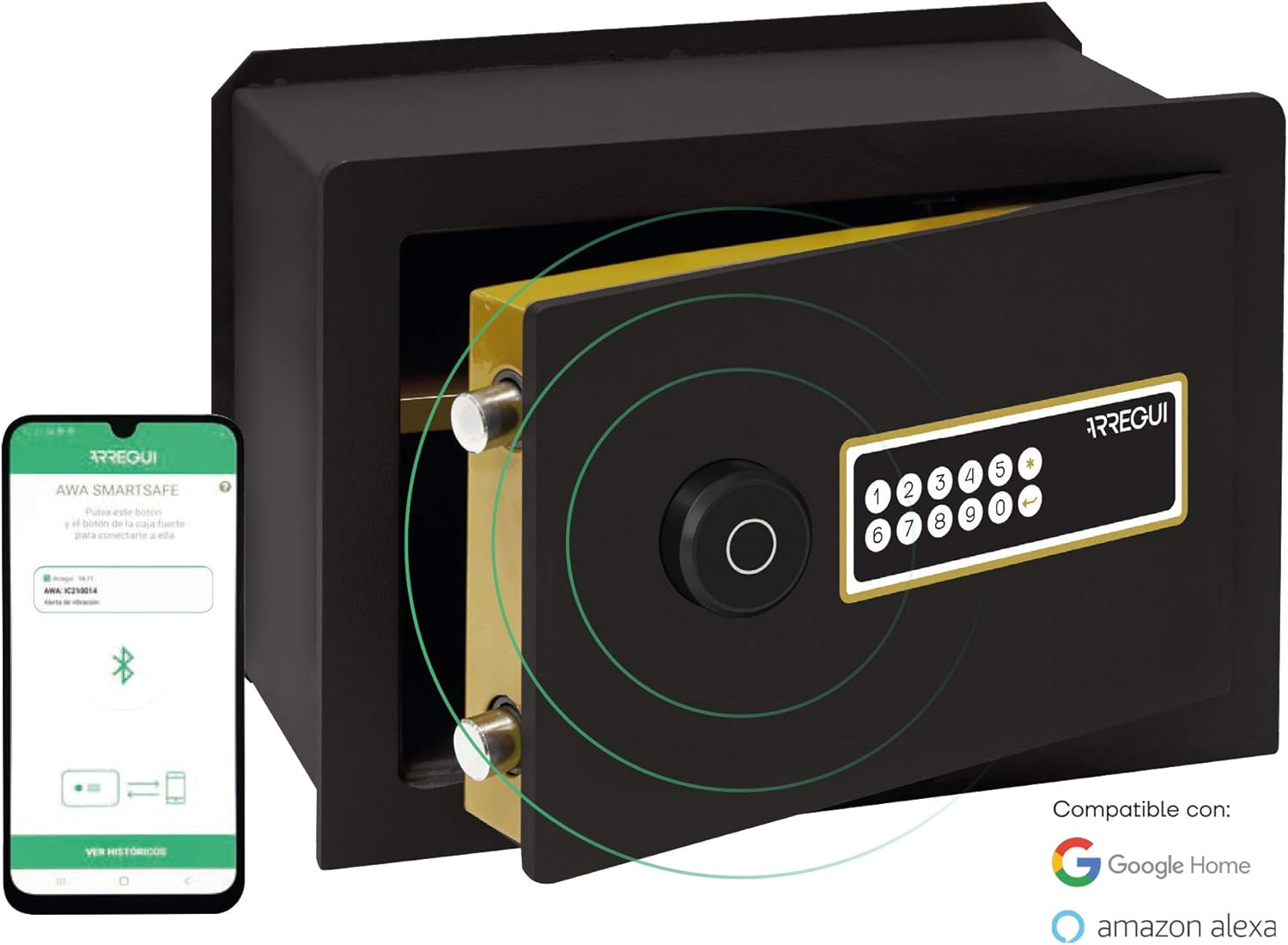
- Mobile App Management: Open the safe via a tactile keypad or your smartphone app. The intuitive app allows administrators to authorize up to 5 users, manage access permissions (days and times), view activity history, adjust security parameters, and remotely authorize openings.
- Smart Home Compatibility: The AWA safe is compatible with Google Home and Amazon Alexa.
- Anti-Hacking Protection: Opening codes are stored and encrypted internally; data is never shared in the cloud.
- Robust Anti-Theft Design: Features an 8mm thick steel door and a 3mm thick steel body. The locking mechanism includes 2 anti-saw rotating bolts (22mm diameter) that engage with an anti-lever security system.
- Convenient Features: Emergency key opening, integrated internal light, interior shelf, micro USB rechargeable battery with approximately 2 months of autonomy.
2.1 Components Included
- ARREGUI AWA 221740 Smart Safe
- Emergency Keys
- Mounting Screws for wall fixation
- Power Cable (for charging)
- Instruction Manual
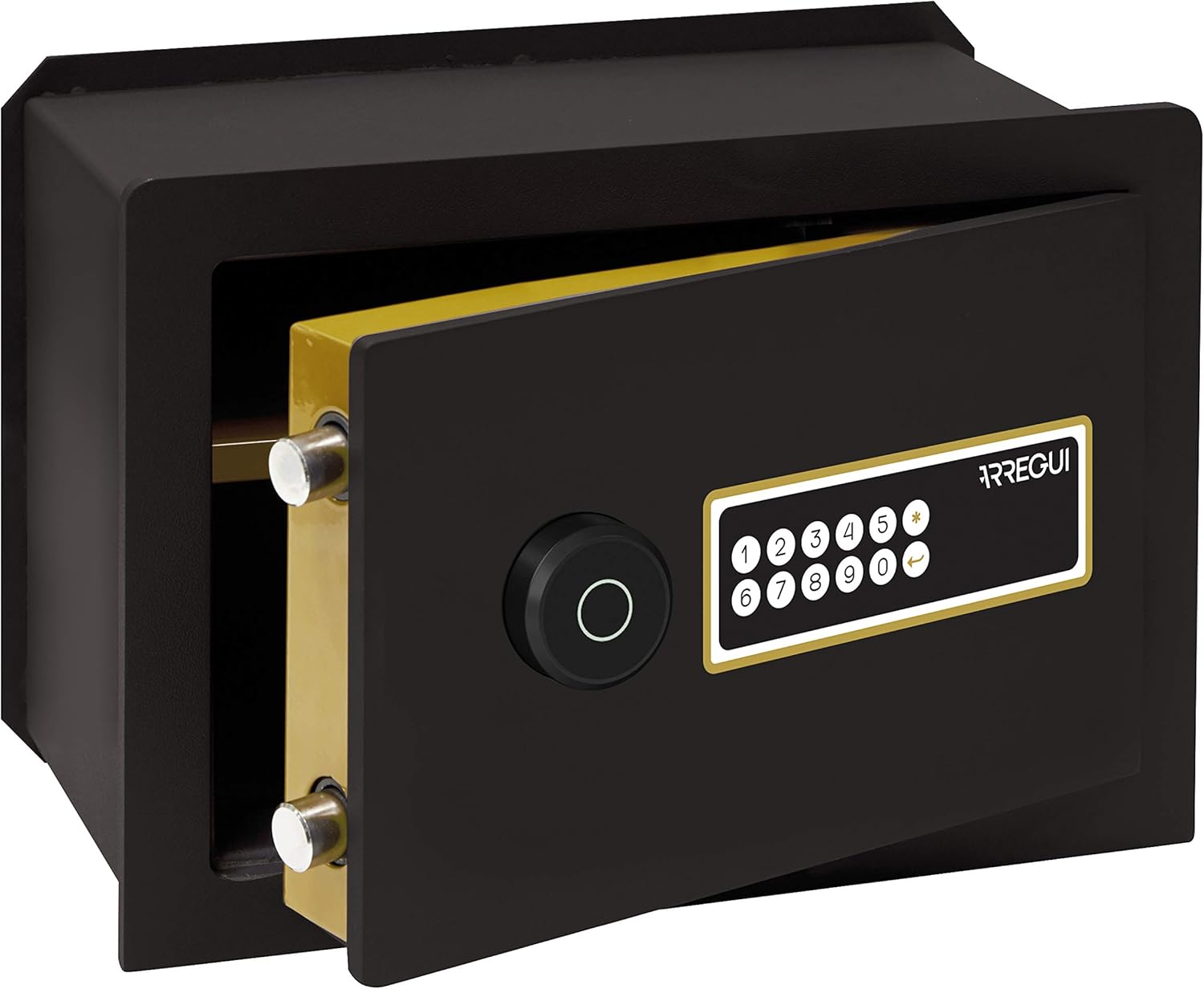
2.2 Product Views


3. Setup
3.1 Unpacking
Carefully remove the safe from its packaging. Inspect for any signs of damage. Retain packaging for future transport or returns if necessary.
3.2 Initial Power-Up and Charging
The safe is equipped with a rechargeable battery. Before first use, connect the safe to a power source using the provided micro USB cable to ensure it is fully charged. A full charge provides approximately 2 months of autonomy.
3.3 Wall Installation
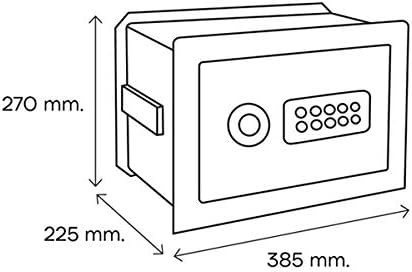
The ARREGUI AWA 221740 Smart Safe is designed for wall mounting. Professional installation is recommended due to the weight and security requirements. Ensure the wall structure can support the safe's weight (15.5 kg) and its contents. Use the provided mounting screws for secure fixation.
- Choose a suitable location in a solid wall.
- Mark the drilling points according to the safe's dimensions and mounting holes.
- Drill holes of appropriate size and depth.
- Insert wall anchors (if required for your wall type).
- Position the safe and secure it firmly using the provided screws.

3.4 Mobile App Installation and Pairing
Download the official ARREGUI AWA Smart Safe app from your smartphone's app store (iOS or Android). Follow the in-app instructions to pair your safe with your mobile device. This typically involves creating an account, enabling Bluetooth/Wi-Fi on your phone, and following a pairing sequence on the safe's keypad.
4. Operating Instructions
4.1 Opening the Safe
- Using the Electronic Keypad: Enter your programmed access code on the tactile keypad. The safe will unlock, and the door can be opened.
- Using the Mobile App: Open the ARREGUI AWA Smart Safe app on your smartphone. Select your safe and follow the prompts to remotely unlock it.
- Using the Emergency Key: In case of battery depletion or forgotten code, insert the emergency key into the hidden lock and turn it to open the safe. Keep emergency keys in a secure location outside the safe.
4.2 Closing and Locking the Safe
Close the safe door firmly. The safe will automatically lock. Ensure the bolts are fully extended and the door is securely shut.
4.3 Managing Users and Permissions (via Mobile App)
As an administrator, the mobile app allows you to:
- Authorize up to 5 additional users.
- Set specific access days and time slots for each user.
- Review the complete activity history of the safe (openings, alerts, etc.).
- Adjust security parameters and settings.
- Remotely authorize opening commands.
4.4 Smart Home Integration (Amazon Alexa / Google Home)
To integrate your ARREGUI AWA Smart Safe with Amazon Alexa or Google Home, follow these steps:
- Ensure your safe is connected to the mobile app and your home Wi-Fi network.
- Open the Alexa or Google Home app on your smartphone.
- Search for the "ARREGUI AWA Smart Safe" skill/service.
- Enable the skill/service and link your ARREGUI account.
- Follow the on-screen instructions to discover your safe and assign a name.
- You can now use voice commands to interact with your safe (e.g., "Alexa, ask ARREGUI to check safe status").
5. Maintenance
5.1 Battery Charging
The safe's internal battery should be recharged when the low battery indicator appears on the keypad or in the mobile app. Connect the provided micro USB cable to the charging port on the safe and to a suitable USB power adapter. A full charge typically takes several hours.
5.2 Cleaning
Clean the exterior of the safe with a soft, damp cloth. Do not use abrasive cleaners or solvents, as these can damage the finish or electronic components. Ensure no liquid enters the keypad or charging port.
5.3 Bolt Mechanism
Periodically check the locking bolts and hinges for smooth operation. If necessary, apply a small amount of silicone-based lubricant to the moving parts. Do not use oil-based lubricants as they can attract dust and debris.
6. Troubleshooting
| Problem | Possible Cause | Solution |
|---|---|---|
| Safe does not open with code. | Incorrect code entered; low battery; keypad malfunction. | Re-enter code carefully. Charge the battery. Use the emergency key to open and then troubleshoot the keypad or contact support. |
| Mobile app cannot connect to the safe. | Bluetooth/Wi-Fi off; safe not paired; safe out of range; network issues. | Ensure Bluetooth/Wi-Fi is enabled on your phone. Check safe's battery. Re-pair the safe if necessary. Move closer to the safe. Check your home Wi-Fi connection. |
| No alerts received on mobile phone. | App notifications disabled; safe not connected to Wi-Fi; server issues. | Check app notification settings on your phone. Verify safe's Wi-Fi connection status in the app. Ensure the safe's battery is charged. |
| Emergency key does not work. | Incorrect key; lock mechanism jammed. | Ensure you are using the correct emergency key. Do not force the key. Contact customer support. |
| Internal light not working. | Low battery; LED malfunction. | Charge the safe's battery. If the issue persists, contact customer support. |
7. Specifications
| Feature | Detail |
|---|---|
| Model Number | AWA 221740 |
| Brand | Arregui |
| External Dimensions (H x W x D) | 27 x 38.5 x 22.5 cm (270 x 385 x 225 mm) |
| Internal Capacity | 13 Liters |
| Weight | 15.5 kg |
| Material | Alloy Steel (8mm door, 3mm body) |
| Locking Mechanism | Electronic Keypad, Mobile App, Emergency Key |
| Bolts | 2 anti-saw rotating bolts, 22mm diameter |
| Power Source | Rechargeable battery via Micro USB |
| Battery Autonomy | Approximately 2 months |
| Special Features | Active security alerts, internal light, interior shelf, Google Home & Amazon Alexa compatibility |
| Mounting Type | Wall Mount |
8. Warranty and Support
8.1 Warranty Information
Specific warranty details are typically provided with your purchase documentation or on the manufacturer's official website. Please refer to the warranty card included with your product for terms and conditions. Keep your proof of purchase for warranty claims.
8.2 Customer Support
For technical assistance, troubleshooting beyond this manual, or warranty inquiries, please contact ARREGUI customer support. Contact information can usually be found on the manufacturer's website or on the product packaging.
Manufacturer: Arregui
Website: www.arregui.es (Note: This is a placeholder URL, please refer to your product documentation for the exact support contact details.)


