
HiBy R6
Contents
HiBy New R6 Hi-Res Player User Manual
Model: R6
1. Introduction
The HiBy New R6 is a high-resolution portable audio player designed to deliver an exceptional listening experience. Featuring a dual DAC, Android 9.0 operating system, and versatile connectivity options, the New R6 supports a wide range of audio formats and provides balanced outputs for superior sound quality.

Figure 1.1: Front view of the HiBy New R6 Hi-Res Player.
2. Setup
2.1. Charging the Device
Before first use, fully charge your HiBy New R6. The device is equipped with a 4500mAh high-capacity battery.
- Connect the provided USB-C cable to the charging port on the HiBy New R6.
- Connect the other end of the cable to a compatible USB power adapter (not included) or a computer's USB port.
- The charging indicator will illuminate. The device is fully charged when the indicator changes color or turns off (refer to device screen for battery status).
A full charge provides approximately 10 hours of continuous playback via standard output or 8.5 hours via balanced output. The device can maintain standby for up to 25 days.

Figure 2.1: Illustration of the 4500mAh battery capacity.
2.2. Inserting a Micro SD Card
The HiBy New R6 comes with 64GB of internal storage and supports expansion up to 2TB via a Micro SD card.
- Locate the Micro SD card slot on the side of the device.
- Gently insert the Micro SD card into the slot until it clicks into place. Ensure the card is oriented correctly.
- To remove, gently push the card inward until it springs out.
2.3. Initial Power On
Press and hold the power button located on the side of the device until the screen illuminates. Follow the on-screen prompts for initial setup, including language selection and Wi-Fi connection.

Figure 2.2: Side view of the HiBy New R6, showing the power and volume buttons.
3. Operating Instructions
3.1. Basic Navigation
The HiBy New R6 operates on Android 9.0, providing a familiar smartphone-like interface. The 5-inch LCD display with 1920x1080 resolution supports gesture controls.
- Touchscreen: Navigate menus, select options, and control playback by tapping and swiping.
- Physical Buttons: Use the side buttons for power, volume control, and playback (play/pause, next/previous track).
- Gestures: The device supports gestures such as triple-finger downswipe for screencap and tap-to-wake.

Figure 3.1: HiBy New R6 user interface demonstrating playback controls and connectivity status.
3.2. Audio Playback
The New R6 supports various high-resolution audio formats, including native DSD512 and 32-bit/768kHz PCM, along with 16x MQA unfolding.
- Loading Music: Transfer music files to the device's internal storage or the inserted Micro SD card via USB connection to a computer.
- Music App: Open the pre-installed HiBy Music app or other compatible third-party music applications (e.g., Spotify, Tidal) downloaded from the Google Play Store.
- Playback Controls: Use the on-screen controls or physical buttons to play, pause, skip tracks, and adjust volume.
- MSEB: Utilize the HiBy's MSEB (MageSound 8-Ball) feature to fine-tune audio qualities to your preference.
3.3. Connectivity
The New R6 offers robust wireless and wired connectivity options.
- Wi-Fi: Connect to 2.4GHz and 5GHz Wi-Fi networks for streaming music, downloading apps, and firmware updates.
- Bluetooth 5.0: Supports both input and output audio with advanced codecs including UAT, LDAC, aptX, aptX HD, AAC, and SBC. To pair, go to Settings > Connected devices > Bluetooth.
- HiBy Link: Manage the player's functions remotely using your smartphone via the HiBy Link feature. Download the HiBy Music app on your smartphone to use this feature.

Figure 3.2: HiBy New R6 showcasing Hi-Res Bluetooth codecs like UAT.
3.4. Output Ports
The device features both single-ended and balanced audio outputs.
- 3.5mm SE (Single-Ended): Standard headphone and line-out port.
- 4.4mm Balanced: Balanced headphone and line-out port for enhanced audio performance with compatible headphones.
These ports can function as both line-out and headphone outputs.

Figure 3.3: Diagram illustrating the multiple audio output ports on the HiBy New R6.
4. Key Features
- Ultra HI-FI Audio: The HiBy New R6 integrates a dual ES9038Q2M DAC and offers native support for DSD512 and 32-bit/768kHz audio. It also provides 16x MQA unfolding for unparalleled audio fidelity. The MSEB feature allows for personalized audio adjustments.
- Advanced Connectivity & Balanced Outputs: Equipped with Bluetooth 5.0, the R6 supports both Bluetooth audio input and output, featuring advanced codecs like UAT, LDAC, aptX, aptX HD, AAC, and SBC. HiBy Link enables smartphone control. It includes both 3.5mm SE and 4.4mm balanced ports, functioning as line and headphone outputs.
- Extended Battery Life: A 4500mAh battery provides approximately 10 hours of continuous playback (single-ended) or 8.5 hours (balanced), with up to 25 days of standby time.
- Fast and Fluid Performance: Powered by a Snapdragon 660 SoC with an 8-core processor (up to 2.2 GHz), the New R6 ensures smooth operation. It has 64GB of internal memory, expandable up to 2TB via Micro SD. Running Android 9.0, it supports popular streaming apps like Spotify and Tidal.
- Large and Robust Display: The device features a 5-inch LCD display with a 1920x1080 resolution, supporting gesture-based controls. Constructed from high-quality glass and metal, it weighs only 235g, offering both durability and portability.

Figure 4.1: Internal view highlighting the Snapdragon 660 SoC.
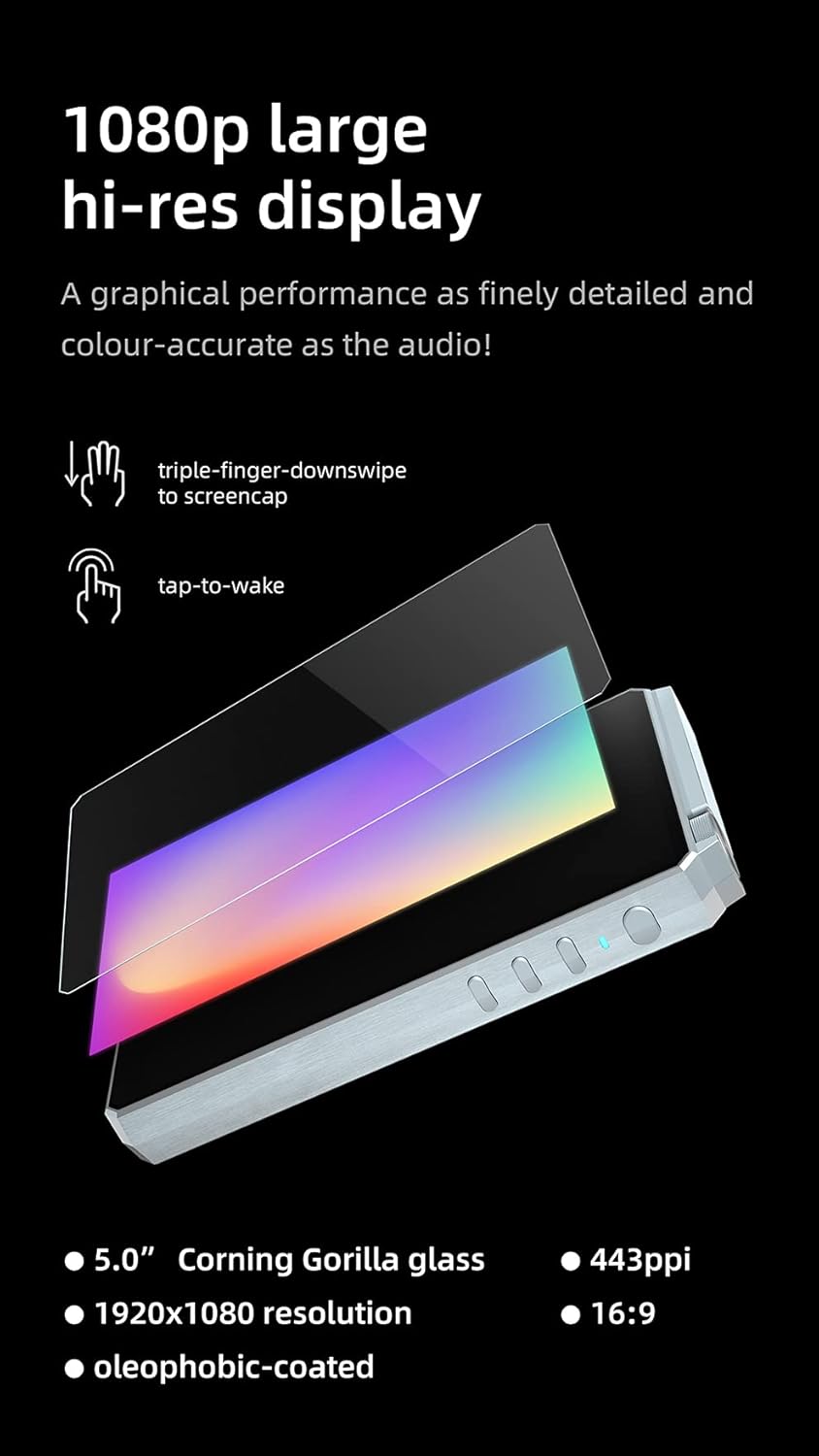
Figure 4.2: Details of the 1080p large hi-res display, including gesture support.
5. Maintenance
- Cleaning: Use a soft, dry, lint-free cloth to clean the device. For stubborn smudges, slightly dampen the cloth with water. Avoid using harsh chemicals or abrasive materials.
- Storage: Store the device in a cool, dry place away from direct sunlight, extreme temperatures, and high humidity.
- Battery Care: To prolong battery life, avoid fully discharging the battery frequently. If storing for an extended period, charge the battery to around 50% before storage.
- Software Updates: Regularly check for and install software updates to ensure optimal performance and access to new features. Updates can typically be found in the device's settings menu.
6. Troubleshooting
| Problem | Possible Cause | Solution |
|---|---|---|
| Device does not turn on | Low battery; System crash | Charge the device for at least 30 minutes. If still unresponsive, perform a forced restart by holding the power button for 10-15 seconds. |
| No sound output | Volume too low; Incorrect output selected; Faulty headphones/cable | Increase volume. Check if headphones are properly connected. Ensure correct output (3.5mm or 4.4mm) is selected in settings if applicable. Test with different headphones. |
| Bluetooth connectivity issues | Device not in pairing mode; Interference; Outdated firmware | Ensure both devices are in pairing mode. Move closer to the Bluetooth device. Restart both devices. Check for and install any available firmware updates. |
| Micro SD card not recognized | Card not inserted correctly; Incompatible format; Damaged card | Reinsert the card. Ensure the card is formatted to a compatible file system (e.g., FAT32, exFAT). Try a different Micro SD card. |
7. Specifications
| Feature | Detail |
|---|---|
| Brand | HiBy |
| Model Name | New R6 |
| Product Dimensions | 13 x 7.3 x 1.5 cm |
| Item Weight | 530 grams |
| Battery | 1 Lithium Polymer battery (included) |
| Battery Life (Average) | 10 Hours |
| Memory Capacity | 64 GB (expandable up to 2TB via Micro SD) |
| Compatible Peripherals | Headphones, Personal computer, Earphones |
| Screen Size | 5 Inches |
| Wireless Type | Bluetooth |
| Connector Type | Bluetooth |
| Supported Standards | MQA |
| Media Type | Micro SD |
| Color | Black |
| Operating System | Android 9.0 |
| Processor | Snapdragon 660 SoC (8-core, up to 2.2 GHz) |
8. Warranty and Support
For warranty information and technical support, please refer to the official HiBy website or contact your authorized dealer. Keep your proof of purchase for warranty claims.
Official HiBy Website: www.hiby.com
Ask a question about this manual
Ask about setup, troubleshooting, compatibility, parts, safety, or missing instructions. Manuals+ will review the question and use this page’s manual context to help answer it.