
Introduction
Thank you for choosing the CREATE IKOHS FULLMIX TITAN CORDLESS Immersion Blender. This manual provides essential information for the safe and efficient use of your new appliance. Please read these instructions carefully before first use and keep them for future reference.
Important Safety Instructions
When using electrical appliances, basic safety precautions should always be followed to reduce the risk of fire, electric shock, and/or injury to persons, including the following:
- Read all instructions before operating the appliance.
- Do not immerse the motor unit in water or other liquids. Only the detachable blending shaft and whisk attachment are suitable for washing.
- Keep hands, hair, clothing, and utensils away from moving blades during operation to prevent injury and damage to the appliance.
- Always ensure the appliance is switched off and disconnected from the power source (charger) before assembling, disassembling, or cleaning.
- This appliance is not intended for use by persons (including children) with reduced physical, sensory or mental capabilities, or lack of experience and knowledge, unless they have been given supervision or instruction concerning use of the appliance by a person responsible for their safety.
- Children should be supervised to ensure that they do not play with the appliance.
- Do not use the appliance if the power cord, plug, or the appliance itself is damaged. Contact customer service for repair.
- Avoid contact with moving parts.
- Blades are sharp. Handle with care.
- Do not use outdoors.
- Do not let the cord hang over the edge of a table or counter or touch hot surfaces.
- Do not use attachments not recommended or sold by the manufacturer.
Product Components
Your CREATE IKOHS FULLMIX TITAN CORDLESS Immersion Blender includes the following components:
- Motor Unit: The main body containing the brushless DC motor, battery, and control buttons.
- Blending Shaft: Detachable stainless steel shaft with titanium-coated blades.
- Beaker: A transparent blending cup.
- Whisk Attachment: For whipping and aerating ingredients.
- Charging Cable: For recharging the internal battery.

Figure 1: Complete Immersion Blender with blending shaft and beaker.

Figure 2: Detailed view of the durable titanium-coated blending blade.
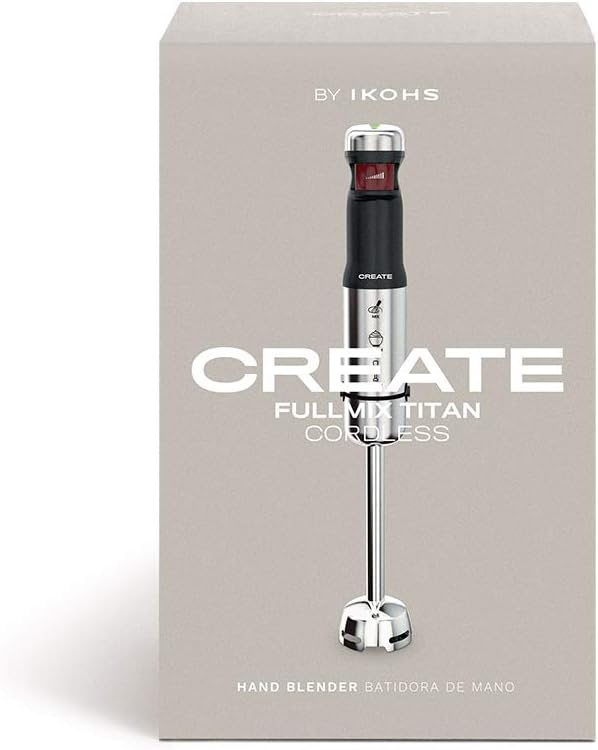
Figure 3: The transparent beaker included for blending ingredients.
Setup
- Unpacking: Carefully remove all components from the packaging. Retain packaging for storage or disposal.
- Initial Charge: Before first use, fully charge the immersion blender. Connect the charging cable to the motor unit and plug it into a suitable power source. The indicator lights on the top of the motor unit will show charging progress.
- Attaching the Blending Shaft: Align the blending shaft with the motor unit and twist until it locks securely into place. Ensure it is firmly attached before use.
- Attaching the Whisk Attachment: If using the whisk, attach it to the motor unit in the same manner as the blending shaft.
Operating Instructions
The CREATE IKOHS FULLMIX TITAN CORDLESS Immersion Blender offers 5 speeds and a turbo function for versatile blending.
- Preparation: Place ingredients into the blending beaker or another suitable container. Ensure the container is deep enough to prevent splashing.
- Immersion: Immerse the blending shaft into the ingredients before starting the appliance.
- Power On and Speed Control: Press and hold the power button on the motor unit to start blending. The blender features a pressure-sensitive switch, allowing you to adjust the speed by varying the pressure applied to the button. More pressure increases the speed up to 5 levels.
- Turbo Function: For maximum power, press the turbo button (if available, or apply full pressure to the main button for highest speed).
- Blending: Move the blender up and down gently through the ingredients to ensure even blending.
- Power Off: Release the power button to stop the blender. Wait for the blades to stop completely before removing the blending shaft from the ingredients.

Figure 4: The top of the motor unit displays the speed indicator lights.

Figure 5: Function icons on the motor unit indicate various blending applications.

Figure 6: Proper technique for using the immersion blender in a tall container.
Cleaning and Maintenance
Proper cleaning and maintenance will extend the life of your immersion blender.
- Disconnect Power: Always ensure the blender is switched off and disconnected from the charging cable before cleaning.
- Disassemble: Detach the blending shaft or whisk attachment from the motor unit by twisting and pulling.
- Cleaning Non-Electrical Parts: The blending shaft, whisk attachment, and beaker can be washed by hand with warm, soapy water or placed in the dishwasher. Ensure all food residue is removed, especially from around the blades.
- Cleaning Motor Unit: Wipe the motor unit with a damp cloth. Do not immerse the motor unit in water or any other liquid.
- Drying: Thoroughly dry all parts before reassembling or storing.
- Storage: Store the blender and its accessories in a dry place.
Troubleshooting
| Problem | Possible Cause | Solution |
|---|---|---|
| Blender does not turn on. | Battery is depleted. | Charge the blender fully. |
| Blender stops during operation. | Overheating or low battery. | Allow the unit to cool down, then recharge if necessary. |
| Ingredients are not blending smoothly. | Too much ingredient, too little liquid, or incorrect speed. | Reduce ingredient quantity, add more liquid, or increase speed/use turbo function. Move the blender up and down. |
| Blending shaft is difficult to attach/detach. | Misalignment or residue. | Ensure proper alignment and clean any residue from the connection points. |
Specifications
| Feature | Specification |
|---|---|
| Brand | CREATE |
| Model Number | 74906_147603 |
| Power | 200 Watts |
| Voltage | 5 Volts |
| Number of Speeds | 5 |
| Material | Titanium, Stainless Steel |
| Dimensions (L x W x H) | 5.3 x 5.3 x 44 cm |
| Item Weight | 1.48 Kilograms |
| Special Features | Multiple attachments, Removable blade, Multiple speeds |
| Power Source | Battery Powered |
Warranty and Support
For warranty information or technical support, please refer to the documentation provided with your purchase or contact CREATE customer service. Information regarding spare parts availability is not provided in this manual.
