
1. Introduction
Thank you for choosing the MARVO G941 Gaming Mouse. This manual provides detailed instructions for setting up, operating, and maintaining your new gaming mouse. Please read this manual carefully before use to ensure optimal performance and longevity of your device.
2. Product Features
- High-precision 12,000 DPI optical sensor for accurate tracking.
- Ambidextrous ergonomic design suitable for both left and right-handed users.
- 9 programmable buttons for customized control and enhanced gaming experience.
- 16.8 million color palette with 10 distinct lighting modes for personalized aesthetics.
- Up to 1000Hz polling rate ensures smooth and responsive movement.

Figure 2.1: Front-top view of the MARVO G941 Gaming Mouse, showcasing the scroll wheel, DPI button, lighting button, and the MARVO logo with RGB illumination.
3. Package Contents
Please check the package for the following items:
- MARVO G941 Gaming Mouse
- User Manual (this document)
4. Setup Guide
- Connect the Mouse: Plug the USB connector of the MARVO G941 Gaming Mouse into an available USB port on your computer.
- Driver Installation: The mouse is typically plug-and-play. Your operating system (Windows XP, Linux, etc.) should automatically detect and install the necessary drivers.
- Software Installation (Optional): To utilize the 9 programmable buttons and customize RGB lighting, download and install the dedicated MARVO G941 software from the official MARVO website. Follow the on-screen instructions for installation.
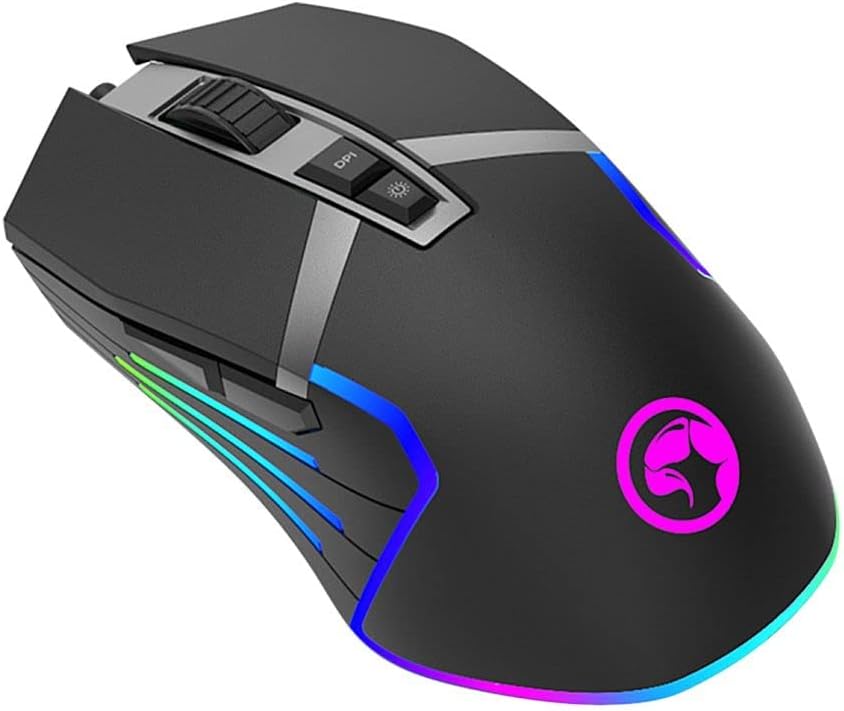
Figure 4.1: Angled view of the MARVO G941 Gaming Mouse, showing side buttons and RGB lighting.
5. Operating Instructions
5.1 Button Functions
The MARVO G941 features 9 buttons, including the standard left/right click, scroll wheel, DPI adjustment, lighting mode, and additional programmable side buttons.
- Left/Right Click: Standard mouse functions.
- Scroll Wheel: Scroll up/down, and clickable for middle-click function.
- DPI Button: Cycles through preset DPI levels (e.g., 800, 1600, 2400, 3200, 4800, 12000 DPI). Each level may correspond to a different LED color for quick identification.
- Lighting Button: Cycles through 10 different RGB lighting modes. Press and hold to turn off/on the lighting.
- Programmable Side Buttons: These buttons can be assigned custom functions, macros, or key binds using the MARVO G941 software.

Figure 5.1: Side view of the MARVO G941 Gaming Mouse, highlighting programmable side buttons.
5.2 Customization Software
For advanced customization of DPI settings, button assignments, macro creation, and RGB lighting effects, please use the dedicated MARVO G941 software. The software allows you to:
- Adjust DPI levels and sensitivity.
- Remap all 9 buttons to various functions.
- Create and assign complex macros.
- Select from 16.8 million colors and 10 lighting modes.
- Save multiple profiles for different games or applications.
6. Maintenance
To ensure the longevity and optimal performance of your MARVO G941 Gaming Mouse, follow these maintenance guidelines:
- Cleaning: Use a soft, dry cloth to wipe the surface of the mouse. For stubborn dirt, slightly dampen the cloth with water or a mild cleaning solution. Avoid harsh chemicals.
- Sensor Care: Keep the optical sensor on the underside of the mouse clean and free from dust or debris. Use a cotton swab if necessary.
- Storage: Store the mouse in a cool, dry place away from direct sunlight and extreme temperatures when not in use.
- Cable Management: Avoid sharp bends or excessive pulling on the USB cable to prevent damage.
7. Troubleshooting
If you encounter issues with your MARVO G941 Gaming Mouse, refer to the following common problems and solutions:
- Mouse Not Responding:
- Ensure the USB cable is securely plugged into a working USB port on your computer.
- Try plugging the mouse into a different USB port.
- Restart your computer.
- Erratic Cursor Movement:
- Clean the optical sensor on the underside of the mouse.
- Ensure you are using the mouse on a clean, non-reflective, and uniform surface (e.g., a mouse pad).
- Adjust DPI settings using the DPI button or software.
- RGB Lighting Not Working:
- Press the lighting button to cycle through modes or turn the lighting on.
- Check the lighting settings in the MARVO G941 software.
- Programmable Buttons Not Working:
- Ensure the MARVO G941 software is installed and running.
- Verify button assignments within the software.
- Check if any game or application is overriding mouse button functions.
8. Specifications
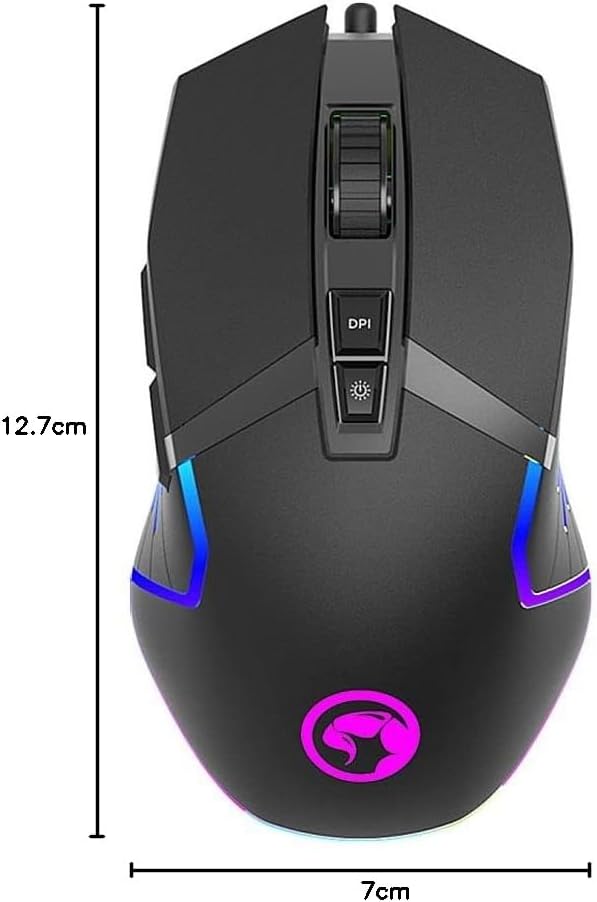
Figure 8.1: Dimensions of the MARVO G941 Gaming Mouse.
| Feature | Description |
|---|---|
| Model | G941 |
| Brand | MARVO |
| Sensor Type | Optical |
| DPI (Dots Per Inch) | Up to 12,000 DPI |
| Number of Buttons | 9 (Programmable) |
| Polling Rate | Up to 1000Hz |
| Lighting | RGB (16.8 Million Colors, 10 Modes) |
| Hand Orientation | Ambidextrous |
| Connectivity | Corded USB |
| Compatible OS | Windows XP, Linux, Personal Computer, Laptop |
| Product Dimensions | 12.7 x 7 x 4 cm |
| Weight | 300 g |
9. Warranty and Support
MARVO products are designed for reliability and performance. This product comes with a standard manufacturer's warranty. For specific warranty terms and conditions, please refer to the warranty card included with your purchase or visit the official MARVO website.
For technical support, troubleshooting assistance, or further inquiries, please contact MARVO customer service through their official website or the contact information provided with your product documentation.


