
Introduction
This manual provides detailed instructions for the safe and efficient use of your XO B26 Bluetooth 4.2 Wireless Earbud. Please read this manual thoroughly before using the product and retain it for future reference.
Product Overview
The XO B26 is a single Bluetooth 4.2 wireless earbud designed for mobile phones, offering ease of use and portability. It is crafted from high-quality materials to ensure durability and a secure fit.
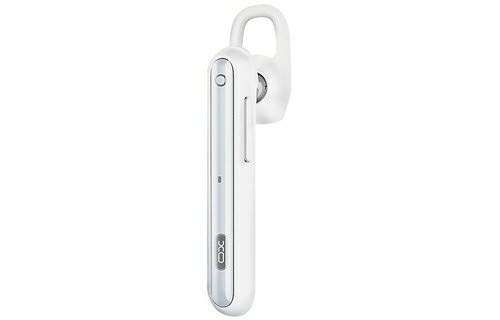
Image: The XO B26 Bluetooth Wireless Earbud, shown in white with a silver accent, featuring its ergonomic design and ear hook.
Key Features:
- Bluetooth 4.2 connectivity for stable wireless connection.
- Compact and lightweight design for easy portability.
- Ergonomically designed for a secure and comfortable fit.
- Touch control method for intuitive operation.
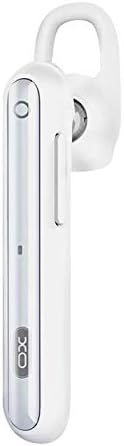
Image: A close-up view of the XO B26 earbud, highlighting the control button and sleek design.
Setup
1. Charging the Earbud
- Connect the charging cable (not included) to the earbud's charging port.
- Plug the other end of the cable into a compatible USB power source.
- The indicator light will show the charging status. A full charge takes approximately 2 hours.
- Once fully charged, disconnect the earbud from the power source.
2. Pairing with a Device
- Ensure the earbud is fully charged and turned off.
- Press and hold the multi-function button on the earbud until the indicator light flashes red and blue alternately, indicating it is in pairing mode.
- On your mobile phone or compatible device, enable Bluetooth and search for available devices.
- Select "XO B26" from the list of found devices.
- Once paired, the indicator light will flash blue slowly, and you may hear a confirmation tone.
- If prompted for a password, enter "0000".
Operating Instructions
Power On/Off
- Power On: Press and hold the multi-function button for approximately 3 seconds until the blue indicator light flashes.
- Power Off: Press and hold the multi-function button for approximately 5 seconds until the red indicator light flashes and then turns off.
Making and Receiving Calls (Touch Control)
- Answer Call: Briefly tap the multi-function button when an incoming call rings.
- End Call: Briefly tap the multi-function button during a call.
- Reject Call: Press and hold the multi-function button for approximately 2 seconds during an incoming call.
- Redial Last Number: Double-tap the multi-function button when not on a call.
Music Playback (Touch Control)
- Play/Pause: Briefly tap the multi-function button to play or pause music.
- Next Track: Press and hold the multi-function button for approximately 2 seconds to skip to the next track.
- Volume Control: Volume is typically controlled via the connected device.
Maintenance
Cleaning
- Wipe the earbud with a soft, dry, lint-free cloth.
- Do not use abrasive cleaners, solvents, or spray cleaners.
- Keep the charging port free of dust and debris.
Storage
- Store the earbud in a cool, dry place away from direct sunlight and extreme temperatures.
- Avoid storing near magnetic fields.
Battery Care
- Charge the earbud regularly, even if not in use, to maintain battery health.
- Avoid fully discharging the battery frequently.
Troubleshooting
| Problem | Possible Solution |
|---|---|
| Earbud does not power on. | Ensure the earbud is fully charged. Press and hold the multi-function button for a longer duration. |
| Cannot pair with device. | Make sure the earbud is in pairing mode (flashing red and blue). Turn off and on Bluetooth on your device. Move the earbud closer to your device. |
| No sound during music or calls. | Check the volume level on both the earbud and your connected device. Ensure the earbud is properly paired and connected. |
| Poor sound quality. | Ensure there are no obstructions between the earbud and your device. Move closer to your device. Check for interference from other wireless devices. |
| Earbud not charging. | Verify the charging cable is securely connected. Try a different USB power source or cable. Ensure the charging port is clean. |
Specifications
| Feature | Detail |
|---|---|
| Brand | XO |
| Model Name | B26 |
| Color | White |
| Bluetooth Version | 4.2 |
| Wireless Communication Technology | Wireless |
| Compatible Devices | Multiple (Mobile Phones) |
| Control Method | Touch |
| Talk Time | Approximately 3 hours |
| Music Time | Approximately 3 hours |
| Charging Time | Approximately 2 hours |
| Included Components | Ear Cushions |
| Item Weight | 106 grams |
| Shipping Dimensions | 17.8 x 3.4 x 0.8 cm |
| ASIN | B08WT1RK59 |
Safety Information
Please observe the following safety guidelines to prevent damage to the product or injury to yourself:
- Do not disassemble, repair, or modify the earbud.
- Keep the earbud away from water, moisture, and extreme temperatures.
- Avoid prolonged exposure to high volume levels to prevent hearing damage.
- Keep out of reach of children and pets.
- Use only compatible charging accessories.
Warranty and Support
For warranty information or technical support, please refer to the documentation provided at the time of purchase or contact your retailer. Keep your proof of purchase for any warranty claims.