
1. Introduction
The Behringer TRUE BUDS are audiophile-grade wireless earphones designed for high-quality audio reproduction with the convenience of true wireless stereo connectivity. These earphones feature Bluetooth 5.0 technology, Qualcomm aptX support for high-quality, low-latency audio, and CVC 8.0 for clear call quality. The sound isolating design, coupled with various earplug sizes, ensures an immersive listening experience by blocking external noise.
2. What's in the Box
Please verify that all components are present upon unpacking:
- Earphones (Left and Right)
- Silicone earplugs in 3 sizes (Small, Medium, Large)
- USB charging cable
- Battery charging case
3. Setup
3.1 Initial Charging
Before first use, fully charge the TRUE BUDS and their charging case. Place the earphones into the charging case. Connect the USB charging cable to the charging port on the case and to a compatible USB power source. The charging process typically takes approximately 2 hours.

Image: The charging case features a USB-C port for convenient recharging.
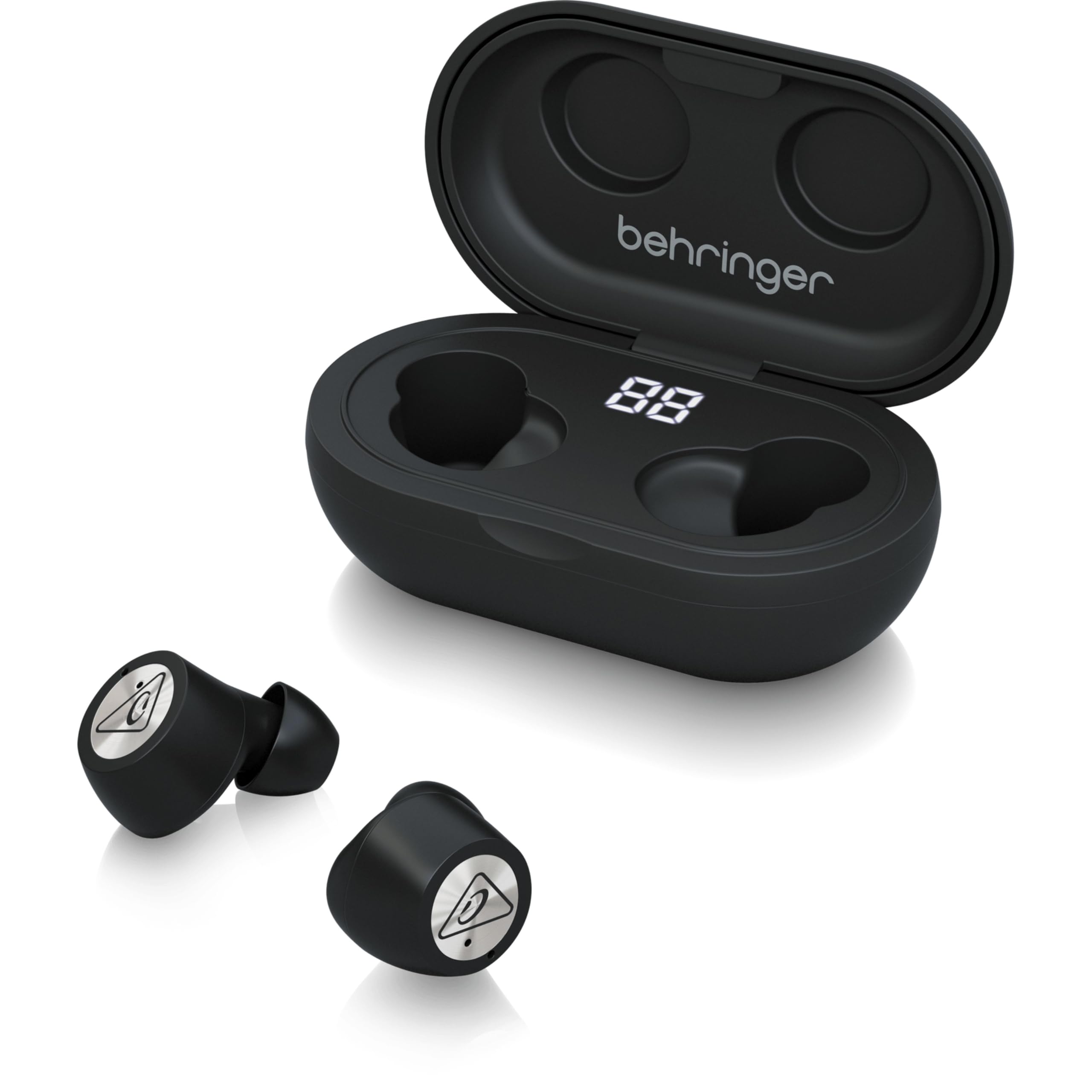
Image: Earphones placed inside the open charging case, displaying the digital battery level indicator.
3.2 Fitting the Earbuds
Select the silicone earplugs that provide the most comfortable and secure fit for your ears. A proper fit is crucial for optimal sound quality and effective sound isolation. Gently insert each earbud into your ear canal and twist slightly until it feels snug and stable.

Image: Individual Behringer TRUE BUDS earphones, ready for insertion.
3.3 Bluetooth Pairing
- Ensure the earphones are charged and placed in the charging case.
- Open the charging case. The earphones will automatically power on and enter pairing mode.
- On your device (smartphone, tablet, computer), enable Bluetooth and search for available devices.
- Select "TRUE BUDS" from the list of discovered devices.
- Once connected, you will hear an audible confirmation, and the indicator lights on the earbuds will change.
The TRUE BUDS utilize Bluetooth 5.0 technology, offering a stable connection up to 10 meters (33 feet) from your paired device.
4. Operating Instructions
4.1 Power On/Off
- Power On: The earphones automatically power on when removed from the charging case.
- Power Off: Place the earphones back into the charging case to automatically power them off and begin charging.
4.2 Touch Controls
The TRUE BUDS feature intuitive touch controls on each earbud for managing audio playback and calls. Specific functions may vary slightly depending on your device and application.
- Play/Pause: Single tap on either earbud.
- Next Track: Double tap on the right earbud.
- Previous Track: Double tap on the left earbud.
- Answer/End Call: Single tap on either earbud during an incoming call or active call.
- Reject Call: Press and hold either earbud for 2 seconds during an incoming call.
- Activate Voice Assistant: Triple tap on either earbud.
4.3 Audio Features
Experience audiophile-grade sound with a wide frequency response of 20 Hz to 20 kHz, delivering full bass and detailed highs. The TRUE BUDS support Qualcomm aptX for high-quality, low-latency audio, enhancing video watching and gaming. Built-in CVC 8.0 technology isolates your voice from surrounding noise for clear phone conversations.
4.4 Battery Life
The earphones provide an average battery life of up to 16 hours with the charging case, allowing for extended listening sessions.
5. Maintenance
5.1 Cleaning
- Regularly clean the earbuds, especially the ear tips and charging contacts, with a soft, dry, lint-free cloth.
- Remove ear tips and clean them with mild soap and water if necessary, ensuring they are completely dry before reattaching.
- Keep the charging case clean and free of dust or debris.
5.2 Storage
When not in use, always store the TRUE BUDS in their charging case to protect them and ensure they remain charged for your next use.
5.3 Water Resistance
The TRUE BUDS are rated as Water Resistant (IPX4), meaning they are protected from splashing water from any direction. They are not designed for submersion in water or exposure to heavy rain.
6. Troubleshooting
6.1 Earbuds Not Charging
- Ensure the charging cable is securely connected to both the case and the power source.
- Verify that the charging contacts on both the earbuds and inside the case are clean and free of debris.
- Try using a different USB charging cable and power adapter.
- Ensure the charging case itself has sufficient power.
6.2 No Sound or Intermittent Connection
- Confirm the earbuds are properly paired with your device. If not, re-pair them following the Bluetooth Pairing instructions.
- Ensure the earbuds are within the 10-meter (33-foot) Bluetooth range of your device.
- Check the volume levels on both your device and the earbuds.
- Try resetting the earbuds by placing them in the case, closing it for a few seconds, then opening it again.
- Restart your connected device.
6.3 One Earbud Not Working
- Place both earbuds back into the charging case, close the lid, and then open it again.
- Ensure both earbuds are charged.
- Try re-pairing the earbuds with your device.
7. Specifications
| Brand | Behringer |
| Model Name | TRUE BUDS |
| Ear Placement | In Ear |
| Noise Control | Sound Isolation |
| Connectivity Technology | Wireless (Bluetooth) |
| Bluetooth Version | 5.0 |
| Bluetooth Range | 10 Meters (33 feet) |
| Frequency Response | 20 Hz - 20 kHz |
| Audio Driver Type | Dynamic Driver |
| Control Method | Touch |
| Battery Charge Time | 2 Hours |
| Battery Average Life | 16 Hours (with charging case) |
| Water Resistance Level | Water Resistant (IPX4) |
| Item Weight | 0.06 Kilograms |
8. Warranty and Support
For warranty information and technical support, please refer to the official Behringer support resources. The manufacturer is Music Tribe US.
Further details regarding warranty and support can typically be found on the Community.Musictribe.Com website.
For additional product information or to explore other Behringer products, visit the Behringer Store on Amazon.

