1. Introduction
This manual provides essential instructions for the safe and effective use of your GUY-TECH AC Adapter, designed for the INLIFE i7 ZK8077 Self Charging Robot Vacuum Cleaner. Please read this manual thoroughly before use and retain it for future reference.
2. Product Overview
The GUY-TECH AC Adapter is a compatible replacement power supply designed to charge the INLIFE i7 ZK8077 Robot Vacuum Cleaner. It features robust protection mechanisms to ensure safe and reliable operation.
Key Features:
- Input Voltage: 100V - 240V (worldwide compatibility).
- Output Protection: Includes Over Voltage, Over Current, and Short Circuit protection.
- Cable Length: Approximately 5 feet for flexible placement.
- LED Indicator: Provides visual confirmation of power status.
- Compatibility: Specifically designed for the INLIFE i7 ZK8077 Robot Vacuum Cleaner.
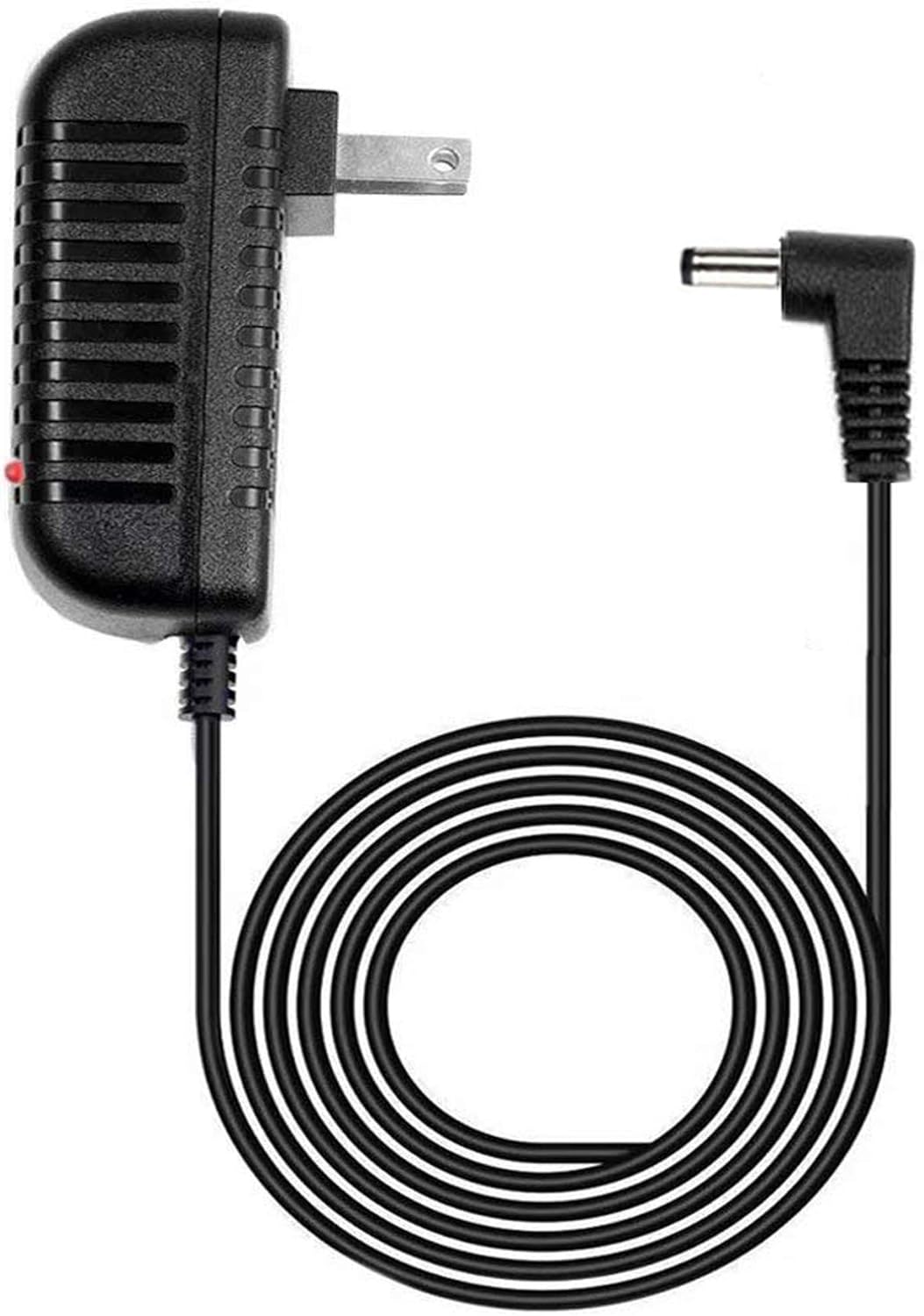
Figure 1: The GUY-TECH AC Adapter, showing the main power brick with a standard 2-pin plug and the DC output cable with an L-shaped connector. A small red LED indicator is visible on the adapter body.

Figure 2: A graphic emphasizing the adapter's 5-foot cable length and the presence of an LED indicator light, which confirms power delivery.
3. Setup
- Verify Compatibility: Ensure your robot vacuum cleaner is the INLIFE i7 ZK8077 model. This adapter is specifically designed for this model.
- Connect to Vacuum: Insert the DC output connector of the adapter firmly into the charging port of your INLIFE i7 ZK8077 robot vacuum cleaner.
- Connect to Power Outlet: Plug the AC input plug of the adapter into a standard 100V-240V wall power outlet.
- Confirm Power: The LED indicator on the adapter will illuminate, indicating that power is being supplied.
Important: Only use this adapter with the specified INLIFE i7 ZK8077 robot vacuum cleaner. Using it with incompatible devices may cause damage or malfunction.
4. Operating Instructions
Once properly connected, the adapter will begin supplying power to your INLIFE i7 ZK8077 robot vacuum cleaner. The primary function of this adapter is to charge the vacuum's internal battery or provide continuous power during operation if the vacuum supports it.
- Charging: When the adapter is connected to the vacuum and a power outlet, the vacuum's battery will begin charging. Refer to your robot vacuum's manual for specific charging indicators on the vacuum itself.
- LED Indicator: The red LED on the adapter signifies that the adapter is receiving AC power and is ready to deliver DC power. It does not indicate the charging status of the vacuum's battery.
5. Maintenance and Care
Proper care ensures the longevity and safe operation of your AC adapter.
- Cleaning: Disconnect the adapter from the power outlet and the vacuum before cleaning. Use a soft, dry cloth to wipe the adapter. Do not use liquid cleaners or abrasive materials.
- Storage: Store the adapter in a cool, dry place away from direct sunlight and extreme temperatures. Avoid tightly winding the cable to prevent damage.
- Handling: Do not drop, disassemble, or attempt to repair the adapter. Avoid exposing it to water or high humidity.
- Cable Integrity: Regularly inspect the cable for any signs of damage, such as cuts, fraying, or kinks. If damage is observed, discontinue use immediately and replace the adapter.
6. Troubleshooting
| Problem | Possible Cause | Solution |
|---|---|---|
| Adapter LED not lit. | No power from outlet; adapter not fully plugged in; faulty outlet; adapter malfunction. | Check power outlet with another device. Ensure adapter is fully plugged into the outlet. Try a different outlet. If problem persists, the adapter may be faulty. |
| Vacuum not charging. | Adapter not connected to vacuum; vacuum charging port issue; adapter malfunction; vacuum battery issue. | Ensure the DC connector is securely inserted into the vacuum's charging port. Verify the adapter's LED is lit. Consult your vacuum's manual for charging indicators. If the adapter LED is lit but the vacuum still doesn't charge, the issue might be with the vacuum or its battery. |
| Adapter feels unusually hot. | Overload; poor ventilation; internal fault. | Disconnect immediately. Ensure the adapter is not covered and has adequate ventilation. If it continues to overheat, discontinue use and replace. |
If you encounter issues not listed here or if the suggested solutions do not resolve the problem, please contact GUY-TECH customer support for assistance.
7. Specifications
| Feature | Detail |
|---|---|
| Brand | GUY-TECH |
| Input Voltage | 100V - 240V AC (Worldwide) |
| Output Protection | Over Voltage, Over Current, Short Circuit |
| Cable Length | Approximately 5 feet |
| Main Power Connector Type | 2 Pin |
| Compatibility | INLIFE i7 ZK8077 Self Charging Robot Vacuum Cleaner |
8. Safety Information
Please observe the following safety precautions:
- Do not expose the adapter to rain or moisture.
- Do not operate the adapter if it has been damaged in any way.
- Keep out of reach of children.
- Ensure proper ventilation around the adapter during use.
- Disconnect from power outlet when not in use for extended periods.