
UNICOO UCAST-48AW
UNICOO Manual Standing Desk (Model UCAST-48AW) Instruction Manual
For Models: UCAST-48AW
1. Introduction
This manual provides detailed instructions for the assembly, operation, and maintenance of your UNICOO Manual Standing Desk. Designed for ergonomic comfort and productivity, this desk features a hand crank mechanism for easy height adjustment. Please read this manual thoroughly before assembly and use to ensure proper function and safety.
2. Safety Information
To ensure safe operation and prevent damage, please observe the following safety guidelines:
- Always use the hand crank carefully to adjust the desk height. Avoid rapid or forceful adjustments.
- Do not exceed the maximum weight recommendation of 150 pounds (68 kg) to ensure stability and prevent damage to the desk.
- Ensure all screws are securely tightened after assembly and periodically check for any loose parts. Loose connections can compromise stability.
- Keep children and pets away from the desk during height adjustments to prevent injury.
- Avoid placing hot items directly on the desk surface without adequate protection to prevent damage to the finish.

Figure 2.1: Ergonomic benefits of an adjustable standing desk, promoting better posture and reducing back pain.
3. Package Contents
Verify that all components are present and undamaged before beginning assembly. If any parts are missing or damaged, please contact UNICOO customer support.
- Desk Top (1)
- Desk Legs (2)
- Crossbars (2)
- Hand Crank (1)
- Headphone Hook (1)
- Assembly Hardware (screws, bolts, washers, Allen wrench)
- Instruction Manual (1)
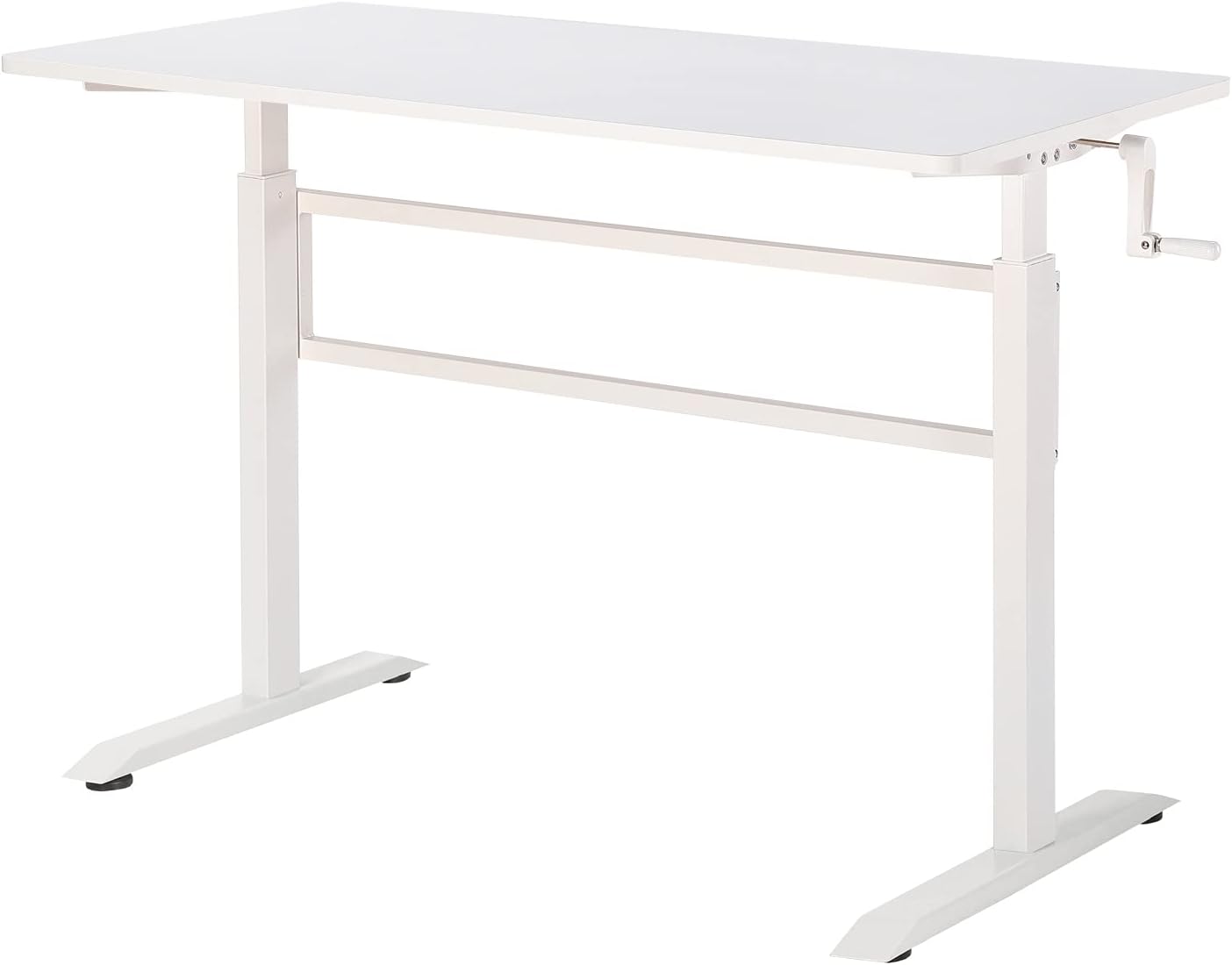
Figure 3.1: Overview of the UNICOO Manual Standing Desk.
4. Assembly Instructions
Recommended Number of People for Assembly: 2
Estimated Assembly Time: Approximately 60-90 minutes
Follow these steps carefully for proper assembly:
- Unpack Components: Carefully remove all parts from the packaging and lay them out on a clean, soft surface (e.g., a blanket or carpet) to prevent scratches. Identify all components against the package contents list.
- Assemble Desk Frame: Attach the two desk legs to the crossbars using the provided hardware. Important: Do not fully tighten screws at this stage. Leave them slightly loose to allow for alignment adjustments in subsequent steps.
- Attach Desk Top: Carefully place the desk top onto the assembled frame. Align the pre-drilled holes in the desk top with the holes in the frame. Secure the desk top to the frame using the appropriate screws.
- Install Hand Crank: Insert the hand crank into its designated slot on the side of the desk frame. Ensure it is securely fitted and can rotate freely.
- Attach Headphone Hook: Mount the headphone hook to the desired location on the desk frame or tabletop edge using the provided hardware.
- Final Tightening: Once all components are in place and properly aligned, fully tighten all screws and bolts. Ensure all connections are secure.
- Adjust Feet: Adjust the leveling feet at the bottom of the desk legs by rotating them. This ensures the desk is stable and level on your floor, preventing wobbling.
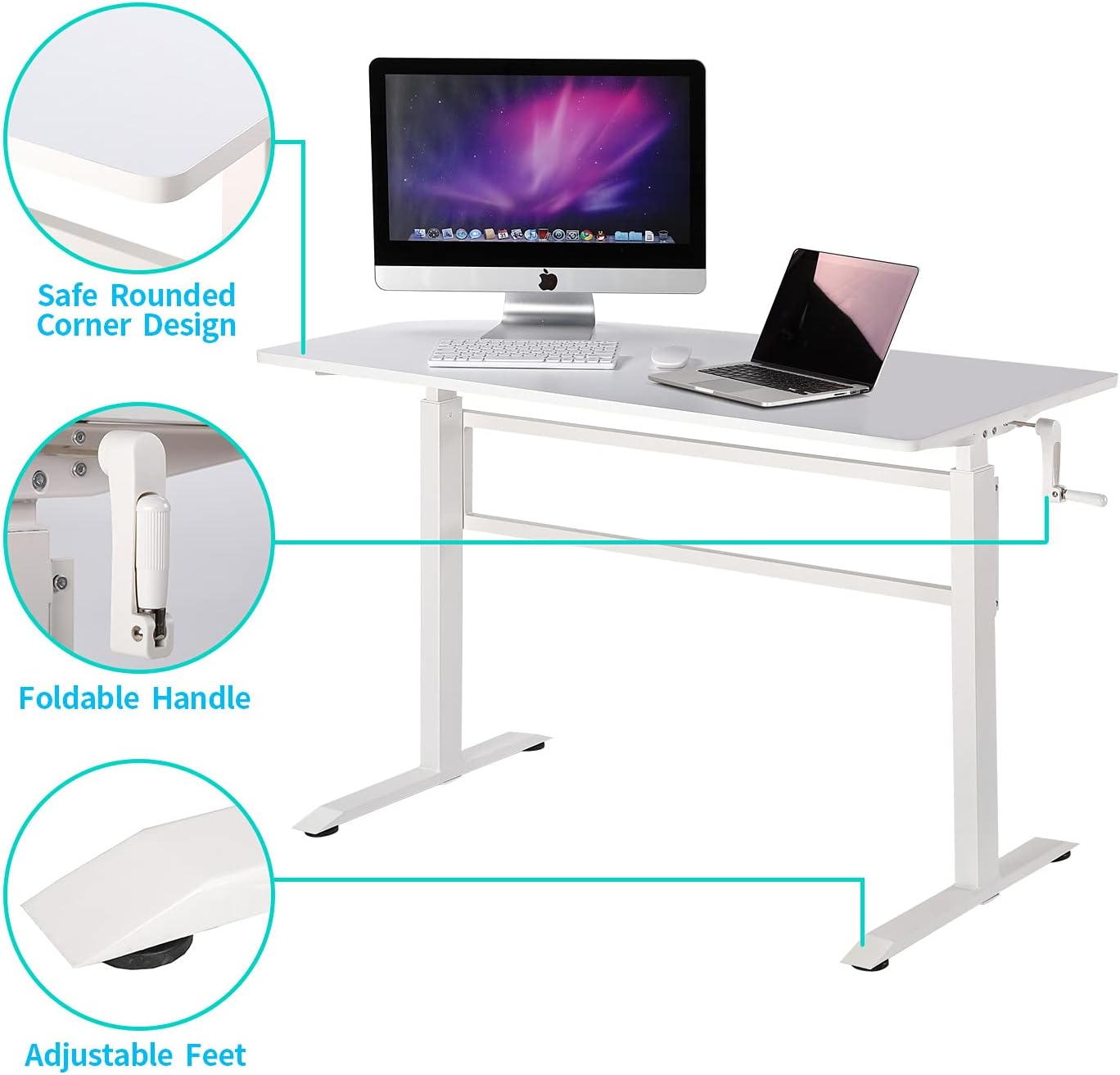
Figure 4.1: Detail of desk features: rounded corner, foldable handle, and adjustable feet.
5. Operating Instructions
5.1 Adjusting Desk Height
The UNICOO Manual Standing Desk features a hand crank mechanism for smooth and easy height adjustments, allowing you to transition between sitting and standing positions.
- Locate the Hand Crank: The hand crank is positioned on the side of the desk frame.
- Unfold the Handle: If the handle is folded, gently pull it outwards to extend it for use.
- Adjust Height: Rotate the hand crank clockwise to raise the desk and counter-clockwise to lower the desk. Adjust to your preferred ergonomic sitting or standing height.
- Fold the Handle: Once the desired height is reached, you can fold the handle back in to keep it neatly tucked away and out of sight.

Figure 5.1: Desk dimensions and adjustable height range.

Figure 5.2: Visual comparison of sitting and standing desk heights.
6. Maintenance
Regular maintenance will help prolong the life and appearance of your UNICOO Manual Standing Desk.
- Cleaning: Dust or wipe the tabletop with a soft, damp cloth. For stubborn marks, use a mild soap solution and dry immediately. Avoid abrasive cleaners, harsh chemicals, or solvents that may damage the surface finish.
- Frame Care: Periodically inspect the steel frame for any signs of loose parts, scratches, or corrosion. Tighten any loose screws as needed to maintain structural integrity.
- Crank Mechanism: Ensure the hand crank mechanism operates smoothly. If it becomes stiff or difficult to turn, check for any obstructions. Do not apply excessive force, as this may damage the internal components.

Figure 6.1: Detail of the desk's tabletop surface.
7. Troubleshooting
If you encounter any issues with your UNICOO Manual Standing Desk, refer to the following common problems and solutions:
7.1 Common Issues and Solutions
- Desk is Unstable or Wobbly:
- Check that all assembly screws and bolts are fully tightened. Refer to the assembly instructions (Section 4).
- Adjust the leveling feet at the bottom of the desk legs to ensure the desk is balanced and stable on your floor surface.
- Difficulty Adjusting Height:
- Ensure the hand crank is fully engaged and not obstructed.
- Verify that the desk is not overloaded beyond its maximum weight capacity (150 lbs / 68 kg). Remove excess weight if necessary.
- Check for any foreign objects obstructing the lifting mechanism within the desk legs.
- Scratches or Damage to Surface:
- For minor scratches, touch-up pens or furniture repair kits designed for engineered wood surfaces may be used.
- Always use coasters or protective pads for hot items, sharp objects, or items that may scratch the surface to prevent future damage.

Figure 7.1: UNICOO desk in a typical office setup.
8. Specifications
| Feature | Detail |
|---|---|
| Brand | UNICOO |
| Model Number | UCAST-48AW |
| Product Dimensions (D x W x H) | 24"D x 48"W x 46"H (Overall) |
| Minimum Height | 29.5 Inches |
| Maximum Height | 45.2 Inches |
| Color | All White |
| Top Material Type | Engineered Wood |
| Base Material | Alloy Steel |
| Lifting Mechanism | Manual Hand Crank |
| Maximum Weight Recommendation | 150 Pounds (68 kg) |
| Item Weight | 41 Pounds (18.6 kg) |
| Included Components | Headphone Hook, Assembly Tools |
| Required Assembly | Yes |
| Is Electric | No |
9. Warranty and Support
Warranty Information: This UNICOO product comes with a Limited Manufacturer's Warranty. Please refer to the warranty card included in your package for specific terms and conditions regarding parts and labor coverage. The warranty typically covers manufacturing defects under normal use.
Customer Support: For any questions, missing parts, or assistance with assembly or operation, please contact UNICOO customer support. Contact information can typically be found on the product packaging or the official UNICOO website.
When contacting support, please have your model number (UCAST-48AW) and purchase date available to expedite service.
Ask a question about this manual
Ask about setup, troubleshooting, compatibility, parts, safety, or missing instructions. Manuals+ will review the question and use this page’s manual context to help answer it.