Introduction
Thank you for choosing the Joyroom JR-T10 Wireless Bluetooth Earbuds. This manual provides detailed instructions on how to set up, operate, and maintain your new earbuds. Please read this manual carefully before use to ensure optimal performance and longevity of your device.
Package Contents
Upon unboxing, please verify that all items listed below are included in your package:
- Joyroom JR-T10 Wireless Bluetooth Earbuds (Left and Right)
- Wireless Charging Case
- USB Type-C Charging Cable
- User Manual
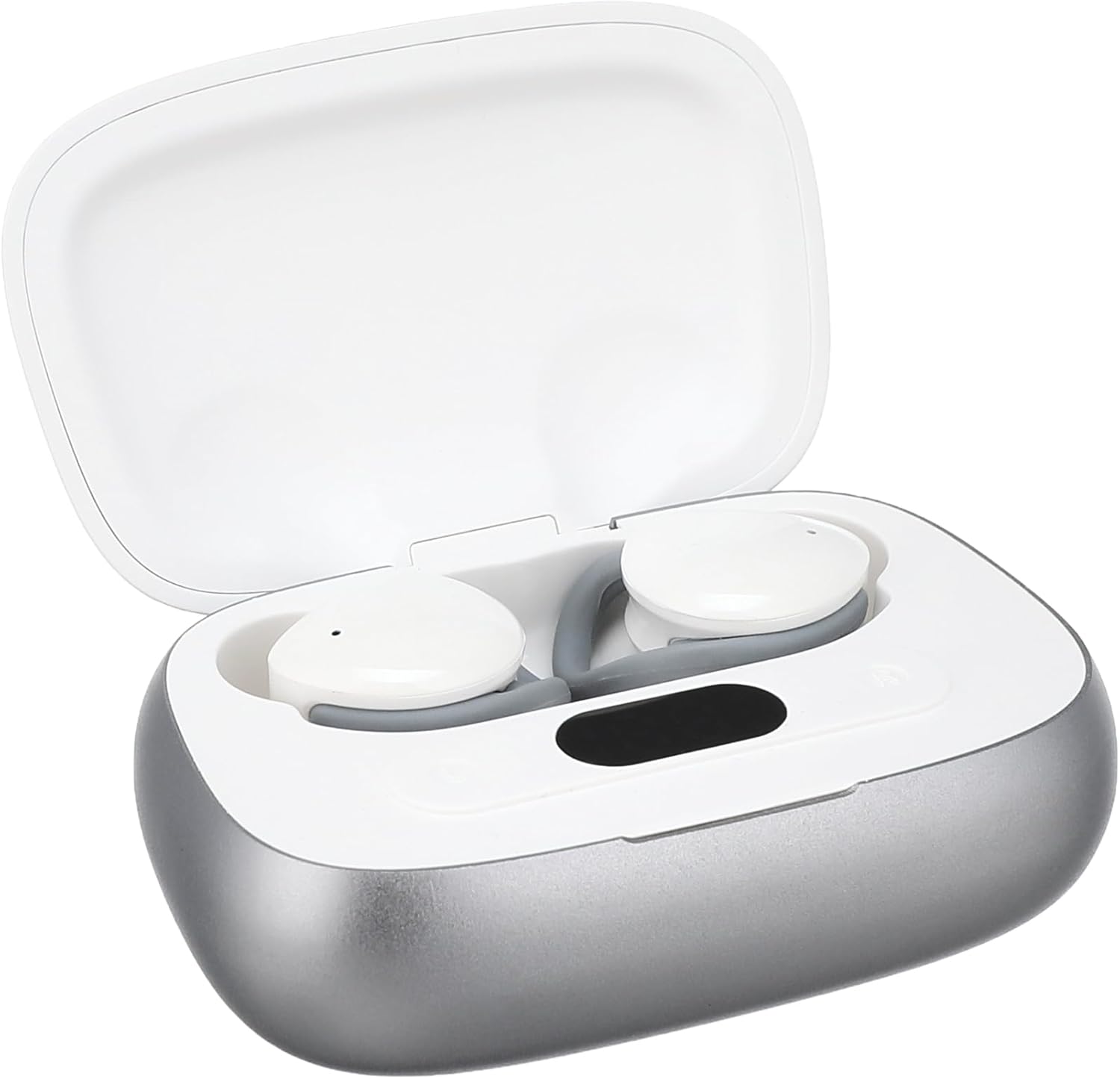
Image: The Joyroom JR-T10 earbuds and their wireless charging case, as found in the package.
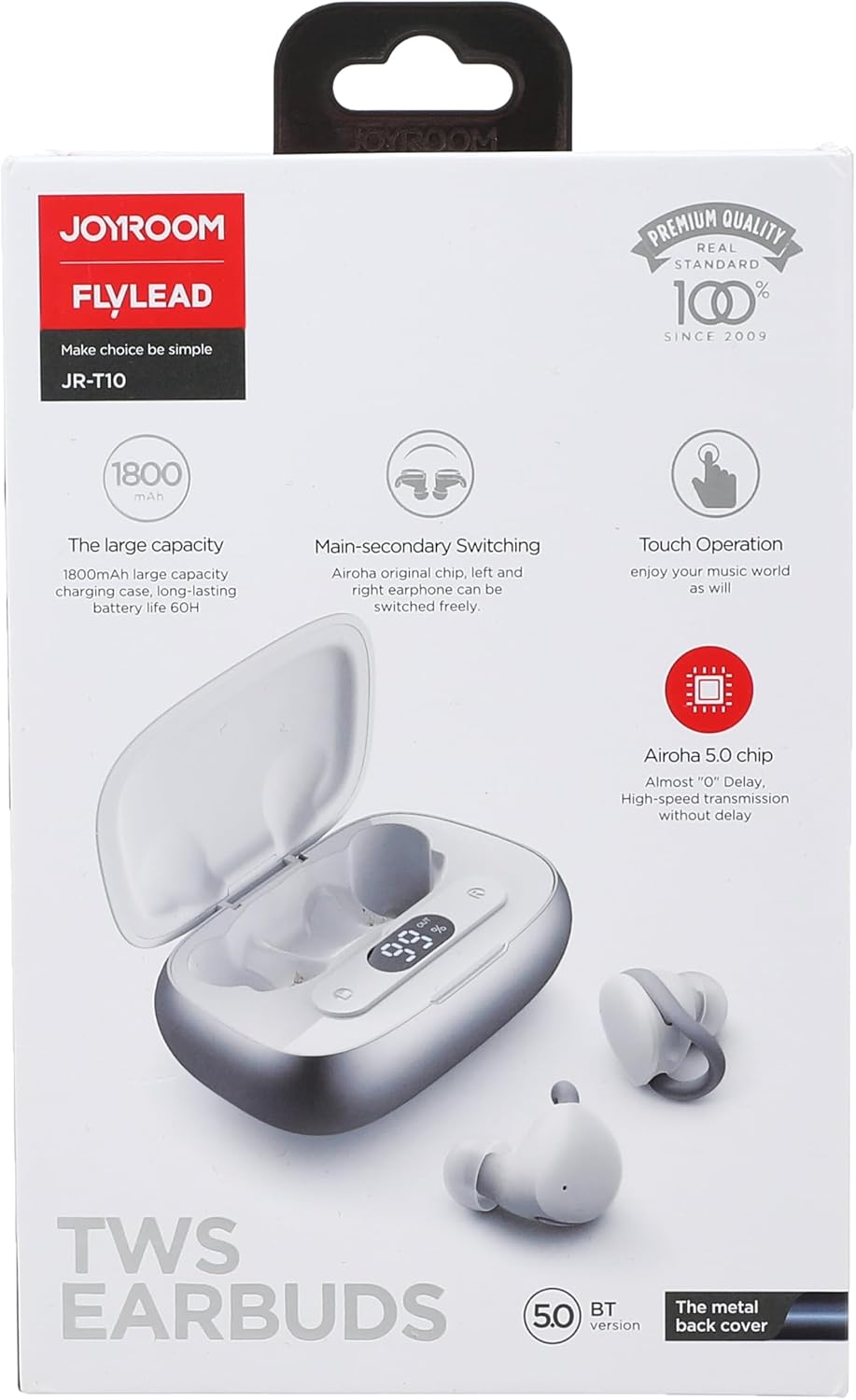
Image: The retail packaging for the Joyroom JR-T10 earbuds, highlighting key features.
Product Overview
The Joyroom JR-T10 earbuds are designed for a comfortable in-ear fit, offering wireless audio and communication. The compact charging case ensures your earbuds are always ready for use.

Image: The Joyroom JR-T10 earbuds resting inside their open charging case.

Image: The Joyroom JR-T10 charging case in its closed position.
Setup
Initial Pairing
- Ensure the earbuds are fully charged.
- Open the charging case. The earbuds will automatically enter pairing mode.
- On your device (smartphone, tablet, etc.), enable Bluetooth.
- Search for available Bluetooth devices and select "JR-T10" from the list.
- Once connected, a confirmation sound will play, and the indicator light on the earbuds will change.
Wearing the Earbuds
Gently insert each earbud into your ear canal. Adjust for a snug and comfortable fit to ensure optimal sound quality and stability.

Image: A person demonstrating the correct way to wear the Joyroom JR-T10 earbuds for a secure fit.
Operating Instructions
The Joyroom JR-T10 earbuds feature touch controls for easy management of music and calls.
Music Playback
- Play/Pause: Single tap on either earbud.
- Next Track: Double tap the right earbud.
- Previous Track: Double tap the left earbud.
Call Management
- Answer/End Call: Single tap on either earbud.
- Reject Call: Press and hold either earbud for 2 seconds.
Voice Assistant
- Activate Voice Assistant: Triple tap on either earbud.
Power On/Off
- Power On: Open the charging case, or press and hold the touch area for 3 seconds if earbuds are out of case.
- Power Off: Place earbuds back into the charging case and close the lid, or press and hold the touch area for 5 seconds.
Charging
The Joyroom JR-T10 earbuds come with a wireless charging case that also supports USB Type-C charging.
Charging the Earbuds
Place the earbuds into the charging case. They will automatically begin charging. The indicator lights on the case will show the charging status.
Charging the Case
- Via USB-C Cable: Connect the provided USB Type-C cable to the charging port on the case and to a power source.
- Wireless Charging: Place the charging case on a compatible wireless charging pad.
The charging case has a large capacity of 1800mAh, providing extended battery life for your earbuds.
Maintenance
- Clean the earbuds and charging case regularly with a soft, dry cloth.
- Avoid using harsh chemicals or abrasive materials.
- Keep the charging contacts on both the earbuds and the case clean to ensure proper charging.
- Store the earbuds in their charging case when not in use to protect them and conserve battery.
- Avoid exposing the device to extreme temperatures, humidity, or liquids, as it is not water resistant.
Troubleshooting
- Earbuds not pairing: Ensure both earbuds are in the charging case, then open the lid to activate pairing mode. Check your device's Bluetooth settings and try reconnecting.
- Only one earbud working: Place both earbuds back into the charging case, close the lid, then open it again. This often resets the connection between the two earbuds.
- No sound: Check the volume level on your connected device. Ensure the earbuds are properly paired and connected.
- Charging issues: Clean the charging contacts on both the earbuds and the case. Ensure the charging cable is securely connected or the wireless charging pad is functioning correctly.
- Poor call quality: Ensure the microphone is not obstructed. Move closer to your connected device to improve signal strength.
Specifications
| Feature | Specification |
|---|---|
| Model Name | JR-T10 |
| Brand | Joyroom |
| Connectivity Technology | Wireless (Bluetooth) |
| Headphone Form Factor | In-Ear |
| Control Method | Touch |
| Noise Control | Active Noise Cancellation |
| Sensitivity | 96 dB |
| Impedance | 140 Ohm |
| Connector Type | USB Type C (for charging case) |
| Battery Type | Lithium Ion (2 batteries included) |
| Charging Case Capacity | 1800mAh (approximate, derived from product image) |
| Water Resistance Level | Not water resistant |
| Product Dimensions | 19.2 x 16.4 x 3 cm |
| Item Weight | 140 grams |
| Recommended Uses | Calls, Exercise, Running, Gaming |

Image: A hand holding the charging case, illustrating its compact size and dimensions.
Safety Information
- Do not disassemble, repair, or modify the product.
- Do not expose the product to fire or high temperatures.
- Keep out of reach of children and pets.
- Avoid prolonged listening at high volume levels to prevent hearing damage.
- Do not use the earbuds in situations where inability to hear ambient sounds could be dangerous (e.g., driving, cycling, walking in traffic).
Warranty and Support
For warranty information or technical support, please refer to the warranty card included in your package or visit the official Joyroom website. Keep your proof of purchase for any warranty claims.
Product Video Overview
Video: A brief overview of the Joyroom JR-T10 Wireless Bluetooth Earbuds, showcasing the unboxing and product components.