
ASPOR A616
Contents
Aspor A616 TWS Bluetooth Earbuds User Manual
Model: A616 | Brand: ASPOR
Introduction

Image: The Aspor A616 TWS Earbuds charging case, showcasing its compact and sleek design.
Thank you for choosing the Aspor A616 TWS Bluetooth Earbuds. These earbuds are designed to provide a high-quality audio experience with the convenience of true wireless technology. Featuring Bluetooth 5.0, they offer a stable and powerful wireless connection for music playback and hands-free calls. This manual will guide you through the setup, operation, and maintenance of your new earbuds.
Package Contents
Please check the package to ensure all items are present:
- Aspor A616 TWS Bluetooth Earbuds (Left and Right)
- Charging Case
- USB Charging Cable
- User Manual (this document)
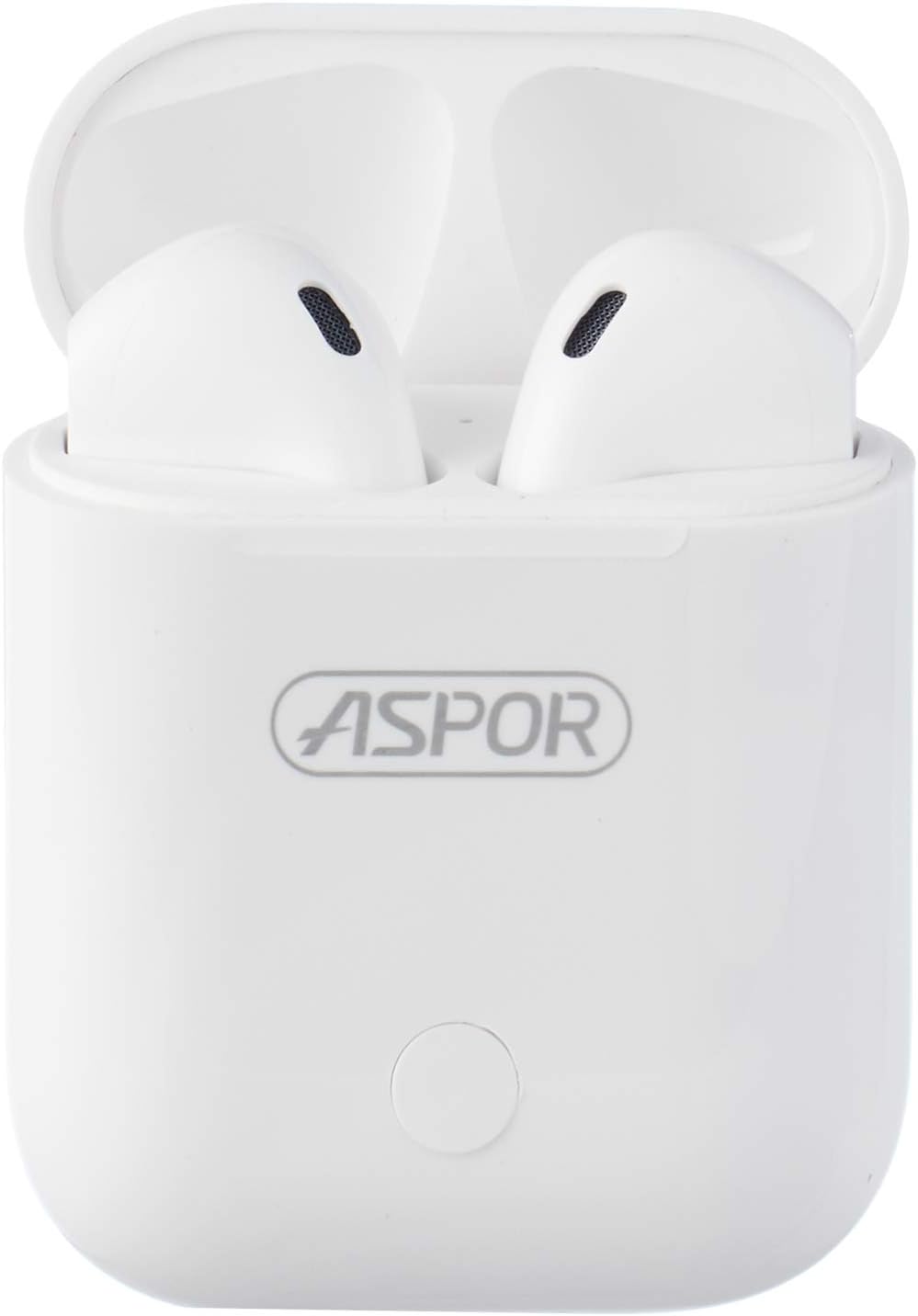
Image: The Aspor A616 TWS Earbuds resting inside their open charging case, ready for use or charging.

Image: The USB charging cable included with the Aspor A616 earbuds, used for recharging the charging case.
Product Overview
Familiarize yourself with the components of your Aspor A616 earbuds and charging case.

Image: A close-up view of the Aspor A616 TWS Earbuds, highlighting their in-ear design and microphone placement.
Earbud Components:
- Touch Control Area: For playback, calls, and voice assistant.
- Microphone: For hands-free calling.
- Charging Contacts: Connects with the charging case.
- LED Indicator: Shows pairing status and battery level.
Charging Case Components:
- Earbud Charging Slots: Holds and charges the earbuds.
- Charging Port: For connecting the USB charging cable.
- Battery Indicator: Shows the charging case's battery status.
Setup
1. Charging the Earbuds and Case
Before first use, fully charge both the earbuds and the charging case.
- Place the earbuds into the charging case. Ensure they are correctly seated; the LED indicators on the earbuds should light up.
- Connect the USB charging cable to the charging port on the case and the other end to a USB power source (e.g., computer, wall adapter).
- The charging case indicator will show charging status. A full charge for the case takes approximately 35 minutes.
- Once fully charged, disconnect the charging cable.
The earbuds will charge automatically when placed in the powered case. A full charge for the earbuds provides approximately 120 minutes of music play time and 3 hours of talk time.
2. Pairing with Your Device
The Aspor A616 earbuds use Bluetooth 5.0 for a quick and stable connection.
- Power On: Open the charging case, and the earbuds will automatically power on and enter pairing mode. The LED indicator on one earbud will flash rapidly (usually blue and red) to indicate it's ready to pair.
- Activate Bluetooth: On your smartphone or other Bluetooth-enabled device, go to the Bluetooth settings and turn on Bluetooth.
- Select Device: In the list of available devices, find and select "A616" (or similar name).
- Confirm Connection: Once connected, the earbud LED indicator will stop flashing or flash slowly, and you may hear a confirmation tone.
- Automatic Reconnection: After the initial pairing, the earbuds will automatically connect to the last paired device when taken out of the case, provided Bluetooth is enabled on the device.
Note: If pairing fails, turn off Bluetooth on your device, place the earbuds back in the case, close the lid, then reopen and try again.
Operating Instructions
The Aspor A616 earbuds feature intuitive touch controls.
Power On/Off
- Power On: Open the charging case, or long-press the touch control area on both earbuds for 3 seconds.
- Power Off: Place the earbuds back into the charging case and close the lid, or long-press the touch control area on both earbuds for 5 seconds.
Music Playback
- Play/Pause: Single tap on either earbud.
- Next Track: Double tap the right earbud.
- Previous Track: Double tap the left earbud.
- Volume Up: Triple tap the right earbud.
- Volume Down: Triple tap the left earbud.
Call Management
- Answer/End Call: Single tap on either earbud.
- Reject Call: Long-press on either earbud for 2 seconds.
Voice Assistant
- Activate Voice Assistant (Siri, Google Assistant): Long-press on either earbud for 3 seconds (when not on a call).
Maintenance
Proper care will extend the lifespan of your earbuds.
- Cleaning: Use a soft, dry, lint-free cloth to clean the earbuds and charging case. Do not use harsh chemicals or abrasive materials. Gently clean the charging contacts on both the earbuds and the case to ensure good connection.
- Storage: When not in use, store the earbuds in their charging case to protect them and keep them charged. Store in a cool, dry place away from direct sunlight and extreme temperatures.
- Avoid Water: The earbuds are not waterproof. Avoid exposure to water, sweat, or high humidity.
- Battery Care: To preserve battery life, charge the earbuds and case regularly, even if not used frequently. Avoid fully discharging the battery for extended periods.
Troubleshooting
If you encounter issues, try these common solutions:
| Problem | Possible Solution |
|---|---|
| Earbuds not pairing with device. |
|
| Only one earbud is working. |
|
| Earbuds not charging. |
|
| Low volume or poor sound quality. |
|
Specifications
Detailed technical specifications for the Aspor A616 TWS Bluetooth Earbuds:
| Feature | Detail |
|---|---|
| Model | A616 |
| Brand | ASPOR |
| Connectivity Technology | Wireless |
| Wireless Communication Technology | Bluetooth 5.0 |
| Headphones Form Factor | In Ear |
| Headphones Ear Placement | In Ear |
| Microphone | Included |
| Charging Time (Case) | Approximately 35 minutes |
| Talk Time | Up to 3 hours |
| Music Play Time | Up to 120 minutes (2 hours) |
| Standby Time | Up to 60 hours |
| Color | White |
| Included Components | Earbuds, Wireless Charging Case |
| Package Dimensions | 11 x 11 x 4 cm |
| Item Weight | 160 g |
Warranty and Support
For warranty information and customer support, please refer to the purchase documentation or contact your retailer. Keep your proof of purchase for any warranty claims.
For further assistance or technical inquiries, please visit the official ASPOR website or contact their customer service department.
Ask a question about this manual
Ask about setup, troubleshooting, compatibility, parts, safety, or missing instructions. Manuals+ will review the question and use this page’s manual context to help answer it.