
1. Product Overview
The CoComelon JJ’s Learning Smart Watch Toy is an interactive educational device designed for children aged 3 and up. It features three education-based games, 12 animated character watch faces, an alarm clock, and a stopwatch. This toy aims to support early learning by engaging children in activities that develop fine motor skills, encourage reading and talking, and foster cognitive and social-emotional development.

Figure 1: Front view of the CoComelon JJ’s Learning Smart Watch Toy.
Key Features:
- Three educational games: Count the Stars, Catch the Bones, and What Animal Makes What Sound?
- 12 customizable animated character watch faces.
- Integrated alarm clock and stopwatch functions.
- Kid-friendly, chunky design with an adjustable stylish band.
- Aids in developing fine motor skills, reading, talking, cognitive learning, social-emotional skills, and creativity.

Figure 2: Overview of the toy's games and features.
2. Setup
Battery Installation:
The CoComelon JJ’s Learning Smart Watch Toy requires 1 x CR2450 battery, which is included with the product. To install or replace the battery:
- Locate the battery compartment on the back of the watch.
- Using a small Phillips head screwdriver, unscrew the battery compartment cover.
- Remove the old battery (if applicable) and insert a new CR2450 battery, ensuring correct polarity (+/-).
- Replace the battery compartment cover and secure it with the screw.
WARNING: Contains button or coin cell battery. Hazardous if swallowed. See instructions.

Figure 3: Product packaging highlighting battery information and warnings.
3. Operating Instructions
Power On/Off:
To turn the watch on or off, locate the power switch on the side of the device and slide it to the desired position.
Basic Functions:
- Time Display: The watch displays the current time.
- Changing Watch Faces: Press the designated button (refer to the watch's interface for specific button) to cycle through the 12 animated character watch faces.
- Alarm Clock: Use the controls to set an alarm. This feature can help children manage their daily routines, such as waking up or getting ready for bed.
- Stopwatch: Activate the stopwatch function to time activities.
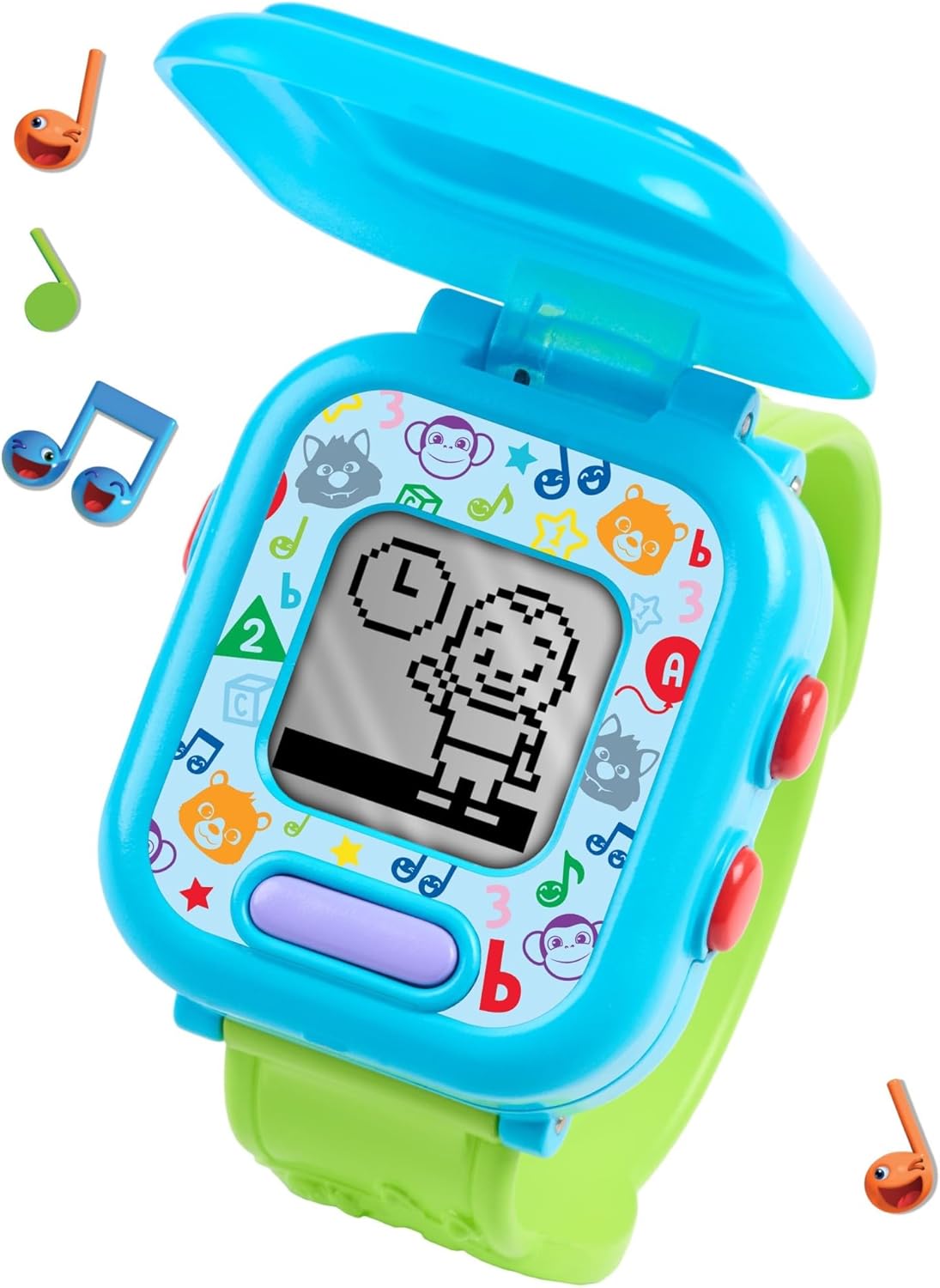
Figure 4: The watch with its protective cover open, displaying the screen and control buttons.
Educational Games:
The watch includes three interactive games designed to promote learning:
- Count the Stars: A game focused on number recognition and counting.
- Catch the Bones: An interactive game that may involve quick reflexes or pattern recognition.
- What Animal Makes What Sound?: A game designed to teach animal sounds and recognition.
To access and play games, navigate through the watch's menu using the control buttons. Specific instructions for each game are provided through the watch's audio prompts.

Figure 5: The watch worn on a child's wrist, demonstrating its wearable form factor.
4. Maintenance
Cleaning:
To clean the watch, wipe it with a soft, dry cloth. Do not use abrasive cleaners or immerse the watch in water.
Storage:
Store the watch in a cool, dry place away from direct sunlight when not in use. If storing for an extended period, it is recommended to remove the battery to prevent leakage.
5. Troubleshooting
No Power:
- Ensure the power switch is in the 'ON' position.
- Check if the battery is correctly installed with the proper polarity.
- Replace the CR2450 battery with a new one.
Sound Issues:
- Verify that the volume is not set to minimum (if adjustable).
- Ensure there are no obstructions over the speaker.
- Replace the battery.
Buttons Not Responding:
- Ensure the watch is powered on.
- Replace the battery.
6. Specifications
| Feature | Detail |
|---|---|
| Brand | CoComelon |
| Model Number | 96116 |
| UPC | 886144961168 |
| Age Range | 36 to 96 Months (3 to 8 Years) |
| Power Source | 1 x CR2450 Lithium Metal Battery (included) |
| Material Type | Plastic |
| Item Weight | 0.15 Kilograms |
| Item Dimensions | 5.9 x 2.3 x 8.5 inches |
| Included Components | CoComelon JJ’s Learning Smart Watch |

Figure 6: The watch showing its approximate length of 9 inches.
7. Warranty and Support
For warranty information or customer support regarding your CoComelon JJ’s Learning Smart Watch Toy, please refer to the contact information provided on the product packaging or visit the official CoComelon website. Keep your purchase receipt as proof of purchase for any warranty claims.