1. Introduction
This manual provides detailed instructions for the proper use, setup, and maintenance of your BOROFONE BC28 Bluetooth Wireless Earphone. Please read this manual thoroughly before using the product to ensure optimal performance and longevity. Keep this manual for future reference.
2. Package Contents
Verify that all items are present in your product package:
- BOROFONE BC28 Bluetooth Wireless Earphone
- Ear Cushions (various sizes)
- USB Charging Cable (Micro-USB)
- User Manual
3. Product Overview
The BOROFONE BC28 is a compact and lightweight wireless earphone designed for convenient audio playback and hands-free calling. It features Bluetooth V5.0 for stable connectivity and touch control for easy operation.
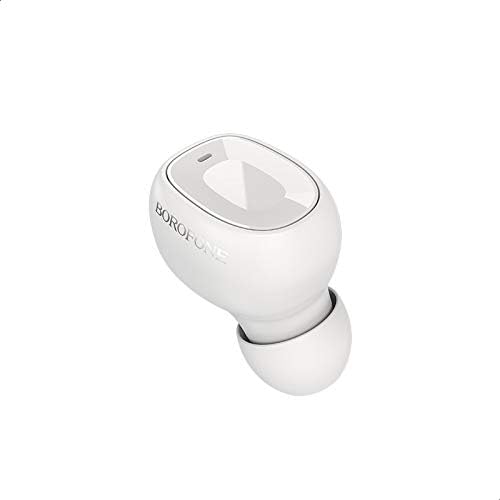
Figure 3.1: Front view of the BOROFONE BC28 earphone, showing the main button and indicator light.
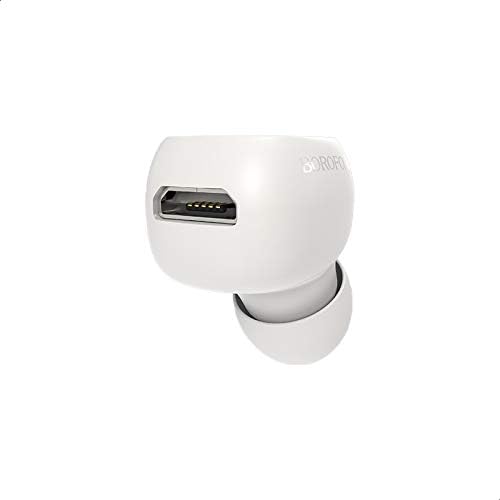
Figure 3.2: Side view of the BOROFONE BC28 earphone, highlighting the charging port.
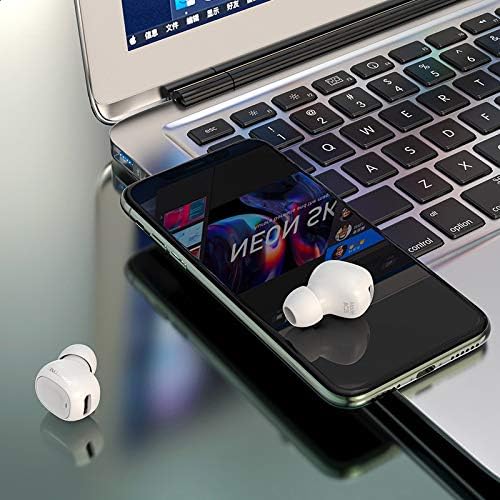
Figure 3.3: The BOROFONE BC28 earphone in use, connected to a smartphone and laptop.
4. Setup and Pairing
Follow these steps to pair your BOROFONE BC28 earphone with your device:
- Charge the Earphone: Before first use, fully charge the earphone. Refer to Section 6 for charging instructions.
- Power On: Press and hold the multi-function button on the earphone until the indicator light flashes blue and red, indicating it is in pairing mode.
- Activate Bluetooth: On your smartphone, tablet, or other Bluetooth-enabled device, go to the Bluetooth settings and turn on Bluetooth.
- Search for Devices: Your device will automatically search for nearby Bluetooth devices.
- Select "BC28": From the list of available devices, select "BC28".
- Confirm Pairing: Once paired, the earphone's indicator light will flash blue slowly, and you will hear an audio confirmation.
Note: The earphone will automatically attempt to reconnect to the last paired device when powered on.
5. Operating Instructions
5.1 Power On/Off
- Power On: Press and hold the multi-function button for approximately 3 seconds until the blue indicator light flashes.
- Power Off: Press and hold the multi-function button for approximately 5 seconds until the red indicator light flashes and then turns off.
5.2 Music Control
- Play/Pause: Short press the multi-function button once.
- Next Track: Double-press the multi-function button.
- Previous Track: Triple-press the multi-function button.
5.3 Call Control
- Answer/End Call: Short press the multi-function button once.
- Reject Call: Press and hold the multi-function button for approximately 2 seconds.
- Redial Last Number: Double-press the multi-function button when not on a call.
6. Charging
To charge your BOROFONE BC28 earphone:
- Connect the Micro-USB end of the charging cable to the charging port on the earphone.
- Connect the USB-A end of the charging cable to a USB power source (e.g., computer USB port, wall adapter).
- The indicator light will turn red during charging.
- Once fully charged (approximately 50 minutes), the indicator light will turn blue or turn off.
Battery Information:
- Battery Capacity: 40 mAh
- Charging Time: Approximately 50 minutes
- Working Time: Up to 4 hours
- Standby Time: Up to 100 hours
7. Maintenance
- Cleaning: Use a soft, dry cloth to clean the earphone. Do not use harsh chemicals or abrasive materials.
- Storage: Store the earphone in a cool, dry place away from direct sunlight and extreme temperatures.
- Water Exposure: This earphone is not waterproof. Avoid exposure to water or excessive moisture.
- Battery Care: To preserve battery life, charge the earphone at least once every three months if not used regularly.
8. Troubleshooting
| Problem | Possible Cause | Solution |
|---|---|---|
| Earphone does not power on. | Low battery. | Charge the earphone fully. |
| Cannot pair with device. | Earphone not in pairing mode; Bluetooth off on device; too far from device. | Ensure earphone is in pairing mode (flashing red/blue). Turn on Bluetooth on your device. Move earphone closer to device (within 10 meters). |
| No sound after pairing. | Volume too low; incorrect audio output selected on device. | Increase volume on both earphone and device. Check device's audio output settings. |
| Intermittent connection. | Obstacles between earphone and device; interference; low battery. | Reduce distance and remove obstacles. Avoid areas with strong Wi-Fi or other Bluetooth signals. Charge the earphone. |
9. Specifications
| Model Name | BC28 |
| Bluetooth Version | V5.0 |
| Battery Capacity | 40 mAh |
| Charging Time | Approximately 50 minutes |
| Working Time | Up to 4 hours |
| Standby Time | Up to 100 hours |
| Dimensions (L x W x H) | 28 × 16 × 23 mm |
| Weight | 3 grams |
| Control Method | Touch |
| Connectivity Technology | Wireless (Bluetooth) |
| Headphones Form Factor | In Ear |
| Material | Mixed Materials |
10. Warranty and Support
BOROFONE products are designed and manufactured to the highest quality standards. This product is covered by a limited warranty from the date of purchase. For specific warranty terms and conditions, please refer to the warranty card included in your package or contact BOROFONE customer support.
For technical support or inquiries, please visit the official BOROFONE website or contact your local distributor.