Important Safety Instructions
Please read all safety instructions carefully before using this product. Failure to follow these instructions may result in electric shock, fire, or other hazards.
- Do not expose the projector to rain or moisture to prevent fire or electric shock.
- Do not open the projector casing. There are no user-serviceable parts inside. Refer all servicing to qualified service personnel.
- Ensure proper ventilation. Do not block any ventilation openings.
- Place the projector on a stable, flat surface to prevent it from falling.
- Use only the power adapter supplied with the projector.
- Avoid direct eye exposure to the projector lens when the lamp is on.
- Unplug the projector from the power outlet during lightning storms or when unused for long periods.
- Keep the projector away from heat sources such as radiators, heat registers, stoves, or other apparatus that produce heat.
Product Overview
Package Contents
Verify that all items listed below are included in your package:
- RCA 480P Home Movie Projector
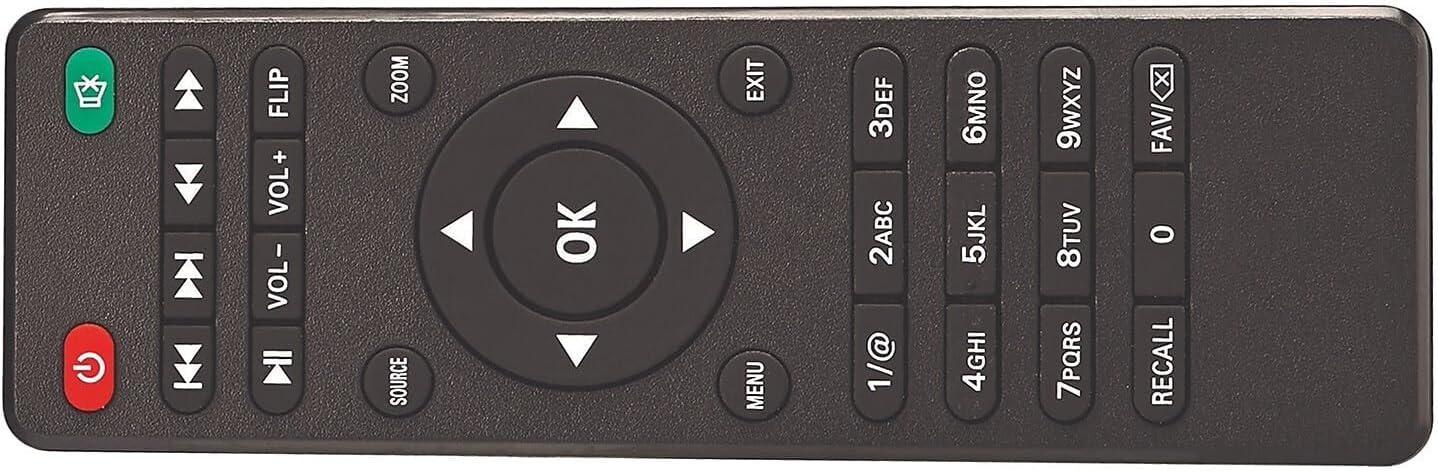
- Remote Control (batteries not included)
- Lens Cover
- AC Power Adapter
- User Manual (this document)

Projector Components
Familiarize yourself with the various parts of your projector:


Setup
Placement
Position the projector on a flat, stable surface. The distance from the projection surface (wall or screen) will determine the image size. The projector offers flexible projection sizes from 30 inches to 150 inches. For optimal viewing, a picture size between 37 inches and 100 inches is recommended.

Power Connection
Connect the supplied AC power adapter to the projector's DC IN port, then plug the adapter into a standard electrical outlet. The power indicator light on the projector will illuminate.
Adjusting Image
- Focus Adjustment: Rotate the focus ring on the projector lens until the image appears sharp and clear.
- Keystone Adjustment: Use the keystone adjustment knob (if available) to correct trapezoidal distortion, ensuring the image is rectangular.
- Height Adjustment: Extend the footpad at the bottom of the projector to adjust the projection angle and height as needed.
Operating Instructions
Connecting Devices
The projector supports various input sources. Ensure the projector is powered on before connecting devices.

- HDMI: Connect devices like laptops, DVD players, gaming consoles, or streaming sticks using an HDMI cable to one of the two HDMI ports. Select the corresponding HDMI input source on the projector.
- USB: Insert a USB flash drive into the USB port to play media files (video, audio, pictures). Select the USB input source.
- VGA: Connect a computer or laptop using a VGA cable to the VGA port. Select the VGA input source.
- AV: Use the A/V input for older devices like VCRs or some DVD players. Select the AV input source.
- TF/MicroSD Card: Insert a TF or MicroSD card into the designated slot to play media files. Select the TF/MicroSD input source.
Bluetooth Audio Connection
The projector features built-in Bluetooth 4.2, allowing you to connect to external Bluetooth-enabled speakers or headphones for an enhanced audio experience.
- Ensure your Bluetooth audio device is in pairing mode.
- On the projector, navigate to the Bluetooth settings menu.
- Select your Bluetooth device from the list of available devices to pair.
- Once connected, audio will be routed through your external Bluetooth device.

Media Playback
After selecting the appropriate input source, the projector will display the content from your connected device or media storage. Use the remote control or onboard buttons to navigate menus, play/pause, adjust volume, and select media files.
Maintenance
- Lens Cleaning: Use a soft, lint-free cloth specifically designed for optical lenses to gently clean the projector lens. Avoid abrasive materials or harsh chemicals.
- Dust Removal: Periodically clean the projector's ventilation openings with a soft brush or compressed air to prevent dust buildup, which can affect performance and lifespan.
- Storage: When not in use, store the projector in a cool, dry place, away from direct sunlight and extreme temperatures. Always replace the lens cover to protect the lens from dust and scratches.
- Power Cord: Inspect the power cord regularly for any damage. If damaged, discontinue use and replace with an authorized power adapter.
Troubleshooting
If you encounter issues with your projector, refer to the following common problems and solutions:
- No Power:
- Ensure the power adapter is securely connected to both the projector and a working electrical outlet.
- Check if the power outlet is functional by plugging in another device.
- Press the power button on the projector or remote control.
- No Image / Blank Screen:
- Verify that the correct input source is selected (e.g., HDMI1, USB, AV).
- Check the connection cable (HDMI, VGA, etc.) between the projector and the source device. Try a different cable if possible.
- Ensure the source device is powered on and outputting video.
- Poor Image Quality (Blurry/Distorted):
- Adjust the focus ring on the lens until the image is clear.
- Use the keystone adjustment knob to correct any trapezoidal distortion.
- Ensure the projection surface is flat and smooth.
- Check the distance to the screen; adjust for optimal size (recommended 37-100 inches).
- No Sound:
- Increase the volume on both the projector and the connected source device.
- If using Bluetooth, ensure the external audio device is properly paired and its volume is up.
- Check audio settings on the source device to ensure audio is being sent to the correct output.
- Bluetooth Connection Issues:
- Ensure the Bluetooth audio device is in pairing mode and within range.
- Turn off and on the Bluetooth function on both the projector and the audio device, then try pairing again.
- Clear previous Bluetooth connections on both devices if necessary.
Specifications
| Feature | Specification |
|---|---|
| Model Number | 008-06-8991 |
| Display Resolution | Native 800 x 480 (Supports 1080p, 1080i, 720p, 576i, 480p, 480i via HDMI) |
| White Brightness | 33 Lumens |
| Projection Size | 30 - 150 inches (Recommended: 37 - 100 inches) |
| Connectivity Technology | Bluetooth 4.2, HDMI (x2), USB, VGA, A/V, TF/MicroSD Card |
| Product Dimensions | 7.9 in. L x 6.1 in. D x 3.3 in. H (6.1 x 7.9 x 3.3 inches) |
| Item Weight | 1 pound |
| Recommended Use | Home Cinema |
Warranty and Support
For warranty information or technical support, please refer to the documentation provided at the time of purchase or visit the official RCA support website. Keep your proof of purchase for warranty claims.


