1. Introduction
Welcome to the world of LEGO Super Mario! This instruction manual will guide you through the assembly, features, and safe operation of your LEGO Super Mario Adventures with Luigi Starter Course (71387). This interactive set allows you to create unique challenges and adventures with the LEGO Luigi figure. The set is designed for children aged 6 years and up, encouraging creativity and problem-solving through play.
2. Safety Information
WARNING: This product contains small parts. Choking hazard for children under 4 years. Keep out of reach of children under 4 years of age to prevent accidental ingestion.
Always supervise young children during play. Ensure all connections are secure to prevent parts from detaching during active play. Do not modify the electronic components of the LEGO Luigi figure.
3. Package Contents
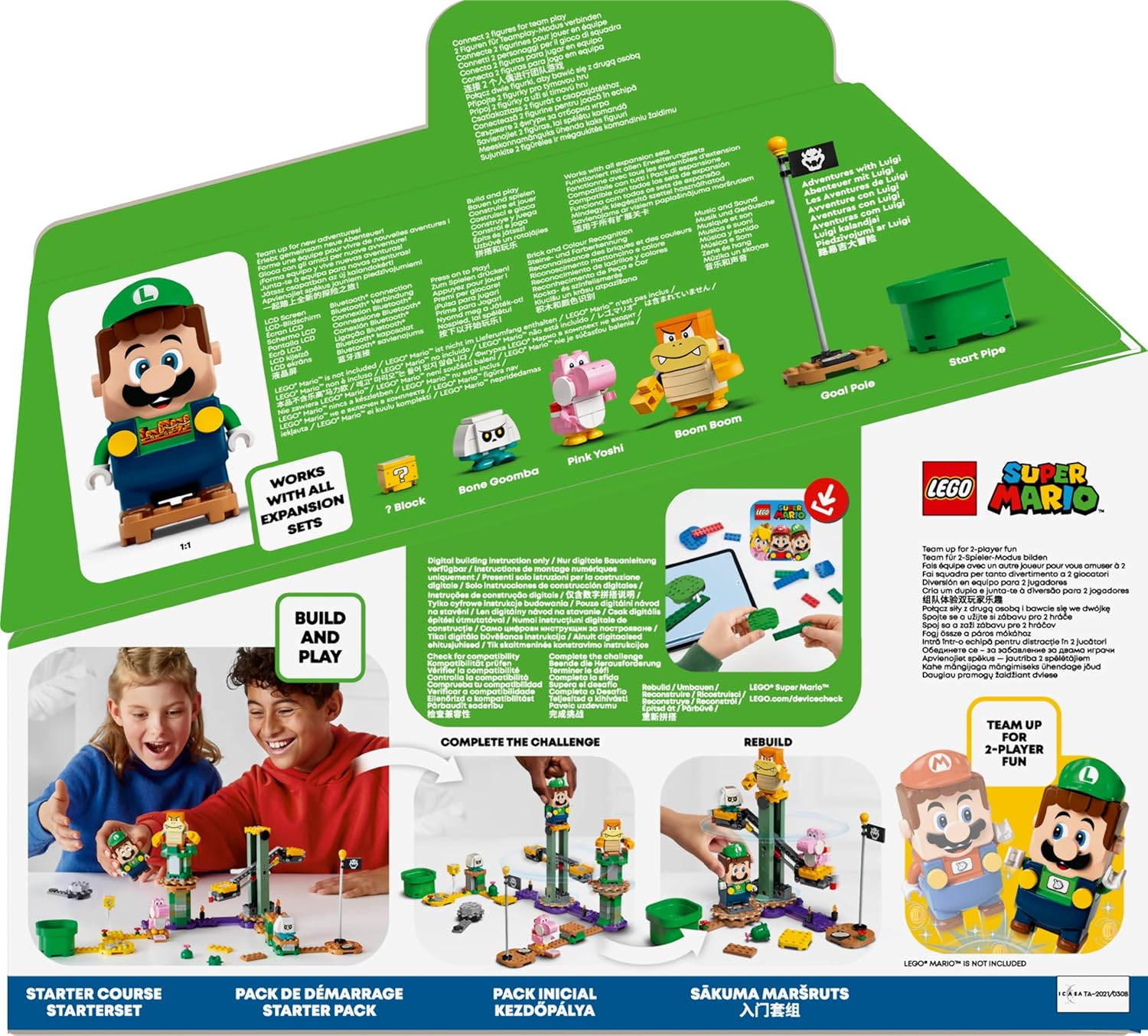
Before you begin, ensure all components are present. The LEGO Super Mario Adventures with Luigi Starter Course (71387) includes:
- LEGO Luigi interactive figure (requires 2x AAA batteries, not included)
- Start Pipe
- Goal Pole
- Pink Yoshi figure
- Boom Boom figure
- Bone Goomba figure
- ? Block
- Spinning seesaw platform
- Flying challenge platform
- Brown blocks (triggering log-riding reactions from Luigi)
- Various LEGO bricks for course building (280 pieces total)

This image displays all the individual LEGO bricks and character figures included in the 71387 set, ready for assembly.
4. Setup
4.1. Unboxing and Initial Inspection
Carefully remove all components from the packaging. Inspect all pieces for any damage or manufacturing defects. If any parts are missing or damaged, please contact LEGO Customer Service.
4.2. Inserting Batteries into LEGO Luigi
The LEGO Luigi figure requires 2x AAA batteries (not included) for interactive functions. Follow these steps to install them:
- Locate the battery compartment on the back of the LEGO Luigi figure.
- Use a small Phillips-head screwdriver to open the compartment cover.
- Insert 2x AAA batteries, ensuring correct polarity (+ and - terminals).
- Securely close the battery compartment cover and tighten the screw.
This image highlights the battery compartment on the back of the LEGO Luigi figure, along with the Bluetooth connection button.
4.3. Downloading the LEGO Super Mario App
For the full interactive experience and digital building instructions, download the free LEGO Super Mario app on your smart device (smartphone or tablet). The app provides 3D building guides, creative ideas, and a safe platform to share creations with the LEGO Super Mario community.

This image shows the LEGO Super Mario app icon, indicating where to download the companion application for enhanced play.
4.4. Connecting LEGO Luigi via Bluetooth
To enable interactive features and two-player mode (with another LEGO Mario or Luigi figure, sold separately), connect your LEGO Luigi figure to the app via Bluetooth:
- Turn on your LEGO Luigi figure by pressing the power button located on its back.
- Open the LEGO Super Mario app on your smart device.
- Follow the in-app instructions to pair your LEGO Luigi figure. The app will guide you through the connection process.
5. Operating Instructions
5.1. Building Your Course
Use the included LEGO bricks and the digital building instructions in the LEGO Super Mario app to construct your custom Super Mario course. The app provides step-by-step 3D guides, making assembly easy and fun. You can design endless unique levels using the Start Pipe, Goal Pole, and various interactive elements.

A child is shown actively building a LEGO Super Mario course, using a tablet for digital instructions, with various LEGO pieces scattered around.
5.2. Interactive Play with LEGO Luigi
The LEGO Luigi figure is equipped with a color sensor, LCD screens in its eyes, mouth, and chest, and a speaker to provide instant reactions, sounds, and music from the Super Mario universe. Engage in interactive play by:
- Movement: Move Luigi around your custom-built course. He reacts to different colors and action bricks with unique sounds and animations.
- Collecting Coins: Guide Luigi to collect virtual coins by stomping on enemies and interacting with special blocks. The LCD screen on his chest will display his coin count.
- Interacting with Characters: Encounter included figures like Pink Yoshi, Boom Boom, and Bone Goomba. Luigi will react with unique sounds and expressions when interacting with them.
- Special Blocks: Stomp on the '?' Block to gain power-ups or additional coins. The brown blocks trigger special log-riding reactions from Luigi.
- Challenges: Navigate the spinning seesaw and flying challenges to earn extra coins and complete your level.
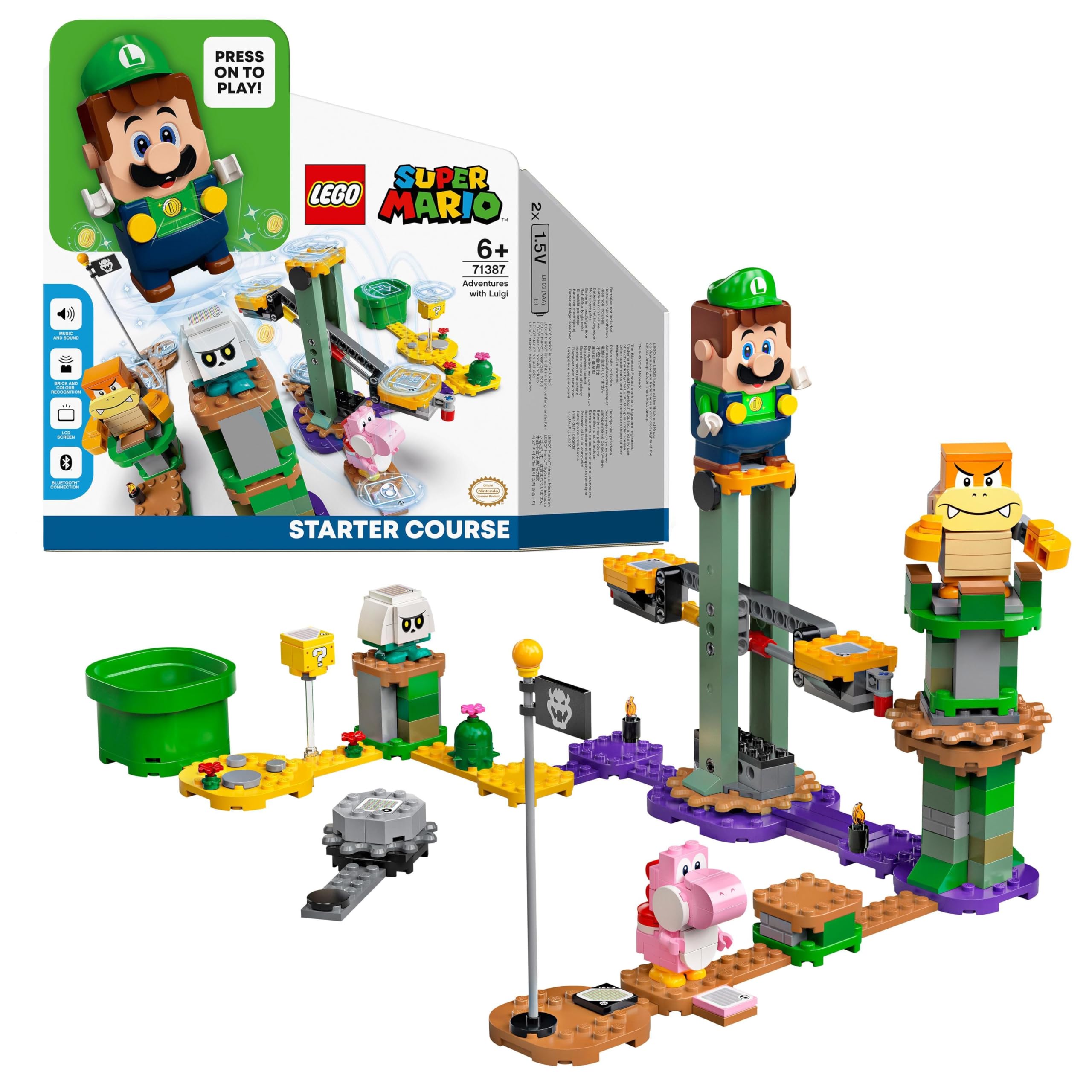
This image shows the product packaging, highlighting the interactive LEGO Luigi figure and various course elements like the Start Pipe, Goal Pole, and enemy figures.
5.3. Two-Player Mode (Requires additional figure)
Enhance your play experience by connecting LEGO Luigi with a LEGO Mario or another LEGO Luigi figure (each sold separately) via Bluetooth for cooperative two-player adventures. This allows for synchronized play and new challenges.

This image illustrates the two-player functionality of the LEGO Super Mario sets, with two children collaborating on a course.
6. Maintenance
6.1. Cleaning
To clean your LEGO bricks and figures, wipe them with a damp cloth. Do not submerge interactive figures (like LEGO Luigi) in water, as this can damage the electronic components. Avoid using harsh chemicals or abrasive cleaners.
6.2. Storage
Store LEGO bricks and figures in a clean, dry place away from direct sunlight to prevent discoloration and damage. Keep them organized to ensure all pieces are available for future building and play.
6.3. Battery Replacement
Replace batteries in the LEGO Luigi figure when performance decreases, sounds become distorted, or the figure stops responding. Refer to the "Inserting Batteries into LEGO Luigi" section (4.2) for detailed instructions on how to safely replace the batteries.
7. Troubleshooting
7.1. LEGO Luigi Not Responding
- Check Battery Levels: Ensure the batteries are not depleted. Replace them if necessary (refer to section 4.2).
- Power On: Verify that the power button on Luigi's back has been pressed to turn the figure on.
- Bluetooth Connection: Confirm that Luigi is properly connected to the LEGO Super Mario app via Bluetooth.
- Clean Sensor: Gently clean the color sensor located on Luigi's feet to ensure it can accurately read colors on the action bricks.
This image highlights the battery compartment on the back of the LEGO Luigi figure, along with the Bluetooth connection button, relevant for troubleshooting power issues.
7.2. App Connectivity Issues
- Enable Bluetooth: Ensure Bluetooth is enabled on your smart device.
- Restart App: Close and restart the LEGO Super Mario app.
- Restart Device: Try restarting your smart device.
- Update App: Ensure your LEGO Super Mario app is updated to the latest version from your device's app store.
7.3. Missing Pieces
If you find any pieces missing from your set upon opening, please contact LEGO Customer Service directly for assistance with replacement parts.
8. Specifications
| Feature | Detail |
|---|---|
| Model Number | 71387 |
| Number of Pieces | 280 |
| Batteries Required | Yes (2x AAA, not included) |
| Batteries Included | No |
| Main Material | ABS |
| Target Gender | Unisex |
| Manufacturer Recommended Age | 6 years and up |
| Release Date | 2021/7/10 |
| Product Dimensions | 31.7 x 26.2 x 9 cm; 485 g |
| ASIN | B08W9YYV8P |
| Brand | LEGO |
| Minimum Manufacturer Age (Months) | 72 |
| Educational Objective | Creativity, Spatial Awareness, Concentration, Dexterity |
| Theme | Video Game |
| Cartoon Character | Super Mario |
| Sub-brand | LEGO Toy |
| Special Feature | Educational Toy |
9. Warranty and Support
For warranty information, product support, or to order replacement parts, please visit the official LEGO website or contact LEGO Customer Service. Keep your proof of purchase for warranty claims.
Official LEGO Website: www.lego.com
For additional support, creative ideas, and community features, download the LEGO Super Mario app.


