
Introduction
Thank you for choosing the Ttec AirBeat Free True Wireless Earphones. These earphones are designed to provide a superior audio experience with deep bass and impressive music quality, along with convenient call management. Featuring an ultra-compact design and advanced Bluetooth 5.0 connectivity, they offer up to 4 hours of battery life on a single charge and an additional 30 hours with the charging case. The MonoSmart technology allows for independent use of each earbud, and the Charge&Go feature provides 1 hour of use with just 15 minutes of charging. They are also IPX4 water and dust resistant, making them suitable for various activities.
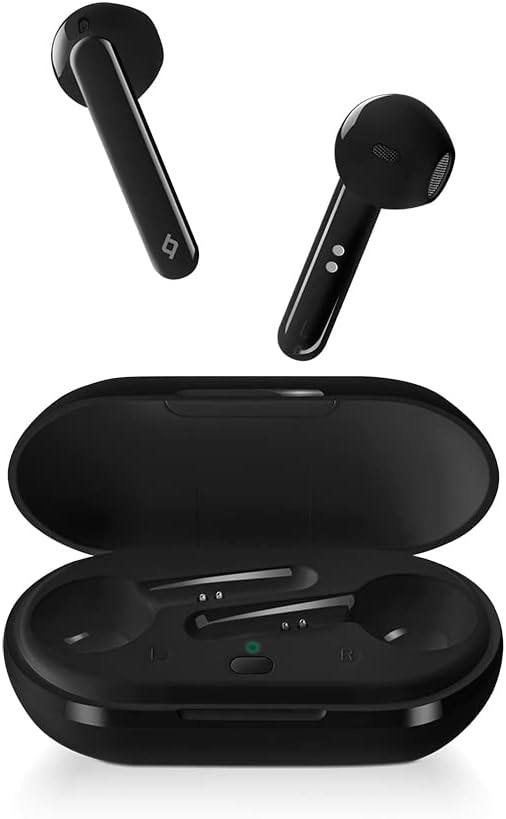
Image: Ttec AirBeat Free True Wireless Earphones, showing both earbuds and the open charging case.
Package Contents
Please check the package for the following items:
- Ttec AirBeat Free True Wireless Earphones (Left and Right)
- Charging Case
- USB Charging Cable
- User Manual
Setup
1. Initial Charging
Before first use, fully charge the charging case and earphones. Place both earbuds into the charging case. Connect the USB charging cable to the charging port on the case and to a power source. The indicator light on the case will show charging status.
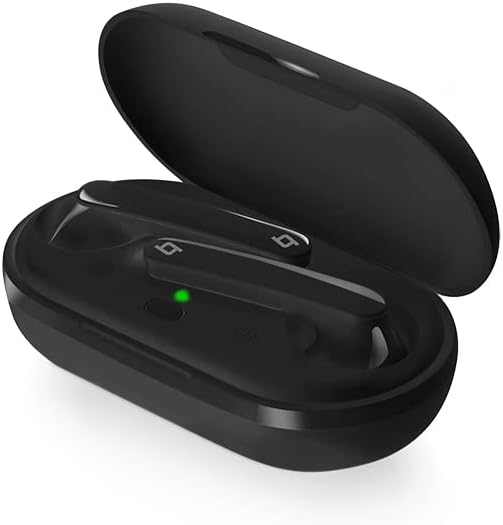
Image: The Ttec AirBeat Free charging case open, with both earbuds inside and a green indicator light visible, signifying charging or readiness.
2. Pairing with Your Device
Follow these steps to pair your earphones with a Bluetooth-enabled device:
- Ensure the charging case is charged and the earbuds are inside.
- Open the charging case. The earbuds will automatically enter pairing mode.
- On your device (smartphone, tablet, etc.), go to Bluetooth settings and turn Bluetooth on.
- Search for available devices. Select "Ttec AirBeat Free" from the list.
- Once connected, you will hear a confirmation tone, and the indicator light on the earbuds may change.
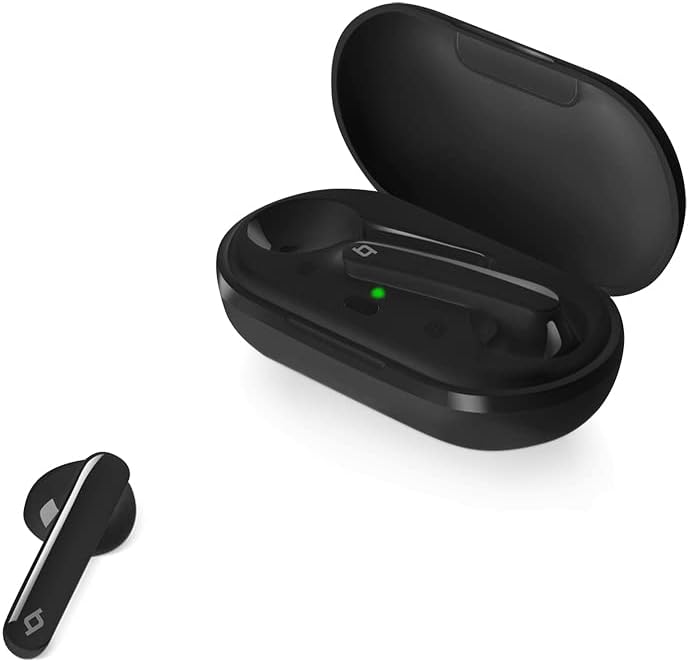
Image: A single Ttec AirBeat Free earbud positioned next to its open charging case, which contains the other earbud and shows a green indicator light.
Operating Your Earphones
Touch Sensor Controls
The Ttec AirBeat Free earphones feature intuitive touch sensors for easy control of music playback and calls. The touch sensor is located on the outer surface of each earbud.
Music Playback:
- Play/Pause: Single tap on either earbud.
- Next Track: Double tap the right earbud.
- Previous Track: Double tap the left earbud.
Call Management:
- Answer/End Call: Single tap on either earbud.
- Reject Call: Press and hold either earbud for 2 seconds.
Voice Assistant:
- Activate Voice Assistant: Triple tap on either earbud.
MonoSmart Technology
The MonoSmart technology allows you to use either the left or right earbud independently. Simply take one earbud out of the case, and it will automatically connect to your device. This is useful for hands-free calls or when you need to be aware of your surroundings.
Maintenance and Care
Proper maintenance ensures the longevity and optimal performance of your Ttec AirBeat Free earphones.
Cleaning
- Gently wipe the earbuds and charging case with a soft, dry, lint-free cloth.
- Do not use abrasive cleaners, alcohol, or chemical solvents.
- Keep the charging contacts on both the earbuds and the case clean and free of debris.
Storage
- When not in use, store the earphones in their charging case to protect them and keep them charged.
- Store in a cool, dry place, away from extreme temperatures and direct sunlight.
Battery Care
- To preserve battery life, avoid fully discharging the earphones and charging case frequently.
- Charge the device regularly, even if not in frequent use, to prevent deep discharge.
Troubleshooting
If you encounter issues with your Ttec AirBeat Free earphones, try the following solutions:
No Sound or Pairing Issues:
- Check Battery: Ensure both earbuds and the charging case are sufficiently charged.
- Re-pair: Delete "Ttec AirBeat Free" from your device's Bluetooth list and try pairing again.
- Distance: Ensure the earphones are within the Bluetooth range (typically 10 meters) of your device.
- Interference: Move away from other strong wireless signals that might cause interference.
Only One Earbud Working:
- Place both earbuds back into the charging case, close the lid, wait a few seconds, then open the lid and take them out again. This often re-syncs them.
- Ensure both earbuds are charged.
Charging Issues:
- Check Cable and Adapter: Ensure the USB charging cable and power adapter are working correctly. Try a different cable or adapter.
- Clean Contacts: Clean the charging contacts on both the earbuds and inside the case with a dry cotton swab.
- Power Source: Try charging from a different USB port or wall adapter.
Specifications
| Feature | Detail |
|---|---|
| Brand | ttec |
| Model Name | AirBeat Free |
| Item Model Number | 2KM133S |
| Bluetooth Version | 5.0 |
| Water and Dust Proof Rate | IPX4 |
| Earbud Weight | 3.6 grams (each) |
| Charging Case Weight | 37 grams |
| Earbud Battery Life (Single Charge) | Up to 4 hours |
| Total Battery Life (with Charging Case) | Up to 30 hours |
| Charge&Go Feature | 1 hour of use with 15 minutes of charging |
| Noise Control | Active Noise Cancellation |
| Color | Black |
| Headphones Ear Placement | In Ear |
| Connectivity Technology | Wireless (Bluetooth) |
Warranty and Support
Your Ttec AirBeat Free True Wireless Earphones come with a manufacturer's warranty. Please refer to the warranty card included in your product packaging for specific terms and conditions, including warranty period and coverage details.
For technical support, troubleshooting assistance, or warranty claims, please contact Ttec customer service. Contact information can typically be found on the product packaging, the official Ttec website, or the warranty card.
Note: Keep your purchase receipt as proof of purchase for warranty purposes.
