1. Safety Information
Please read these operating instructions carefully before using the appliance for the first time. Keep these operating instructions for future reference.
General Safety Warnings
- This appliance can be used by children aged from 8 years and above and persons with reduced physical, sensory or mental capabilities or lack of experience and knowledge if they have been given supervision or instruction concerning use of the appliance in a safe way and understand the hazards involved.
- Children shall not play with the appliance. Cleaning and user maintenance shall not be made by children without supervision.
- Do not vacuum up flammable or explosive substances, hot ashes, or sharp objects.
- Never operate the appliance without the dust container and filter correctly installed.
- Only use the appliance indoors.
Battery Safety
- Only use the charger supplied with the appliance.
- Do not expose the battery to extreme temperatures or direct sunlight.
- If the battery is damaged, do not attempt to repair it. Contact authorized service personnel.
- Charge the battery fully before first use.
2. Product Overview
The Bosch Athlet Serie 6 BCH86SILGB ProSilence is a cordless stick vacuum cleaner designed for efficient and quiet cleaning across various floor types. Its lightweight design and flexible head allow for easy maneuverability.

Figure 2.1: The Bosch Athlet Serie 6 BCH86SILGB ProSilence cordless vacuum cleaner, showcasing its upright design and flexible head.
Key Components
- Handle: Ergonomically designed for comfortable grip.
- Dust Container: Bagless design for easy emptying.
- PowerBrush: Motorized brush for effective cleaning on all floor types.
- Filter System: Hygienic filter for clean exhaust air.
- Battery: Integrated 25.2V Lithium-ion battery.
- Control Panel: For power and performance level selection.

Figure 2.2: Detail of the ProSilence system, highlighting the SoundReducer component for quiet operation.
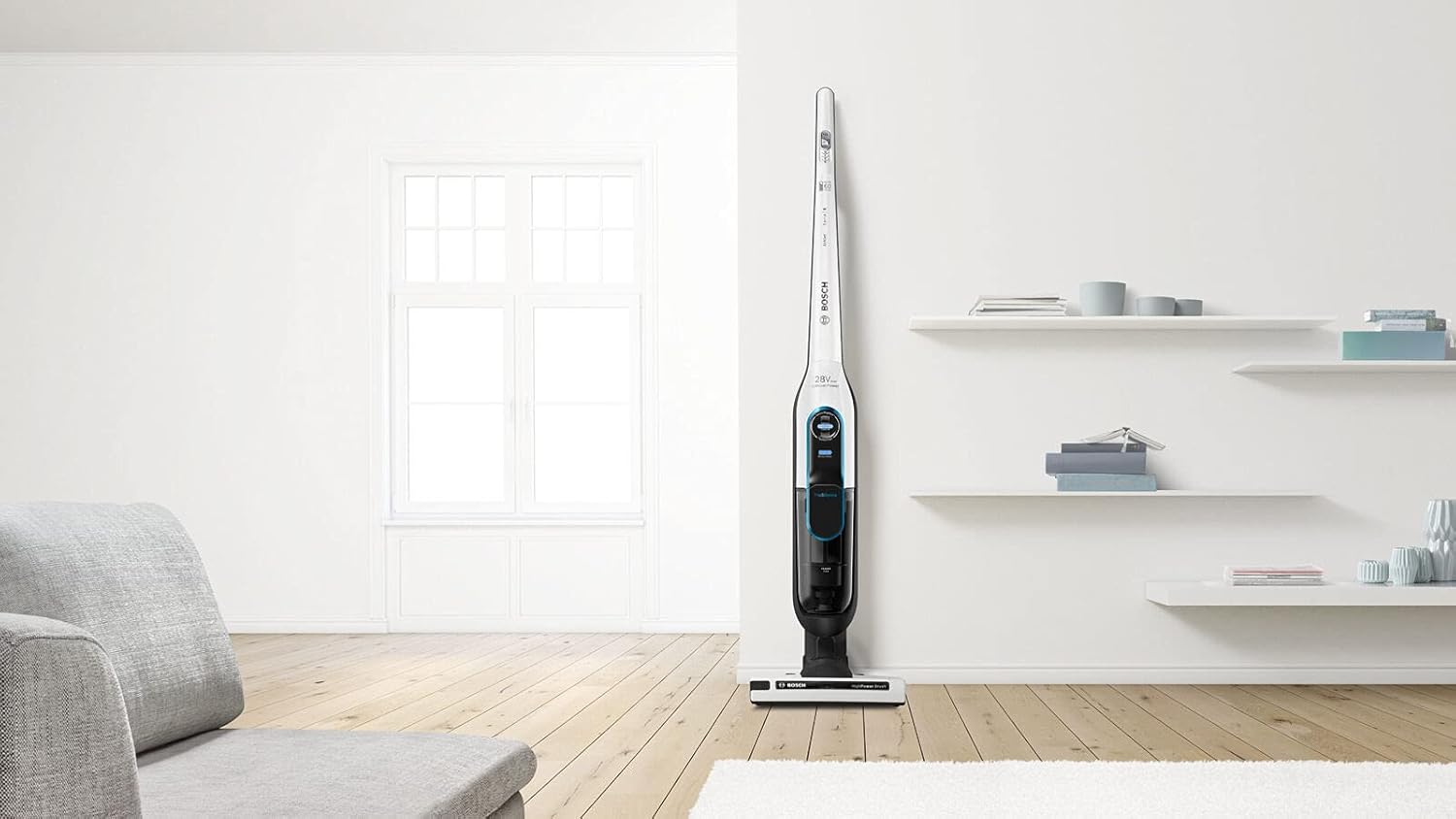
Figure 2.3: An illustration showing the multi-stage filter system, ensuring hygienic air filtration.
3. Setup
3.1 Assembly
- Unpack all components and check for any damage.
- Insert the handle into the main body of the vacuum cleaner until it clicks securely into place.
- Ensure the dust container is correctly attached to the main unit.
- Attach the PowerBrush floor nozzle to the bottom of the main unit.
3.2 Initial Charging
Before first use, fully charge the appliance's Lithium-ion battery. This typically takes approximately 6 hours.
- Connect the charger to the charging port on the vacuum cleaner.
- Plug the charger into a suitable power outlet.
- The charging indicator lights will illuminate, showing the charging status.
- Once fully charged, the indicator lights will show a steady full charge, and you can disconnect the charger.

Figure 3.1: The vacuum cleaner in its freestanding position, ideal for charging or storage.
4. Operating Instructions
4.1 Powering On/Off and Performance Levels
- To turn on the vacuum cleaner, press the On/Off button located on the handle.
- The appliance has 3 performance levels. Press the mode selection button to cycle through the levels:
- Level 1: For light cleaning and maximum runtime.
- Level 2: For normal cleaning tasks.
- Level 3 (Turbo): For stubborn dirt and maximum suction power.
- To turn off the vacuum cleaner, press the On/Off button again.

Figure 4.1: Demonstrating the quiet operation of the vacuum, allowing for minimal disturbance during use.
4.2 Cleaning Different Surfaces
The motorized PowerBrush is suitable for all floor types, including carpets and hard floors. The vacuum's flexible design allows it to reach under furniture and into tight spaces.

Figure 4.2: The vacuum effectively cleaning both carpeted and hard floor surfaces.
4.3 Using Accessories (if applicable)
For specialized cleaning tasks, such as car interiors or upholstery, attach the appropriate accessories (sold separately or included with specific models) to the main unit. For example, a flexible hose and nozzle can be used for car cleaning.
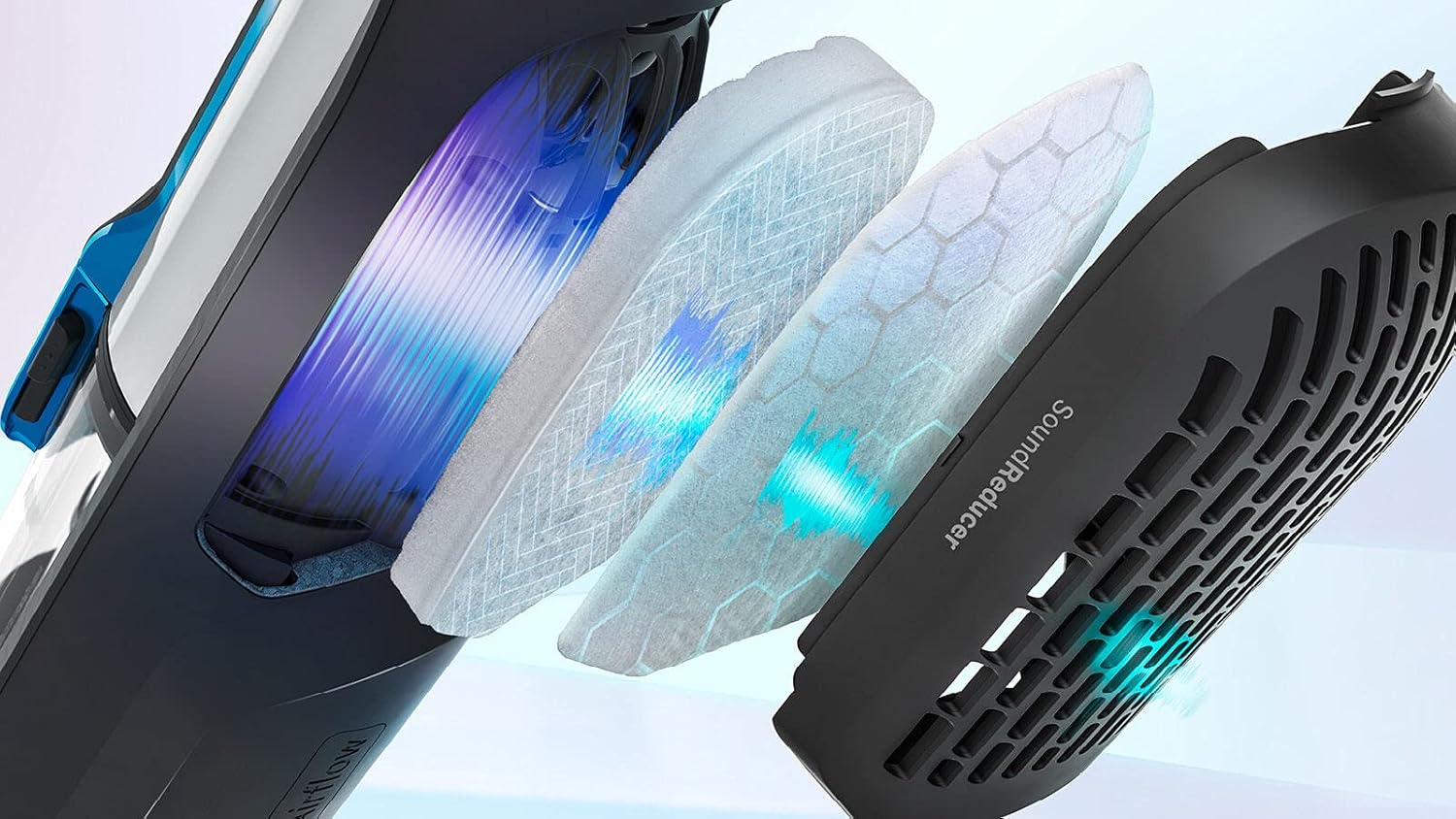
Figure 4.3: Using the vacuum with an accessory hose to clean a car trunk, demonstrating versatility.
5. Maintenance
Regular maintenance ensures optimal performance and extends the lifespan of your vacuum cleaner.
5.1 Emptying the Dust Container
Empty the dust container when the 'Max' indicator is reached or after each use, whichever comes first.
- Switch off the appliance.
- Press the release button to detach the dust container from the main unit.
- Open the dust container and empty its contents into a waste bin.
- Close the dust container and reattach it to the main unit until it clicks.
5.2 Cleaning the Filter System
The hygienic filter should be cleaned regularly to maintain suction power and air quality.
- Remove the dust container as described above.
- Carefully remove the filter unit from the dust container.
- Tap the filter gently over a waste bin to remove loose dust.
- If necessary, rinse the filter under cold running water. Ensure it is completely dry before reinserting.
- Reassemble the filter unit and dust container, then reattach to the vacuum cleaner.
5.3 Cleaning the PowerBrush
Hair and fibers can get tangled in the brush roll, reducing its effectiveness. Clean the brush roll periodically.
- Switch off the appliance.
- Press the release button on the side of the PowerBrush nozzle to remove the brush roll.
- Use scissors or a brush to remove any tangled hair or debris from the brush roll.
- Reinsert the clean brush roll until it clicks into place.
6. Troubleshooting
| Problem | Possible Cause | Solution |
|---|---|---|
| Appliance does not turn on. | Battery is discharged. | Charge the battery fully. |
| Reduced suction power. | Dust container is full. | Empty the dust container. |
| Reduced suction power. | Filter is dirty or clogged. | Clean or replace the filter. |
| Reduced suction power. | Brush roll is tangled. | Clean the brush roll. |
| Unusual noise during operation. | Obstruction in the nozzle or hose. | Check and remove any obstructions. |
7. Specifications
| Feature | Detail |
|---|---|
| Model Number | BCH86SILGB |
| Brand | Bosch |
| Voltage | 25.2 V (28 Volts listed in specs, using product description for consistency) |
| Max Runtime | Up to 60 minutes |
| Charging Time | Approx. 6 hours |
| Filter Type | Hygienic Filter (HEPA Filter mentioned in specs) |
| Performance Levels | 3 |
| Noise Level | 79 dB (1 Sone listed in specs, using product description for consistency) |
| Weight | 3 kg |
| Dimensions (L x W x H) | 18.5 x 28.5 x 116 cm |
| Power | 25 Watts |
| Battery Type | Lithium-ion |
8. Warranty and Support
This Bosch appliance comes with a manufacturer's warranty. For detailed information regarding warranty terms and conditions, please refer to the warranty card included with your product or visit the official Bosch website.
For technical support, spare parts, or service inquiries, please contact Bosch customer service. Contact details can typically be found on the Bosch website or in your product documentation.
Online Resources: For additional information, FAQs, and product registration, please visit the official Bosch website: www.bosch-home.com


