Introduction
Thank you for purchasing the Gemini AS-2115BT-PK 2000W Bluetooth PA Speaker System. This powerful and versatile loudspeaker is designed to deliver high-quality audio for a wide range of applications, including DJ gigs, live performances, parties, and events. Featuring a 15-inch low-frequency woofer, titanium high-frequency compression driver, and a 2000W Class AB amplifier, this system ensures clear and impactful sound. This manual provides detailed instructions for setup, operation, maintenance, and troubleshooting to help you get the most out of your new PA system.
What's in the Box
Upon opening the package, please verify that all listed components are present and in good condition.
- Gemini AS-2115BT Loudspeaker
- Speaker Stand
- Wired Microphone
- Remote Control
- Power Cable
- User Manual (this document)

Image: All components included in the Gemini AS-2115BT-PK package.
Setup
Follow these steps to set up your Gemini AS-2115BT-PK PA system.
- Speaker Stand Assembly:
Unfold the tripod speaker stand and extend its legs to a stable position. Ensure the locking mechanisms are securely fastened. Adjust the height of the pole to your desired level, ensuring the speaker will be at ear-level for optimal sound dispersion.

Image: The Gemini AS-2115BT-PK speaker system, including the speaker, stand, microphone, and remote.
- Mounting the Speaker:
Carefully lift the AS-2115BT loudspeaker and place it onto the top pole of the assembled speaker stand. Ensure it is seated firmly and securely. The speaker also features M8 fly points for permanent installation, if desired.

Image: Detail of the speaker's top-mounted M8 fly points for secure overhead installation.
- Power Connection:
Connect the provided power cable to the AC inlet on the rear panel of the speaker and then plug it into a standard electrical outlet (120V/60Hz). Ensure the power switch is in the OFF position before connecting.
- Initial Connections:
Before powering on, connect any desired audio sources such as the included wired microphone, a mixer, or other media devices to the appropriate input jacks on the rear panel (XLR, 1/4", RCA, AUX).
Operating Instructions
This section details the various functions and controls of your Gemini AS-2115BT-PK speaker.
Control Panel Overview

Image: The rear control panel of the AS-2115BT-PK, showing all input and output options, gain controls, and equalization settings.
- Power Switch: Located on the rear panel, turns the unit on or off.
- Master Volume: Controls the overall output volume of the speaker.
- Gain Controls (CH1, CH2, CH3): Adjust the input level for each channel.
- EQ Controls (Bass, Treble): Adjust the low and high frequencies of the audio output.
- Input Jacks: XLR, 1/4" (Mic/Line), RCA, AUX for connecting various audio sources.
- Media Player: USB, SD card slots, and FM radio for direct media playback.
- Mix Output (XLR): For connecting to another powered speaker or mixer.
Powering On/Off
After all connections are made, flip the power switch on the rear panel to the ON position. The power indicator light will illuminate. To turn off the unit, flip the power switch to the OFF position.
Bluetooth Pairing
The AS-2115BT-PK features seamless Bluetooth streaming for wireless audio playback.
- Ensure the speaker is powered on and no other Bluetooth devices are currently connected.
- On your Bluetooth-enabled device (smartphone, tablet, laptop), enable Bluetooth and search for available devices.
- Select "GEMINI AS-2115BT" from the list of devices.
- Once paired, the speaker will indicate a successful connection, and you can begin streaming audio wirelessly.

Image: A smartphone displaying the Bluetooth symbol, illustrating the wireless connection capability of the speaker.
True Wireless Stereo (TWS) Linking
For a true stereo experience, you can link two AS-2115BT-PK speakers wirelessly using the TWS function.
- Ensure both AS-2115BT-PK speakers are powered on and not connected to any Bluetooth devices.
- On one speaker, press and hold the "TWS" button (refer to the control panel diagram for location). The speaker will enter TWS pairing mode.
- The second speaker will automatically detect and connect to the first speaker. A confirmation sound will indicate a successful TWS connection.
- Once linked, connect your Bluetooth device to the primary speaker (the one you initiated TWS pairing on). Audio will now play in stereo across both speakers.
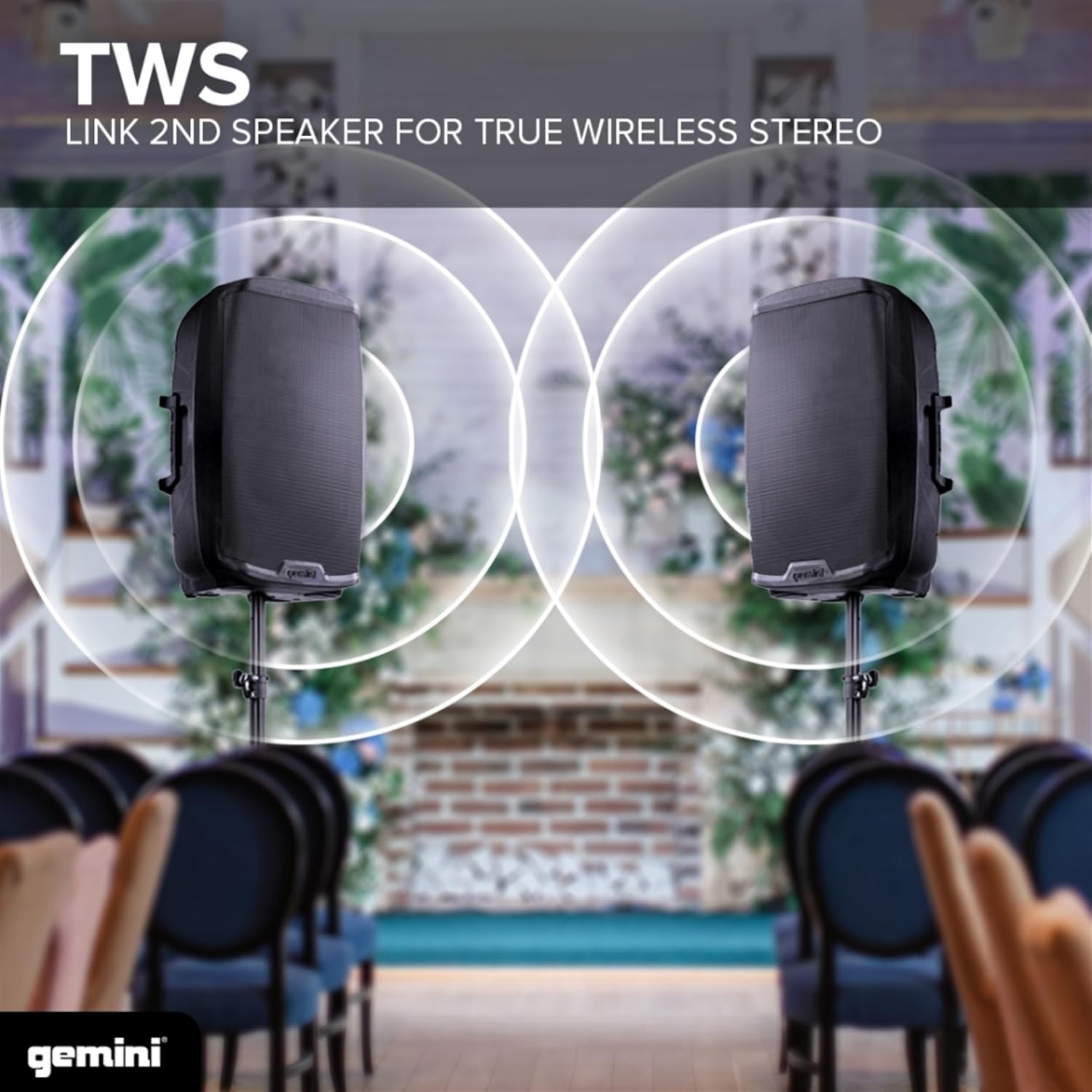
Image: Two AS-2115BT speakers set up for TWS, demonstrating the wireless stereo sound capability.
Using the Remote Control
The included remote control provides convenient access to various functions, including volume adjustment, input selection, media player controls (play/pause, skip tracks), and EQ presets. Point the remote directly at the speaker's IR receiver for optimal performance.
Maintenance
Proper maintenance ensures the longevity and optimal performance of your Gemini AS-2115BT-PK speaker.
- Cleaning: Use a soft, dry cloth to wipe down the exterior of the speaker. Do not use abrasive cleaners, solvents, or harsh chemicals, as they may damage the finish.
- Storage: When not in use for extended periods, store the speaker in a cool, dry place, away from direct sunlight and extreme temperatures. It is recommended to use the original packaging for storage and transport.
- Ventilation: Ensure the speaker's ventilation openings are not blocked during operation to prevent overheating.
- Cable Care: Regularly inspect all cables for signs of wear or damage. Replace any damaged cables immediately to prevent electrical hazards or performance issues.
Troubleshooting
If you encounter issues with your AS-2115BT-PK speaker, refer to the following common problems and solutions.
| Problem | Possible Cause | Solution |
|---|---|---|
| No power | Power cable not connected; Power outlet not active; Power switch off | Ensure power cable is securely connected. Check power outlet with another device. Turn power switch ON. |
| No sound output | Master volume too low; Input gain too low; Incorrect input selected; Source device issue | Increase Master Volume and individual channel Gain. Verify correct input is selected. Check audio source device for proper operation. |
| Bluetooth not connecting | Speaker not in pairing mode; Device too far; Interference; Previously paired device connected | Ensure speaker is discoverable. Move device closer to speaker. Avoid strong electromagnetic interference. Disconnect from any previously paired devices. |
| Distorted sound | Input gain too high; Master volume too high; EQ settings incorrect | Reduce input gain and/or Master Volume. Adjust Bass and Treble controls. |
| Remote control not working | Batteries dead; Obstruction; Not pointing at IR receiver | Replace batteries. Remove any obstructions between remote and speaker. Ensure direct line of sight to the IR receiver. |
Specifications
Detailed technical specifications for the Gemini AS-2115BT-PK PA Speaker System.
- Model: AS-2115BT-PK
- Brand: Gemini Sound
- Output Wattage: 2000 Watts (Peak Power)
- Mounting Type: Stand Mount
- Power Source: Corded Electric
- Connector Types: Aux, RCA, Bluetooth, USB
- Item Weight: 30.1 Pounds
- Number of Channels: 3
- Audio Inputs: XLR, 1/4" (Mic/Line), RCA, AUX
- Recommended Uses: For Music Players, DJ, Events, Parties, Live Shows
- Manufacturer: Innovative Concepts and Designs
- UPC: 747705007728
- Product Dimensions (L x W x H): 17.04 x 14.57 x 27.02 inches
- Color: Black
- Connectivity Technology: RCA, Bluetooth, USB, AUX
- Compatible Devices: Any Bluetooth Compatible Device (Smartphones, Tablets, Laptops, Smart TVs), or any Pro/Consumer Media/Music Source with XLR Out, RCA, Aux, or 1/4 Inch Out.

Image: Dimensions of the Gemini AS-2115BT speaker.
Warranty and Support
Gemini Sound products are designed for reliability and performance. For information regarding warranty coverage, technical support, or service, please refer to the official Gemini Sound website or contact their customer service department.
Online Support: Visit the official Gemini Sound website for FAQs, product registration, and support resources.
Contact Customer Service: If you require further assistance, please contact Gemini Sound customer support directly. Contact details can typically be found on the product packaging or the official website.
Protection Plans: Additional protection plans may be available for purchase to extend coverage beyond the standard manufacturer's warranty. Please check with your retailer for details.


