1. Introduction
The Greater Goods Digital AccuCheck Bathroom Scale is designed to provide accurate and consistent body weight measurements. Featuring a sleek, modern design and intuitive operation, this scale is an essential tool for monitoring your health and fitness journey. Its patented AccuCheck system ensures reliable readings with every use.
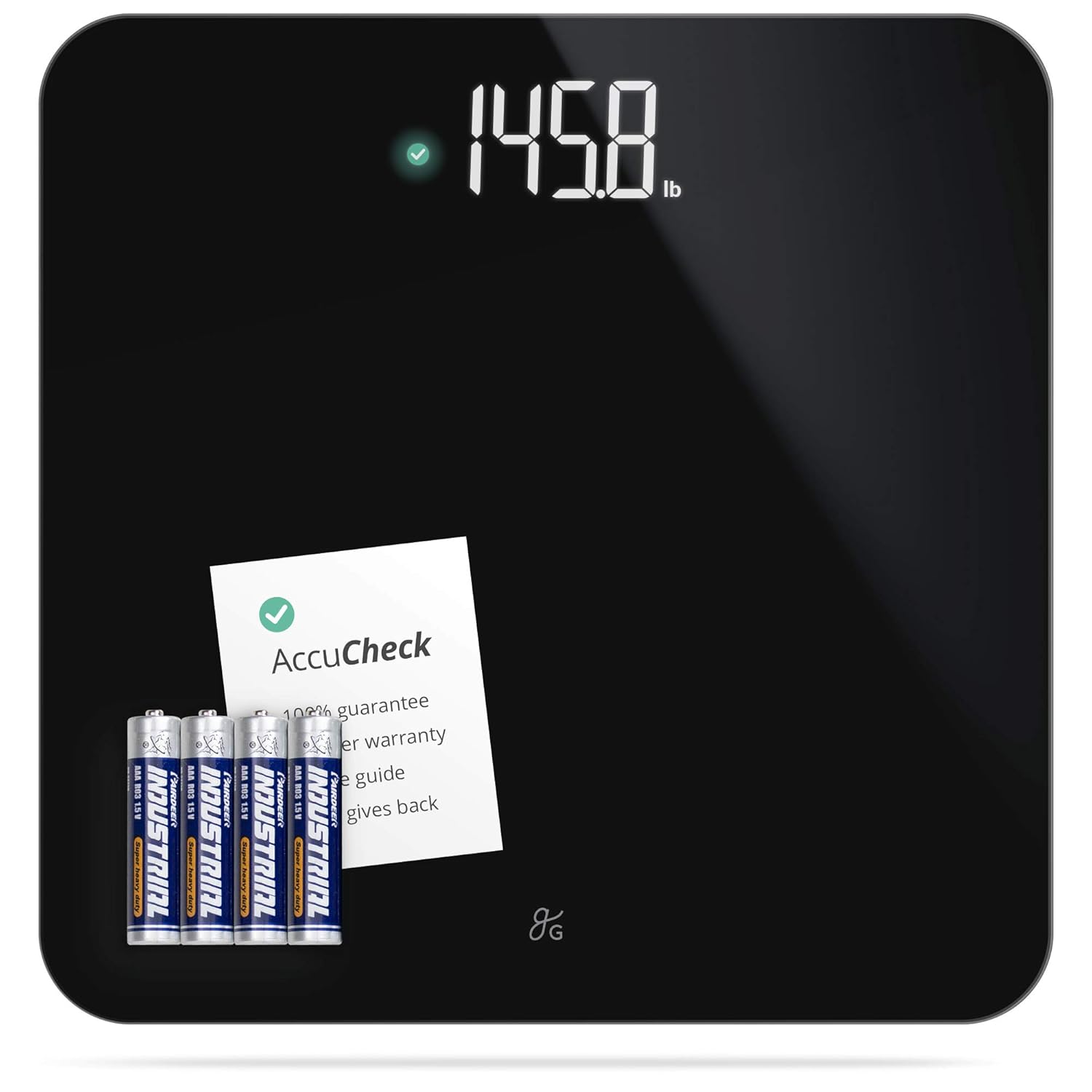
Image: The Greater Goods Digital AccuCheck Bathroom Scale in black, shown with the included AAA batteries and a small instruction card.
2. Setup
- Unpack the Scale: Carefully remove the scale and all packaging materials from the box.
- Install Batteries: Locate the battery compartment on the underside of the scale. Insert the four (4) included AAA batteries, ensuring correct polarity (+/-).
- Placement: Place the scale on a hard, flat, and stable surface. Avoid carpets or uneven flooring, as this can affect accuracy.
- Initial Calibration: For the first use or after moving the scale, step on the scale briefly to turn it on, then step off. The display will show '0.0' or a similar reading and then turn off. This calibrates the scale for accurate subsequent measurements.

Image: A person holding the scale, illustrating the location of the battery compartment on the underside.
3. Operating Instructions
Taking a Measurement
- Step On: Gently step onto the center of the scale with bare, dry feet. The scale will automatically turn on.
- Read the Display: Stand still until your weight is displayed on the large, backlit LCD screen.
- AccuCheck Verification: The scale features a patented AccuCheck system. Initially, an orange dot may appear next to the reading, indicating the measurement is being processed. Once the reading is verified and stable, a green checkmark will appear, confirming the accuracy of the measurement.
- Auto-Off: The scale will automatically turn off after a few seconds of inactivity to conserve battery life.

Image: A foot making contact with the scale, demonstrating the simple step-on activation.

Image: A detailed view of the scale's digital display, showing a clear weight reading.

Image: A visual representation of the AccuCheck feature, showing the transition from an orange dot to a green checkmark for verified accuracy.
Changing Weight Units (lbs/kg)
To switch between pounds (lbs) and kilograms (kg), locate the unit conversion switch on the underside of the scale, near the battery compartment. Slide the switch to your desired unit of measurement.

Image: A hand pointing to the unit toggle switch located on the bottom of the scale, allowing selection between pounds and kilograms.
4. Maintenance and Care
- Cleaning: Wipe the scale's surface with a soft, damp cloth. Do not use abrasive cleaners or immerse the scale in water.
- Storage: Store the scale in a dry place at room temperature. Avoid extreme temperatures or high humidity. When not in use, the scale can be stored upright or flat.
- Battery Replacement: If the display shows a 'Lo' indicator or becomes dim, it's time to replace the batteries. Follow the battery installation steps in the Setup section.

Image: The scale being placed into a cabinet, demonstrating its compact size for easy storage.
5. Troubleshooting
| Problem | Possible Cause | Solution |
|---|---|---|
| Inaccurate or inconsistent readings | Scale on uneven surface; Scale moved recently; Initial calibration not performed. | Place scale on a hard, flat surface. Perform initial calibration by stepping on and off the scale. Ensure feet are dry and centered. |
| Display shows 'Lo' or is dim | Low battery. | Replace all four (4) AAA batteries. |
| Scale does not turn on | Batteries incorrectly installed or dead. | Check battery polarity. Replace batteries if necessary. |
| Display shows 'Err' | Weight exceeds maximum capacity (400 lbs). | Reduce weight on the scale. |
6. Specifications
- Model Number: 0329
- Dimensions: 11 x 11 x 1 inches
- Weight: 3.4 Pounds
- Weight Capacity: Up to 400 lbs (180 kg)
- Weight Resolution: 0.1 lb / 0.05 kg
- Sensors: 4 High-Precision Sensors
- Display Type: Backlit LCD
- Power Source: 4 x AAA Batteries (included)
- Material: Tempered Glass Platform
- Special Features: Auto Shut Off, Step-on Technology, Auto-Calibration, AccuCheck Verification

Image: The scale with overlaid measurements indicating its 11.8-inch by 11.8-inch dimensions.

Image: A graphic summarizing the scale's key features, including its AccuCheck accuracy, high precision sensors, high-end design, and intuitive operation.
7. Warranty and Support
The Greater Goods Digital AccuCheck Bathroom Scale comes with a 3-year warranty, ensuring peace of mind regarding its quality and performance. Our dedicated support team in St. Louis, USA, is available to assist you with any questions or concerns you may have about your scale.
For assistance, please refer to the contact information provided in your product packaging or visit the official Greater Goods website for support resources.


