
Introduction
This manual provides detailed instructions for the installation, operation, and maintenance of your DEWENWILS Wireless Socket with Remote Control. Please read this manual thoroughly before use to ensure proper function and safety.

The DEWENWILS wireless socket and remote wall switch, designed for convenient control of electrical appliances.
Safety Information
- Ensure the product is used within its specified voltage and amperage limits (230V, 16A, 3680W MAX).
- Do not disassemble or modify the device.
- Keep away from water and high humidity environments.
- This product is designed for indoor use only.
- The socket features child safety protection to prevent accidental contact.
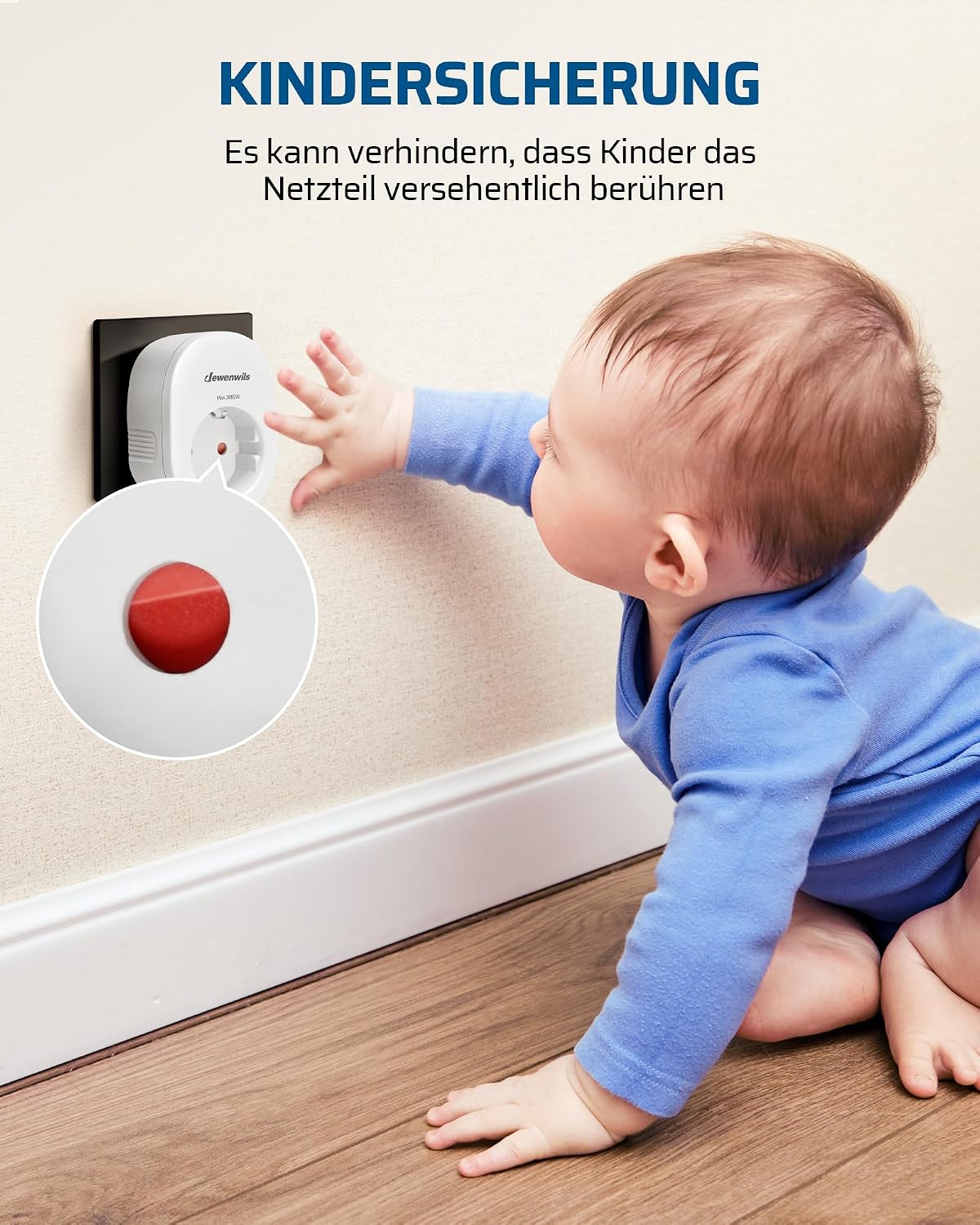
Integrated child safety features prevent accidental contact with the power supply by children.

The product is constructed from flame-retardant material, ensuring safety during use.
Package Contents
The DEWENWILS Wireless Socket with Remote Control package typically includes:
- 1 x Wireless Socket Receiver
- 1 x Wireless Wall Switch Transmitter (with mounting bracket)
- 1 x 12V Battery (pre-installed in transmitter)
- User Manual
Setup
1. Installing the Wireless Socket
- Plug the wireless socket receiver into a standard wall outlet.
- Connect your desired appliance (e.g., lamp, fan) to the wireless socket.
2. Installing the Wireless Wall Switch
The wireless wall switch requires no embedded wiring, offering flexible placement.
- Choose a suitable location for the wall switch. The mounting bracket allows for easy installation.
- Mount the bracket to the wall using screws or adhesive (not explicitly mentioned but implied by 'mounting bracket included').
- Attach the wireless wall switch to the mounted bracket. The switch is removable for greater flexibility.
3. Pairing (Pre-programmed)
The transmitter (wall switch) and receiver (socket) are pre-programmed at the factory for immediate use. No additional programming is typically required for initial setup.

The wireless socket and switch are pre-programmed for immediate use, requiring no additional setup. A hand is shown activating the wall switch, controlling a connected air purifier.
Operating Instructions
1. Using the Wireless Wall Switch
Press the ON/OFF button on the wireless wall switch to toggle the connected appliance's power. The switch can be used while mounted or as a portable remote.
2. Manual Operation of the Socket
The wireless socket receiver also features a manual ON/OFF button, allowing you to control the connected appliance directly at the socket.
3. Signal Range
The strong RF signal operates effectively up to 30 meters (approximately 100 feet) in open spaces. It can penetrate through walls and doors without interference, providing reliable control throughout your home.

Diagram illustrating the 30-meter RF signal range, capable of penetrating walls, doors, and windows for reliable control.
4. Energy Saving Feature
In the event of a power outage, the socket is designed to automatically turn off, helping to conserve energy and reduce electricity costs.
5. Application Possibilities

Examples of diverse applications, including controlling a bedside lamp and a kitchen appliance like a mini oven.
Maintenance
- Clean the device with a dry, soft cloth. Do not use liquid cleaners or aerosols.
- If the remote control's range decreases, consider replacing the 12V battery in the wall switch.
- Store the device in a cool, dry place when not in use for extended periods.
Troubleshooting
| Problem | Possible Cause | Solution |
|---|---|---|
| Socket does not respond to wall switch. | Battery in wall switch is low or dead. Out of range. Interference. | Replace the 12V battery in the wall switch. Move closer to the socket. Ensure no major obstructions or strong interference sources. |
| Appliance connected to socket does not turn on. | Socket is not powered. Appliance is faulty. | Check if the wall outlet has power. Test the appliance by plugging it directly into a working outlet. |
| Reduced signal range. | Low battery in wall switch. Excessive obstructions. | Replace the 12V battery. Try to minimize physical obstructions between the switch and socket. |
Specifications
| Feature | Detail |
|---|---|
| Model Number | BHC1805G-RF-16A |
| Brand | DEWENWILS |
| Voltage | 230 Volts |
| Amperage | 16 A |
| Max Power | 3680 W |
| Product Dimensions | 5.6 x 5.6 x 8 cm (Socket); 210 grams (Total) |
| Material | Plastic (Flame-retardant) |
| Color | White |
| Plug Type | F - Schuko plug with two ground pins |
| Remote Control Battery | 1 x 12V (included) |
| RF Range | Up to 30 meters (open space) |

Detailed dimensions of the wireless socket: 7.9 cm height, 5.6 cm width, and 3.9 cm depth.
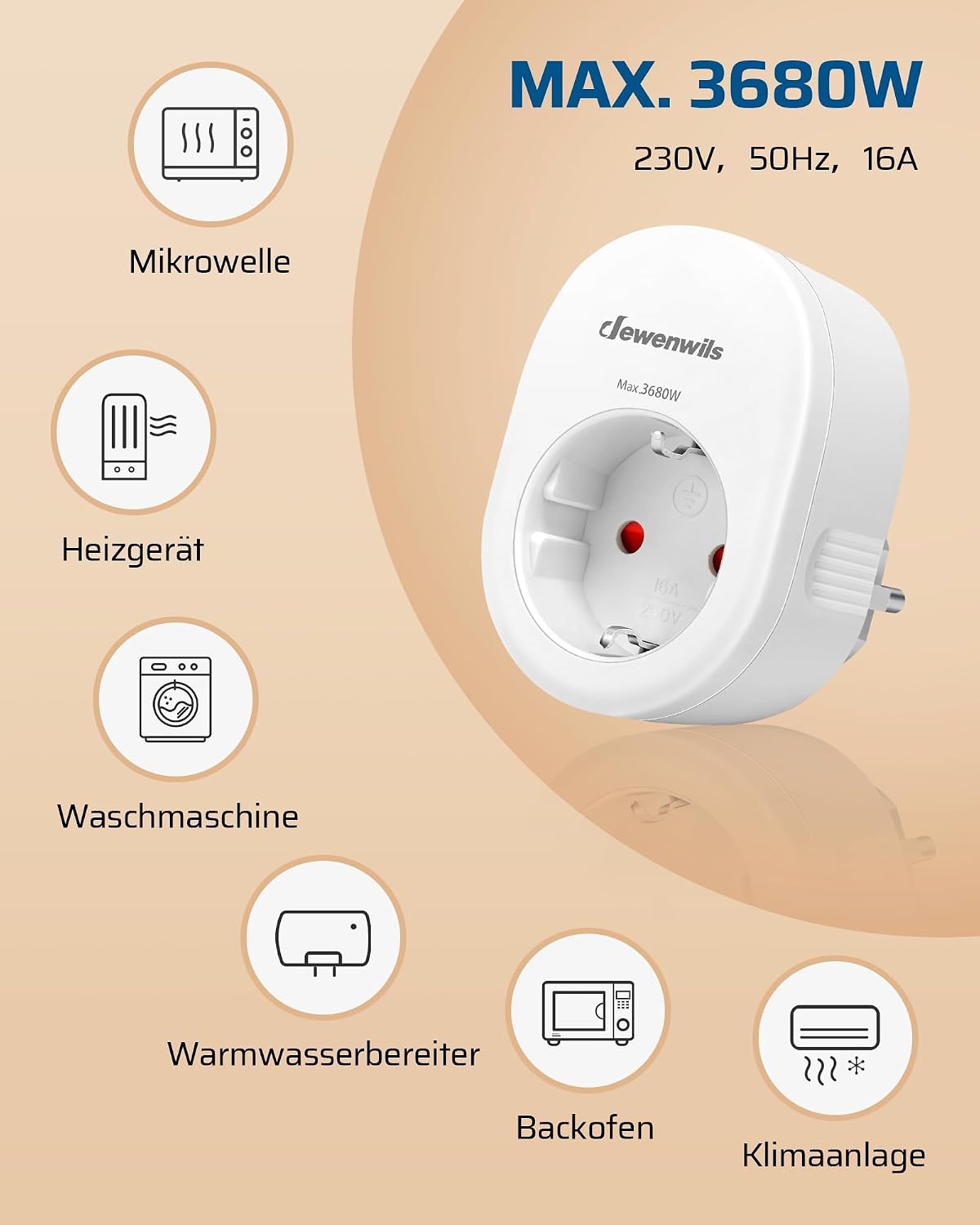
Illustration of the 3680W maximum load capacity (230V, 50Hz, 16A) and examples of compatible appliances such as microwaves, heaters, washing machines, water heaters, ovens, and air conditioners.
Warranty and Support
This DEWENWILS product includes a one-year limited warranty from the date of purchase. For warranty claims or technical support, please contact DEWENWILS customer service through their official website or the retailer where the product was purchased. Please have your model number (BHC1805G-RF-16A) and proof of purchase ready.