
Introduction
Thank you for purchasing the Sencor SWK 1080SS Glass Kettle. This manual provides important information regarding the safe operation, use, and maintenance of your new appliance. Please read it thoroughly before first use and keep it for future reference.
Important Safety Instructions
- Read all instructions before using the kettle.
- Do not immerse the kettle, power base, cord, or plug in water or other liquids.
- This appliance is not intended for use by persons (including children) with reduced physical, sensory or mental capabilities, or lack of experience and knowledge, unless they have been given supervision or instruction concerning use of the appliance by a person responsible for their safety.
- Children should be supervised to ensure that they do not play with the appliance.
- Always place the kettle on a firm, flat, heat-resistant surface.
- Do not operate the kettle if the cord or plug is damaged, or if the kettle malfunctions or has been damaged in any manner.
- Unplug from outlet when not in use and before cleaning. Allow to cool before putting on or taking off parts, and before cleaning the appliance.
- Do not fill above the MAX line or below the MIN line indicated on the kettle.
- Use only cold water for boiling.
- Avoid contact with steam from the spout when water is boiling or just after it has boiled.
- The kettle must only be used with the stand provided.
Product Overview
The Sencor SWK 1080SS is a glass kettle with a 1-liter capacity, 2200W power, and electronic temperature control. It features an inner LED light and a removable tea infuser.
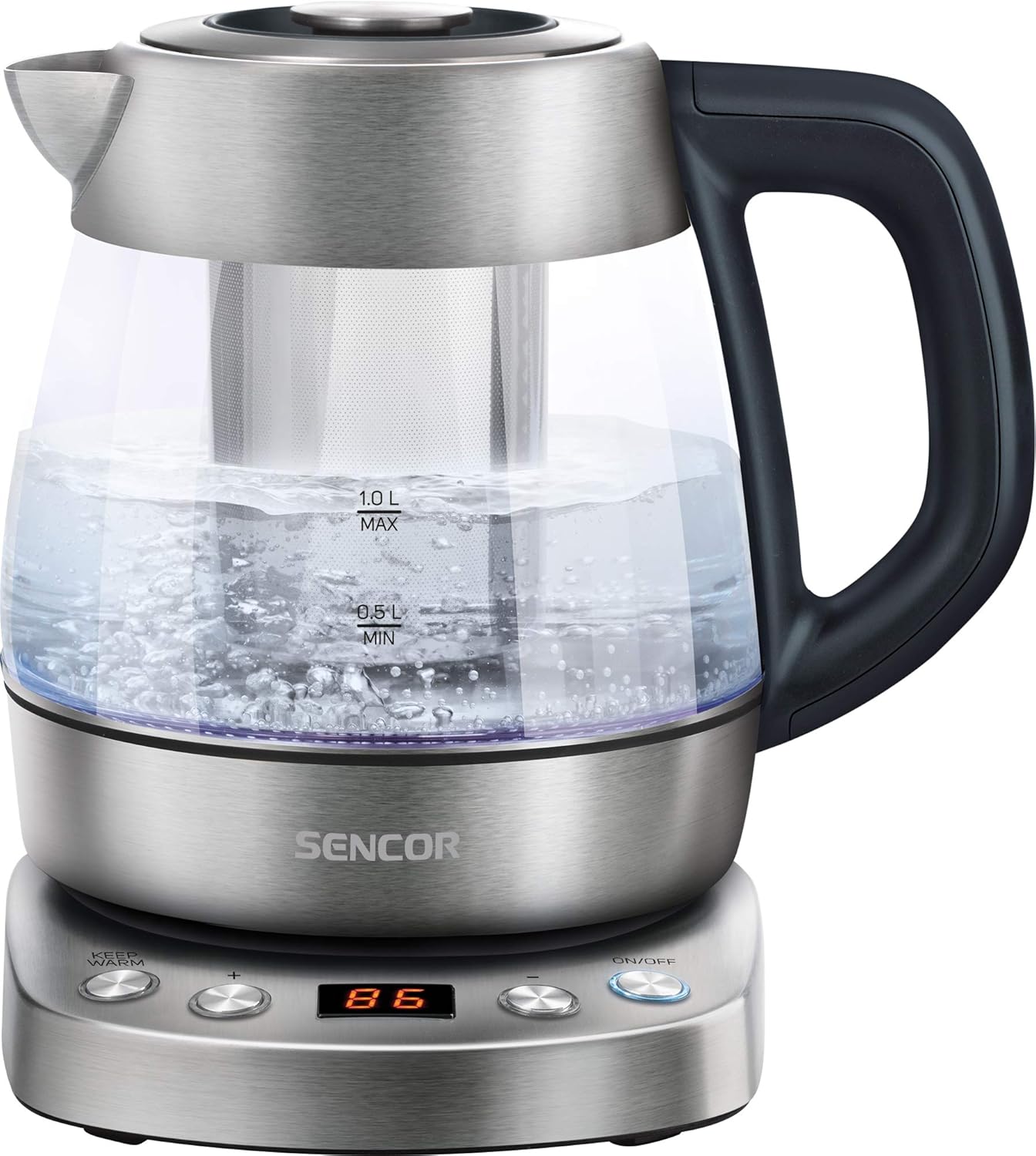
Image: The Sencor SWK 1080SS glass kettle on its power base, filled with boiling water. The capacity markings (0.5L MIN, 1.0L MAX) are visible on the glass body. The control panel on the base is illuminated.
Components:
- Glass Kettle Body with Capacity Markings
- Lid with Release Button
- Spout
- Handle
- Power Base with Control Panel
- Removable Stainless Steel Tea Infuser
- Inner LED Light

Image: The Sencor SWK 1080SS glass kettle with the stainless steel tea infuser inserted into the center of the kettle. The kettle is empty, showing the infuser's perforated design.

Image: A close-up view of the control panel on the kettle's power base. Buttons for "KEEP WARM", "+", "-", and "ON/OFF" are visible, along with a digital display showing "100".
Setup and First Use
- Unpacking: Carefully remove the kettle and all accessories from the packaging. Retain the packaging for future storage or disposal.
- Initial Cleaning: Before first use, fill the kettle with clean water up to the MAX line. Boil the water, then discard it. Repeat this process 2-3 times to remove any manufacturing residues.
- Placement: Place the power base on a stable, flat, heat-resistant surface, away from the edge of the countertop. Ensure the power cord is not dangling.
- Power Connection: Plug the power cord into a grounded electrical outlet.
Operating Instructions
1. Boiling Water:
- Open the lid and fill the kettle with fresh cold water. Do not fill below the MIN (0.5L) mark or above the MAX (1.0L) mark.
- Close the lid securely.
- Place the kettle firmly on the power base.
- Press the ON/OFF button. The kettle will start heating, and the LED light will illuminate.
- The kettle will automatically switch off once the water reaches boiling point (100°C).
2. Temperature Control (60°C - 100°C):
The kettle allows you to select specific temperatures for different beverages.

Image: The Sencor SWK 1080SS kettle on its base, with multiple smaller images illustrating different temperature settings (60°C, 70°C, 80°C, 90°C, 100°C) and their corresponding LED colors or display readings.
- Fill the kettle with water as described above.
- Place the kettle on the power base.
- Press the ON/OFF button.
- Use the + and - buttons to select your desired temperature (60°C, 70°C, 80°C, 90°C, or 100°C). The selected temperature will be displayed.
- The kettle will heat the water to the chosen temperature and then automatically switch off.
3. Keep Warm Function:
After selecting a temperature and starting the heating process, you can activate the Keep Warm function.
- After setting the desired temperature and pressing ON/OFF, press the KEEP WARM button.
- The kettle will heat the water to the selected temperature and then maintain that temperature for a certain period (refer to product specifications for exact duration, typically 30 minutes).
- To deactivate, press ON/OFF again or remove the kettle from the base.
4. Using the Tea Infuser:
The removable tea infuser allows you to brew loose leaf tea directly in the kettle.
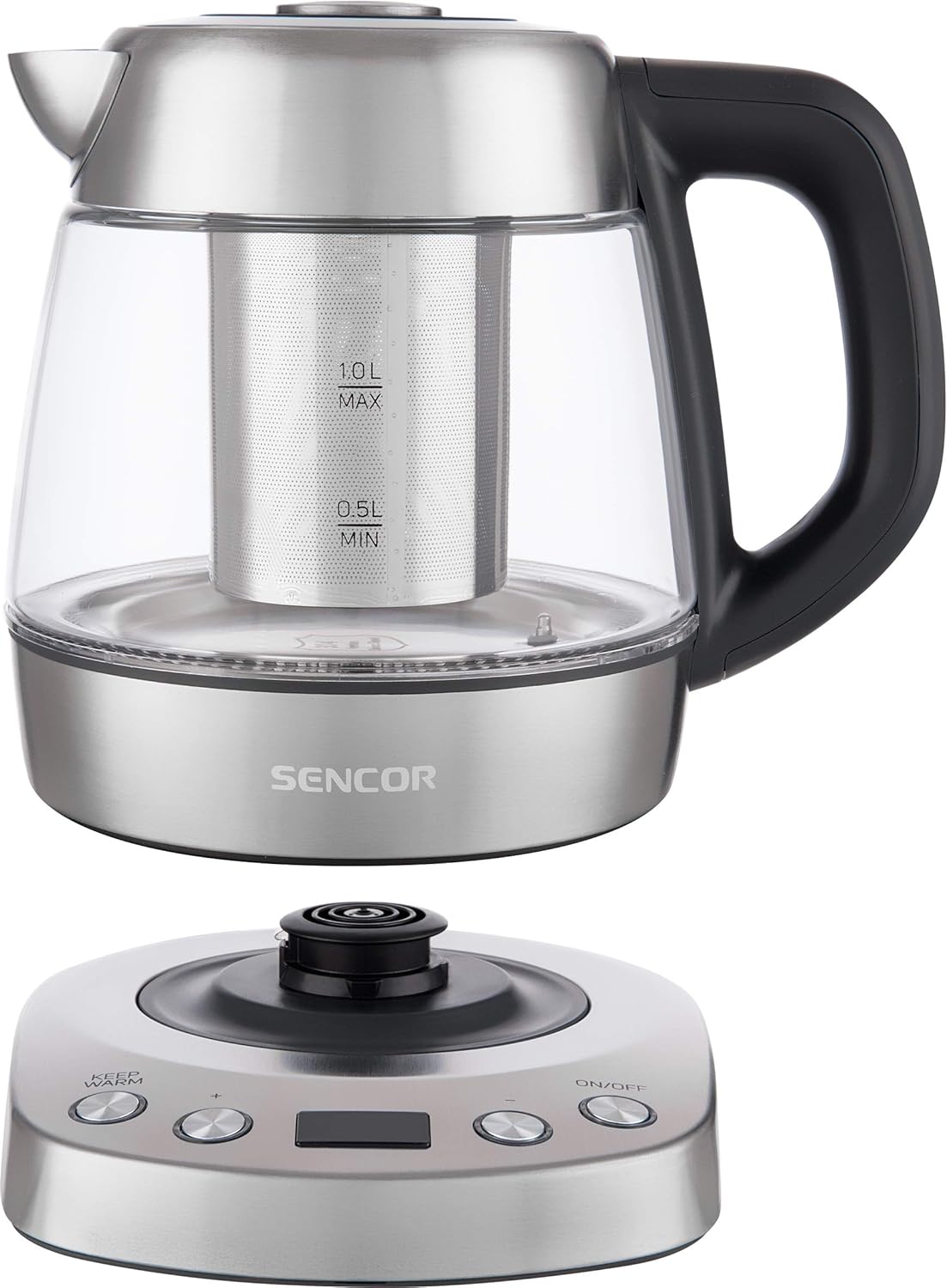
Image: A person's hand is shown adding loose leaf tea from a spoon into the stainless steel infuser, which is placed inside the Sencor glass kettle on its power base.
- Ensure the kettle is unplugged and cool.
- Remove the lid and carefully insert the tea infuser into the kettle.
- Add your desired amount of loose leaf tea into the infuser.
- Fill the kettle with water to the appropriate level for your tea type.
- Close the lid.
- Place the kettle on the power base and select the appropriate temperature for your tea (e.g., 80°C for green tea, 90°C for black tea).
- Once the water reaches the set temperature, allow the tea to steep for the recommended time.
- Carefully remove the infuser using its handle to prevent over-steeping. Be cautious of hot steam.
Maintenance and Cleaning
Regular cleaning and maintenance will prolong the life of your kettle.

Image: The stainless steel tea infuser and its separate lid are displayed next to a small pile of loose leaf tea, illustrating the removable components for cleaning or use.
1. Exterior Cleaning:
- Always unplug the kettle and allow it to cool completely before cleaning.
- Wipe the exterior of the kettle and the power base with a soft, damp cloth.
- Do not use abrasive cleaners, scouring pads, or harsh chemicals, as these can damage the finish.
- Ensure no water enters the electrical components of the power base.
2. Descaling:
Mineral deposits (limescale) can build up inside the kettle, especially in hard water areas. Descale regularly to maintain performance.
- Fill the kettle with a mixture of white vinegar and water (1:2 ratio) or a commercial descaling solution according to its instructions.
- Bring the mixture to a boil and let it stand for at least 30 minutes, or longer if scale is heavy.
- Empty the kettle and rinse thoroughly with fresh water several times.
- If necessary, repeat the process.
3. Cleaning the Tea Infuser:
- Remove the infuser from the kettle.
- Rinse it under running water to remove tea leaves.
- For thorough cleaning, use a small brush to clean the mesh.
- The infuser is typically dishwasher safe, but hand washing is recommended to preserve its finish.
Troubleshooting
| Problem | Possible Cause | Solution |
|---|---|---|
| Kettle does not heat up. |
|
|
| Kettle switches off before boiling. |
|
|
| Water has an unusual taste or odor. |
|
|
Specifications

Image: A diagram showing the Sencor SWK 1080SS kettle with its dimensions: 24.21 cm (depth), 22.1 cm (width), and 21.21 cm (height).
| Feature | Detail |
|---|---|
| Brand | SENCOR |
| Model Number | SWK 1080SS |
| Capacity | 1 Litre |
| Power / Wattage | 2200 Watts |
| Voltage | 220 Volts |
| Material | Stainless Steel, Glass |
| Product Dimensions | 24.2 x 22.1 x 21.2 cm |
| Item Weight | 1.37 kg (1366 Grams) |
| Special Features | Rapid Boil, Variable Temperature Control (60-100°C), Keep Warm Function, Inner LED Light, Removable Tea Infuser |
Warranty and Support
SENCOR products are manufactured to the highest quality standards. For information regarding warranty terms and conditions, please refer to the warranty card included with your purchase or visit the official SENCOR website.
For technical support, spare parts, or service inquiries, please contact your local SENCOR distributor or authorized service center. Contact details can typically be found on the SENCOR website or in your product documentation.
When contacting support, please have your product model number (SWK 1080SS) and purchase date available.


