
BioLite Charge 80 PD (CBC0100)
BioLite Charge 80 PD Portable Power Bank User Manual
Model: Charge 80 PD (CBC0100)
1. Product Overview
The BioLite Charge 80 PD is a high-capacity portable power bank designed to provide reliable power for your electronic devices on the go. With a 20,000 mAh battery, it features both USB-C Power Delivery (PD) for fast charging and two USB-A outputs, allowing you to charge multiple devices simultaneously. Its compact and durable design makes it ideal for travel and outdoor adventures.

Image: BioLite Charge 80 PD portable power bank, showcasing its compact design and port layout.
Package Contents:
- BioLite Charge 80 PD Power Bank
- USB-A to USB-C Charge Cable
- Instruction Manual
Key Components:

Image: Diagram illustrating the key components of the BioLite Charge 80 PD, including the USB-C port, USB-A ports, battery life indicator button, and LED indicators.
- 18W USB-C Charge In/Out Port
- (2) 3.0 USB-A Charge Out Ports
- Battery Life Indicator Button
- Battery Life Indicator LEDs
- 20,000 mAh Li-ion Battery
2. Getting Started (Setup)
Before first use, it is recommended to fully charge your BioLite Charge 80 PD power bank.
Initial Charging:
- Connect the included USB-A to USB-C cable to the USB-C In/Out port (1) on the Charge 80 PD.
- Connect the other end of the cable (USB-A) to a compatible USB wall adapter (not included) or a computer USB port. For fastest charging, use an 18W USB-C Power Delivery adapter.
- The Battery Life Indicator LEDs (4) will illuminate to show charging progress. A full charge typically takes approximately 5 hours.
- Once all four LEDs are solid, the power bank is fully charged and ready for use.
3. Operation
Charging External Devices:
The Charge 80 PD can charge up to three devices simultaneously using its USB-C and two USB-A ports.
- Connect your device's charging cable to one of the available output ports on the Charge 80 PD (USB-C In/Out port (1) or USB-A Charge Out Ports (2)).
- Connect the other end of the cable to your electronic device (e.g., smartphone, tablet, laptop, headlamp).
- Charging should begin automatically. If not, press the Battery Life Indicator Button (3) to initiate charging.
- The power bank will automatically stop charging when your device is fully charged or when the power bank's battery is depleted.
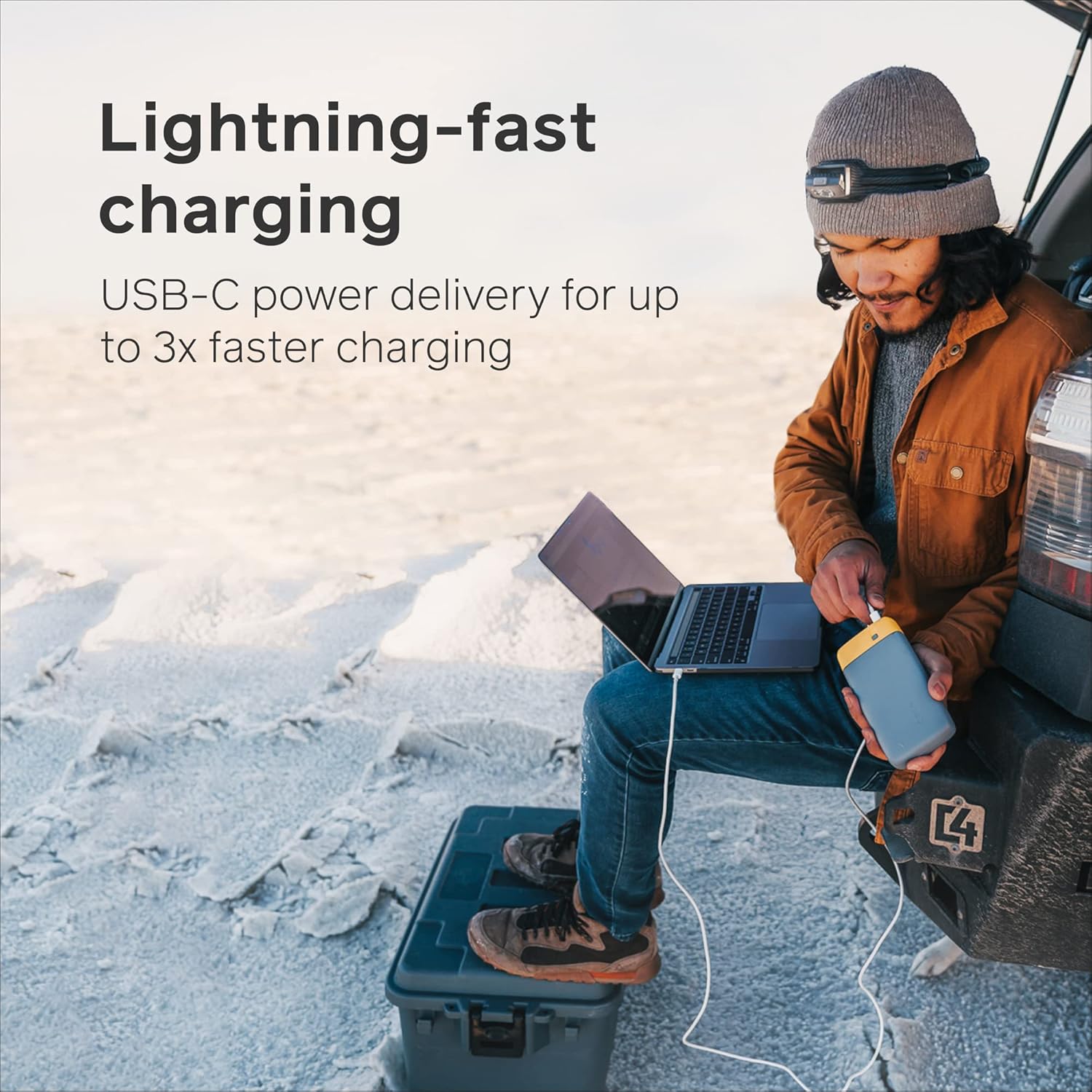
Image: A person charging a laptop using the BioLite Charge 80 PD, demonstrating its lightning-fast USB-C power delivery.

Image: The BioLite Charge 80 PD connected to and charging a smartphone, highlighting its capability for multiple smartphone charges.

Image: The BioLite Charge 80 PD simultaneously charging multiple devices, including a smartphone and a camera stabilizer, showcasing its versatility.
Checking Battery Level:
To check the remaining battery charge of the Charge 80 PD, press the Battery Life Indicator Button (3). The Battery Life Indicator LEDs (4) will illuminate to show the current charge level:
- 4 LEDs: 75-100% charge
- 3 LEDs: 50-75% charge
- 2 LEDs: 25-50% charge
- 1 LED: 0-25% charge (recharge soon)
4. Care and Maintenance
- Storage: Store the power bank in a cool, dry place away from direct sunlight and extreme temperatures.
- Cleaning: Wipe the exterior with a soft, dry cloth. Do not use harsh chemicals or abrasive materials.
- Avoid Drops: While durable, avoid dropping the power bank or subjecting it to severe impacts.
- Water Exposure: This device is not waterproof. Avoid exposure to water or high humidity.
- Regular Use: For optimal battery health, it is recommended to fully charge and discharge the power bank at least once every three months if not in regular use.
5. Troubleshooting
| Problem | Possible Cause | Solution |
|---|---|---|
| Power bank not charging | Charging cable is faulty or not properly connected. Wall adapter is not providing enough power. | Ensure cable is securely connected. Try a different USB-C cable or a different wall adapter (preferably 18W PD compatible). |
| Device not charging from power bank | Device cable is faulty or not properly connected. Power bank battery is depleted. Device requires more power than available. | Ensure cable is securely connected. Press the Battery Life Indicator Button to activate charging. Recharge the power bank if LEDs indicate low battery. Ensure your device is compatible with the power bank's output. |
| LEDs not lighting up | Battery is completely depleted. Button not pressed firmly. | Connect the power bank to a power source for charging. Press the Battery Life Indicator Button firmly. |
6. Specifications
| Feature | Detail |
|---|---|
| Model Number | CBC0100 |
| Battery Capacity | 20,000 mAh (74 Wh) |
| Input (USB-C PD) | 18W USB-C PD |
| Output 1 (USB-C PD) | 18W USB-C PD |
| Output 2 (USB-A) | 3.0 USB-A |
| Output 3 (USB-A) | 3.0 USB-A |
| Dimensions | 7.09 x 1.18 x 3.54 inches (180 x 30 x 90 mm) |
| Weight | 1.03 pounds (467 grams) |
| Battery Type | Lithium-Ion |
| Charge Time (Full) | Approx. 5 hours (with 18W PD input) |
| FAA Carry-on Compliant | Yes |
7. Warranty and Support
Warranty Information:
BioLite products are typically covered by a limited warranty against defects in materials and workmanship. Please refer to the warranty card included with your product or visit the official BioLite website for the most current and detailed warranty terms and conditions.
Customer Support:
For technical assistance, troubleshooting not covered in this manual, or warranty claims, please contact BioLite customer support:
- Website: www.bioliteenergy.com
- Support Page: Look for a 'Support' or 'Contact Us' section on the website for FAQs, troubleshooting guides, and contact forms.
Please retain your proof of purchase for warranty purposes.
Related documentsCharge 80 PD (CBC0100)


Ask a question about this manual
Ask about setup, troubleshooting, compatibility, parts, safety, or missing instructions. Manuals+ will review the question and use this page’s manual context to help answer it.