
1. Introduction
The INIU 60W Total USB C PD & QC 3.0 Fast Charging Car Charger (Model CI-710) is designed to provide efficient and rapid charging for your mobile devices while on the go. Featuring both a USB-C Power Delivery (PD) port and a USB-A Quick Charge (QC 3.0) port, this compact charger delivers a total output of 60W, ensuring your devices are powered quickly and reliably. It is engineered for safety and durability, offering a secure and stable charging experience in various vehicle types.

Image 1: Front view of the INIU 60W Car Charger, highlighting the USB-C PD and USB-A QC 3.0 ports.
2. Setup
Follow these steps to set up your INIU Car Charger:
- Locate your vehicle's 12V cigarette lighter socket. This is typically found in the dashboard or center console.
- Insert the INIU Car Charger firmly into the 12V socket. Ensure it is fully seated for a stable connection. The charger's indicator light will illuminate, confirming it is powered on.
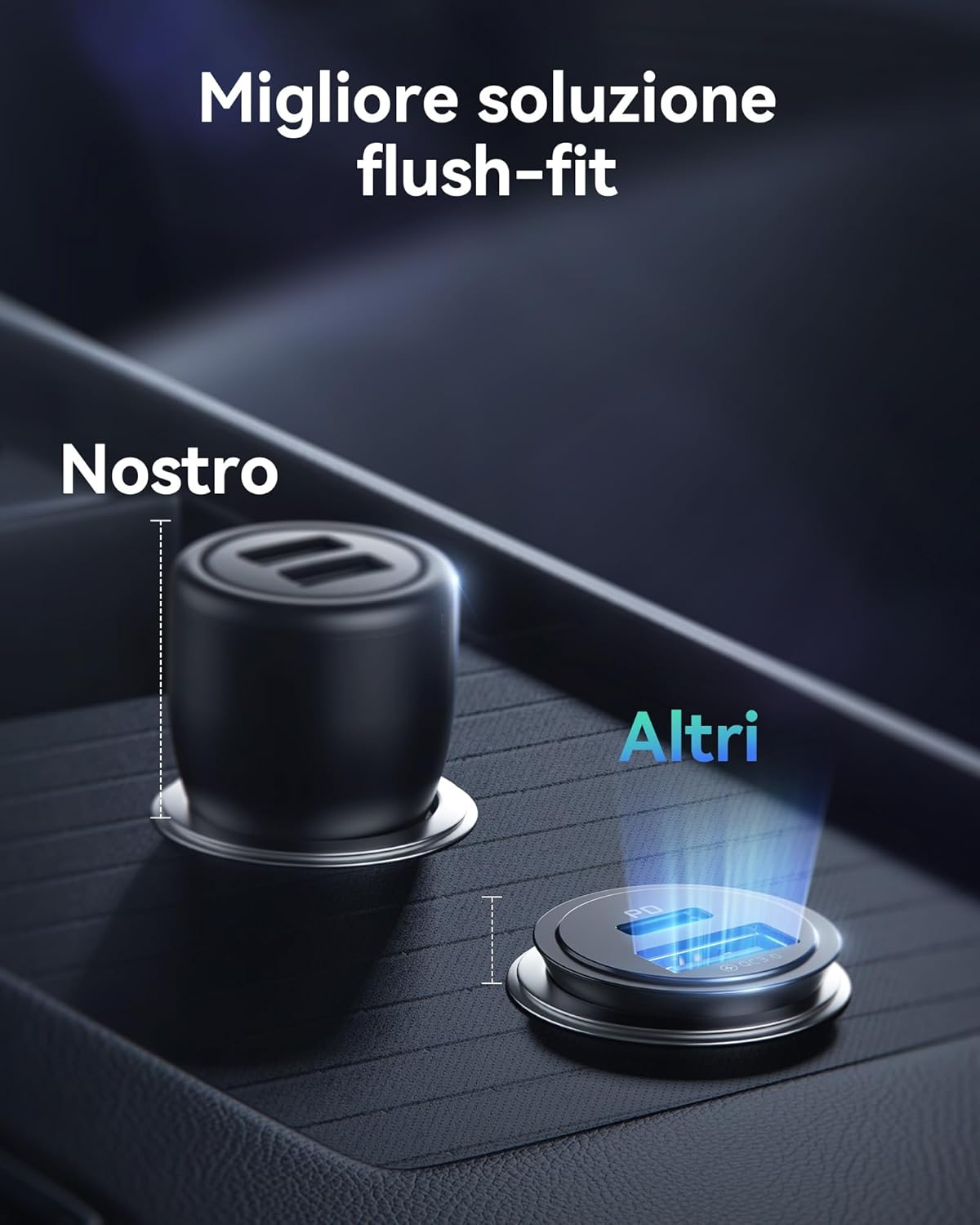
Image 2: The compact INIU car charger installed in a vehicle's 12V socket, demonstrating its flush-fit design.
3. Operating Instructions
Using your INIU Car Charger to power your devices is straightforward:
- Connect your device's charging cable to the appropriate port on the car charger.
- For devices compatible with USB Power Delivery (PD), use the USB-C port. This port provides up to 30W output for rapid charging.
- For devices compatible with Quick Charge (QC 3.0) or standard USB charging, use the USB-A port. This port also provides up to 30W output.
- The charger can simultaneously charge two devices. The total output is 60W, with each port capable of delivering up to 30W independently for efficient dual-device charging.

Image 3: Illustration of the charger's dual-port output, showing 30W from USB-C PD and 30W from USB-A QC 3.0.

Image 4: The INIU car charger simultaneously charging a smartphone and a tablet in a car interior.
4. Compatibility
The INIU CI-710 Car Charger is compatible with a wide range of devices, including but not limited to:
- Smartphones: iPhone 17, 16, 15, 14, 13, 12 Pro Max/Pro/Plus/Mini/SE/11/XS/XR/X/8/8 Plus, Samsung Galaxy S25, S24, S23 Ultra/S21/S20/S10/S9/S8, Note 20/10/9/8, Google Pixel, Huawei, LG, and other Android phones.
- Tablets: iPad Pro, iPad Air, iPad Mini, and other USB-C compatible tablets.
- Other Devices: Dash Cams, GPS devices, Nintendo Switch, Steam Deck, Smartwatches, AirPods, and other USB-powered accessories.

Image 5: Visual representation of the charger's broad compatibility with various electronic devices.
5. Maintenance
To ensure the longevity and optimal performance of your INIU Car Charger, please observe the following maintenance guidelines:
- Keep the charger dry and away from moisture. Avoid exposure to rain or excessive humidity.
- Clean the charging ports periodically with a dry, soft cloth or a cotton swab to prevent dust and debris buildup, which can affect connectivity.
- Avoid exposing the charger to extreme temperatures, both hot and cold, as this can damage internal components.
- Do not attempt to disassemble or modify the charger. This will void the warranty and may pose a safety risk.
6. Troubleshooting
If you encounter issues with your INIU Car Charger, refer to the following common troubleshooting steps:
- Charger not powering on:
- Ensure the charger is fully and securely inserted into the vehicle's 12V cigarette lighter socket.
- Check the vehicle's fuse for the cigarette lighter socket. If the fuse is blown, it will need to be replaced.
- Test the charger in a different vehicle or 12V socket if available, to rule out an issue with the vehicle's power source.
- Device not charging or charging slowly:
- Verify that your charging cable is functional and properly connected to both the charger and your device. Try a different cable if possible.
- Ensure your device supports the fast charging protocols (Power Delivery for USB-C or Quick Charge 3.0 for USB-A) for optimal charging speed. Some devices may charge at standard speeds if not compatible.
- If charging two devices simultaneously, the total 60W power is shared. While each port can deliver up to 30W, the combined load might affect individual charging speeds if both devices demand high power.
- Clean the charging ports on both the charger and your device to ensure good contact.
7. Specifications
| Feature | Specification |
|---|---|
| Brand | INIU |
| Model | CI-710 |
| Product Dimensions | 4.55 x 2.55 x 2.07 cm |
| Weight | 20 grams |
| Input Voltage | 32 Volts |
| Total USB Ports | 2 |
| USB-C Output | Up to 30W (Power Delivery) |
| USB-A Output | Up to 30W (Quick Charge 3.0) |
| Total Output | 60W Max |
| Material | Plastic |
| Color | Black |
8. Warranty and Support
The INIU 60W Car Charger (Model CI-710) comes with a 12-year warranty, reflecting the manufacturer's commitment to quality and durability. This warranty covers manufacturing defects and ensures long-term reliability.
For technical support, warranty claims, or any product-related inquiries, please contact INIU customer service through their official website or the retailer where the product was purchased. Please have your purchase details and product model number (CI-710) ready when contacting support.

Image 6: The product packaging, including the charger and a welcome guide, indicating the warranty period.


