
1. Introduction
Thank you for choosing the WOBANE CL15 Hand Wave Activated Under Cabinet Light Bar. This LED light bar is designed to provide bright, dimmable illumination for various indoor spaces such as kitchens, shelves, cupboards, closets, workbenches, and cabinets. Its hand wave activation feature offers convenient, touch-free operation, and the aluminum construction ensures durability and efficient heat dissipation.
Key features include:
- Hands-free and Dimming Function: Control the light with a simple hand wave. Wave once to turn ON/OFF, and hold your hand above the sensor to dim the brightness from 8% to 100%.
- Super Bright Illumination: Delivers 280 lumens with a 6000K white pure glow, ensuring a bright and comfortable lighting area.
- Easy Installation: Offers two installation methods: screws for rough wood surfaces or strong adhesive tapes for smooth surfaces.
- Energy Saving: Low 5-wattage consumption for efficient lighting.
- Reliable Construction: Features an aluminum housing and a quality adapter for good heat dissipation and extended lifespan.
2. What's in the Box
Please ensure all components are present before proceeding with installation.
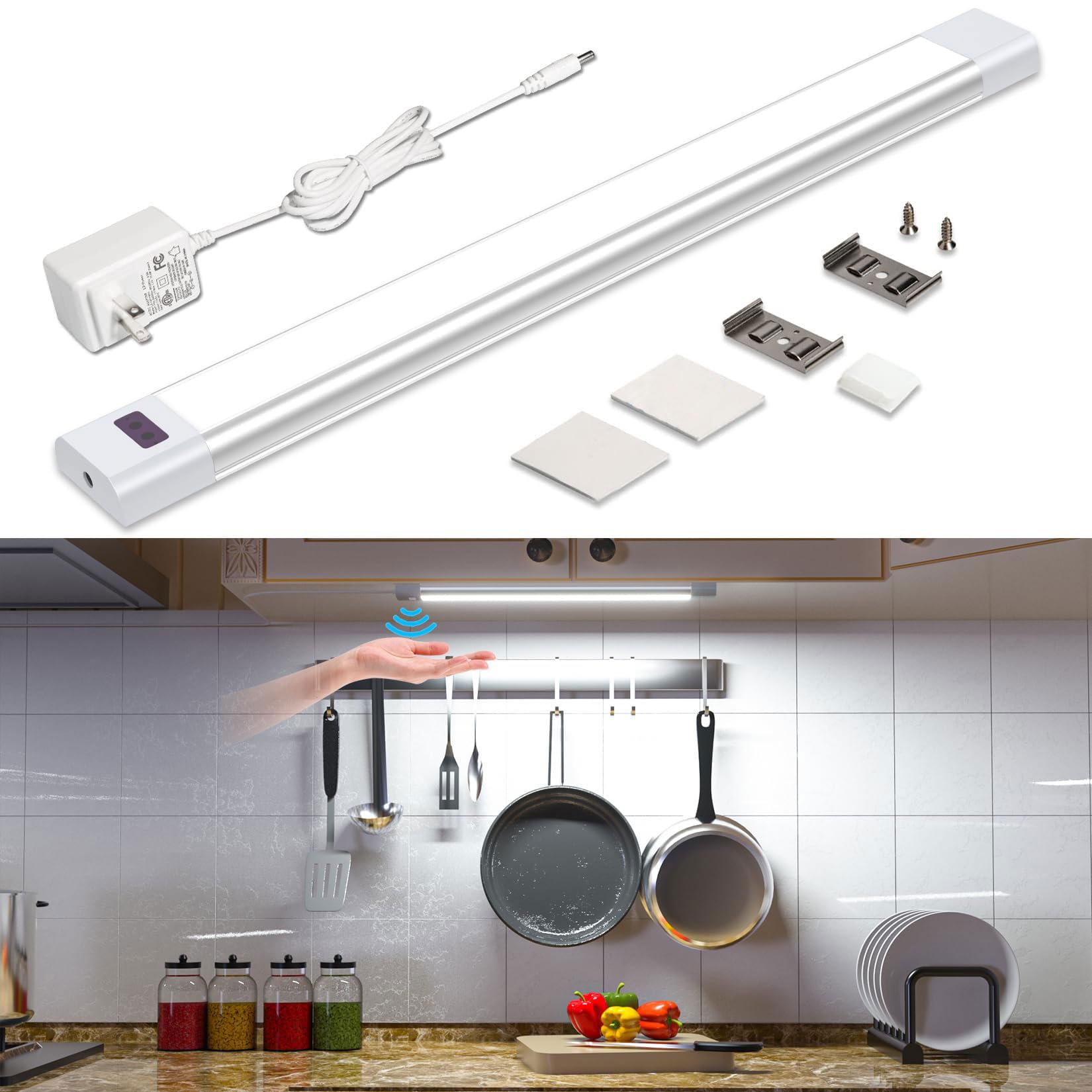
- WOBANE CL15 LED Light Bar
- AC Adapter (1.5m power cable)
- Mounting Screws
- Adhesive Tapes (3M)
- Mounting Brackets (Clips)
3. Setup and Installation
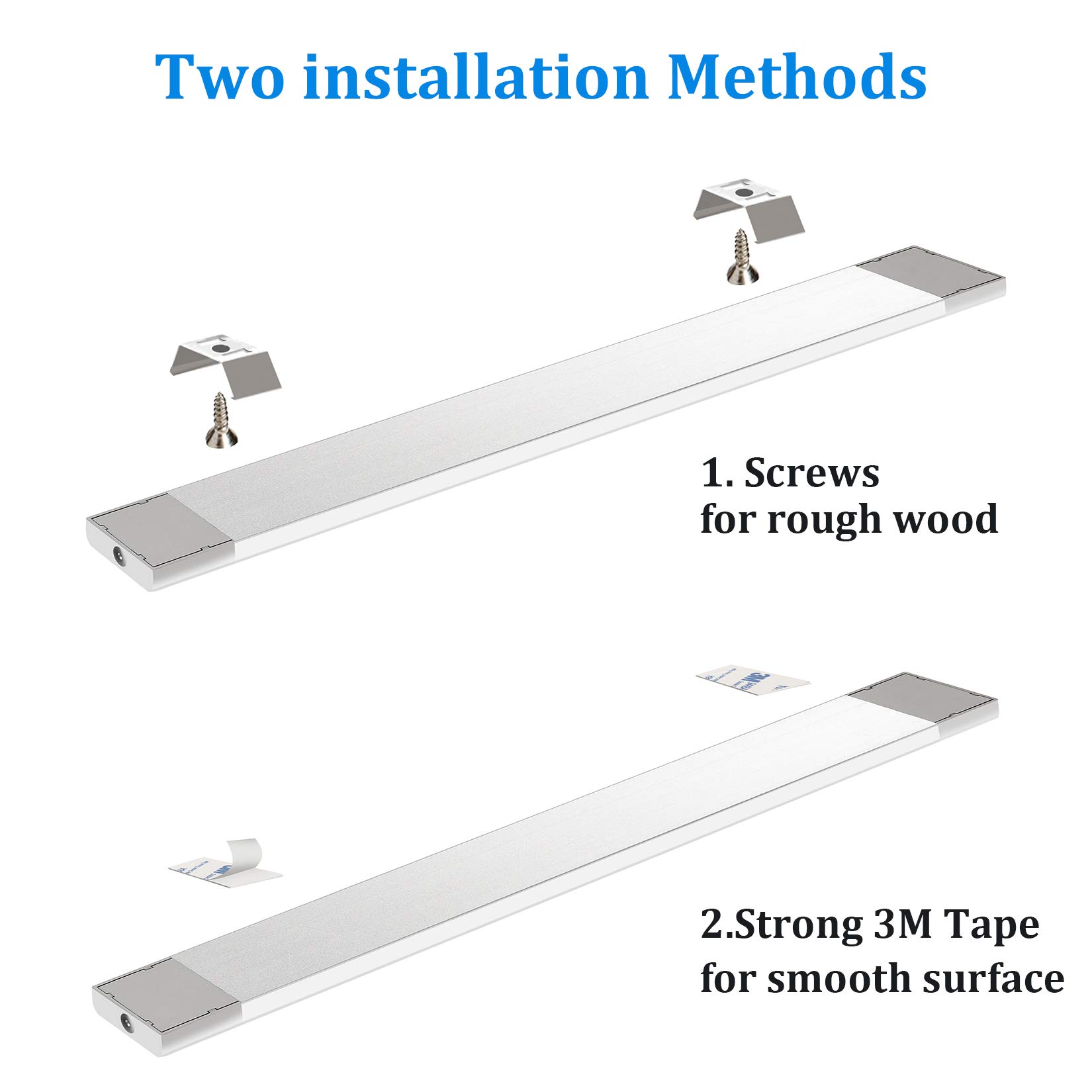
The WOBANE CL15 offers two primary installation methods: adhesive tape for smooth surfaces and screws for more permanent mounting on rough wood.
3.1. Adhesive Tape Installation (for smooth surfaces)
- Clean the Surface: Ensure the mounting surface is clean, dry, and free of dust or grease for optimal adhesion.
- Attach Adhesive Tapes: Peel off the protective backing from the 3M adhesive tapes and firmly press them onto the back of the light bar, typically near the ends.
- Mount the Light Bar: Peel off the remaining backing from the adhesive tapes on the light bar. Carefully align the light bar with your desired mounting location and press firmly for at least 30 seconds to secure it.
3.2. Screw Installation (for rough wood surfaces or permanent mounting)
- Mark Mounting Points: Hold the light bar in the desired position and mark the locations for the mounting brackets.
- Install Brackets: Use the provided screws to attach the mounting brackets to the marked points. Ensure the brackets are securely fastened.
- Attach Light Bar: Snap the light bar into the installed mounting brackets. Ensure it is securely seated.
3.3. Power Connection
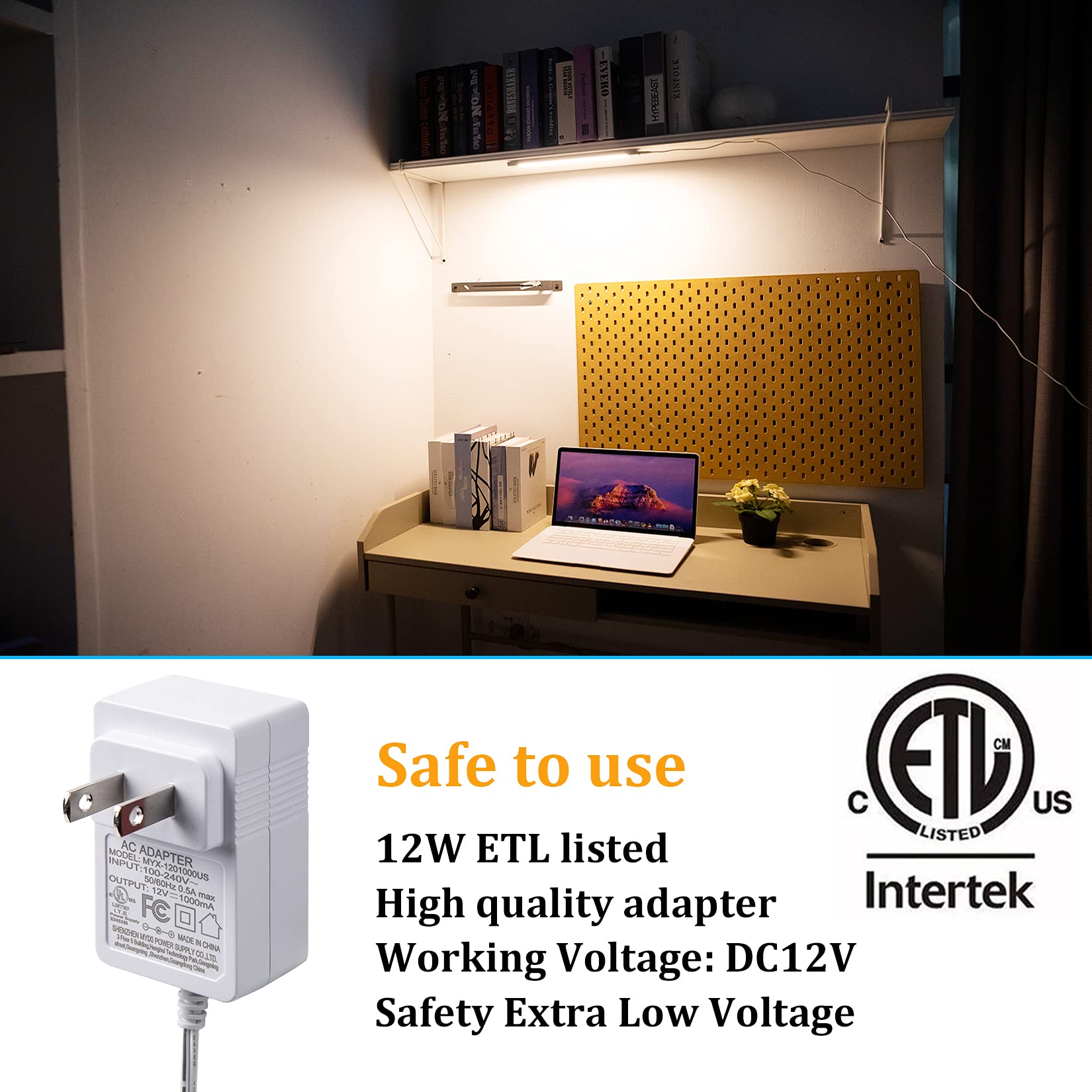
- Connect Power Cable: Plug the power cable from the AC adapter into either end of the light bar. The light bar is designed to be powered from both ends for flexibility.
- Plug into Outlet: Plug the AC adapter into a standard wall outlet.
4. Operating Instructions
The WOBANE CL15 features an intelligent IR sensor for hands-free operation.
4.1. Turning On/Off
- To Turn ON: Wave your hand once under the sensor (located on the light bar).
- To Turn OFF: Wave your hand once again under the sensor.
4.2. Dimming the Light
- To Dim: With the light ON, hold your hand steadily under the sensor. The brightness will gradually adjust between 8% and 100%. Release your hand when the desired brightness level is reached.


5. Maintenance
To ensure the longevity and optimal performance of your WOBANE CL15 light bar, follow these simple maintenance guidelines:
- Cleaning: Gently wipe the light bar with a soft, dry cloth. Avoid using abrasive cleaners, solvents, or harsh chemicals, as these can damage the finish or electronic components.
- Sensor Care: Keep the hand wave sensor area clean and unobstructed to ensure proper functionality. Dust or debris on the sensor may affect its responsiveness.
- Power Disconnection: Always unplug the light bar from the power outlet before cleaning or performing any maintenance.
- Avoid Water Exposure: This product is designed for indoor use and is not water-resistant. Avoid exposing it to water or high humidity.
6. Troubleshooting
If you encounter any issues with your WOBANE CL15 light bar, please refer to the following troubleshooting tips:
- Light Does Not Turn On:
- Ensure the AC adapter is securely plugged into both the light bar and a working wall outlet.
- Check if the power outlet is functional by plugging in another device.
- Hand Wave Sensor Not Responding:
- Ensure there are no obstructions directly in front of or above the sensor.
- Try waving your hand slowly and steadily within 1-2 inches of the sensor.
- Clean the sensor area to remove any dust or smudges.
- Light Flickers or Dims Unexpectedly:
- This could be due to interference with the sensor. Ensure no objects are constantly moving near the sensor.
- Check for stable power supply.
- Light is Not Bright Enough:
- Use the dimming function (hold hand under sensor) to increase brightness to 100%.
If these steps do not resolve the issue, please contact WOBANE customer support for further assistance.
7. Specifications
| Feature | Specification |
|---|---|
| Brand | WOBANE |
| Model Name | CL15 |
| Color | Sliver&White (6000K) |
| Material | Aluminum |
| Product Dimensions | 12"L x 1.2"W x 0.39"H |
| Item Weight | 5.3 ounces (150 Grams) |
| Power Source | AC Adapter |
| Wattage | 5 watts |
| Voltage | 240 Volts (Input to adapter) |
| Light Source Type | LED |
| Light Color | 6000K White |
| Brightness | 280 Lumens |
| Color Rendering Index (CRI) | 83.00 |
| Control Method | Hand Wave Sensor |
| Special Features | Dimmable, Energy Efficient, Lightweight, Low Voltage |
| Installation Type | Hardware Mount, Adhesive Mount |
| Indoor/Outdoor Usage | Indoor |
8. Warranty and Support
WOBANE is committed to providing high-quality products and customer satisfaction. For any warranty claims, technical support, or inquiries regarding your CL15 Hand Wave Activated Under Cabinet Light Bar, please contact WOBANE customer service through the retailer's platform or the official WOBANE website.
Please retain your proof of purchase for warranty purposes.