
Introduction
Thank you for choosing the INIU BI-B61 10000mAh 22.5W Fast Charging Power Bank. This portable charger is designed to provide efficient and reliable power for your mobile devices. This manual provides essential information on how to set up, operate, maintain, and troubleshoot your power bank to ensure optimal performance and longevity.
Safety Information
Please read all safety instructions carefully before using this product. Failure to follow these instructions may result in fire, electric shock, product damage, or property damage.
- Do not expose the power bank to extreme temperatures (above 60°C/140°F or below 0°C/32°F).
- Avoid dropping, impacting, or disassembling the device.
- Keep the power bank away from water, moisture, and flammable materials.
- Do not use if the power bank is damaged, swollen, or leaking.
- Use only certified charging cables and adapters.
- Keep out of reach of children.
- Dispose of the power bank responsibly according to local regulations.
Package Contents
Verify that all items are present in your package:
- INIU BI-B61 10000mAh Power Bank
- USB-A to USB-C Charging Cable
- Travel Pouch
- Welcome Guide / User Manual

Image: Contents of the INIU Power Bank BI-B61 package.
Product Overview
The INIU BI-B61 Power Bank features multiple ports for versatile charging and a digital display for battery status.
Ports and Indicators
- USB-C In/Out Port (PD): Supports both input for charging the power bank and output for charging devices with Power Delivery (PD) up to 20W.
- OUT1 (USB-A): Output port for charging devices, up to 22.5W.
- OUT2 (USB-A): Output port for charging devices, up to 22.5W.
- Digital Display: Shows the remaining battery percentage of the power bank.
- Power Button: Activates the display and initiates charging.

Image: Close-up view of the INIU Power Bank's charging ports, including USB-C In/Out and two USB-A outputs.
Built-in Phone Holder
The power bank includes a retractable stand to conveniently hold your smartphone while it charges.
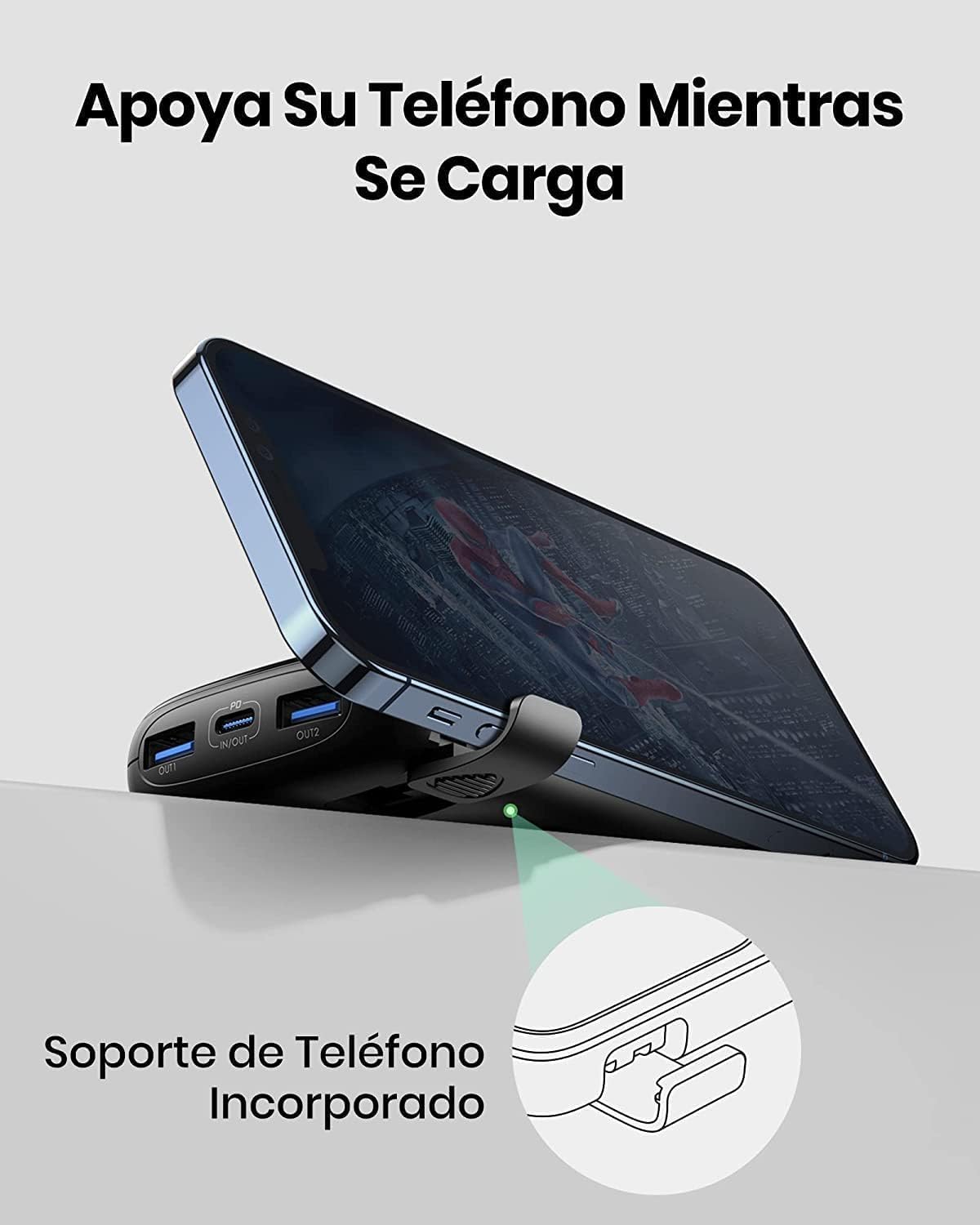
Image: The INIU Power Bank with its integrated phone holder extended, supporting a smartphone.
Setup
Initial Charging of the Power Bank
- Connect the provided USB-A to USB-C cable to the USB-C In/Out port on the power bank.
- Connect the other end of the cable to a compatible USB wall charger (not included).
- The digital display will show the charging progress. Charge the power bank until it reaches 100% for its first use.
- A full charge typically takes approximately 3 hours with a suitable fast charger.
Operating Instructions
Charging Your Devices
- Connect your device's charging cable to one of the power bank's output ports (USB-C, OUT1, or OUT2).
- Connect the other end of the cable to your device.
- The power bank will automatically begin charging your device. If not, press the power button once to activate charging.
- The digital display will show the power bank's remaining battery percentage.

Image: The INIU Power Bank fast charging a smartphone, illustrating its 22.5W capability.
Fast Charging Compatibility
The power bank supports various fast-charging protocols, including PD3.0 and QC4.0, to deliver up to 22.5W output. For optimal fast charging, ensure your device and charging cable are also fast-charge compatible.
Charging Multiple Devices
You can charge up to three devices simultaneously using the USB-C, OUT1, and OUT2 ports. The power output will be distributed among the connected devices.

Image: The INIU Power Bank charging three devices concurrently: a tablet, a smartphone, and wireless earbuds.
Checking Battery Level
Press the power button once to view the remaining battery percentage on the digital display.
Maintenance
Proper care ensures the longevity of your power bank.
- Cleaning: Wipe the surface with a soft, dry cloth. Do not use harsh chemicals or abrasive materials.
- Storage: Store the power bank in a cool, dry place away from direct sunlight and extreme temperatures. For long-term storage, charge the power bank to approximately 50-75% every three months to maintain battery health.
- Avoid Damage: Protect the ports from dust and debris. Do not expose to liquids.
Troubleshooting
If you encounter issues with your power bank, refer to the following common problems and solutions:
- Power bank not charging: Ensure the charging cable is securely connected to both the power bank's USB-C In/Out port and the wall charger. Try a different cable or wall charger.
- Device not charging from power bank: Ensure the power bank has sufficient charge. Press the power button to activate charging. Try a different output port or charging cable.
- Slow charging: Verify that your device and charging cable support fast charging. Some devices may limit charging speed if they are too hot or cold.
- Digital display not working: Press the power button. If it still doesn't light up, the power bank might be fully discharged or require service.
Specifications
| Model Name | BI-B61 |
| Battery Capacity | 10000 mAh |
| Output Power | Up to 22.5W (USB-A), 20W (USB-C PD) |
| Input Power | USB-C (PD) |
| Number of Ports | 3 (1x USB-C In/Out, 2x USB-A Out) |
| Battery Cell Type | Lithium Polymer |
| Battery Charge Time | Approx. 3 hours (with fast charger) |
| Item Weight | 195 Grams |
| Item Dimensions (L x W x T) | 4.15" x 0.94" x 2.6" |
| Special Features | Fast Charging, Digital Display, Built-in Phone Holder |
Warranty and Support
INIU provides an industry-leading 3-year warranty for this product, covering manufacturing defects and quality-related issues from the date of purchase.
For technical support, warranty claims, or any questions regarding your INIU Power Bank, please visit the official INIU website or contact their customer service directly. Refer to the contact information provided in your Welcome Guide or on the INIU brand store page.
Manufacturer: Shenzhen Topstar Industry Co.,Ltd.
For more information, visit the INIU Store on Amazon.


