
iCarsoft VOL V3.0
iCarsoft VOL V3.0 Diagnostic Tool User Manual
For Volvo and Saab Vehicles
1. Introduction
The iCarsoft VOL V3.0 is a professional multi-system car diagnostic tool designed for Volvo and Saab vehicles. It provides comprehensive system diagnostics, including reading and clearing trouble codes, live data streaming, and various special functions. This manual provides instructions for the proper use and maintenance of your diagnostic tool.
Key Features:
- Full system diagnosis for Volvo and Saab.
- Supports OBDII/EOBD functions for most 1996-2019 vehicles.
- Reads and clears Diagnostic Trouble Codes (DTCs).
- Live data stream in text and graph format.
- Actuation tests and special functions (e.g., oil service reset, EPB, BMS).
- Automatic Vehicle Identification (Auto VIN).
2. Safety Information
Always observe the following safety precautions when operating the iCarsoft VOL V3.0 diagnostic tool:
- Ensure the vehicle is parked on a level surface with the parking brake engaged.
- Do not wear loose clothing or jewelry when working near the engine.
- Keep a fire extinguisher suitable for gasoline/electrical fires nearby.
- Avoid contact with hot engine parts and moving components.
- Do not connect or disconnect the diagnostic tool while the ignition is on, unless specifically instructed.
- Always refer to the vehicle's service manual for specific procedures and warnings.
3. Setup and First Use
3.1 Package Contents
Verify that all items are present in the package:
- iCarsoft VOL V3.0 Diagnostic Tool
- Main OBD-II Cable
- PC Connecting Cable (USB)
- User's Manual
- TF Card (pre-installed or separate)
- Nylon Carry Case

Image: Contents of the iCarsoft VOL V3.0 package, showing the diagnostic tool, main cable, PC connecting cable, user manual, TF card, and nylon carry case.
3.2 Connecting to the Vehicle
- Locate the vehicle's 16-pin Data Link Connector (DLC). This is typically found under the dashboard on the driver's side.
- Ensure the vehicle's ignition is OFF.
- Connect the main OBD-II cable to the DLC port on the vehicle.
- Connect the other end of the main cable to the iCarsoft VOL V3.0 diagnostic tool.
- Turn the vehicle's ignition to the ON position (engine off). The tool will power on automatically.

Image: The iCarsoft VOL V3.0 diagnostic tool connected to a vehicle's OBD-II port, showing the device screen with a 'Monitor Overview' display.
4. Operating the Device
4.1 Device Layout and Navigation

Image: Front view of the iCarsoft VOL V3.0 diagnostic tool, highlighting the screen, F1/F2 function buttons, navigation arrows, ENTER, BACK, and '?' buttons.
The device features a color display, function buttons (F1, F2), navigation buttons (up, down, left, right), ENTER, BACK, and a help button (?). Use these buttons to navigate menus and select options.
4.2 Vehicle Identification
Upon connection, the tool will attempt to automatically identify the vehicle's VIN (Vehicle Identification Number). If Auto VIN is not supported or fails, you may need to manually select the vehicle model and year from the menu.

Image: A visual representation of alternative methods for vehicle identification, including manual VIN input and manual selection, for cases where auto-scan is not supported.
4.3 Diagnostic Functions
The iCarsoft VOL V3.0 offers comprehensive diagnostic capabilities:
- Quick Test: Performs a rapid scan of all available systems for fault codes.
- Full System Diagnosis: Allows selection of specific control modules (e.g., Engine, Transmission, ABS, Airbag) for in-depth diagnostics.
- Read Codes: Displays current, pending, and permanent Diagnostic Trouble Codes (DTCs) with descriptions.
- Clear Codes: Erases DTCs from the vehicle's control modules. Ensure the underlying issue is resolved before clearing codes.
- Live Data: Displays real-time sensor data. This can be viewed in text format or graphically.

Image: The iCarsoft VOL V3.0 screen showing a menu for 'All System Diagnostic', with options such as Engine System, Transmission System, ABS System, and SRS System.
4.4 Live Data Graphing
The tool can display live sensor data in a graphical format, allowing for easier analysis of parameter changes over time. Up to 118 selectable data parameters can be graphed simultaneously.
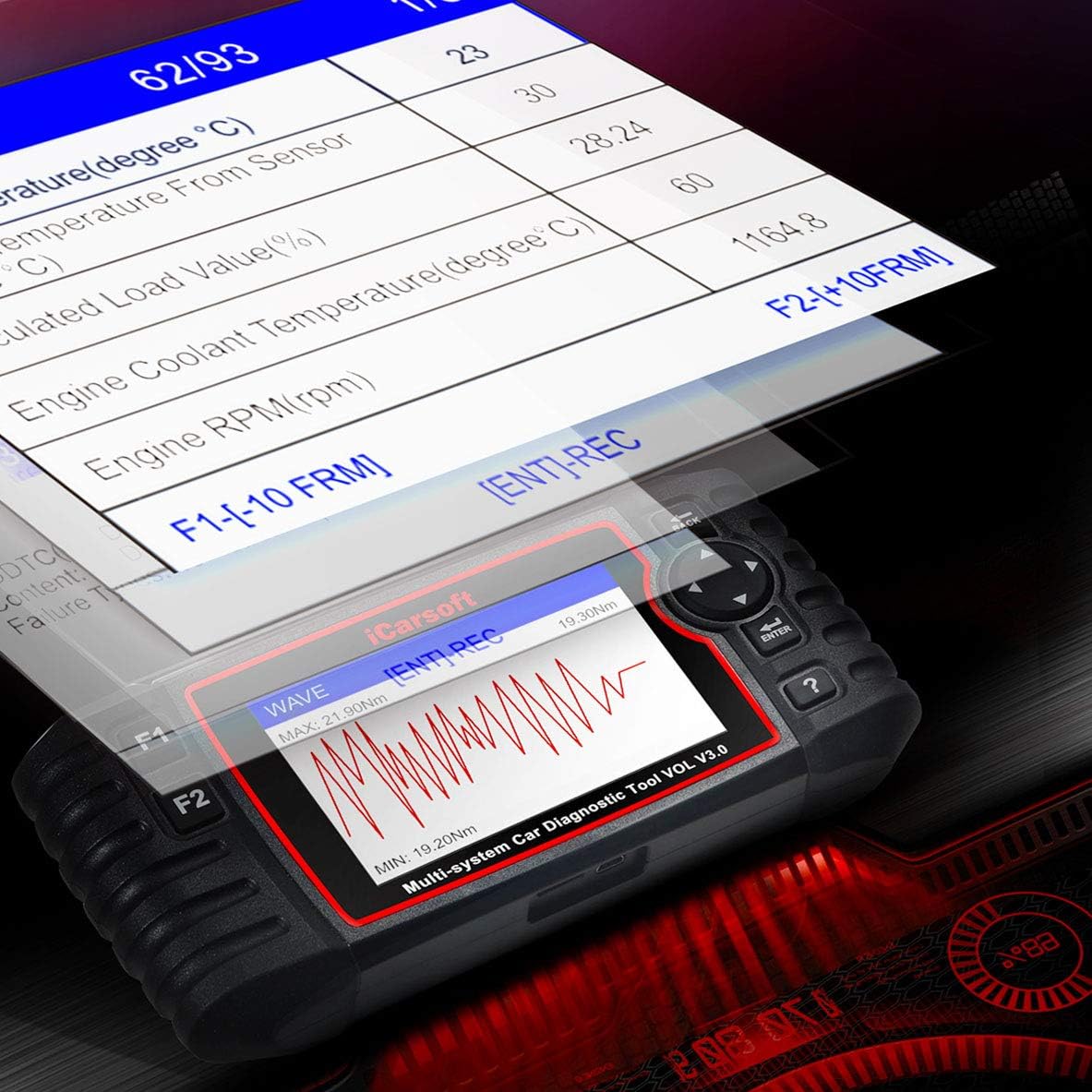
Image: The iCarsoft VOL V3.0 displaying live data streams as a waveform graph, showing parameters like current voltage and engine RPM.

Image: A graphic demonstrating the tool's capability to graph up to 118 selectable data points, aiding in vehicle analysis and maintenance.
4.5 Actuation Tests
Actuation tests allow you to command specific components to perform their functions, verifying their operational integrity. Examples include testing brake lights, window motors, or ABS inlet valves.

Image: The iCarsoft VOL V3.0 screen showing a list of available actuation tests, such as brake light, windshield, and ABS inlet valve tests.
5. Maintenance Services and Special Functions
The iCarsoft VOL V3.0 provides numerous special functions to assist with vehicle maintenance:

Image: A comprehensive list of over 29 standard and 10 additional maintenance services supported by the iCarsoft VOL V3.0, including SIT Service, Oil Reset, EPB, BMS, and more.
- Oil Service Reset: Resets the oil service light after an oil change.
- Electronic Parking Brake (EPB) Deactivation: Safely deactivates and reactivates the EPB system for brake pad replacement.
- Battery Management System (BMS) Registration: Registers a new battery with the vehicle's ECU.
- Throttle Body Adjustment: Performs throttle body relearn procedures.
- Suspension Calibration: Calibrates the vehicle's suspension system.
- Headlamp Adjustment: Assists in adjusting headlamp settings.
- Diesel Particulate Filter (DPF) Regeneration: Initiates DPF regeneration process.
- Steering Angle Sensor (SAS) Calibration: Calibrates the steering angle sensor.
- O2 Sensor Test: Monitors and tests oxygen sensor performance.
- Evap System Test: Performs tests on the evaporative emission control system.
Refer to the tool's on-screen menu for a complete list of available special functions for your specific vehicle model.
6. Troubleshooting
If you encounter issues while using the iCarsoft VOL V3.0, consider the following:
- Tool does not power on: Ensure the OBD-II cable is securely connected to both the vehicle's DLC and the tool. Verify the vehicle's ignition is in the ON position. The tool draws power directly from the vehicle.
- Communication error: Check all cable connections. Ensure the vehicle's ignition is on. Verify that the vehicle model and year selected on the tool match your vehicle. Try a different vehicle if possible to rule out a tool issue.
- Codes cannot be cleared: Diagnostic Trouble Codes (DTCs) will not clear if the underlying fault is still present. Address the root cause of the fault before attempting to clear codes.
- Software update issues: Ensure your PC has a stable internet connection. Follow the update instructions provided by iCarsoft precisely.
For further assistance, please contact iCarsoft technical support. Refer to the official iCarsoft website for contact details.
7. Specifications
| Feature | Detail |
|---|---|
| Brand | iCarsoft |
| Model | VOL V3.0 |
| Item Weight | 1.73 pounds |
| Package Dimensions | 10.35 x 7.56 x 2.64 inches |
| Power Source | Vehicle OBD-II Port |
| Supported Protocols | OBDII/EOBD (ISO9141, KWP2000, J1850 VPW, J1850 PWM, CAN) |
| Display | Color LCD |

Image: Dimensional view of the iCarsoft VOL V3.0 diagnostic tool, showing its length (206mm), width (104.1mm), and thickness (32.6mm).
8. Warranty and Support
iCarsoft products are designed for reliability and performance. For warranty information, please refer to the documentation included with your product or visit the official iCarsoft website. The manufacturer offers technical support for product inquiries and troubleshooting.
Contacting Support:
- Before contacting support, ensure you have your product model (VOL V3.0) and any relevant error messages or symptoms ready.
- Visit the official iCarsoft website for the most up-to-date support contact information, FAQs, and software updates.
Related documentsVOL V3.0


Ask a question about this manual
Ask about setup, troubleshooting, compatibility, parts, safety, or missing instructions. Manuals+ will review the question and use this page’s manual context to help answer it.