1. Introduction
Thank you for choosing the LITIONITE Capsule 65W / 30,000mAh Power Bank. This portable power solution is designed to provide reliable and efficient charging for a wide range of devices, including laptops, smartphones, and tablets. Featuring Power Delivery (PD) 3.0 via USB-C and Quick Charge (QC) 3.0 via USB-A, it ensures fast and versatile charging capabilities. Please read this manual carefully to understand the product's features, operation, and maintenance.
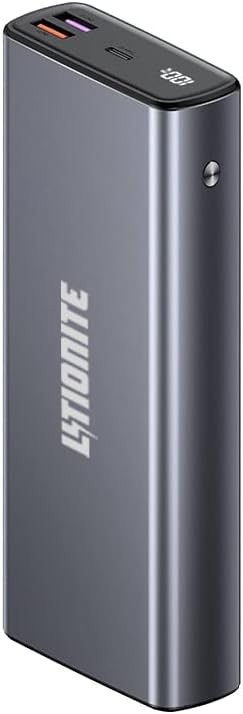
Image 1.1: LITIONITE Capsule 65W 30000mAh Power Bank, front view with LED display showing 100% charge.
2. Product Overview
The LITIONITE Capsule Power Bank is a high-capacity portable charger with a robust aluminum casing. It integrates advanced charging technologies to support various devices.
Key Features:
- High Capacity: 30,000 mAh battery, capable of charging a smartphone multiple times or powering a laptop for extended periods.
- Power Delivery (PD) 3.0: One bidirectional USB-C port (65W output, 45W input) for fast charging of laptops and other high-power devices.
- Quick Charge (QC) 3.0: Two USB-A ports (18W and 22.5W) for rapid charging of compatible smartphones and tablets.
- Intelligent Digital Display: Shows the remaining battery charge percentage.
- Low Current Mode: Optimized for charging small devices like smartwatches and Bluetooth headphones.
- Pass-Through Charging: Allows simultaneous charging of the power bank and connected devices.
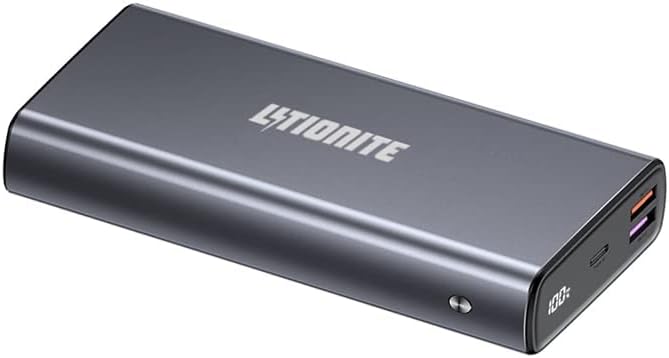
Image 2.1: Angled view of the LITIONITE Capsule Power Bank, highlighting its USB-C and USB-A ports.
3. Setup
Initial Charging:
Before first use, fully charge your LITIONITE Capsule Power Bank. The power bank can be completely charged in approximately 3 hours using a 45W Power Delivery (PD) wall charger (not included). Alternatively, you can recharge the power bank using the original USB-C PD power supply of your laptop, smartphone, or tablet.
- Connect a USB-C charging cable to the USB-C port on the power bank.
- Connect the other end of the USB-C cable to a compatible 45W PD wall charger or device power supply.
- The digital display will show the charging progress. The power bank is fully charged when the display shows 100%.

Image 3.1: LITIONITE Capsule Power Bank shown with a USB-C to USB-C charging cable, illustrating the connection for charging.
4. Operating Instructions
Charging Devices:
The power bank features one USB Type-C PD 3.0 port (65W output) and two USB-A ports with Quick Charge 3.0 technology (18W and 22.5W). All ports intelligently detect the connected device to deliver the fastest possible charge.
- Single Device Charging: Connect your device to any available port using a compatible charging cable. The power bank will automatically begin charging.
- Multiple Device Charging: You can charge 2 or 3 devices simultaneously. When charging multiple devices, the total charging power is distributed, and the power output for each port may decrease to 15W (5V-3A).

Image 4.1: The LITIONITE Capsule Power Bank actively charging both a laptop and a smartphone.

Image 4.2: The LITIONITE Capsule Power Bank simultaneously charging multiple smartphones, demonstrating its multi-device capability.
Low Current Mode:
This mode is designed for charging small electronic devices that require very low current, such as smartwatches, fitness trackers, and Bluetooth headphones. To activate this mode:
- Double-click the power button on the power bank.
- Connect your low-current device. The power bank will provide a stable, low-power output.
- To exit low current mode, double-click the power button again.
Pass-Through Charging:
The LITIONITE Capsule Power Bank supports pass-through charging. This feature allows you to charge the power bank itself while simultaneously charging other devices connected to it. This is useful for managing power when you have limited wall outlets.
LED Digital Display:
The intelligent digital display shows the remaining battery charge percentage. The display activates when you press the power button or connect a device for charging. It will automatically turn off after a short period of inactivity to conserve power.

Image 4.3: LITIONITE Capsule Power Bank charging a smartphone, with the phone screen indicating 66% charge.
5. Maintenance
Proper care and maintenance will extend the lifespan of your power bank.
- Storage: Store the power bank in a cool, dry place away from direct sunlight and extreme temperatures.
- Cleaning: Use a soft, dry cloth to clean the exterior of the power bank. Do not use liquid cleaners or abrasive materials.
- Avoid Drops: Protect the device from drops and impacts, which can damage internal components.
- Water Exposure: Do not expose the power bank to water or moisture.
- Regular Use: For optimal battery health, use and recharge the power bank at least once every three months.
6. Troubleshooting
If you encounter issues with your LITIONITE Capsule Power Bank, please refer to the following common solutions:
- Device not charging:
- Ensure the power bank is sufficiently charged. Check the LED display.
- Verify that the charging cable is securely connected to both the power bank and your device.
- Try a different charging cable or port.
- Ensure your device is compatible with the power bank's output specifications.
- Slow charging:
- Ensure you are using a compatible fast-charging cable and your device supports fast charging.
- If charging multiple devices, the output per port may be reduced. Try charging a single device.
- Check if the power bank is in Low Current Mode (double-click the power button to toggle).
- Power bank not charging:
- Ensure the wall charger is functioning correctly and provides sufficient power (e.g., 45W PD charger).
- Verify the charging cable is not damaged and is securely connected.
- Try a different wall charger or USB-C power source.
7. Specifications
| Feature | Specification |
|---|---|
| Brand | Litionite |
| Model | Capsule |
| Battery Capacity | 30,000 mAh |
| Battery Composition | Lithium-ion |
| USB-C Port (PD 3.0) | Output: 65W Max; Input: 45W Max |
| USB-A Port 1 (QC 3.0) | Output: 18W Max |
| USB-A Port 2 (QC 3.0) | Output: 22.5W Max |
| Voltage | 20 Volts (Max Output) |
| Connector Type | USB Type A, USB Type C |
| Special Features | Fast Charging, Compact, Digital LED Display, Low Current Mode, Pass-Through |
| Recommended Uses | Laptops (Macbook, Surface), Smartphones, Tablets, Cameras, Smartwatches |
| Power Source | Electric Cable |
| Item Weight | 610 Grams |
| Color | Black |
8. Warranty and Support
LITIONITE products come with a European warranty. For any technical assistance or support inquiries, please contact our French support team. Refer to the product packaging or the LITIONITE official website for specific contact details.


