1. Product Overview
The Hinkley Swell 80-inch Smart Ceiling Fan (Model 903880FMB-NDD) is a modern, damp-rated ceiling fan designed for both indoor and outdoor use. It features a propeller design with wooden blades and a Matte Black finish. This smart fan includes HIRO controls, allowing for fan speed, lighting, and power management via a remote or a downloadable app. It is compatible with smart home assistants such as Google Home and Alexa.
Key features include:
- Contemporary Design: Matte Black finish with solid Walnut wood blades.
- HIRO Smart Fan Controls: Remote and app control for fan speed, lighting, and power. Integrates with Google Home and Alexa.
- Damp Rated: Suitable for covered patios, screened-in sunrooms, bathrooms, and laundry rooms.
- 6-Speed Reversing DC Motor: Quiet, energy-efficient operation with multiple speeds and reversible airflow for summer (downward) and winter (upward) modes.
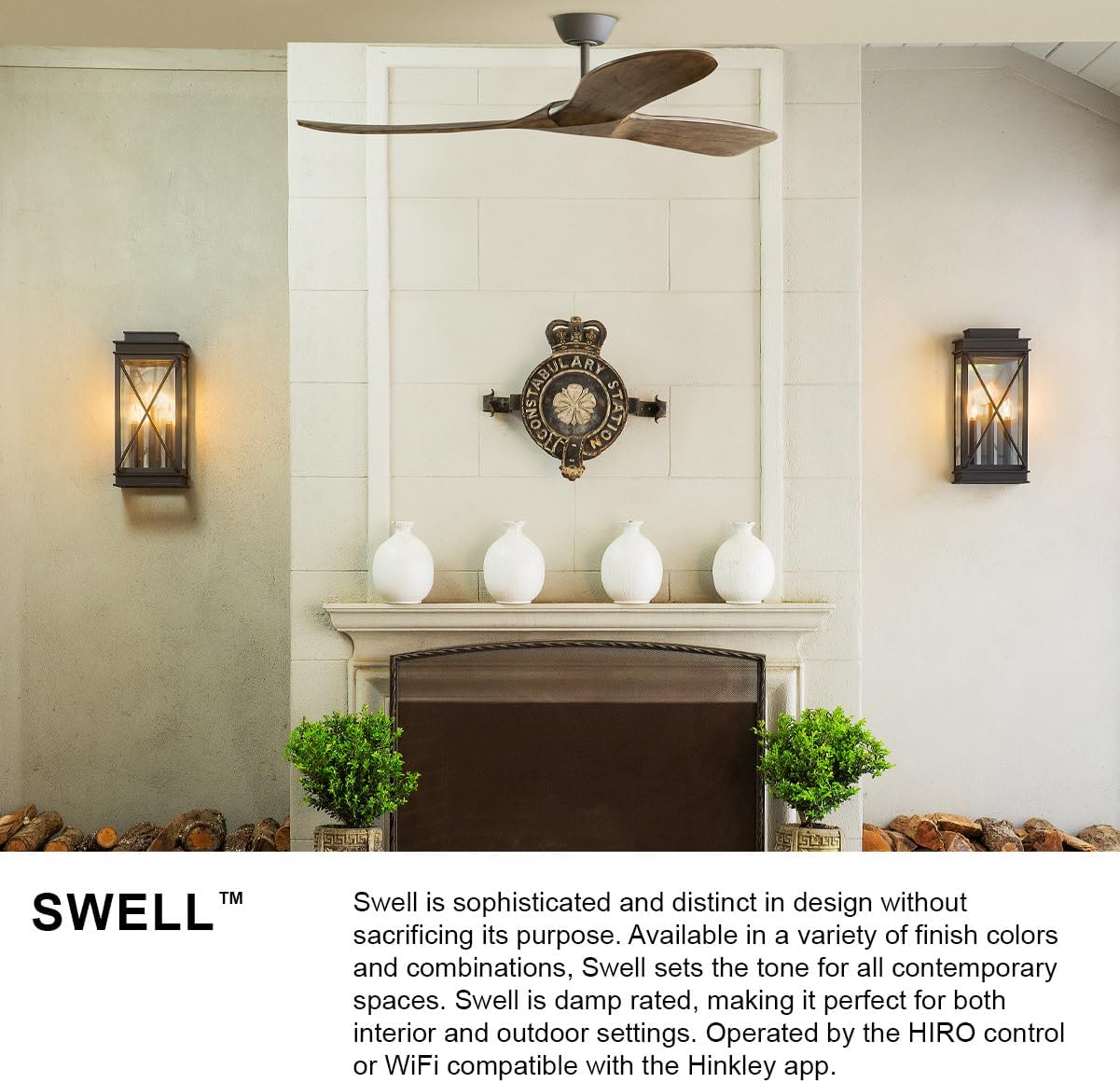
Image 1.1: The Hinkley Swell fan in a modern setting, highlighting its sophisticated design and damp rating for interior and outdoor use.
2. Safety Information
Before installation or operation, carefully read and understand all instructions provided in this manual and any supplementary safety guides. Failure to follow these instructions may result in electric shock, fire, or personal injury.
- Always disconnect power at the circuit breaker before installing, cleaning, or servicing the fan.
- Installation should be performed by a qualified electrician.
- Ensure the mounting structure can support the fan's weight (17.42 lbs).
- Do not bend the blades during installation or cleaning.
- Keep hands, clothing, and other objects clear of the fan blades when the fan is operating.
- This fan is damp-rated for areas not directly exposed to moisture.
3. Package Contents
Verify that all components are present and undamaged before beginning installation. If any parts are missing or damaged, contact Hinkley customer service.

Image 3.1: Diagram showing the components included in the box, such as the face plate bracket, decorative face plate, wall cradle, switch cradle, and HIRO remote.
The package typically includes:
- Ceiling Canopy
- Hanger Bracket
- Mounting Hardware
- Fan Blades (3)
- Downrod (1 x 6-inch)
- Fan Housing & Motor (DC 6-Speed Reversing)
- HIRO Remote Control
- Wall Control components (Face Plate Bracket, Decorative Face Plate, Wall Cradle, Switch Cradle)
- Balance Kit
- Ball Moisture Cap (for outdoor environments)
- Installation Instructions
4. Installation
Professional installation is recommended for the Hinkley Swell ceiling fan. Refer to the detailed installation instructions included in your package for specific wiring diagrams and mounting procedures. Ensure all electrical connections comply with local codes and ordinances.
4.1 Pre-Installation Checks
- Turn off power at the main circuit breaker.
- Confirm the ceiling junction box is securely mounted and capable of supporting the fan's weight.
- Unpack all components and inspect for any damage.
4.2 Mounting the Hanger Bracket
Attach the hanger bracket to the ceiling junction box using the provided hardware. Ensure it is firmly secured to prevent wobbling.
4.3 Assembling the Fan
Follow the instructions to attach the downrod to the motor housing and then to the hanger bracket. Connect the electrical wiring as per the wiring diagram. Install the fan blades onto the motor housing.

Image 4.1: An exploded view diagram illustrating the various components of the Hinkley Swell ceiling fan for assembly reference.
5. Initial Setup & Smart Features
The Hinkley Swell fan comes with HIRO Smart Fan Controls, allowing for convenient operation via remote, app, or voice commands.
5.1 HIRO Remote Control
The HIRO remote is pre-paired with your fan. Insert the batteries and test basic functions like fan ON/OFF, speed adjustment, and light control.

Image 5.1: The HIRO remote control, detailing buttons for light on/off, brighter/darker, reverse fan direction, faster/slower, and fan on/off.
5.2 App & Smart Home Integration
Download the free Hinkley app from your device's app store. Follow the in-app instructions to connect your fan to your home Wi-Fi network. Once connected, you can link the fan to smart home assistants like Google Home or Alexa for voice control and scheduling.

Image 5.2: HIRO Smart Fan Controls enable quick connection to smart home systems, voice activation, and scheduling via a mobile device.
Video 5.1: An official Hinkley video showcasing various Hinkley fans suitable for different rooms, demonstrating their design and functionality.
6. Operating Instructions
Operate your Hinkley Swell fan using the included HIRO remote, the Hinkley app, or compatible smart home voice assistants.
6.1 Fan Speed Control
Use the 'Faster' and 'Slower' buttons on the remote or the speed slider in the app to adjust the fan's 6-speed settings.
6.2 Fan Direction (Summer/Winter Mode)
The fan features a reversing DC motor to optimize airflow for different seasons.
- Summer Mode (Forward): Pushes air down to create a cooling effect.
- Winter Mode (Reverse): Pulls air up and redistributes warm air hovering around the ceiling.
Use the 'Reverse Fan Direction' button on the remote or the corresponding setting in the app to switch between modes.

Image 6.1: Explanation of Summer Mode (downward airflow for cooling) and Winter Mode (upward airflow for heat redistribution).
6.3 Light Control
If your fan includes a light kit, use the 'Light ON/OFF' button to toggle the light. The 'Brighter/Darker' buttons adjust the light intensity.
Video 6.1: A general video from Hinkley Lighting demonstrating various fan models and their features.
7. Maintenance
Regular maintenance ensures optimal performance and longevity of your Hinkley Swell ceiling fan.
7.1 Cleaning
- Always turn off power at the circuit breaker before cleaning.
- Wipe the fan blades and motor housing with a soft, damp cloth. Do not use abrasive cleaners or solvents.
- For damp-rated outdoor fans, ensure the ball moisture cap is securely in place to protect electrical components.
7.2 Blade Balancing
If the fan wobbles, use the included balance kit to correct the issue. Follow the instructions provided with the balance kit for proper application.
8. Troubleshooting
If you encounter issues with your Hinkley Swell ceiling fan, refer to the following common problems and solutions:
| Problem | Possible Cause | Solution |
|---|---|---|
| Fan does not start | No power supply; Loose wiring; Remote not paired. | Check circuit breaker; Verify all wiring connections; Re-pair remote if necessary. |
| Fan wobbles | Loose blades; Unbalanced blades; Loose mounting hardware. | Tighten blade screws; Use balance kit; Ensure hanger bracket is secure. |
| Remote/App not responding | Dead batteries; Wi-Fi connectivity issues; Remote not paired. | Replace remote batteries; Check Wi-Fi connection; Re-pair remote/app. |
| Noise from fan | Loose screws; Motor issues; Blades hitting an obstruction. | Tighten all screws; Contact customer support if motor noise persists; Check for obstructions. |
If the problem persists after attempting these solutions, contact Hinkley customer support for further assistance.
9. Specifications
| Feature | Detail |
|---|---|
| Brand | Hinkley |
| Model Name | Swell 80" Smart Fan |
| Item Model Number | 903880FMB-NDD |
| ASIN | B08V78VBVF |
| Color | Matte Black |
| Product Dimensions | 80"D x 80"W x 13.75"H |
| Item Weight | 17.42 pounds |
| Number of Blades | 3 |
| Blade Length | 39.86 Inches |
| Motor Type | DC 6-Speed Reversing (Brushless DC) |
| Control Method | App, Remote, Voice (HIRO Smart Fan Controls) |
| Indoor/Outdoor Usage | Indoor, Outdoor (Damp Rated) |
| Voltage | 120 Volts |
| Air Flow Capacity | 8554 Cubic Feet Per Minute |
| Slope Degree | 20° |
| Canopy Diameter | 6-inch |
| Housing Diameter | 7.5-inch |
| Lead Wire | 76-inch |
| Installation Type | Professional |
| Specification Met | ETL |
| UPC | 640665019087 |

Image 9.1: Dimensional drawing of the Hinkley Swell 80-inch ceiling fan.

Image 9.2: Benefits of the energy-efficient DC motor, highlighting its eco-friendliness and quiet operation.
10. Warranty & Support
For warranty information, please refer to the documentation included with your product or visit the official Hinkley website. Hinkley offers protection plans for extended coverage.
For technical support, troubleshooting assistance, or to inquire about replacement parts, please contact Hinkley customer service through their official website or the contact information provided in your product packaging.
You can visit the Hinkley Store for more products and information: Hinkley Store on Amazon


