
FF FLASHFISH TSP100
FF FLASHFISH 100W 18V Foldable Solar Panel User Manual
Model: TSP100
1. Product Overview
The FF FLASHFISH 100W 18V Foldable Solar Panel is designed to provide portable and efficient solar charging for various devices, including portable power stations, smartphones, tablets, and more. Its foldable design and integrated kickstands make it ideal for outdoor activities and emergency power needs. This manual provides essential information for the proper setup, operation, and maintenance of your solar panel.
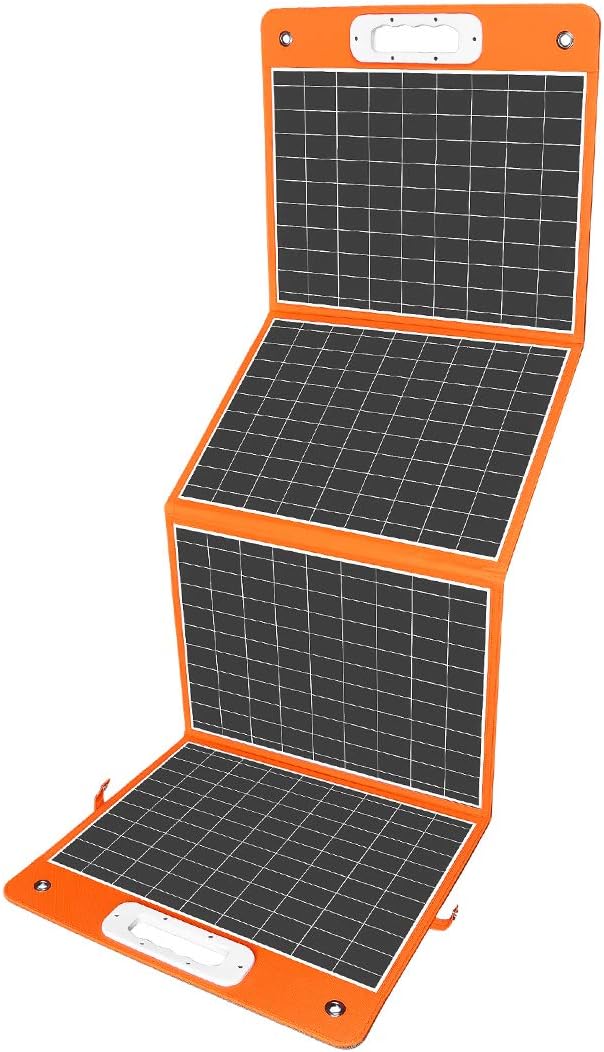
Figure 1.1: The FF FLASHFISH 100W 18V Foldable Solar Panel, showcasing its compact and portable design when folded.
2. Key Features
- Easy Setup and Kickstand Included: Equipped with 4 integrated kickstands for stable placement on any surface, allowing for quick setup and optimal sun exposure. The TPE rubber handle ensures easy portability.
- Multiple Outputs: Features one USB-C (65W PD), one USB-A (18W QC3.0), and one DC output port, enabling simultaneous charging of various devices such as smartphones, tablets, GPS units, and digital cameras.
- High Compatibility: Designed to charge most solar generators and portable power stations on the market, including Flashfish models, with included connectors (DC3.5*1.35mm, DC5.5*2.5mm, DC 8mm, DC6.3*3mm).
- High Energy Conversion Efficiency: Utilizes monocrystalline silicon solar cells with multi-layered cell technology, achieving a conversion efficiency of up to 23.5% for superior performance in sunlight.
- Portable Design: Lightweight at approximately 7.63 pounds and foldable to 16in x 16in, making it easy to transport, hang, and store for outdoor adventures.
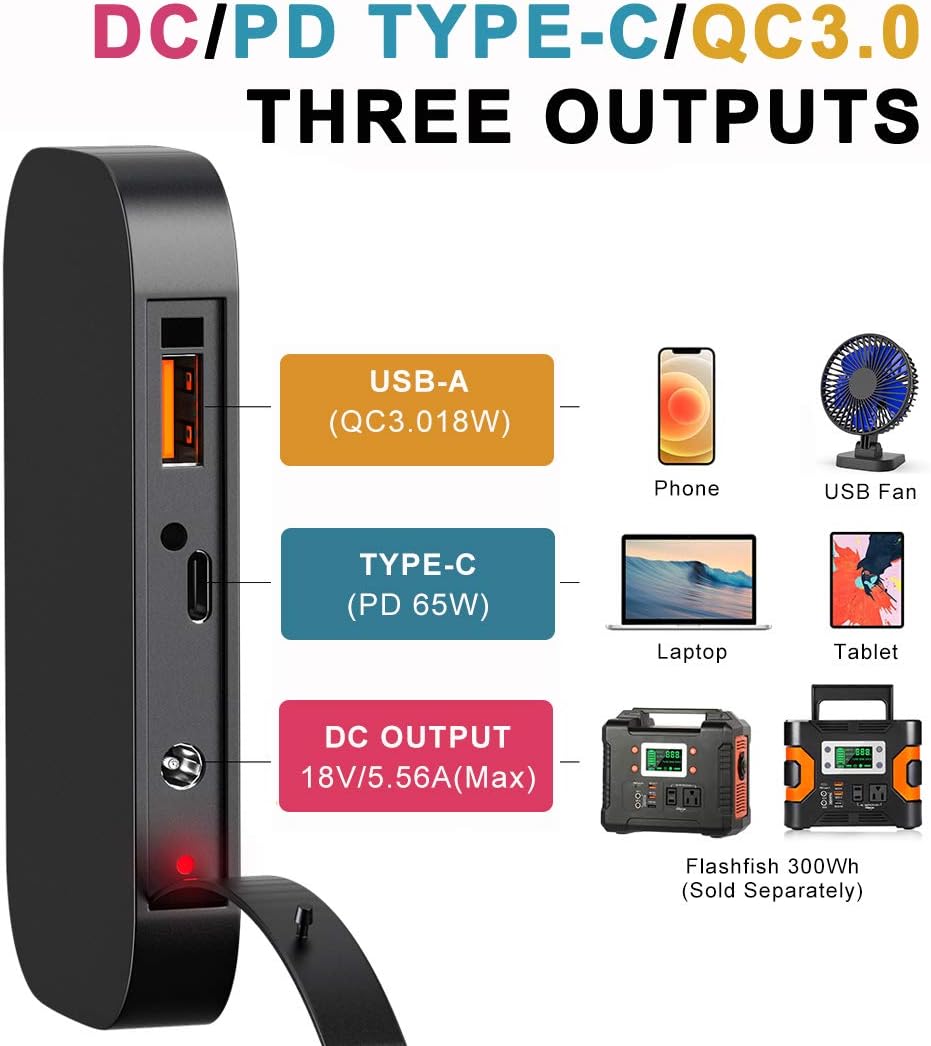
Figure 2.1: Overview of the solar panel's three versatile output ports, including USB-A, USB-C, and DC, capable of charging a wide range of electronic devices.

Figure 2.2: The solar panel deployed with its integrated kickstands, demonstrating how they help angle the panel for optimal sunlight absorption in an outdoor environment.
3. Setup Instructions
- Unfold the Solar Panel: Carefully unfold the solar panel completely on a flat surface.
- Deploy Kickstands: Locate the four kickstands on the back of the panel. Extend them fully to support the panel at an angle.
- Position for Sunlight: Angle the solar panel directly towards the sun. Adjust the kickstands as needed to maximize direct sunlight exposure throughout the day. Optimal angling can increase power output by up to 25%.
- Connect Your Device: Open the zippered pouch on the back of the panel to access the output ports.
- For portable power stations, select the appropriate DC connector (DC3.5*1.35mm, DC5.5*2.5mm, DC 8mm, or DC6.3*3mm) and connect it to the DC output port on the solar panel, then to your power station's input.
- For USB-C compatible devices (e.g., laptops, modern smartphones), use a USB-C cable to connect to the USB-C (PD 65W) port.
- For other USB devices (e.g., older smartphones, USB fans), use a USB-A cable to connect to the USB-A (QC3.0 18W) port.
- Verify Charging: Once connected, your device or power station should indicate that it is charging.
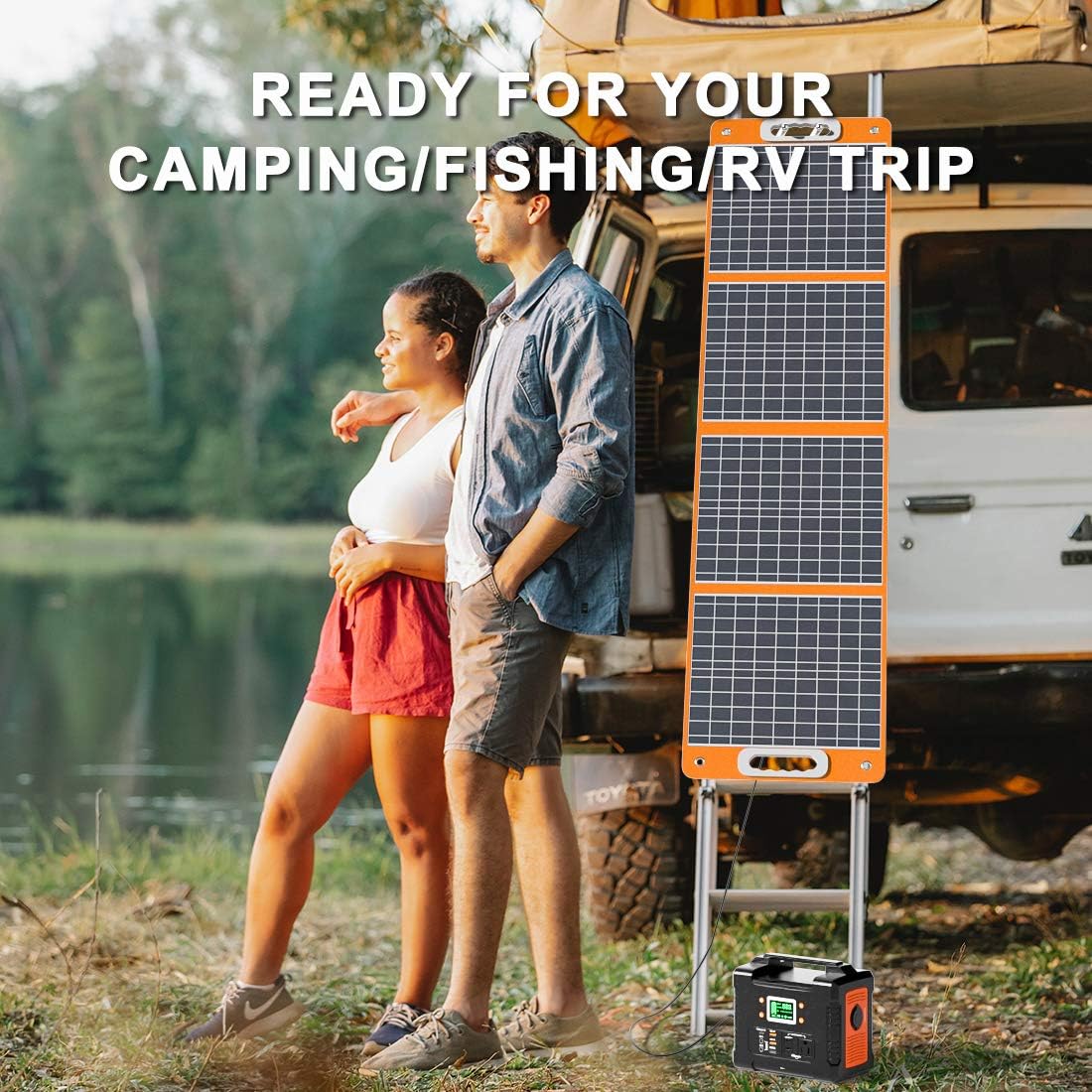
Figure 3.1: The solar panel in use, demonstrating its connection to a portable power station for charging.
4. Operating Instructions
The FF FLASHFISH 100W 18V Foldable Solar Panel operates automatically once exposed to sufficient sunlight and connected to a compatible device. Ensure the panel is positioned to receive maximum direct sunlight for optimal charging performance.
- Optimal Sunlight: For best results, operate the solar panel on clear, sunny days. Partial shade or cloudy conditions will reduce charging efficiency.
- Angle Adjustment: Periodically check the sun's position and adjust the panel's angle using the kickstands to maintain direct exposure.
- Simultaneous Charging: You can charge multiple devices simultaneously using the available USB-C, USB-A, and DC ports, provided the total power draw does not exceed the panel's maximum output.
- Safety Precautions:
- Do not expose the panel to extreme temperatures or direct water immersion.
- Avoid placing heavy objects on the panel.
- Keep the panel away from open flames or heat sources.
5. Maintenance
Regular maintenance ensures the longevity and optimal performance of your solar panel.
- Cleaning: Gently wipe the surface of the solar panels with a soft, damp cloth to remove dust, dirt, or debris. Avoid using abrasive cleaners or harsh chemicals that could damage the panel surface.
- Storage: When not in use, fold the solar panel and secure it using the integrated fasteners. Store it in a cool, dry place away from direct sunlight and extreme temperatures.
- Inspection: Periodically inspect the cables, connectors, and the panel surface for any signs of wear, damage, or corrosion. Ensure all connections are secure before use.
6. Troubleshooting
If you encounter issues with your solar panel, refer to the following common troubleshooting steps:
| Problem | Possible Cause | Solution |
|---|---|---|
| No power output / Low charging speed |
|
|
| USB-C PD charging is intermittent or stops |
|
|
| Panel appears warped after exposure to heat |
|
|
If the problem persists after attempting these solutions, please contact customer support.
7. Specifications
| Attribute | Detail |
|---|---|
| Brand | FF FLASHFISH |
| Model Number | TSP100 |
| Material | Monocrystalline Silicon |
| Product Dimensions (Unfolded) | 19.99"L x 20"W x 20"H (approximate, based on folded size and general panel dimensions) |
| Folded Size | 16in x 16in |
| Efficiency | 23.5% |
| Maximum Power | 100 Watts |
| Maximum Voltage | 18 Volts |
| AC Adapter Current | 5.56 Amps |
| Output Ports | 1x USB-C (65W PD), 1x USB-A (18W QC3.0), 1x DC Output |
| Included Connectors | DC3.5*1.35mm, DC5.5*2.5mm, DC 8mm, DC6.3*3mm |
| Item Weight | 7.63 pounds |
| Special Features | Foldable, Portable, Integrated Kickstands |
8. Warranty and Support
The FF FLASHFISH 100W 18V Foldable Solar Panel comes with a 12-month warranty from the date of purchase.
For technical support, warranty claims, or any inquiries, please contact our customer service team. We offer 7x24 hour friendly customer service to assist you.
Please refer to the contact information provided on the product packaging or the official FF FLASHFISH website for the most up-to-date support details.
Ask a question about this manual
Ask about setup, troubleshooting, compatibility, parts, safety, or missing instructions. Manuals+ will review the question and use this page’s manual context to help answer it.