
1. Introduction
The Mackie SRT212 is a 12-inch, 1600W professional powered loudspeaker designed for various audio applications including live sound, DJ events, and installations. It integrates advanced acoustic processing technology, powerful amplification, and the versatile SRT Mix Control for efficient setup and reliable performance.
Key features include:
- SRT Mix Control with a built-in 4-channel digital mixer and Bluetooth connectivity.
- Advanced Impulse DSP for enhanced audio clarity.
- Sym-X Horn technology for smooth mid-range and high-frequency reproduction.
- Integrated system and transducer protection.
2. What's in the Box
Upon unpacking, ensure all components are present:
- Mackie SRT212 Powered Loudspeaker
- Power Cord
- Quick Start Guide (QSG)

Image: The Quick Start Guide and power cord included with the SRT series loudspeakers.
3. Safety Information
Before operating the Mackie SRT212 loudspeaker, please read and understand all safety instructions. Retain this manual for future reference.
- Power Source: Connect the unit only to the type of power source indicated on the unit.
- Ventilation: Do not block any ventilation openings. Ensure adequate airflow around the unit.
- Water and Moisture: Do not expose the unit to rain or moisture. Do not use near water.
- Heat: Do not place near heat sources such as radiators, heat registers, stoves, or other apparatus that produce heat.
- Cleaning: Clean only with a dry cloth.
- Servicing: Refer all servicing to qualified service personnel.
4. Setup
4.1 Physical Placement
The SRT212 can be used as a floor-standing speaker or mounted on a pole. Ensure stable placement to prevent tipping.

Image: Front-side view of the Mackie SRT212 12-inch powered loudspeaker, showcasing its robust design.
4.2 Power Connection
Connect the provided power cord to the AC inlet on the rear panel of the loudspeaker and then to a suitable power outlet. Ensure the power switch is in the OFF position before connecting.
4.3 Audio Connections
The SRT212 features a built-in 4-channel digital mixer. Refer to the rear panel for input and output options.
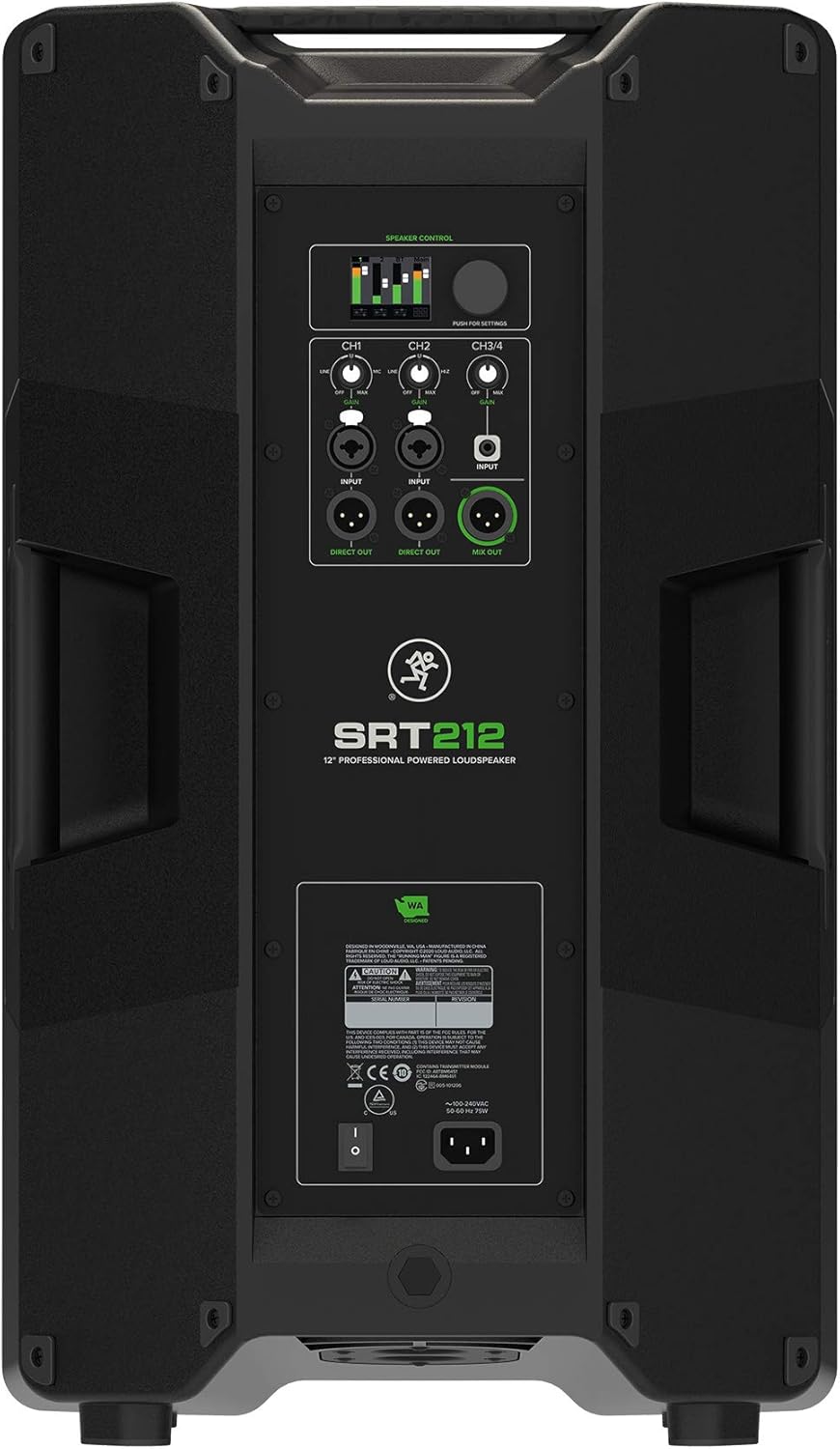
Image: Rear panel of the Mackie SRT212, showing the SRT Mix Control, input/output jacks, and power connection.
- Inputs (CH1, CH2, CH3/4): Connect your audio sources (microphones, instruments, mixers) to the appropriate input channels.
- Direct Out: Provides a direct output of individual channels.
- Mix Out: Sends the combined mix of all active channels to another speaker or recording device.
4.4 Bluetooth Pairing
The SRT212 supports Bluetooth connectivity for audio streaming and control via the SRT Connect app.
- Ensure Bluetooth is enabled on your mobile device.
- Power on the SRT212 loudspeaker.
- Open the SRT Connect app and follow the on-screen instructions to pair with the loudspeaker.
4.5 Initial Power On
After all connections are made, switch the power button to the ON position. The power indicator will illuminate.
5. Operation
5.1 SRT Mix Control
The integrated SRT Mix Control allows for comprehensive management of audio settings. Use the physical controls on the rear panel or the SRT Connect app for adjustments.
- Volume Adjustment: Adjust individual channel volumes and the master volume to achieve desired levels.
- DSP Presets: Utilize the Advanced Impulse DSP for various sound optimization presets tailored to different applications.
- EQ Settings: Fine-tune the equalization for each channel or the overall mix.
5.2 SRT Connect App
The SRT Connect app provides remote control over all mixer functions, including levels, EQ, and system settings. Download the app from your device's app store.
5.3 System Protection
The SRT212 incorporates next-generation system and transducer protection to ensure longevity and consistent performance, even under demanding conditions.
6. Maintenance
6.1 Cleaning
Regular cleaning helps maintain the appearance and functionality of your loudspeaker.
- Use a soft, dry cloth to wipe down the cabinet.
- Avoid abrasive cleaners, solvents, or waxes.
- Do not spray liquids directly onto the speaker.
6.2 Storage
When not in use, store the loudspeaker in a cool, dry environment, away from direct sunlight and extreme temperatures.
6.3 Handling
While the SRT212 features a rugged construction, care should be taken during transport and setup to prevent cosmetic damage to the cabinet finish.
7. Troubleshooting
If you encounter issues with your SRT212 loudspeaker, refer to the following common problems and solutions:
| Problem | Possible Cause | Solution |
|---|---|---|
| No Power | Power cord disconnected, power switch off, faulty outlet. | Check power cord connection, ensure power switch is ON, test outlet with another device. |
| No Sound | Input cables disconnected, volume too low, incorrect input selected, source device issue. | Verify all audio cable connections, increase volume levels, check input selection, test source device. |
| Distorted Sound | Input level too high, faulty cable, speaker overload. | Reduce input gain/volume, try a different cable, ensure speaker is not overdriven. |
| Bluetooth Disconnection | Out of range, interference, device issue. | Move device closer to speaker, minimize interference, restart Bluetooth on device and speaker. |
If the problem persists after attempting these solutions, contact Mackie customer support.
8. Specifications
Detailed technical specifications for the Mackie SRT212 12-Inch 1600W Professional Powered Loudspeaker:
| Feature | Specification |
|---|---|
| Brand | Mackie |
| Model Number | SRT212 |
| Speaker Type | Powered Loudspeaker |
| Speaker Maximum Output Power | 1600 Watts |
| Woofer Diameter | 12 Inches |
| Frequency Response | Up to 20 KHz |
| Connectivity Technology | Bluetooth |
| Audio Output Mode | Stereo |
| Mounting Type | Floor Standing |
| Enclosure Material | Stainless Steel |
| Control Method | App |
| Number of Audio Channels | 5.1 (Mixer Channels) |
| Power Source | Corded Electric |
| Item Weight | 37.47 Pounds |
| Item Dimensions (D x W x H) | 14.21"D x 15.2"W x 25.91"H |
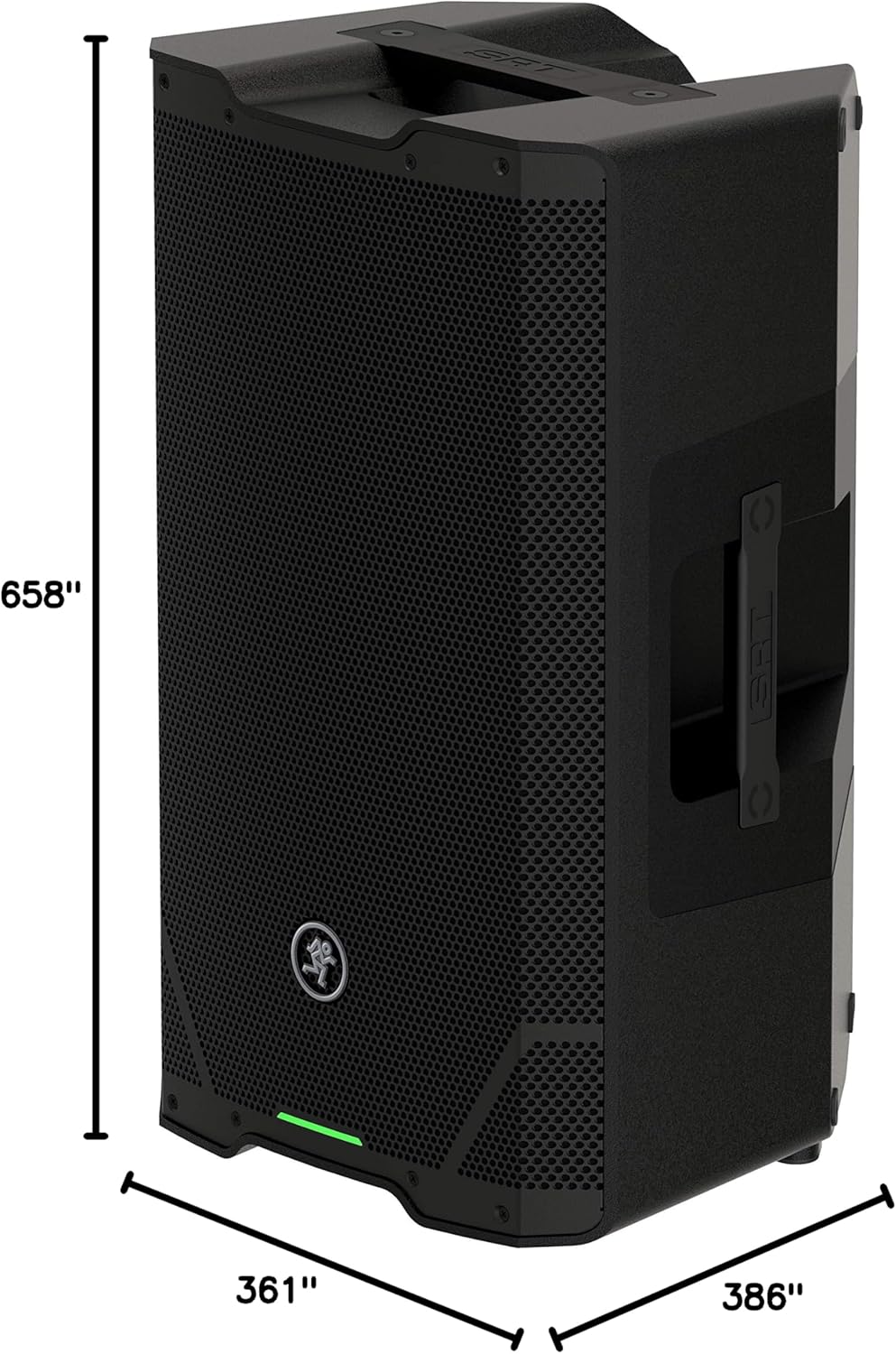
Image: Dimensional drawing of the Mackie SRT212 loudspeaker, showing height, width, and depth measurements.
9. Warranty and Support
9.1 Warranty Information
The Mackie SRT212 loudspeaker comes with a limited warranty:
- Electronics: 3-year warranty
- Drivers: 2-year warranty
Please retain your proof of purchase for warranty claims. The warranty covers defects in materials and workmanship under normal use.
9.2 Customer Support
For technical assistance, warranty service, or further inquiries, please visit the official Mackie website or contact their customer support department. Refer to the Quick Start Guide or Mackie's website for the most current contact information.


