
1. Introduction
Thank you for purchasing the Ascher 4-Light LED Track Lighting Kit. This manual provides essential information for the safe installation, operation, and maintenance of your new lighting fixture. Please read these instructions thoroughly before installation and retain them for future reference.
2. Safety Information
- WARNING: Risk of electric shock. Disconnect power at the fuse box or circuit breaker before installation or servicing.
- All electrical connections must be in accordance with local codes, ordinances, or the National Electric Code (NEC). Consult a qualified electrician if you are unfamiliar with proper electrical wiring connections.
- Do not install this fixture in wet locations. For indoor use only.
- Ensure the fixture is securely mounted to a structural element of the ceiling.
- Do not exceed the maximum wattage specified for the bulbs. This kit includes 4W GU10 LED bulbs.
- Avoid direct eye exposure to the light source when the fixture is operating.
- Allow bulbs to cool before handling or replacing.
3. Package Contents
Verify that all components are present before beginning installation:
- 1 x Ascher 4-Light LED Track Lighting Fixture
- 4 x GU10 LED Bulbs (4W, 400LM, 5000K Daylight White, non-dimmable)
- 1 x Mounting Hardware Kit (screws, wire nuts, etc.)
- 1 x Canopy Mounting Plate
4. Product Features
- Modern Design: High-quality metal construction with a matte nickel finish.
- Adjustable Illumination: Each of the four track heads can rotate 360° horizontally and adjust 90° vertically, allowing for flexible light direction.
- Included LED Bulbs: Comes with four 4W GU10 LED bulbs, providing 400 lumens of 5000K daylight white light each.
- Easy Installation: Designed for quick and straightforward installation on flat, sloped, or vaulted ceilings.
- Versatile Application: Suitable for various indoor spaces such as bedrooms, kitchens, and dining rooms.
5. Specifications
| Feature | Specification |
|---|---|
| Brand | Ascher |
| Model Number | Y9164-4 |
| Color | Matt Nickel |
| Material | Metal |
| Light Fixture Form | Ceiling Track Light |
| Power Source | Corded Electric |
| Voltage | 120 Volts |
| Light Source | LED |
| Number of Light Sources | 4 |
| Bulb Base | GU10 |
| Wattage (per bulb) | 4 Watts |
| Brightness (per bulb) | 400 Lumens |
| Light Color | Daylight White (5000K) |
| Dimmable | No (bulbs are non-dimmable) |
| Control Method | Push Button / Touch (via wall switch) |
| Item Dimensions (L x W x H) | 24.8" x 5.3" x 5.3" (63cm x 13.5cm x 13.5cm) |
| Base Dimensions | 4.7'' (12cm) |
| Indoor/Outdoor Usage | Indoor |
Note: Dimensions are approximate and may vary slightly.

Figure 1: Product Dimensions and Light Specifications (Beam Angle 120°, Daylight White 5000K)
6. Setup and Installation
Before You Begin: Ensure the power to the circuit is turned OFF at the circuit breaker or fuse box. It is recommended to have a qualified electrician perform the installation if you are not experienced with electrical wiring.
Installation Steps:
- Prepare the Mounting Surface: Ensure the ceiling junction box is securely installed and capable of supporting the fixture's weight.
- Attach Mounting Plate: Secure the canopy mounting plate to the ceiling junction box using the provided screws.
- Wire Connections: Connect the fixture's wires to the corresponding household wires (black to black, white to white, ground to ground) using the provided wire nuts. Ensure all connections are secure.
- Mount the Fixture: Carefully push the wired connections into the junction box and align the fixture base with the mounting plate. Secure the fixture to the mounting plate with the provided screws.
- Install Bulbs: Insert the GU10 LED bulbs into each light head socket. Twist gently until secure.
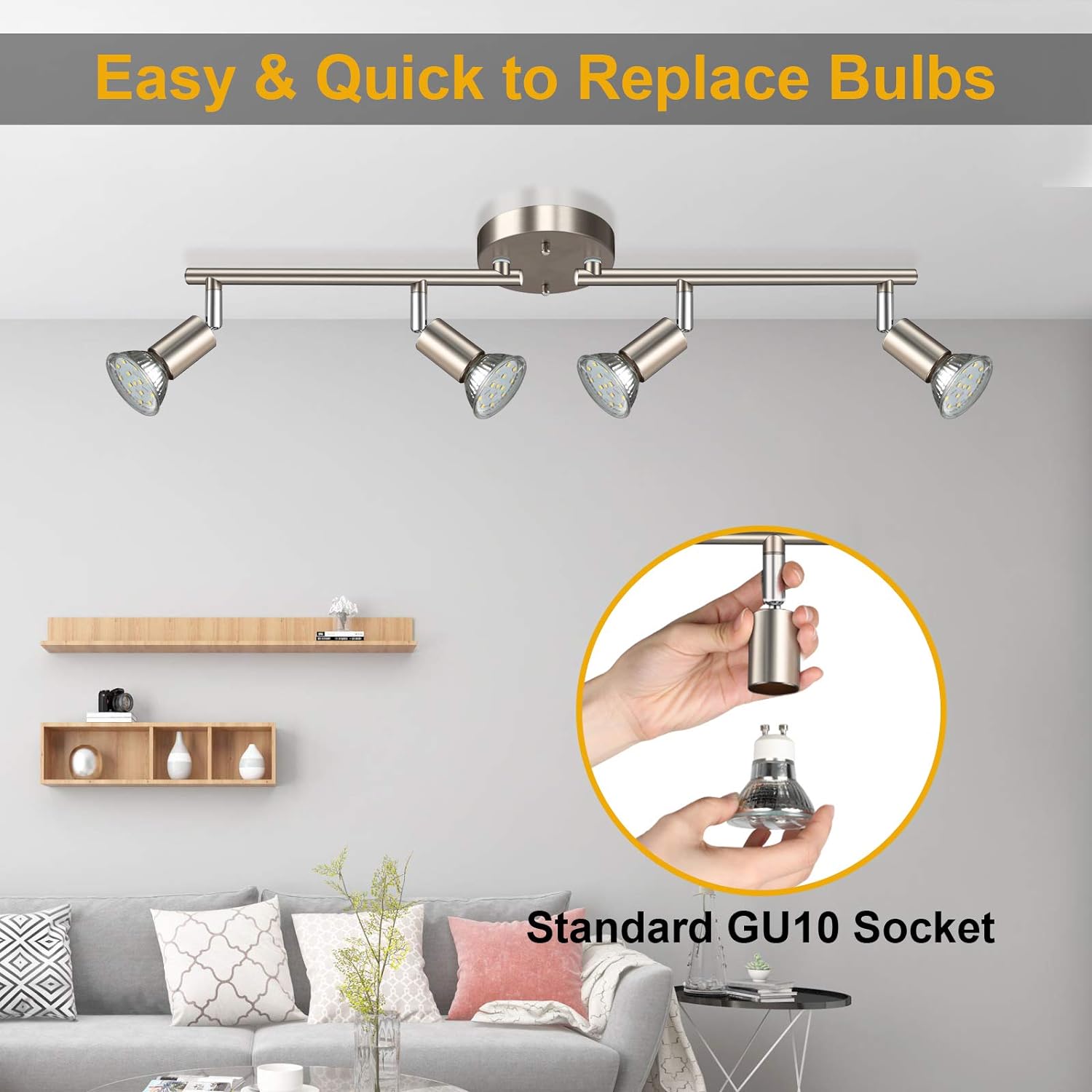
Figure 2: Easy and Quick Bulb Replacement (Standard GU10 Socket)
After installation, restore power at the circuit breaker and test the light fixture.
7. Operating Instructions
The Ascher 4-Light LED Track Lighting Kit is operated via a standard wall switch (not included). Once installed and powered, simply use your wall switch to turn the lights ON or OFF.
Adjusting Light Heads:
Each light head is designed for flexible positioning:
- Horizontal Rotation: Gently rotate each light head up to 360 degrees around the track bar to direct light as needed.
- Vertical Adjustment: Tilt each light head up to 90 degrees vertically to focus the light beam.

Figure 3: Rotatable and Adjustable Light Head Mechanism
8. Maintenance
Cleaning:
Always disconnect power before cleaning. To clean the fixture, wipe it with a soft, dry cloth. Do not use abrasive cleaners or solvents, as these may damage the finish.
Bulb Replacement:
The fixture uses standard GU10 LED bulbs. To replace a bulb:
- Turn off power to the fixture at the circuit breaker.
- Allow the bulb to cool completely.
- Gently twist and pull the old GU10 bulb from its socket.
- Insert the new GU10 LED bulb into the socket and twist gently to secure it.
- Restore power and test the new bulb.
9. Troubleshooting
| Problem | Possible Cause | Solution |
|---|---|---|
| Light does not turn on | No power to the fixture Loose wire connection Faulty bulb | Check circuit breaker/fuse. Ensure all wire connections are secure (with power off). Replace bulb with a known working one. |
| Lights flicker | Incompatible dimmer switch Loose bulb connection | This fixture uses non-dimmable bulbs. Ensure it is connected to a standard ON/OFF switch, not a dimmer. Ensure bulbs are securely twisted into their sockets. |
| Light output is weak or inconsistent | Incorrect bulb type Bulb nearing end of life | Ensure GU10 LED bulbs are used. Replace affected bulb(s). |
10. Warranty and Support
For warranty information or technical support, please contact Ascher customer service through the retailer where the product was purchased. Please have your model number (Y9164-4) and purchase date available when contacting support.