
1. Product Overview
The Mastrad Stor'Eat Connected Food Storage Container M is designed for efficient and smart food preservation. Crafted from highly-resistant borosilicate glass, this container is BPA-free and suitable for various temperature environments. Its connected features, via the Stor'Eat app, assist in managing food inventory and reducing waste.
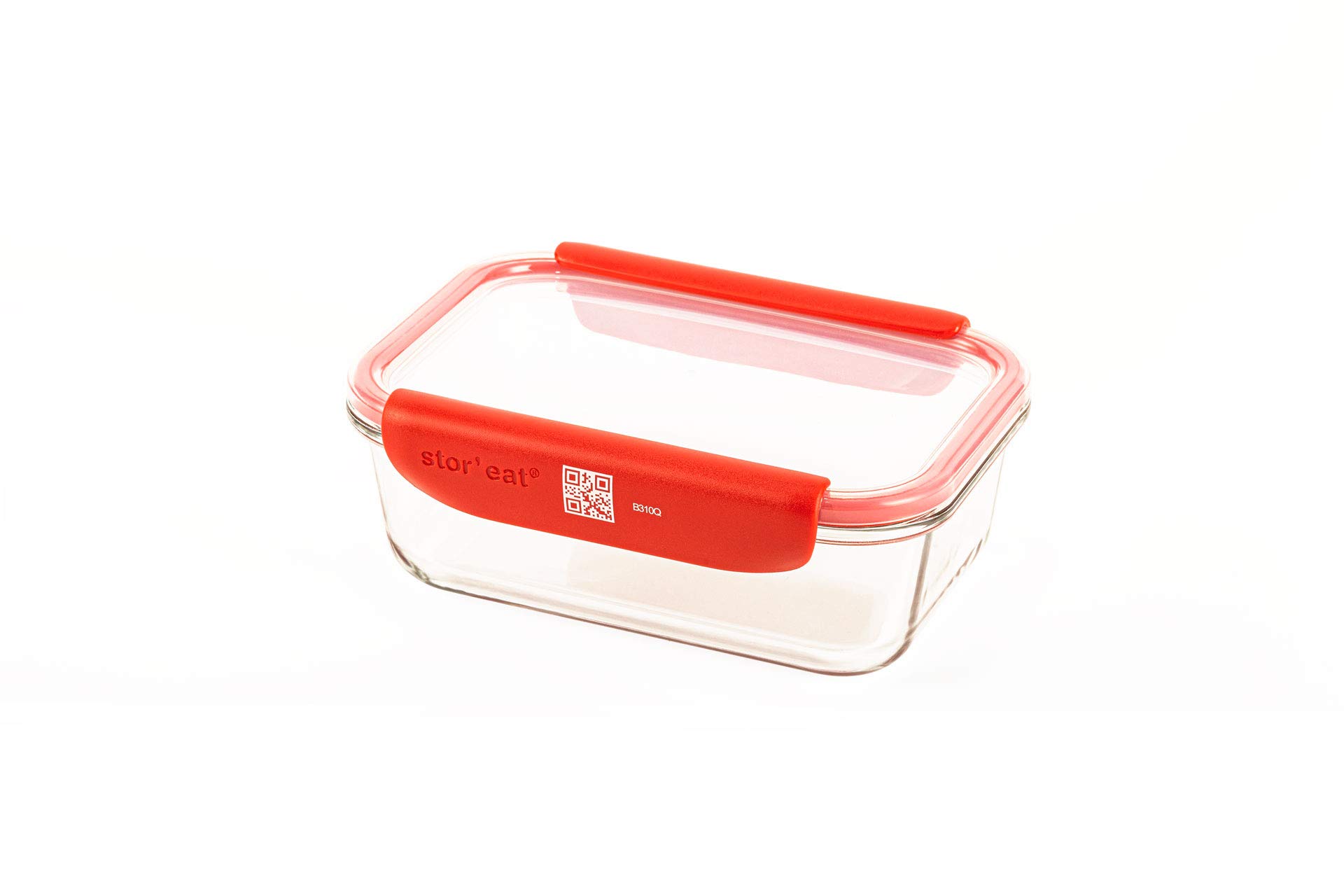
Image 1.1: The Mastrad Stor'Eat Connected Food Storage Container M, featuring a clear glass base, red lid, and removable red handles.
Key Features:
- Smart Storage: Airtight design for preserving food freshness.
- Durable Material: Made from highly-resistant borosilicate glass, ensuring longevity and safety.
- BPA-Free: Ensures food safety and health.
- Temperature Versatility: Safe for use in microwave, oven, fridge, freezer, and dishwasher. Supports temperatures from -4°F (-20°C) to 752°F (400°C).
- Removable Handles: Facilitates easy handling and cleaning.
- Stackable Design: Optimizes storage space in cupboards and refrigerators.
- Stor'Eat App Integration: Connects to a free app for inventory management, expiration date tracking, and recipe suggestions.
2. Safety Information
- Always handle glass containers with care to prevent breakage.
- Ensure the lid is properly sealed before storing or transporting food to prevent leaks.
- When heating in a microwave or oven, always remove the lid to allow steam to escape.
- Avoid extreme temperature shocks, such as placing a very hot container directly into cold water, which could cause the glass to crack.
- Keep out of reach of children when hot.
3. Initial Setup
Unpacking and First Use:
- Carefully remove the container, lid, and handles from the packaging.
- Before first use, wash all components (glass container, lid, and silicone handles) with warm soapy water or place them in a dishwasher.
- Rinse thoroughly and dry completely.
- Attach the silicone handles to the sides of the glass container by sliding them onto the designated grooves. Ensure they are securely fitted.

Image 3.1: Components of the Stor'Eat container, including the glass base, lid, and removable silicone handles.
4. Operating Instructions
4.1 Food Storage and Sealing
- Place food inside the clean, dry glass container.
- Position the lid securely on top of the container.
- Press down firmly on the lid to create an airtight seal. Ensure all four clips (part of the lid) are engaged with the container's rim.

Image 4.1: Various Stor'Eat containers demonstrating different food storage applications.
4.2 Temperature Use
The borosilicate glass container is designed to withstand a wide range of temperatures, making it suitable for:
- Freezer: Safe down to -4°F (-20°C).
- Refrigerator: Ideal for daily food storage.
- Microwave: Safe for reheating. Always remove the lid before microwaving.
- Oven: Safe up to 752°F (400°C). Always remove the lid before placing in the oven.

Image 4.2: Visual guide for temperature compatibility in fridge, freezer, microwave, and oven.
4.3 Stor'Eat App Integration
Enhance your food management with the free Stor'Eat application:
- Download the App: Search for "Stor'Eat" in your device's app store and install it.
- Fill Container: Place your food into the Stor'Eat container.
- Scan QR Code: Use the Stor'Eat app to scan the unique QR code located on the container's handle.
- Input Details: Within the app, enter the contents of the container and the 'use by' date.
- Store: Place the container in your fridge, freezer, or pantry.
The app will provide notifications when items are nearing their expiration date and can even suggest recipes to utilize your stored ingredients, helping to reduce food waste.

Image 4.3: Scanning the QR code on the container with the Stor'Eat app.

Image 4.4: Overview of the Stor'Eat application features for food management.
5. Maintenance and Care
Cleaning Instructions:
- The Mastrad Stor'Eat container, lid, and silicone handles are all dishwasher safe.
- For best results, place components on the top rack of the dishwasher.
- Alternatively, wash by hand with warm soapy water and a non-abrasive sponge.
- Ensure all parts are thoroughly dry before reassembling or storing to prevent water spots or odors.
- The removable handles can be detached for more thorough cleaning if desired.
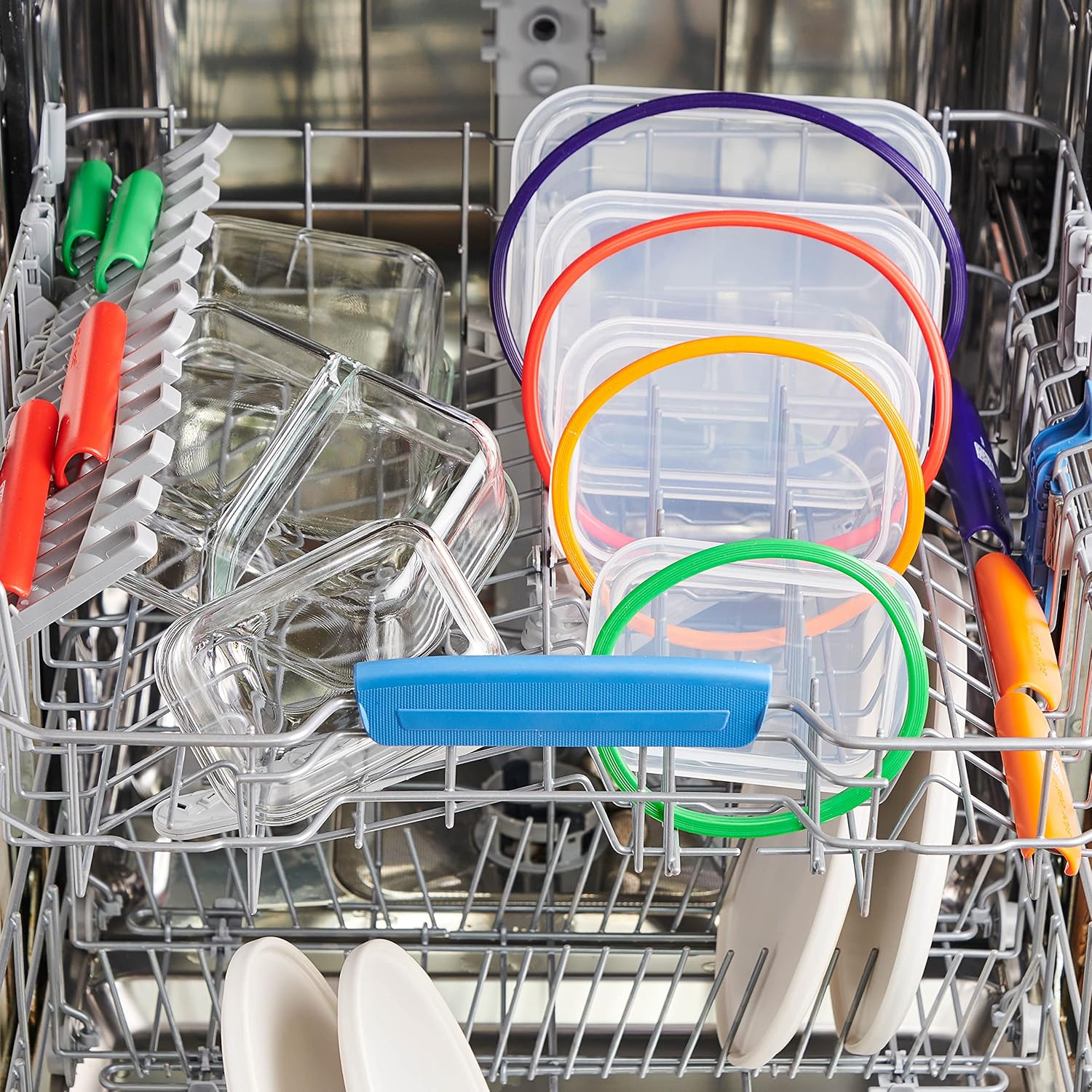
Image 5.1: Stor'Eat containers and lids being cleaned in a dishwasher.
6. Troubleshooting
Handles Detaching Easily:
If the removable silicone handles appear to detach too easily, ensure they are correctly aligned and firmly slid into the grooves on the sides of the glass container. The design allows for removal for cleaning, but they should fit snugly during use. If issues persist, ensure the handles are not worn or damaged.
7. Specifications
| Brand | Mastrad |
| Model | Stor'Eat Connected Food Storage Container M |
| Material | Borosilicate Glass, Silicone |
| Capacity | 35.2 Fluid Ounces (1040 ml) |
| Dimensions | Approximately 2 x 2 x 2 inches (Package Dimensions) |
| Weight | 1 pound |
| Microwave Safe | Yes (Lid must be removed) |
| Oven Safe | Yes (Up to 752°F / 400°C, Lid must be removed) |
| Freezer Safe | Yes (Down to -4°F / -20°C) |
| Dishwasher Safe | Yes |
| Special Feature | Airtight, Stackable, Connected (via Stor'Eat App) |
| UPC | 885902930101 |
8. Support and Warranty
For product support, inquiries, or warranty information, please visit the official Mastrad website or contact their customer service department. Keep your purchase receipt as proof of purchase.
You can find more information about Mastrad products and support at the Mastrad Store on Amazon.