
1. Introduction
This manual provides detailed instructions for the setup, operation, maintenance, and troubleshooting of your Hannspree HO275PTB LED-Monitor. Please read this manual thoroughly before using the product to ensure proper and safe operation.
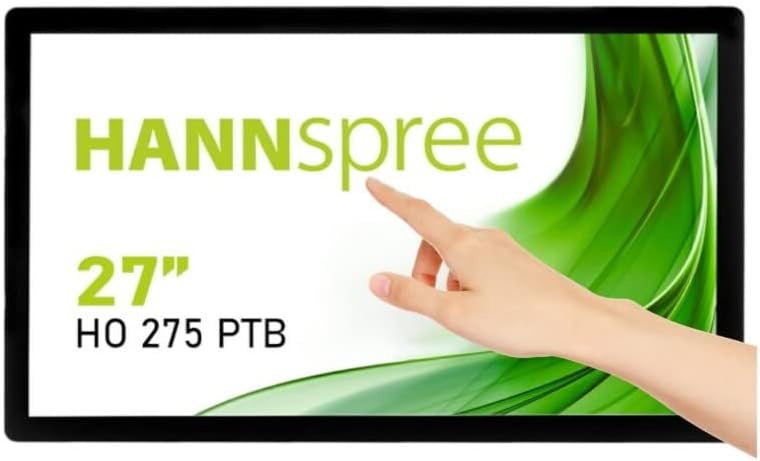
Figure 1.1: Front view of the Hannspree HO275PTB LED-Monitor, showcasing its 27-inch display and touch functionality.
2. Setup
2.1 Unpacking
Carefully remove all components from the packaging. Ensure all items listed below are present:
- Hannspree HO275PTB LED-Monitor
- Power Cable
- HDMI Cable (may vary by region)
- USB Cable (for touch functionality)
- User Manual (this document)
2.2 Physical Installation
The monitor can be placed on a flat surface or mounted using a VESA-compatible mount (not included).

Figure 2.1: Side profile of the monitor, illustrating its slim design.

Figure 2.2: Rear view of the monitor, highlighting the VESA mounting holes for wall or arm installation.
2.3 Connecting Cables
Connect the necessary cables to the corresponding ports on the back of the monitor. Ensure all connections are secure.
- Power Connection: Connect the power cable to the monitor's power input and then to a power outlet.
- Video Connection: Connect an HDMI or DisplayPort cable from your computer's video output to the corresponding input on the monitor.
- USB Connection (for Touch): Connect the USB cable from your computer to the USB upstream port on the monitor to enable touch functionality.
- Audio Connection: If using external speakers or headphones, connect them to the audio output port.

Figure 2.3: Detailed view of the monitor's connectivity ports, including power, USB, HDMI, and DisplayPort.
3. Operating the Monitor
3.1 Power On/Off
Press the power button located on the monitor to turn it on or off. The power indicator light will illuminate when the monitor is on.
3.2 Input Selection
The monitor automatically detects the active video input. If multiple sources are connected, you may need to manually select the input using the monitor's on-screen display (OSD) menu.
3.3 On-Screen Display (OSD) Menu
Access the OSD menu to adjust various display settings such as brightness, contrast, color temperature, and aspect ratio. Refer to the quick start guide for specific button functions.
3.4 Touch Functionality
The Hannspree HO275PTB features multi-touch capability. Ensure the USB cable is connected to your computer for this feature to work. Drivers may be required for certain operating systems.
4. Maintenance
4.1 Cleaning the Monitor
To clean the monitor screen, gently wipe it with a soft, lint-free cloth. For stubborn marks, dampen the cloth slightly with water or a non-abrasive screen cleaner. Do not spray liquid directly onto the screen.
For the monitor casing, use a soft, dry cloth. Avoid using strong detergents or abrasive cleaners.
4.2 Storage
When storing the monitor for an extended period, disconnect all cables and place it in its original packaging or a protective cover to prevent dust accumulation and damage.
5. Troubleshooting
If you encounter issues with your monitor, refer to the following common problems and solutions:
| Problem | Possible Cause | Solution |
|---|---|---|
| No Power | Power cable not connected or power outlet issue. | Ensure power cable is securely connected to both the monitor and a working power outlet. |
| No Signal | Video cable not connected or incorrect input selected. | Check video cable connections (HDMI/DisplayPort). Select the correct input source via the OSD menu. |
| Display is Blurry/Distorted | Incorrect resolution or refresh rate. | Set your computer's display resolution to 1920x1080 and refresh rate to 60Hz. |
| Touch Function Not Working | USB cable not connected or driver issue. | Ensure the USB upstream cable is connected. Install or update touch screen drivers for your operating system. |
6. Specifications
Below are the technical specifications for the Hannspree HO275PTB LED-Monitor:
- Model: HO275PTB
- Screen Size: 27 Inches
- Resolution: FHD 1080p (1920 x 1080 pixels)
- Aspect Ratio: 16:9
- Screen Surface: Flat
- Manufacturer: HANNSPREE
- Product Dimensions: 1.85 x 21.61 x 15.24 inches (4.7 x 54.9 x 38.7 cm)
- Item Weight: 19.36 pounds (8.78 kg)
- Voltage: 220V
- Refresh Rate: 60 Hz
- Energy Efficiency Class (SDR): D
- Power Consumption (SDR): 16.8 W

Figure 6.1: Energy label for the Hannspree HO275PTB, indicating its energy efficiency class and consumption.
For detailed product information and energy efficiency data, please refer to the official EPREL database:
7. Warranty and Support
7.1 Warranty Information
The Hannspree HO275PTB LED-Monitor comes with a minimum guaranteed product support period of 8 years and a general warranty period of 3 years provided by the supplier.
7.2 Customer Support
For technical assistance, warranty claims, or general inquiries, please contact Hannspree customer support:
- Website: www.hannspree.com
- Email: service@eu.hannspree.com
- Telephone: +49 (0) 21 59 / 81 45 7 - 0


