1. Product Overview
The TELESIN AllinBox is a versatile accessory designed for GoPro Hero 12, 11, 10, and 9 Black cameras. It functions as a multi-battery charger, a high-speed USB 3.0 SD card reader, and a protective storage case for batteries and SD cards. Its compact and durable design makes it suitable for various environments.

Image: TELESIN AllinBox Charger for GoPro Hero 9 Black, highlighting its compact design and multi-functionality.
2. Key Features
- Three-in-One Functionality: Serves as a charger for up to three batteries simultaneously, a high-speed USB 3.0 SD card reader, and a storage box for three batteries and three SD cards.
- Fast Charging: Capable of fully charging three batteries within approximately 2.5 hours. Individual battery charging times are 50 minutes for one, 100 minutes for two, and 150 minutes for three.
- High-Speed Data Transfer: Integrated USB 3.0 SD card reader offers data transfer speeds of up to 90 MB/s.
- Durable and Protective Design: Features IP54 waterproof rating, protecting contents from water drops, dust, and debris. Constructed from environmentally friendly materials.
- Broad Compatibility: Fully compatible with original GoPro Hero 12, 11, 10, and 9 Black batteries.
- Safety Protections: Built-in safeguards against overcharging, short circuits, electronic shock, over-discharge, over-temperature, over-current, and over-voltage.
3. Package Contents
- 1 x TELESIN AllinBox Charger
- 1 x Type-C Data/Charger Cable
Note: Batteries, SD cards, and camera shown in product images are NOT included in the package content unless specified in a bundle.
4. Specifications
| Input | 5 V 2A |
| Output | 4.4 V 800 mA (1 port each) |
| Charging Time (1 battery) | Approximately 50 minutes |
| Charging Time (2 batteries) | Approximately 100 minutes |
| Charging Time (3 batteries) | Approximately 150 minutes |
| Charger Weight | 148g |
| Dimensions | 4.69 x 3.62 x 3.03 inches |
| Item Weight | 5.2 ounces (0.33 Pounds) |
5. Setup
5.1 Inserting Batteries
- Open the top lid of the AllinBox Charger.
- Align up to three compatible GoPro Hero 12/11/10/9 Black batteries with the charging slots.
- Gently push each battery into its slot until it is securely seated.
5.2 Inserting SD Cards
- Locate the SD card slots on the underside of the top lid.
- Insert up to three Micro SD cards into the designated storage slots for safekeeping.

Image: AllinBox with three batteries and three Micro SD cards correctly inserted into their respective slots.
6. Operating Instructions
6.1 Charging Batteries
- Ensure batteries are correctly inserted into the charging slots.
- Connect the provided Type-C data/charger cable to the AllinBox and a compatible USB power source (e.g., wall adapter, power bank, laptop).
- The indicator lights on the front of the AllinBox will illuminate red to indicate charging.
- Once a battery is fully charged, its corresponding indicator light will turn green.
- Disconnect the cable and remove the charged batteries.
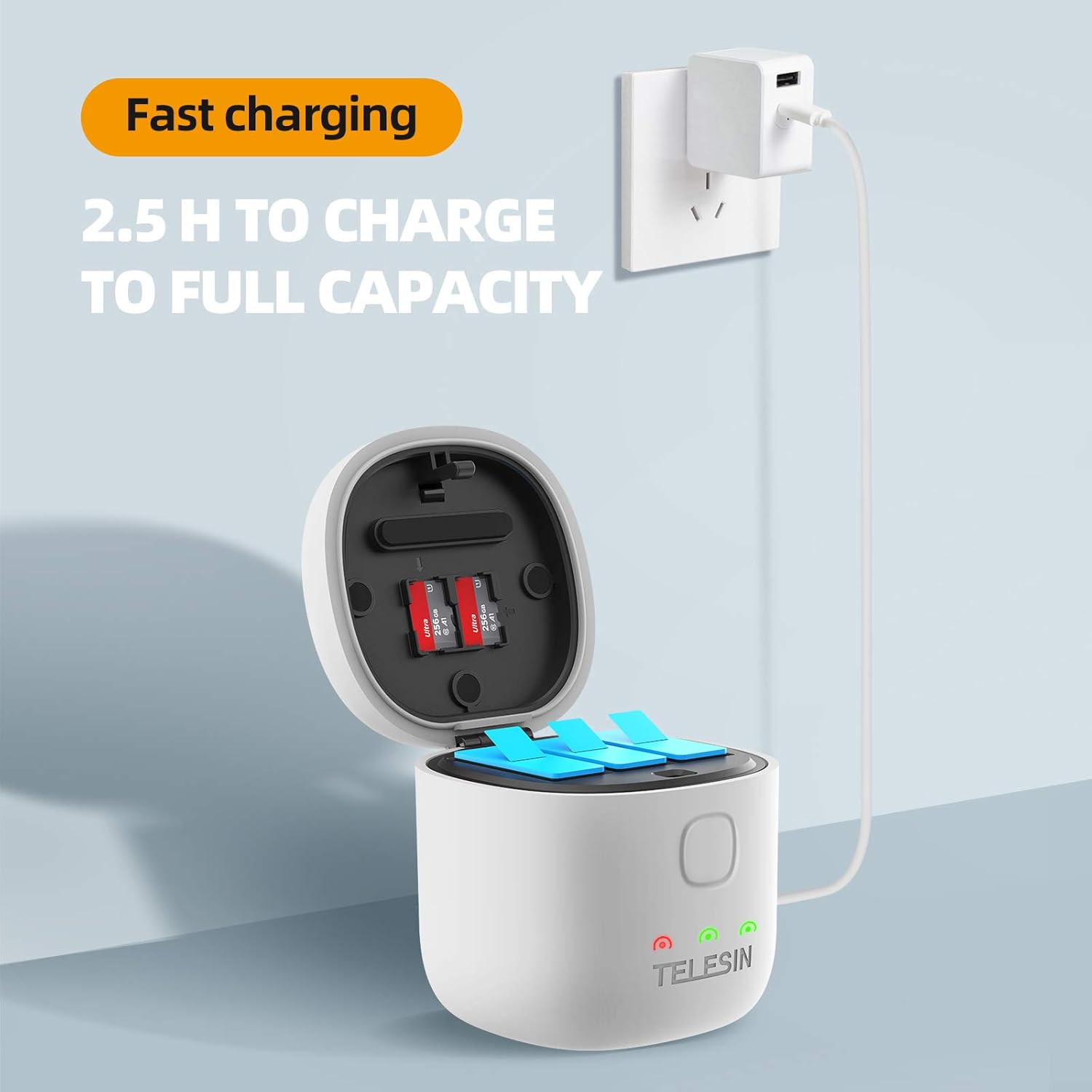
Image: AllinBox connected to a power source, displaying red and green indicator lights for charging status.
6.2 Using the SD Card Reader Function
- Insert your Micro SD card(s) into the designated slots under the lid.
- Connect the AllinBox to your computer using the Type-C data/charger cable.
- Your computer should recognize the AllinBox as an external drive, allowing you to access and transfer files from the inserted SD card(s).
- After transferring files, safely eject the device from your computer before disconnecting the cable.

Image: AllinBox connected to a laptop, demonstrating its function as a high-speed SD card reader for file transfer.
6.3 Storage and Portability
The AllinBox is designed to securely store your batteries and SD cards. Close the lid firmly to ensure the IP54 waterproof and dustproof seal is engaged. The compact size and integrated lanyard allow for easy carrying in a backpack or camera bag.

Image: AllinBox attached to a backpack, illustrating its portability and secure storage for outdoor activities.
6.4 Official Product Video
Video: An official product video from TELESIN demonstrating the features and usage of the AllinBox Charger for GoPro Hero 11, 10, and 9 batteries.
6.5 Battery Performance Video
Video: A seller-provided video showcasing the performance of Artman Hero 12 batteries, which are compatible with the GoPro Hero series. This illustrates the type of batteries the AllinBox is designed to charge and store.
7. Maintenance
- Cleaning: Use a soft, dry cloth to clean the exterior of the AllinBox. Avoid abrasive cleaners or solvents.
- Storage: When not in use, store the AllinBox in a cool, dry place away from direct sunlight and extreme temperatures. Ensure the lid is securely closed to maintain its waterproof and dustproof properties.
- Cable Care: Handle the Type-C cable gently. Avoid bending or twisting it excessively to prevent damage.
8. Troubleshooting
- Batteries Not Charging:
- Ensure the Type-C cable is securely connected to both the AllinBox and the power source.
- Verify that the power source is active and providing sufficient power (5V 2A recommended).
- Check if batteries are correctly inserted into their slots.
- Ensure the batteries are compatible with the charger (GoPro Hero 12/11/10/9 Black original batteries).
- SD Card Reader Not Recognized:
- Ensure the AllinBox is properly connected to your computer via the Type-C cable.
- Check if the SD card is correctly inserted into its slot.
- Try connecting to a different USB port on your computer or a different computer.
- Ensure your computer's operating system drivers for USB devices are up to date.
- Indicator Lights Malfunctioning:
- Disconnect and reconnect the power cable.
- If the issue persists, contact customer support.
9. Warranty and Support
TELESIN provides a warranty for its products. If you encounter any issues or are unsatisfied with your TELESIN product for any reason, please contact their online customer support for assistance. They are committed to resolving problems quickly and efficiently.
For specific warranty terms and conditions, please refer to the official TELESIN website or contact their customer service directly.


